No REST for QuickBooks Desktop Integration Developers

No REST for QuickBooks Desktop Integration Developers
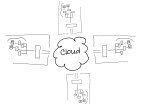
elastic-cloudIntuit, the maker of QuickBooks small business accounting software (among other things), is discontinuing service for the REST API and the Sync Manager on March 1, 2016 [1].  Developers with applications which integrate with the desktop editions of QuickBooks using this method must change their approach right away or risk having their integrations simply stop functioning.  It’s not that Intuit will DO something on March 1st.  Rather, they’ll stop doing something – like handling Sync Manager integrations.

There are a lot of different types of businesses in the world, and each of them produces and consumes a lot of information.   From sales to human resources; from operations to finance – every business generates and manages information to support the various processes which make up the business activities.  Computer systems and software represent the tools businesses use to develop and manage information, and often become foundations for structuring the information which flows through the organization. Just as there may be different people in the business, each with their own responsibilities and job functions, there are likely software applications which are similarly oriented to support different processes within the business.  Integrating or connecting different applications and processes within the business helps the organization be more efficient with information usage, generally increasing the quality of access and reporting throughout the business while at the same time reducing or eliminating redundant data entry and the potential for errors.  Software integrations are a big thing to many businesses, which is why the discontinuation of Intuit’s Sync Manager for QuickBooks Desktop editions is a big deal.

Intuit’s Sync Manager was the big thing just a few short years ago.  Providing developers with a seamless method for accessing QuickBooks company data and passing it to/from web-based and other applications was a boon to the online application model and paved the way for many disk-based integrated solutions to migrate to SaaS offerings instead.  Developers who saw success operating in Intuit’s QuickBooks marketplace as recognized add-ons were encouraged to use Sync Manager so that they would be able to seamlessly market to, subscribe and onboard new users who purchased QuickBooks products. Whether or not the developer participated in Intuit’s application marketplace, the Sync Manager and the REST API provided them with some very important capabilities and supported new methods now recognized as “standards” for development of web-based solutions and services.

The World Wide Web has succeeded in large part because its software architecture has been designed to meet the needs of an Internet-scale distributed hypermedia system. The modern Web architecture emphasizes scalability of component interactions, generality of interfaces, independent deployment of components, and intermediary components to reduce interaction latency, enforce security, and encapsulate legacy systems. http://dl.acm.org/citation.cfm?doid=337180.337228

In order to integrate a solution with QuickBooks desktop products, there are two essential problems to solve.  First, there must be access to the QuickBooks data.  Few products are able to directly access the data in a QuickBooks data file; generally, the QuickBooks program itself is used to ‘broker’ access to the company file. So, developers need a way to work inside of QuickBooks to use it to access the data their applications need.  Second, the data must be transported (via the Internet) to allow for data to come from QuickBooks into another app, or to allow data from the other app to come to QuickBooks.  The REST API and the Sync Manager addressed both of those problems and provided developers with the mechanisms required to facilitate the data integration as well as transport the data.

REST (representational state transfer) is “the software architectural style of the World Wide Web [2]” and represents a standard for creating scalable, distributed system interactions.  Using this method, developers were able to make their online solutions access, read and write data in QuickBooks desktop products because Intuit had first sync’d the data to its servers, so developers needed only to reach the Intuit servers to reach the data.  The Sync Manager provided the transport, carrying the data to/from the desktop installation where the Sync Manager service was running.  And, because the Sync Manager was basically built-in to QuickBooks, there was no additional software to install and maintain on the computer because it was all part of the QuickBooks installation.

Intuit did a fantastic job of getting developers to move to the API integration method, positioning all those lovely 3rd party solutions for linkage via an Intuit.com account and, now, to QuickBooks Online.  Intuit is clearly favoring the QuickBooks Online edition and the API integration method available with that platform, and is telling developers that they must convert their customers to QBO in order to retain the easy connective ability they had with the desktop editions via Sync Manager.

Now that Intuit has announced the discontinuation of the REST API and the Sync Manager, what options do QuickBooks integration developers have, and how can customers using 3rd party integrations keep using them?  Options do remain, and they aren’t all that bad.  In fact, the options which remain continue to be the methods of choice for certain developers. These developers recognized early on that Intuit’s somewhat “lightweight” methods couldn’t handle the complexity or full functionality of their integrations facilitated their solutions using the SDK and never looked back (and still don’t).  For this community of developers – many of whom likely never considered trying to market their solutions in the Intuit app marketplace – the elimination of the REST API and Sync Manager don’t really matter.  They didn’t bother with them in the first place, just as they aren’t bothering with QBO.  Those solutions don’t fit their customers, anyway.

The QuickBooks desktop SDK (Software Development Kit) has been around for years, and using the SDK developers have been able to craft tight integrations between their solutions and the QuickBooks desktop products.  From payment plug-ins to fully integrated sales, customer relationship, inventory and manufacturing solutions – a broad range of integrated applications built with the SDK have been successfully deployed to QuickBooks customers all over the world.   Many applications which integrate with QuickBooks desktop solutions are desktop products themselves and are designed to work within the same desktop and network environment as QuickBooks, so there is no need to worry about “transport” of the data over the Internet.

For other solutions, such as online applications and services, there may be a need to exchange data via the Web. The QuickBooks Web Connector has also been a very popular solution for developers of applications that integrate data with QuickBooks.  The Web Connector is just what its name implies: it is a way to connect QuickBooks to the web and vice versa. With the Web Connector application and a web connector configuration file, developers could provide a method of exchanging data between QuickBooks desktop and another solution fairly simply.  While the Web Connector is quite useful in providing a means to transport integrated data to/from the QuickBooks desktop to an external system (like an online application), it only allows access to whatever data Intuit decides.  For this reason, many developers use both an SDK application and the Web Connector so their applications can access all data required and also have a web service available to transport it.

There are numerous implications relating to the sunset of QuickBooks REST API and Sync Manager, and another among them is the impact in hosted environments.  For customers who are (or might) benefit from hosted QuickBooks delivery models, what does the end-of-life of the Sync Manager mean?  Since the Sync Manager was basically built into QuickBooks desktop editions, it meant that there wasn’t any extra software to install or manage when a company wanted to adopt a Sync Manager-based 3rd party integrated solution. In a hosting environment, this means that the customer could easily add integrated applications to work with their hosted QuickBooks and the service provider might never even know it was being done.  There would be no additional software to install on the host servers; so many providers would simply be unaware that their customers were using these other solutions.

As developers return to SDK and Web Connector implementations in order to integrate with QuickBooks desktop, customers will ask their hosting providers to install the QWC (QuickBooks Web Connector) and/or integration software in their service.  In shared service delivery models, this may be virtually impossible to do without potential compromise to existing customers using those servers or other applications resident on the systems.  Hosting customers will not always understand that a “simple plug-in” actually represents installable software that must be secured, maintained, managed, and kept from improperly interacting with other software in the environment.  Some providers may not even be willing to work with the new integration software, while others may allow it but will not take adequate precautions to ensure proper and secure function.

Intuit has said to many constituent groups that its focus on desktop editions of QuickBooks will continue, and new certifications and benefits for desktop ProAdvisors (and continued development of interoperability with other solutions, like the Revel POS integration for QuickBooks desktop) give support to those statements.  Yet developers who support integrations with QuickBooks desktop are once again adjusting to the not infrequent changes Intuit makes to developer programs and philosophies.  The push to QBO and connected apps may be the focus for QuickBooks marketing dollars, but there are still quite a number of (very busy!) developers supplying solutions to businesses who don’t shop inside their QuickBooks software.

Joanie Mann Bunny FeetMake Sense?

J

[1] https://developer.intuit.com/blog/2014/09/08/timeline-to-discontinue-the-quickbooks-desktop-rest-api

[2] https://en.wikipedia.org/wiki/Representational_state_transfer

Paperless_468x80

QuickBooks Online is Pretty Cool

Doesn’t Simplify Overall IT Requirement for SMBs

dt-v-online-great-debateIntuit is doing some pretty cool things with the QuickBooks Online product.  I really like the fact that there are mobile apps available, the product can auto-send reports, form templates can be imported from Word, and there’s a desktop application available to replace pure browser-based access.  There are those who might believe that I’m a QBO hater, but I’m not.  I am evangelist for cloud computing, mobility and cloud service… I just don’t necessarily believe that only one flavor of “cloud” applies to everyone. QuickBooks Online is some good stuff – but is it really making things simpler?

What QuickBooks Online does better than QuickBooks desktop, really, is provide a cloud-based accounting solution for small businesses for an affordable price.  QuickBooks Online was built as a SaaS solution, so web-based access and a subscription service model are part of the package.  On the other hand, QuickBooks desktop editions were designed to not simply function for the user, but to deliver the user experience expected from software running on the given OS/platform (e.g., Windows or Mac).  When QuickBooks is running on Windows, it behaves like a Windows application and uses standard Windows conventions.  Same deal with QuickBooks on Mac.  It’s … Apple-y.  Whether on Windows or Mac, QB desktop editions are considered to be the workhorses that really help get things done.

What some folks don’t know is that QuickBooks desktop editions can be hosted in the cloud so that they also have the benefit of anytime, anywhere accessibility and managed service.  Businesses can have their QuickBooks desktop applications hosted and managed by a cloud service providers, and can access the applications and the data via the Internet just as QuickBooks Online users are able.  The oft’ forgotten additional aspect of cloud hosting is that the other business applications may also be hosted by the service provider, turning the entire business IT environment into a managed, anytime/anywhere resource.

When I look at outsourced IT and how businesses might benefit from subscription and SaaS solutions, I tend to view things more holistically rather than pursuing one application or functional area at a time.  The reason is that the business is an ecosystem of users, processes and capabilities.  Altering one part of the ecosystem will, without doubt, impact the others.  Note that, in many businesses, the accounting and finance systems are integrated with line of business applications and operational processes.  At minimum, there are likely to be connections or dependencies upon certain standard productivity tools for reporting and such, potentially generating lots of data.

Consider the QuickBooks Online capability of allowing form templates to be imported in .docx format.  Those templates had to be developed somewhere, and it was probably in MS Word on guess where? You got it… the desktop.  How is that local non-QBO data being managed, and how accessible is that part of the system?  Having accounting in the cloud is cool, but may also create separation in data silos and breaks in processes when it is removed so completely from the rest of the business information systems environment.  This introduces a layer of complexity for the business, where making sure all the information assets of the company are protected and recoverable isn’t as easy as doing a complete backup and archiving offsite, especially when the data is in a variety of formats and it doesn’t all exist on your PCs or servers.

Addressing the compartmentalization of business data becomes a potentially bigger issue when connecting two or more SaaS solutions via API.  Granted, this type of “extension” to the financial system helps businesses apply the right tool for the job, and ensures that workers are interacting with the information they need and not the entire financial system.  Yet small business owners generally lack the technical sophistication required to understand where and how to fully preserve and protect even a single business data silo much less multiple silos.   The ease of connecting systems to each other in the cloud often overshadows the complexity of creating a single data management strategy for the business.  And another item to remember is to disconnect those SaaS services which are no longer in use, as they represent an ongoing potential threat to the security of your data as long as they are accessing it without the data owner’s watchful monitoring.

The moral of this story is that I believe businesses that approach their information technology needs with a holistic view will have greater success than those who focus only on particular processes or functional requirements. I think QuickBooks Online is pretty cool (especially now that there’s a desktop app!), and I (and a few million others) think QuickBooks desktop editions are pretty good, too…. They’re just different pieces of software that do things differently – each carrying different risks and rewards.   The point is that neither solution stands alone in the business operation, so each should be viewed in the context of the overall business information management strategy in order to see whether they’re properly selected, placed, and managed. Trying to make things simpler doesn’t always actually make things simpler.  Welcome to the cloud.

Joanie Mann Bunny FeetMake Sense?

J

QuickBooks Online vs QuickBooks Desktop: The Great Debate

QuickBooks users around the country are facing a dilemma like never before – they’re being forced to consider exchanging their beloved QuickBooks desktop editions with a subscription-based online application that seems like an entirely different product.  It not only seems like a different product, it is.  And this is where the debate begins.

For years businesses both large and small found Intuit’s QuickBooks software to be their solution for business bookkeeping and accounting.  Over the years the product line grew to support larger businesses, with the Enterprise edition scaling to 30 users and boasting a load of operational process support features.  Accounting professionals, too, grew to favor the QuickBooks products because there were features just for these “mechanics” who learned to make the software do what was necessary to support the business, even if the software wasn’t intentionally designed to be used in that manner.  After all, it is this “unintentional” activity which often results in really cool new features being introduced in the product – features that the designers didn’t think up but that users did and the news eventually got back to the developers.

dt-v-online-great-debateWhen Intuit introduced QuickBooks Online, however, the tried-and-true solution known as “QuickBooks” became something very different at first glance, creating the need to educate the market about the continuing existence of desktop QuickBooks products as well as the newer online QuickBooks product.  Differentiation of the two is not really the “desktop” versus “online” moniker – Commercial Hosts for QuickBooks, who essentially turn the desktop products into online application service, pretty much eliminate the whole “any time, anywhere” debate, as hosted QuickBooks desktop editions are just as anytime/anywhere as the online edition is.  The benefit of Internet access and running on any device is now removed from the equation, so what’s left to compare other than functionality, benefits and features… and a proven track record?

We could, in the past, have a conversation about the features, benefits and functionality in QuickBooks and know that the flow-through of product use knowledge, stored data and integration with other business solutions would be fairly seamless and consistent.  QuickBooks Online has demonstrated none of this, fracturing the seamlessness and consistency users could previously expect as they move through the product line – as businesses will do as they grow larger and have more demands from their software solutions.

So now there’s a debate – which solution is best?  The answer really isn’t necessarily about which is best, but which addresses the business need now and, if the business intends to be around for a while, in the future.  Sometimes the argument is more about getting you where you need to be rather than simply supporting where you are now.  I know I’m not yet ready to place any hard bets on whether or not the QBO  model will truly deliver the goods for growing businesses long-term.

Joanie Mann Bunny FeetMake Sense?

J

Hosting Intuit QuickBooks Desktop Editions Delivers Big Benefits for Small Business

Big Benefits with Hosted QuickBooks

diagram_self_hosting-500_289Everyone, it seems, is adopting outsourced IT and cloud computing models yet one size does not fit all when it comes to serving business – whether it’s the software or infrastructure under discussion. Cloud, mobile and online application models deliver big benefits for small businesses, but it is important to know the options available before investing in something that’s hard to get out of later. Initially, a hosted application model might be the best approach, allowing the business to achieve the mobility and on-demand service they desire but without an investment in SaaS solutions that are much more difficult to change out of or grow with later.

When “QuickBooks” and “cloud” are mentioned in the same sentence, most people are likely to think about the QuickBooks Online Edition, which is Intuit’s version of QuickBooks accounting software that was developed specifically for the web.  But QuickBooks Online isn’t the only QuickBooks “flavor” finding success in the cloud.  QuickBooks desktop editions have made their way into online and hosted deliveries, giving customers the ability to run the business and grow the organization with the software they’ve already invested in, but running the apps in the cloud.

QuickBooks Online lacks the features and functionality present in the desktop product lines, and the range of 3rd party applications which integrate or work in conjunction with QuickBooks desktop is huge and continues to grow.  Developers with SaaS products often find that their target customers prefer the desktop editions of QuickBooks, even though there may be connections to QBO available.  All of these connected software products can be hosted with or connected to hosted QuickBooks, providing businesses with mobile and remote access for all their business applications, not just the web-based ones. *Note: not all QuickBooks hosting companies will also host whatever 3rd party integrations a business needs, so make sure to verify before you buy! What sounds like a great hosting deal now could turn into something you need to change later.  The good thing is, you can change…. unlike with QBO.

The popularity of desktop application hosting continues to grow because users have investments in software, data and business processes. Adding remote access and mobility doesn’t require an entire change of software, but it does introduce new benefits that can have a big positive impact on work quality, productivity and efficiency. QuickBooks hosting models and application hosting in general gives business owners a basis for helping employees balance (or integrate) work and life time and activities, and addresses the issues of data security and mobility by keeping information securely stored on the host.

Better information security, work/life balance, mobility, making the most of your existing investments and creating sustainability in the business so you can grow. These and more are benefits of hosting QuickBooks software for your business.

jmbunnyfeet Make Sense?

J


Intuit QuickBooks 2014: Another Move Towards Unification of Features and Software as Service

Intuit QuickBooks 2014: Another Move Towards Unification of Features and Software as Service

qb2014Intuit QuickBooks is the recognized standard for small business accounting, and the introduction of the QuickBooks Online Edition was a testament to Intuit’s understanding that users are looking for SaaS solutions as well as traditional desktop products.  While it may seem that the entire market is moving to online applications and everything-as-a-service, the Intuit desktop products remain the leading business computerized accounting tools.  Intuit does seem to recognize that many things can be done better with a “software-as-service” model , and that the number of businesses seeking purely web-based solutions is growing, and this is evidenced by the fact that many features and presentation elements in the Online edition are making it into the desktop editions.  Creating consistency throughout the product line makes sense for users, and leveraging the benefits of shared service makes sense for Intuit.

In a previous blog article entitled Changing How We See Software: QuickBooks 2013 interface frustrates power users, I had suggested that many of the interface changes introduced with the 2013 QuickBooks desktop editions were a step towards unification of interfaces (to the degree possible) between desktop and Online editions.  Additionally, integrations with various connected services, Intuit payroll and payment solutions, and other online service elements clearly demonstrate that certain functionality and service offerings will be provided consistently through either solution set.  Another new “unified” feature announced for QuickBooks desktop is the Income Tracker, a feature that originated with the QB Online edition.

The Income Tracker provides you with a fast way to see the status of your unbilled and unpaid transactions, and provides you with features to improve billing/collections as well as perform a number of batch procedures… This feature was first developed in QuickBooks Online, and this year Intuit has brought it into QuickBooks Desktop

http://www.sleeter.com/blog/2013/09/quickbooks-2014-income-tracker/

The introduction of a purely subscription licensing model for the desktop products is yet another move towards enabling the pay-as-you-go subscription model for purchasing software.  Businesses are able to purchase “plus” subscriptions, which provide not only perpetual most current version software but also deliver support for the life of the subscription.  This is another change from the more traditional boxed software approach, where the product was a one-time purchase and came with short-term or limited support.

It seems that many of the changes introduced with 2014 indicate that online service and subscription pricing models will continue to introduce themselves into the QuickBooks desktop products, and users who change from one solution to another in the product family will find more familiarity and consistency in the attached Intuit services they also use.

Many independent software vendors and developers of business applications are recognizing the value of subscription service models and the benefits of leveraging web-based applications and shared services within their solutions.  For software companies, turning a one-time sale into a recurring revenue stream is highly desirable.  From a development perspective, one project could service the entire product line, rather than efforts being divided among multiple products.  From an operational perspective, infrastructure and personnel are able to centrally service the functional requirement, providing the same benefits of shared service that users of SaaS solutions experience (it may simply be internal rather than external customers being served).

The point of the discussion is that, while QuickBooks desktop editions may not be going away any time soon, there is wisdom (and business necessity) which is likely to drive even more subscription model SaaS inclusions in those products that were once purely and firmly planted on the desktop.  Even good old QuickBooks must change, and for the most part, users are seeing benefit in those changes.

Make Sense?

J

Focus on the Finance Department: QuickBooks in the Cloud

Focus on the Finance Department: QuickBooks in the Cloud

Vendors and IT solution providers are all buzzing about their cloud services and solutions available via the Web.  This buzz often includes statements about lower cost of IT acquisition and service management and how mobility and remote access benefits the business.  These statements are proving true for many businesses, yet there are still vast numbers of small business operating on local computers and unmanaged service.  The reasons which hold back these business from adopting cloud computing models are as many and varied as the businesses themselves, but there is a consistent thread to be found in these reasons, and it has to do with a lack of understanding of what certain applications really mean to the business.  In this case, the discussion is about the focus on strictly operational or administrative areas of the business and not on the finance department which, in so many small businesses, uses QuickBooks.

Cloud solution providers are in business to make money, and hosting companies in particular are looking for the right applications which will drive usage and revenues on their platforms.  When these providers look at the small business market, they’re trying to identify the applications and services that small business owners will adopt in volume.  Identification of these opportunities to serve a large customer base is essential to the provider’s economy of scale and profit model.  It makes sense that hosts would want to offer the applications which drive the highest degree of usage in their environments, so they tend to focus on the applications used by the greatest number of users within the customer organization.  In the small business market, these applications are email and productivity tools – solutions which are used broadly throughout the business and which serve a horizontal rather than vertical industry orientation.  Those are the two easy picks; finding the next most valuable solution represents a bigger challenge for the provider.

qbcloudWith Intuit QuickBooks desktop editions boasting the lion’s share of the small business accounting market, it seems that hosting QuickBooks products would be the next natural selection by hosting providers already serving their small business clients with email and productivity solutions.  However, because these service providers do not fully understand the essential functions QuickBooks serves in the small business, the assumption is that the usage of the solution is so nominal that it doesn’t make sense to develop the capability to offer it.  It is a misunderstanding that many providers have, and is the result of a lack of historic participation in the product.  QuickBooks, you see, is a direct to consumer product rather than a channel product, and most IT service providers and hosting companies recognize the product name but not really what it does or how it operates.  And these hosts are often large companies and therefore have no direct experience using the product, so there is no frame of reference for them to work from.  These service providers are simply overlooking the important role that QuickBooks solutions play in many small businesses, where it is used to handle various operational aspects of the business as well as being the product of choice for bookkeeping and accounting.  Particularly with the QuickBooks Premier and Enterprise editions offering additional functionality and industry-specific features, the products are used widely by small businesses and not just for accounting and finance.

The point of the discussion is that hosting companies and “cloud server” providers should look at the mixture of applications used by their small business customers, and they are likely to find that QuickBooks products are pretty high on the list.  Even if there are only a few people in the accounting department, and the usage by these individuals is not representative of the entire hosting opportunity, hosts should recognize that those few individuals and the software they use are not only essential, but are probably processing payroll for all those other users on the system and are paying the bills for products and services purchased.  After all, if you’re going to make anybody in the company happy, make sure to focus on the finance department and help them get their QuickBooks in the Cloud, as they’re the ones that will be paying the bill for the service.

Joanie Mann Bunny Feet

Make Sense?

J


Google+