The CPA for Small Business: Proactive, Responsive, and Helps Paint a Beautiful Picture

chartI once read an article written by Doug Sleeter which describing the findings of a published report titled What SMBs Want from Their CPA.  The report was a summary of results from a study conducted by The Sleeter Group, and was intended to help accounting professionals understand the factors in the market which influence business use of professional accounting services.  While adoption and use of technology was not named as the top item on the list, capabilities which can be rendered only if such adoption occurs were.  In short, it’s not the technology that clients demand, but the level of service that professionals can only deliver by embracing advancements in technology and applying them to the client engagement.

The report and article placed a specific focus on trends relating to technology adoption and use in the professional practice, and establishes a foundation for firms to understand why technology is and always has been a key factor in the success of the CPA-client relationship.  It’s not that the accounting professional must become a skilled technologist and promote high technology to the client.  Rather, the success factor rests with the firm’s motivation to implement technologies and tools which will improve their ability to deliver more (and more valuable) service to the client in a more direct and timely manner.

The survey’s two critical questions posed to small business owners who use the services of a CPA were 1. What factors played a role in your decision to leave your former CPA?, and 2. What types of services would you like to receive from your CPA?   Both questions are pretty straightforward, and the top responses from surveyed SMBs were equally unambiguous.

To the first question (factors playing into a decision to leave former CPA), the top two answers indicated that reactive and/or unresponsive are the problems which ultimately cause a small business owner to change accounting professionals.  The top response was “Former CPA didn’t give proactive advice, only reactive”.  The close second response was “Former CPA had poor responsiveness”.

Unfortunately, these responses more than accurately describe many professional firms and their approach to client service.  These firms are perfectly content with waiting for clients to deliver after-the-fact information, delivering reports long after their relevance has past, and providing no sense of urgency in helping clients address business issues facing them here and now.  These firms are content to work with their write-up and trial balance solutions, depreciation and amortization and tax products – and give little consideration to how they could adjust their operation to a better, more relevant and rapid delivery of service and insight to the client.

The second question, “What services do SMBs want from their CPAs?”, was met with the same responses professionals have been hearing for years; small business owners need help with business planning and business strategy and they wish the help would come from their CPA.   It is surprising how many accounting professionals list business planning and strategy among the services they promote on their websites, and then just sit back and wait for clients to ask.  Communication with clients remains relegated to annual reminders for tax information, or maybe slightly more frequent notes about other tax or compliance work to be done.  It may be a bit unfair to place all the blame on the professional.  Regulatory and reporting impacts on business are increasing and are increasingly complicated.  Many professionals find it challenging enough simply to keep up with changes relating to the services they currently and regularly provide.

This is where practitioners should seriously take notice, and accept that the ability to meet changing market and customer demands is by intelligently leveraging technology to accomplish what people and process cannot do alone.

  • It takes information technology to speed up the bookkeeping, accounting and reporting processes; technology is required to help turn information into useful and relevant data;
  • technology facilitates the faster collection of information from and the delivery of information to clients;
  • technology is applied to reflecting numbers as pictures and helping users visualize the meaning of the data, and
  • technology enables the collection and analysis of “big data”, which leads to AI advancements and greater intelligence delivered through the applications businesses use.

The Sleeter Group report clearly demonstrated that small business owners continue to need and want more than just tax returns and post-facto reports from their accounting professionals, and that the lack of attention in these areas pose a direct threat to the small business/CPA relationship.  Professionals can remove the threat by working closer with their small business clients, applying technology and process controls to get better information in a more timely manner, and returning the result with greater insight.  Be proactive and be responsive, and apply the necessary technologies and business philosophy to get there before the client base looks for satisfaction elsewhere.

I’ve said before that small business owners don’t care about the numbers, they care about the picture the numbers paint, and they care about getting to a place where the picture is absolutely beautiful.  With the right tools in place, their CPA can help guide them there.

jmbunnyfeetMake Sense?

J

Just Getting Started: App Hosting for Small Business

Just Getting Started: Application Hosting for Small Business

acoustic couplerAccessing software applications and data from a remote system isn’t new stuff.  Starting with telephone modems, acoustic couplers (those things you’d put the phone handset into so that the modem could “hear” the data), green screen ASCII terminals and host computers, users have connected to remote systems to access applications and manipulate stored data for years.  As personal computers became viable for business use, applications and data moved from centralized hosts to local computer environments.
As complexity of local environments rises and broadband becomes truly affordable and accessible, application and data management services are moving back to the centralized system approach.  It’s an expand and contract model, where new capabilities empower the endpoint (the user device) and complexity and scale economies drive centralization of resources and management.  Computing paradigms have once again reached the point where centralization of resources, along with the management and administration of the resource, makes sense for even the smallest of business organizations.  This is the new push for small business IT service delivery, and we’re just getting started.

Application Service Providers (ASPs) were once thought to be the providers who would tip the scales towards server-based computing in the new era.  Rather than creating wide-spread adoption of hosted applications and “virtual” desktops, the ASP business model fell by the wayside as part of the dot-com bust.  It was the right idea, but the market wasn’t ready to accept it and promises of the demise of the desktop turned into the demise of the ASP.

With the successful introduction of SaaS solutions and web-based applications, interest in subscription based IT models has not only grown, but becomes the specific focus of the entire IT industry.  From OEMs to channel resellers, the supply chain for IT products and services is adopting cloud and subscription-based service and business models.  What’s interesting about this second go-around with Internet-based desktop and application services is that the adoption levels are real, the revenue potential is real, and customers are seeking out these solutions rather than being sold.  Managed applications and hosted virtual desktops have become accepted, if not preferred, models for delivering IT services to businesses.

Small businesses can benefit from enterprise-class technologies when a certain economy of scale is developed, and if the environment delivers services around the software and functionality those businesses already need and use.  Logic dictates that Intuit QuickBooks desktop products might be a focus for hosting service providers, as the solution is easily the most accepted financial application by small businesses.  Businesses don’t readily change their financial and accounting software, so addressing this need is a key aspect of adoption.  Also, with QuickBooks, it is as likely as not that the business has an outside accountant who will, at some point, need access to the application and data. Meeting this need and proving the viability of hosting applications such as QuickBooks – offering the solution in the form of subscription service to the customer – has been accomplished through many years of discovery and validation by some of the providers in what is now the Intuit Authorized Host for QuickBooks program.

With the validation of the service model and Intuit’s introduction of an Authorized Host for QuickBooks program, a great deal of opportunity has been created for value added resellers and their small business customers.  Some in the industry would suggest that Intuit’s focus on the Online edition of the product indicates that opportunities around selling or hosting the desktop products have diminished, and Intuit appears to be spending heftily on the promotion of QuickBooks Online.   Yet it remains true that many customers – whether they be existing QuickBooks desktop customers or new QuickBooks customers – want the functionality and the integrations available only with the desktop editions.

For these customers, a hosted/managed application service model is the only answer.  IT resellers working with small business customers are undoubtedly getting the requests, and a few are beginning to recognize the value and service potential associated with offering hosted application services for QuickBooks and other popular small business software products.

As the largest of software vendors (like Microsoft, Intuit, etc.) with small business solutions make their licensing models available to hosting providers, resellers and hosts alike can take advantage these programs and offer their customers the benefits of mobility and managed service around the applications already in use.  Business owners like the benefits to be gained by adopting cloud computing models, but are resistant to changing their software and restructuring their processes.  It is the ability to deliver the benefit without the disruption that makes these application hosting service models attractive.

There are millions of QuickBooks desktop users out there, and only a small fraction are being hosted by authorized providers.  Intuit continues to sell the desktop solutions and the number of QuickBooks users isn’t in decline, so the opportunity to serve those QuickBooks customers continues to grow.  When it comes to providing application hosting services for small businesses, we really are just getting started.

jmbunnyfeetMake Sense?

J

Go Ahead and Shoot the Server: End of Microsoft Small Business Server Inspires Cloud Adoption with Small Businesses

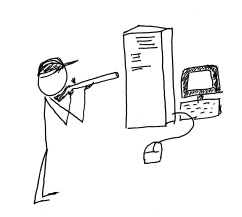
shoot_the_serverMicrosoft has made a decision to include more “cloud” capability in its offerings for small business, ending the life of the successful Small Business Server line and replacing it within the Windows Server 2012 family.  Some businesses are continuing with locally installed servers and are upgrading to Windows 2012 Essentials (or other editions) for in-house use, but more businesses every day are electing to deploy their servers and systems in the cloud instead.

Back when Microsoft introduced the Small Business Server, small business owners found that it was now really easy to implement way more technology in the business than they could directly support.  In one happy little package the SMB could get Windows Server, Exchange, SQL, SharePoint, Remote Web Access, an internal Company Website and more.  Information technology service companies, on the other hand, found it to be a big driver for delivering equipment and services to small business customers, and the product line’s adoption and implementation numbers grew.  Even the smallest of businesses could enjoy enterprise-class email, file and document sharing, client-server applications and remote access for a (relatively) affordable price.  It was this type of offering which created opportunity for server virtualization technologies to be used in small business, as the various server types each benefitted from their own “sandbox”, and IT providers recognized another opportunity to leverage their expertise at the customer location.

Business use of technology continues to expand rapidly so it makes sense that the Small Business Server offering from Microsoft is pretty popular.  In fact, Foresitetech.com says in an article on the subject that “The overwhelming majority of small businesses (80%) with less than 75 employees use Microsoft’s Small Business Server (SBS) software.”

But this fast-paced world of technology continues to move along, and Microsoft has ended the life of the SBS 2011 product.  In its place, small business customers are encouraged to upgrade to one of the editions of Windows Server 2012 as a replacement for their beloved SBS and hopefully they can find an edition which (affordably) delivers the functionality and features the business has come to rely on.  Unfortunately, there isn’t an edition of Windows Server 2012 that offers quite what SBS did, so now there is a big buying decision for the customer.  As the Clash sang it: “do I stay or do I go?”

Microsoft’s elimination of the feature-rich and friendly-sounding Small Business Server has created a lot of opportunity for VARs and IT service providers to move their customers to cloud services, SaaS solutions and hosted environments.  Particularly as information technology continues to become more complex, small businesses (well, businesses of all sizes) are recognizing that they may be better off focusing on running the business operation and managing the company as opposed to spending a lot of focus on IT system purchasing, installation, administration and management.  They have come to understand that IT services are critical to the business, but the server doesn’t have to be under the front desk or in a back closet in order to function for the business.  There is simply too much evidence in the market for these business owners to ignore;  shooting the server is now a viable option.

Every day more business owners are being inspired to [shoot their servers] seek out the services that will allow them to continue to benefit from innovations in technology while relieving them of the direct responsibilities of equipment purchasing, implementation, administration and lifecycle management.  Cloud services deliver this capability, and channel partners and Value Added Resellers should recognize their opportunity to get inspired as well, and to start offering cloud-based and hosted services to their customers and capture the “buying decision” opportunity that Microsoft has created.

Ready. Aim. Fire.

jmbunnyfeetMake Sense?

J

A Higher Level of Customer Relationship Management: Building Closer Customer Relationships

A Higher Level of Customer Relationship Management: Building Closer Customer Relationships

Most businesses recognize the importance of creating a quality experience for customers doing business with them.  The thing that many business owners overlook is how their internal workflows and information management systems serve to either support or impede the delivery of a well-rounded positive customer experience.  Growing businesses must adjust their processes and improve their tools in order to have the necessary information available to workers at various levels of the organization, providing a centralized means for collaboration, data sharing and analysis.   With the right information systems and process support, even small businesses are able to function at exceptionally high levels and provide the consistently high-quality service and customer experience that establishes long-term value in each and every customer relationship.

Businesses which excel at providing very high levels of customer service tend to have a few common characteristics – features of the business that identify it as an organization geared towards growth and success in driving the customer engagement and business value.  Among these characteristics is the recognition of the need to use technology better – leveraging automation to a greater degree to create consistency in work performance, and improving information collection and integration to provide more context and depth to the data. Added efficiency which affords employees time to focus on customer oriented tasks and elevating the customer experience even more is the payback.

total-business

Many CRM solutions describe the benefits of a “360 degree” view of the customer, yet these solutions often orient themselves to supporting only sales and Contact Management and do not address product and/ or service delivery (fulfillment of what was sold/ordered)  or project management, contracts and agreements tracking or other aspects of doing business with the customer.

Granted, customer interaction occurs most frequently with sales and service teams, but there are potentially vast number of processes and tasks performed within the business which operate with the same information as sales and services, and which would benefit by integration within the same information and workflow framework.

By selecting a solution that addresses the wider variety of business and information management requirements rather than focusing solely on sales and support, business owners and managers find that they are better able to address internal workflows with streamlined process automation.

The result is significant improvement in the quality and completeness of the information available to users throughout the organization, ultimately improving the quality and nature of customer engagement and interaction. Perhaps even more impactful is the ability for the business to better understand  the context of and motivations for customer interactions, and (most importantly!) having the capability to take immediate action based on that knowledge.

With the right customer relationship and business management solution in place, and with a focus on systematic approaches to enabling process and workflow automation, businesses can become more flexible and responsive to changing customer needs and expectations.  Creating the complete view of the customer relationship and capturing the data which helps users understand the dynamics of the entire relationship serves to build closer customer relationships that will strengthen and grow over time.

When a business needs to implement a Customer Relationship Management solution to address sales and support needs, it makes sense to also review information management requirements for:

  • Delivery of products and/or services  – i.e. fulfillment of what was promised by sales
  • Scheduling of Work/Service Orders and integrated billing based on completed work
  • Time and personnel activity management as well as time reporting and billing
  • Project or job resource and time management and reporting
  • Documents, contracts, before & after pictures, and agreements of all types
  • Products and services, proposals and quotes, price books and channels

Additionally, since the processes are so closely related in terms of the information collected or used, it makes sense that the CRM solution would also work with:

  • Marketing campaigns and activities, lead generation systems and e-newsletter solutions
  • Accounting solutions which also utilize customer, product, job, time, cost and other data
  • Expense spending management, approvals and reporting

To be truly useful, the solution must also support remote and mobile workers since field service personnel and other workers are often not in the office when they need to get something done.  Whether the access is via hosted solutions providing full remote desktop functionality, or via web-based application extensions allowing device independent access (or both!), the solution should be designed to allow users to access the system and perform their work from wherever it is required.

Even more, a comprehensive approach to managing business activities and information, particularly with a focus on providing all departments with all the information and capability they need to get their jobs done properly, requires that everyone in the company be on board.  There really isn’t a great way to centralize and manage critical business data when the approach is to give a few people some information and functionality, leaving it up to human beings and individual initiative to connect the dots (and the data).  The result is almost always a series of gaping holes in various processes where information and requests get lost.

Among the best solutions I have found which delivers the foundation for all of this functionality is Results CRM.  Thousands of users have successfully migrated from ACT!, Goldmine, Telemagic, Salesforce.com and other SFA and CRM solutions to the Results CRM platform, and have benefitted from better workflow automation, more logical company and contacts associations, and a broader range of functionality supporting everything from sophisticated quote and proposal development to comprehensive project, time and expense management.

At the end of the day, it’s the reporting that wins.  If the data isn’t in the database, you can’t report on it.  If you can’t report on it, you can’t measure it. If you can’t measure it, you can’t make good business decisions and grow the business.

Make sense?

J

Accounting, Technology and Small Business – The Best of 2013 from CooperMann

Accounting, Technology and Small Business – The Best of 2013 from CooperMann

cooper-mann-top-20It has been an eventful year, hasn’t it?  With the NSA lurking about collecting data, innovative new approaches to information and identity theft emerging almost daily, and complete turmoil in the IT services industry challenging trusted sales and distribution models, most of us have simply become numb to the noise.  Information technology is evolving at an increasingly rapid pace and the way people and businesses interact with and use technology is being forced to change along with it.  It’s starting to become almost, weirdly, natural.

Much of this change can be attributed to “The Cloud”, which is not a thing or a place.  Cloud has become the term which applies to just about anything having anything to do with the Internet.  For technology “purists”, cloud means something fairly specific, but for normal people (no offense to the nerds and geeks, but you know what I mean), cloud applies to pretty much anything accessible via the Internet.  Photos back up to “the cloud”; music gets stored in “the cloud”, websites are hosted in “the cloud”; businesses run their applications in “the cloud”, and you can do darned near anything you need (or want) to with a phone.  The cloud could be some guy’s server in his basement, or it could be a sophisticated network of systems housed in secure facilities around the globe.  They both qualify, sort of.  The point is that mobility, Internet services, subscription access to technology, and social computing are changing how people view technology – resulting with changes not simply in how IT is purchased, but in how IT is used and applied to daily life.

There are, however, some things that do not change even if the working environment does.  The accounting profession, for example, is undergoing a great deal of change, and much of it fueled by the advancements in technology and social computing.  But accounting fundamentals – the “truth of debits and credits” and the good old accounting equation – remain.  The basics of running a business are also unchanged, even as methods of doing business evolve and globalization of markets continues.  Business fundamentals – fiscal responsibility, cash and growth management, and focus on value and sustainability – are as necessary now as every before.

With all this change and IT “advancement”, there have certainly been impacts to how and where we work.  But the more things change, the more they remain the same.  Good business generates goodwill and more business – that doesn’t change – and bad news still tends to spread faster than good news (much faster, given social platforms that are designed to spread the word far and wide).  And when it comes down to the fundamentals – the basic and essential foundations supporting building, operating, and accounting for business – we generally find that they remain constant even as the environment in which they exist experiences change.

jmbunnyfeetMake Sense?

J

Here are the top 20 ranked posts for 2013 from CooperMann.com

  1. The 2 Most Popular Models for Working with QuickBooks Desktop Editions and the Cloud
  2. Accounting Professionals, You’re right – your clients don’t care about the numbers.
  3. Remote access to client bookkeeping comes in many forms because clients come in many forms
  4. What Small Businesses Need To Know about QuickBooks and the Cloud
  5. Intuit Introduces Changes to Authorized Commercial Host for QuickBooks Program, Introduces QuickBooks Enterprise Rental Licensing
  6. Managed Applications, Cloudpaging, and a New Flavor of Hosted QuickBooks
  7. The Language of Accounting: Disconnect between Accountants and Bookkeepers
  8. Why Accountants and Bookkeepers Use the Cloud
  9. Small Business Owner to Accountant: Make Accounting Valuable to ME
  10. Changing How We See Software: QuickBooks 2013 interface frustrates power users
  11. Bookkeeping and Benchmarks – Getting the Numbers Right
  12. In Bookkeeping, Accounting, and Information Technology: The Value of Outsourcing
  13. Hosting All My Applications in the Cloud
  14. 4 Rules of Thumb for Business Success
  15. Intuit Hosting Program for QuickBooks Website Goes Live
  16. Re-defining the role of the accountant, or going back to the good old days?
  17. Cloud Computing for Small Business: It’s All About 3 Apps
  18. The Collaborative Online Model for Small Business Accounting Professionals
  19. QuickBooks Hosting: New Program Tier Announced for QuickBooks Hosting Providers
  20. 4 Rules for Building Service Customer Loyalty
Posts by category – with Accounting Professionals, QuickBooks Hosting, QuickBooks Software, and Small Business being the top categories with ranking articles.
ACCOUNTING PROFESSIONALS
Small Business Owner to Accountant: Make Accounting Valuable to ME
Accounting Professionals, You’re right – your clients don’t care about the numbers.
The Language of Accounting: Disconnect between Accountants and Bookkeepers
Why Accountants and Bookkeepers Use the Cloud
Bookkeeping and Benchmarks – Getting the Numbers Right
In Bookkeeping, Accounting, and Information Technology: The Value of Outsourcing
Re-defining the role of the accountant, or going back to the good old days?
The Collaborative Online Model for Small Business Accounting Professionals
Remote access to client bookkeeping comes in many forms because clients come in many forms
QUICKBOOKS AND BUSINESS APPLICATION HOSTING
The 2 Most Popular Models for Working with QuickBooks Desktop Editions and the Cloud
What Small Businesses Need To Know about QuickBooks and the Cloud
Intuit Introduces Changes to Authorized Commercial Host for QuickBooks Program, Introduces QuickBooks Enterprise Rental Licensing
Hosting All My Applications in the Cloud
Intuit Hosting Program for QuickBooks Website Goes Live
Cloud Computing for Small Business: It’s All About 3 Apps
QuickBooks Hosting: New Program Tier Announced for QuickBooks Hosting Providers
Managed Applications, Cloudpaging, and a New Flavor of Hosted QuickBooks
QUICKBOOKS SOFTWARE
Changing How We See Software: QuickBooks 2013 interface frustrates power users
SMALL BUSINESS
4 Rules of Thumb for Business Success
4 Rules for Building Service Customer Loyalty

4 Rules of Thumb Regarding Workers Compensation Insurance for Employers

In two previous “4 Rules of Thumb” articles, I discussed a few things that businesses can do to create the best possible environment for engaging new customers and providing quality service (4 Rules of Thumb for Business Success) and provided additional tidbits for service businesses – things the company can do to make sure that the work is done completely and correctly the first time, which is what leads to happy and loyal customers (4 Rules for Building Service Customer Loyalty).

This article is focused a bit more internally to the business, discussing a few of the risks and considerations surrounding those dreaded tax burden issues: Unemployment Insurance, Worker Classification and Workers Compensation Insurance. 

Unemployment insurance is one of those items that most businesses pay attention to, because rates are impacted based on unemployment claims made and paid. The cost of unemployment insurance is usually calculated just like workers’ compensation, using standardized arithmetic formulas based on the profile and past record of the company.

Workers Compensation insurance is sort of the “elephant in the room” of compliance – it’s a big problem that is frequently the last item of consideration in business compliance and reporting. It is also an item that frequently goes without scrutiny at the state level, so little attention is generally given it by accounting and human resource professionals.

Workers Comp is one of those payroll reports where you select from a broad list of categories relating (hopefully fairly closely) to the work your people do, you calculate the cost, and you pay the fees.

Ideally you’re classifying workers properly in terms of their being employees versus independent contractors – this being the big focus of most workers comp audits and where many advisors say to pay attention. If you use a company to perform some of the work of your business, also pay close attention to the concept of joint-employer status (see article on joint employer status).

An equally big issue – the issue that impacts the business owner perhaps more than the employee – is classifying worker activities too broadly, potentially costing the business hundreds (if not thousands) of dollars in annual workers comp premiums. Improper classification of worker activities can lead not just to increased premium costs, but heavy penalties in the event of a claim finding the worker was not properly covered.

Most workers compensation policies issue blanket risk classifications, yet how these classifications are used in different industries is where the secrets of cost savings exist.  In the moving and storage industry, for example, the risk is in the warehouse. If a clerk or administrative worker enters the warehouse, that employee is now actually working under a different classification. However, if the worker often checks warehouse inventory or sells items from the warehouse as part of their sales job, they may operate under yet another classification.

There is a balance required when seeking to reduce premiums while keeping the company compliant.  Many companies consider caution to be more affordable than keeping highly detailed activity and work classification records, finding that reporting workers in higher cost work categories is more cost effective than paying for the labor intensive effort of capturing, analyzing and reporting in more detail. That is, until a worker is injured and the risk wasn’t disclosed through accurate workers compensation reporting.

When it comes to workers compensation insurance for the business, give these 4 compliance rules of thumb some strong consideration.

Rule 1: Get informed and get help.

It’s OK for a business owner to not be the expert in all facets of compliance and reporting – – you have accountants and tax advisers that can gain this knowledge from their annual CPE (continuing professional education). The potential costs of mis-handling workers compensation and other aspects of having employees are too great to risk being uninformed and unprepared.

Rule 2: Call an employee an employee

Classifying workers will turn out better for all parties in the long run even if it seems like the more expensive way to go. Misclassification of employee workers as contractors hurts everyone, eventually. There is a big problem with businesses misclassifying workers as contractors rather than as employees, sometimes to avoid paying taxes and benefits, but sometimes not just for that reason. When classified as contractors, workers are generally not covered by the various protections and do not get the benefits that employees do.

Some business owners who are unsure of the state administrative rules may pay workers compensation premiums for workers that are truly independent contractors. Other businesses may require workers to have a workers compensation account as a condition of employment. Either way it is being done improperly and one party or the other ends up bearing unnecessary cost and/or risk.

The unfortunate result is that employers are bearing larger than necessary burdens of supporting injured workers and the unemployed.

Deliberate mis-classification can save dishonest contractors upwards of 30 percent in payroll and other taxes, but for workers, taxpayers and honest employers, the practice amounts to millions in lost wages and revenue. – See more at:

http://www.ibew.org/articles/13ElectricalWorker/EW1305/Misclassification.0513.html#sthash.7u1vtjW

Rule 3: Details Details Details.

Worker classification done properly can save businesses a lot of money simply by being more accurate. Yes, there may be tradeoffs in terms of labor to perform the calculations and reporting, but it can prove to be well worth the effort.

Particularly in businesses where workers may perform multiple duties or work in a variety of locations and conditions, there is value in delving into the details of time, location and work performed to make sure the business is adequately covering itself. Filling out the report by simply selecting the broad category that “seems most likely” is not the best way to go. There are details in the rules, and the smart business takes advantage rather than being surprised by them.

A home installation satellite company did not keep sufficient records for their most hazardous business classification: tower work. During the audit, all their hours were assessed in this one classification that was six times the reported amount. – See more at:http://cath235lni.wordpress.com/

Rule 4: If there is a worker injury claim, pay attention and deal with it right away.

While it seems somewhat like getting car insurance after the wreck, there may be some risk mitigation that can occur if the issue is dealt with directly and in a timely manner – possibly avoiding a claims nightmare.

The last item is more of a suggestion than a rule, which is to be fair and truthful. Treating employees well is part of growing a successful team that will propel the business towards success.

Surprisingly enough, the benefits to the business may not only be a more productive and happier workforce, but lower risk exposure and lower workers comp premiums due to more detailed use of classifications in reporting.Tell employees and independent contractors what workers’ comp does for them – it’s essentially a medical and lost wage policy to protect them and those close to them.

Explaining to employees that keeping the boss informed about what is happening in the plant or in the field is simply part of helping ensure their proper protection.

Joanie Mann Bunny FeetMake Sense?

J

Many thanks to my friend Ted Carlson, Certified Fraud Examiner (retired), a veteran of the Department of Labor and Industries (L&I) in Washington State – responsible for Tax Discovery and Fraud Prevention field Audits.
