Intuit Reduces Migration and Support Options For Moving From QuickBooks Online to QuickBooks Desktop

Mendelson Consulting Offers Cloud and Migration Options

Need to convert data in QuickBooks Desktop to QuickBooks Online? You can get help from Intuit with this. Need to go the other way and convert from QuickBooks Online to QuickBooks Desktop? Not so much… So please read on.

In a surprise (and very quiet) announcement to QuickBooks Solution Providers, Intuit recently announced that it no longer freely provides data export functionality that allows businesses to convert their data from QuickBooks Online to QuickBooks Desktop. As of 12/18/2020, if you want to move your data from QuickBooks Online to QuickBooks Desktop, you have different options for how to do it and will get less support from Intuit in the process.

It is no great surprise that Intuit made this move. Even prior to ending the service, exports from QuickBooks Online to 2021 versions of QuickBooks Desktop had become quite difficult anyway. Requiring users to login to their Intuit account to create a new company file interrupts the QuickBooks Online attempt to create a new file in QuickBooks Desktop during the conversion, so the entire process became broken. (Note: Our solution is to create the new QuickBooks Desktop file in an earlier version of QuickBooks that does not force the Intuit account login, for example 2019, and subsequently upgrade to the latest version 2021).

The QuickBooks Online web-based service locks you into a subscription, delivering recurring revenue to Intuit. Logic follows that now it has become more difficult to get the data back out of QuickBooks Online in a useful way.

Intuit is still allowing businesses to migrate list data out of QuickBooks Online (think Customers, Vendors, Items lists only), but this is not a very clean process for migrating an entire company data set. Particularly since it involves exporting lists to Excel, manipulating or massaging the data and then importing into QuickBooks Desktop. You can see how this introduces a variety of ways to mess it up. And still this does not get the historical transaction data.

Another consideration is that QBO allows businesses to alter the screens and data stored in the product, and to use that data in ways that QuickBooks Desktop doesn’t necessarily understand. For example, simply adding a field called “job” to invoices in QBO does not mean that QuickBooks desktop would see that data and recognize it as a Customer:Job. That field in QBO doesn’t actually mean anything other than to the user so it isn’t something that could be automatically understood in a conversion. For any conversion of data to be done properly, there needs to be a clear understanding of what data is stored in QB Online, how it is used, and how that data needs to be translated to QB desktop.

Mendelson Consulting has a team of experts available to help with converting your QuickBooks Online information into useful QuickBooks desktop data, offering a thorough review of QBO is being used and mapping that information to how QuickBooks desktop should be set up and the data migrated. Better than a blindly automated process, this option for converting your QBO data to QBD provides a much greater assurance that the financial and other business data is migrated correctly and properly.

What about cloud? There is actually a better option than QBO for businesses that want to benefit from managed infrastructure and anytime/anywhere cloud models, and it does not require that the business lock itself and its future in a web-based application like QuickBooks Online. The better option is to have QuickBooks Desktop and other applications in a private cloud, as with NOOBEH’s QuickBooks on Azure service.

Our options for QuickBooks Desktop in the cloud offer far more than just QuickBooks. NOOBEH does not lock you in to any specific software application, version or working model. Rather, we provide businesses with the ability to run all their applications and manage their data in a familiar Windows environment, but not be tied to any hardware or physical location.

Running applications and data on private Microsoft Azure cloud servers lets even the smallest of businesses benefit from enterprise-class technology and IT platforms and get them affordably. The best part is that there is no vendor lock-in and no limitations on moving to other applications or services. If business needs change, NOOBEH can help the environment adjust to what the business needs, and not the other way around.

When the business needs more functionality, more application support, more process support and more flexibility to meet changing needs and conditions, then the business needs Mendelson Consulting and Noobeh.

jm bunny feetMake Sense?

J

Where in The World is Your Data?

Where in the World is Your Data? Even better.. where would you like it to be? In a datacenter near you? In a datacenter far away from you? Maybe you’d like your production system nearby, but backups stored on the other side of the country. Or perhaps you want redundant systems on each coast as well as something somewhere in the middle.
With Microsoft Azure as your platform, you have all the choices in the world, literally.

Microsoft Azure is the platform of choice for businesses of all sizes, offering virtualized infrastructure and services that can be tailored and tuned to meet the unique needs of any organization. No longer tied to on-premises infrastructure, companies find that they can implement better and more comprehensive solutions because they have the agility to adapt systems to immediate needs while retaining the ability to adjust as conditions change.

With Microsoft Azure and Microsoft 365 Services, NOOBEH enables businesses to focus on transformation and improving efficiency, not the IT that supports it.

NOOBEH cloud services, part of the Mendelson Consulting team, sets up Azure infrastructure and manages it for their clients. Business users focus on getting their work done, not on the IT supporting it. NOOBEH QuickBooks on Azure services give small and medium size businesses the most flexible and resilient infrastructure available to run all their desktop and network applications.

Because QuickBooks is rarely a standalone solution, NOOBEH QuickBooks on Azure services have no limitations on what add-ons, extensions, integrations or other applications the business may need to use. All the software a business needs can be deployed on the platform, allowing the company to keep its information systems and assets secure, fully-managed and available when and where they are needed.

While NOOBEH uses Azure platform and Microsoft 365 services to continue to deliver new capability for private sector users, Microsoft is advancing innovation in the delivery of connected services and computing power for private and government sector users wherever it is needed. Azure Modular Datacenters represent a partnership that delivers computing and communications capacity anywhere in the world… and beyond.

Microsoft Azure Modular Datacenters and SpaceX

The Azure modular datacenter is basically a “data center in a box”. It comes with everything needed to deliver computing capacity anywhere in the world.

“We designed the Azure Modular Datacenter (MDC) for customers who need cloud computing capabilities in hybrid or challenging environments, including remote areas. This announcement is complemented by our Azure Space offerings and partnerships that can extend satellite connectivity anywhere in the world. Scenarios range from mobile command centers, humanitarian assistance, military mission needs, mineral exploration, and other use cases requiring high intensity, secure computing on Azure.”

https://azure.microsoft.com/en-us/blog/introducing-the-microsoft-azure-modular-datacenter/

It has power and everything else it needs, and now it also has the connectivity needed, even when there is no (zip, zero) infrastructure. Microsoft has partnered with SpaceX, using SES satellites to bring Internet connectivity to remote areas.

“We can connect via satellite links any element on the Earth to another point on the Earth..”

https://arstechnica.com/information-technology/2020/10/microsofts-new-data-center-in-a-box-will-use-spacex-starlink-broadband/

They’re calling it part of “a multi-orbit, multi-band, multi-vendor” approach to connectivity. That’s pretty cool, if you ask me.

It takes the whole bookkeeping in bunny slippers philosophy of “work when and where it works for you” to an entirely new level.

Make Sense?

jm bunny feet

J

QuickBooks Desktop 2021: Getting Paid Faster, Being More Efficient, and Improving Data Security

The new QuickBooks Desktop 2021 editions have new and improved features that help businesses get paid faster and secure data more effectively, making the software work even better for your company.

Many of the improvements center on automation and workflow, enabling users to get more done with fewer keystrokes and setting up automatic activities so that items don’t have to be handled manually.

Other improvements center on data and information access, allowing admins to get granular with setting user permissions and access to certain types of information, even down to the record.

Intuit has also delivered several enhancements to existing functionality in QuickBooks desktop, especially in the Enterprise edition and where inventory is involved.

Here is a brief summary of the main changes or additions introduced with QuickBooks 2021 editions.

Improved Bank Feeds
Review bank transactions and match them to existing ones in your books or quickly add new transactions using the advanced bank feeds capability. You can automatically categorize or batch-edit bank transactions by payees, accounts and classes. This can dramatically reduce the time and complexity of reconciling entered transactions with the items the bank processes.

Automated Payment Reminders and Statements
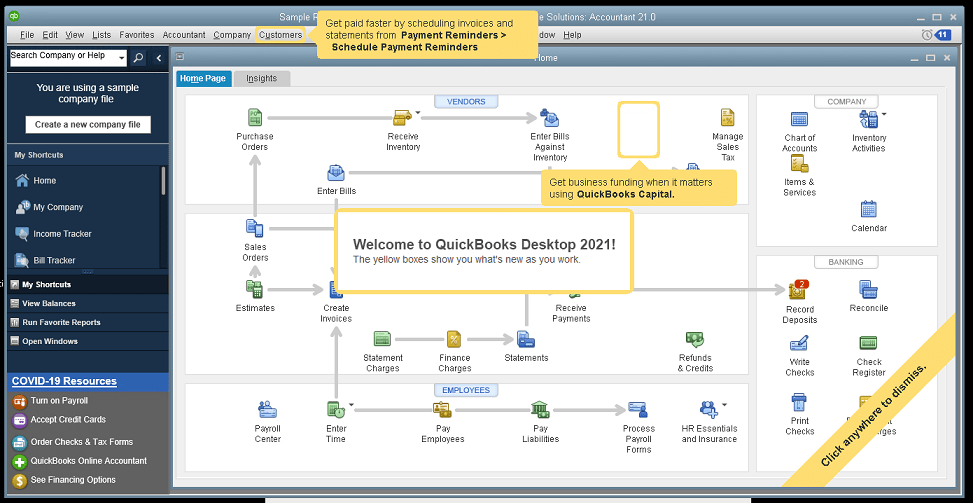
Now you can send statements automatically to customers, with each statement tailored to the customer’s needs or preferences. Set automatic reminders for customers when their invoices are due and schedule statements for your customers to let them know when they have invoices they still need to pay you for. Timely communications with customers regarding their invoices and activity is more likely to keep a customer coming back for more. It also reduces the time required to communicate individually with customers, making AR management and collection activities more efficient.

Customized Payment Receipts
Want to send certain customers a customized message on their receipts? You can use custom templates for forms like invoices, sales receipts, estimates, statements, and purchase orders so each form has the right look and information. Then use the new customer groups capability to get the right form for the right customer every time.

PDF preview
It is always a good idea to preview a document before you send it via email, but that wasn’t always a convenient thing to do in QuickBooks. Now QuickBooks lets you automatically preview attachments before emailing them to customers. You can even preview multiple attachments at once without having to manually open each one outside of QuickBooks, saving huge time and effort and smoothing out a previously-clunky workflow.

Receipt Management
Receipt management in QuickBooks desktop is a new feature that makes entering expense receipts easier and faster. You can give users access to upload expense receipts to QuickBooks using the mobile app or directly from your computer. Automate creating categorized receipt expense entries using the QuickBooks Desktop Mobile App, an option available only with the Plus subscriptions (not the one-time purchase option).

Create Customer Groups
Improve customer communication with rule-based customer groups based on fields like customer type, location, or balance. Creating customer groups allows you to find all customers that match certain criteria. Then you can create automated statements, send payment reminders or create mailing lists for specific groups of customers.
In QuickBooks Desktop Enterprise, you can even use customer groups to define permissions and access at customer and vendor group level.

Data Level Permission
Data level permissions is a new feature in QuickBooks Enterprise 21.0 that gives you more control regarding restricting access for users and roles. This makes it so the admin can create users and roles with access permissions all the way down to the record level for customers and vendors.

With data level permissions you can improve security and confidentiality of information by assigning users access only to the specific data, transactions and reports that they are responsible for. Users will only be able view, edit, or delete specific customers, vendors, or data with the permissions you delegate to them.

NOTE: Data level permissions don’t appear to be available in QuickBooks Enterprise Accountant, nor are they available with a Silver or Gold subscription. To get this feature, you have to go Platinum or Diamond, so it’ll cost you.

Add prices to barcode labels
Wouldn’t it be great if you could print barcode labels with pricing information as well as the item name and description? Now you can! Barcode labels help you accurately identify and manage inventory, providing the information most often needed by employees and customers.

Landed cost
Gain more control and flexibility over how you calculate and share landed inventory costs. Set up landed cost accounts as “COGS” (Cost of Goods sold) or “Other current assets”, and accurately calculate landed cost for old item bills from closed accounting periods. You can also print bills with or without landed cost, allowing you to better control the information you present.

Alternate vendor reports
Key inventory reports can now include alternate vendor information, improving visibility into vendor information on inventory stock status by item, inventory valuation summary and other reports. Linking to alternate vendors via these reports simplifies and streamlines the process of reordering from alternate vendors.

QuickBooks desktop software continues to be the cornerstone of small business accounting. From very small business to the growing enterprise, QuickBooks delivers the functionality that every company needs to manage their income and outgo, customers and vendors, and all their banking activities.

Starting with the early 1999 version to the current 2021 release, Intuit has continued to add capability and enhance features and usability to keep QuickBooks as the most popular small business accounting product on the market. Remember the motto “if you can write a check, you can do your own books“? That’s QuickBooks.

jm bunny feetMake Sense?

J

Using a Remote/Cloud Server is Like the Green Screen Days – Only Better

Remote access and “dumb” terminals have been around for many years, allowing users to connect to computing resources located elsewhere… whether in another room or another state. Using hardware or software called an “emulator”, one computer system is able to behave like another computer system. In the case of the dumb terminals and green-screen devices, the emulator allowed the terminal device to mimic the keyboard layout and screen display properties so they would be recognized and used properly by the remote computer.

Consider that you might want to use your Macbook to connect to a remote Windows server. Microsoft Remote Desktop is an emulator of sorts which allows a local device (PC, Mac or mobile) to emulate the properties of a Windows remote computer so that screen, keyboard and other input devices function.

A cloud hosting environment operates similarly to the timeshare or service bureau systems of the past. You use a terminal – in this case a device or computer connected to the Internet – to operate your applications on the host computer.

The connection used to be over phone or fax lines, with modems making that squealing and squelching noise to let you know the digital handshake was being made. These days, remote access is much quieter, using the Internet as the network rather than making individual phone calls to reach the remote host.

Once your device – the PC, Mac or mobile device you are connecting with – establishes its connection to the cloud server, the computing resources and applications in the cloud environment become available.

Since the cloud server is a Windows environment, we are able to run most Windows-based applications and other network services you would typically find in a business. We manage the environment so your users can focus on running the applications that help them get their work done.

What’s different from the old green-screen terminals of the past is that you can use your modern devices – Windows PCs, Apple computers and iOS or Android mobile devices – and take advantage of the audio, video and other capabilities they support both on and off the cloud platform.

This environment provides you with the best of both worlds – the applications and familiar working environment you need, as well as the flexibility of accessing from any location and using any device.

When your business operates from the hosted cloud server there are no different versions of the software to worry about. All users work on exactly the same system in real-time so there is no more concern about software updates for individual computers, or licensing applications for use in multiple locations.

Files do not need to be moved or converted in order to work with the cloud platform. File are accessed centrally and in real-time so all users are working in the same database at the same time.

No sophisticated technology or training is required to take advantage of our hosting solutions since your users already know how to use Windows and QuickBooks. It’s a simple transition from operating on the local computers to working on the cloud platform.

Once you migrate your systems to your private cloud environment, you’ll wonder how you got along without it.

Make Sense?

J

QuickBooks changes and enhancements for 2020: My 2 Favorite Fixes and Let’s Talk Cloud Hosting

Accounting professionals and small businesses worldwide use QuickBooks software to manage business finances. Launching Basic and Pro versions in 2000 and increasing market share from 74% in 2004 to boasting more than 94% in 2008, Intuit continues to successfully serve the needs of small and growing businesses.

Over the past few years, Intuit has focused quite a bit on SaaS and online services, promoting QuickBooks Online Edition, mobile payments and full service payroll as solutions that can meet specific business needs and which drive new customer adoption of the products. While customers may initially attach to QuickBooks because of one of these capabilities, it is the richer functionality found in Pro, Premier and Enterprise which often causes the business to run the desktop editions.

Intuit knows that the desktop editions remain hugely popular, which is why they continue to be updated and supported. And this is also why payments, payroll and other functions supported by the product are handled as integrated service rather than software; It’s a great way to make sure customers upgrade their QuickBooks software regularly, even when it sits on the desktop.

qbwordle

The changes in QuickBooks for 2020 aren’t amazing… it seems like they are more tweaks and adjustments than real feature releases. I’ll list a few of the changes below, but first I’d like to point out the 2 changes that I think might make a big difference.

These are my 2 favorite changes with QB 2020

1. QuickBooks Enterprise 2020:  Landed cost

How did you get along without this before? Manual calculation, that’s how. Landed cost capability gives visibility to actual, complete product costs because it adds freight, duties, insurance and whatever other expenses relate to the purchase. Allocate the costs to item bills and you now have a complete view and tracking of the real cost of bringing in the product.

2. It is Now Easier to Reset the Admin Password

Yay! No more 20 questions! The Admin password for a company file may now be reset without having to enter a bunch of information and answer a lot of questions to verify identity.  The process now asks that the user pick their email address from a drop down list of emails registered with the QuickBooks license. A token is emailed to the address to use in resetting the Admin password.  The key here is to make sure your QuickBooks registration information remains up to date so that an email you can get to is used for this process.

Here’s the list of changes in QB 2020.

You can see more on Intuit’s website.

QuickBooks Desktop Pro, Premier, and Accountant

  • Automated Payment Reminders
  • Automatically add customer PO# to Invoice emails
  • Combine all invoices meant for a single customer into one email
  • Find and open your company files with the addition of a file search option
  • Enhanced Accessibility to improve usability for vision-challenged users
  • Collapse columns in reports
  • View detailed status of direct deposit payroll
  • Smart Help: Press F1 for improved content and search experience

QuickBooks Enterprise Solutions 20.0

Here are the changes specific to QB Enterprise

  • Complete picking and packing operations as part of single workflow
  • Track product landed cost
  • Manage product vendors with primary and alternate vendor selections

Intuit continues to do a fine job of making QuickBooks desktop the most useful and easy-to-use solution for small business finance, and we make it run best in the cloud.

Where QBO (the online edition) might work for very small businesses and those with very limited requirements, the real work gets done in the desktop editions. My team helps make running the QuickBooks desktop editions easier and even more useful in the cloud.

A quality cloud hosting approach can deliver anytime/anywhere access, greater IT resiliency and faster disaster recovery, but only if done properly (note my favor for private tenant hosting rather than multi-tenant or shared hosting). The wrong platform introduces poor performance, limitations on applications and breaks in processes and workflows, and may even compromise security and complicate recovery when something does go wrong.

QuickBooks desktop solutions are the right fit for many small businesses, and these businesses demand mobility, security and flexibility in their IT systems. Providing this is our way of helping make QuickBooks desktop a little bit better.

jmbunnyfeetMake Sense?

J

How Accounting Professionals Can Improve the Profitability of Their Existing Business Using Cloud

Working Closer with Business Clients

Accounting professionals are increasingly asked to provide more meaning behind the numbers they report on. Small business owners care about the bank balance and their tax bill, but they care far more about how profitable and productive the business is operating. And small business owners care about how they can improve performance – earn more profits and keep more of it. Accounting professionals can help their small business clients do this more efficiently using cloud and hosting technologies.

Small businesses need their accounting professionals to take a more direct level of involvement in support of daily processes than larger companies do.

For small and mid-size businesses, the accounting office may be asked to handle bookkeeping, payroll processing, bank account reconciliations, paying bills and invoicing customers and more. In order to have close access to the information and applications supporting these processes, it becomes necessary for accounting pros to be able to connect remotely to client systems. This isn’t a new requirement, but the technology available today to make it work allows for closer and more immediate interaction between the client and the accounting professional.

When a small and growing business runs their applications on a cloud platform, the variety of users that need to work with the information are able to access it regardless of where they are located because the Internet becomes the network.  This model doesn’t in any way require that businesses adopt web-based applications instead of the desktop applications they have come to rely on.  Desktop applications like QuickBooks, Sage50, Microsoft Office and more can be hosted on cloud platforms, allowing business users to login and use the software they are familiar with and that supports their various processes.

With a cloud hosting model for running business applications and storing business data companies can take advantage of fully-managed deployments of their software and systems without having to employ the IT staff to implement and manage it all. This allows small businesses to have the advantage of high performance IT without the typically high-cost budgets required to support it. The other advantage is that the accounting professionals working with the business are able to access the systems in real time from their offices or other locations, enabling the close working relationship the business needs.

The key value proposition for the accounting professional is the improved profitability to be found in existing client engagements.

Whether it is through an increase in the number and type of services offered to the client or through an improved level of efficiency found with operating on the hosted system, professionals can increase revenues and reduce costs of supporting existing clients. That’s the secret to success in working with the small clients: earn enough working for them while at the same time keeping their costs down so they can grow into larger more profitable business clients.

Make Sense?

J