QuickBooks and Dropbox? Yeah… no.

mobile cloud dataHaving your data available from anywhere is awesome.  Storing files in the cloud and being able to sync them with files on the computer is a great way to make sure the files are centrally available regardless of which machine you use to access them with.  Dropbox is among those favored solutions which provide users with the cloud drive storage and an ability to seamlessly sync those files to various computers.  It’s pretty cool, but let’s face it: not every type of file loves living in a Dropbox or sync folder.  Particularly for folks who want to be able to store and sync their QuickBooks and other business files to the cloud, there are a few things to be aware of when using these nifty sync solutions.

A file is not always just a file.  What do I mean by this?  Well, there are lots of different types of files an application might store and use, and not all of them work the same way.  For example, Word documents are files that only one person can actually work on at a time – there’s no actual “multi-user” functionality when it comes to a Word doc.  You either get the file in a state that allows you to make changes to it, or you get it in ready-only mode.  Document files like this – Word docs, Excel spreadsheets, PDFs and text files – work great with sync solutions. This is because the type of file being sync’d is designed to allow only one person at a time to have it open and editable.  You sync it to your computer, work on the file, and then sync it back.  It’s pretty straightforward.

The file that isn’t just a file is a database – a file or series of files that make up a complete data set, and which have some type of database manager or other framework keeping track of things.  It’s this type of solution that often has problems working in a sync folder or system.  An Outlook data file (a .PST file) is a type of file which fits into this category.  While the Outlook file isn’t generally viewed as a multi-user data file or a database file, it is being communicated with and written to by various processes while the application is running.  There is information being added to the file as emails are received, even while the user may be writing an email or entering a calendar appointment.  The point is that there are multiple types of data elements being updated all the time and by various processes.  This type of file is always in use and getting changes, so there really isn’t a point in time when it’s closed and available to make copies of, which is what has to happen for a proper sync.    And, because the sync solutions often try to sync incremental file changes, there is a big possibility of ending up with a damaged file because some changes were properly written where others might not be, ending up with file conflicts and corrupt data.

A QuickBooks company file is also a database file, so the same issues around syncing an Outlook data file exist with QuickBooks.  When the QuickBooks software is open and a company file is being worked on, the file may get incremental changes throughout the work session.  As each of these little changes happens, the sync program may attempt to copy those changes to the file in the cloud.  Because the QuickBooks file is constantly being updated, the attempt to incrementally sync updates to the file in the cloud can easily cause damage and corruption to the file.  Folks who have attempted to fake a sort of multi-user access to QuickBooks data files by using Dropbox or other sync services quickly find that the system isn’t going to work for them that way.  Further, they often find that the QuickBooks data files can get pretty screwed up trying to manage the live company file in this manner.


The only way to use QuickBooks, Outlook and similar types of data files with Dropbox is to recognize that the sync folders are only viable as a backup storage location for the files, not the place where the actual, working data files can be stored.  If using an application such as QuickBooks, businesses should store the “working copy” of the file in the documents area on the machine, and then backup or copy the data file to the sync folder periodically.  Placing the backup files or file copies in the sync folder allows them to sync to the cloud, storing them as offsite backups in case you need them, and allows the file to remain where it can be used by the application.

Businesses who need access to QuickBooks applications and data from different computers or locations may want to consider checking out hosting services as an alternative to a sync solution. Hosting solutions can help businesses get their software and data available anytime, anywhere either from their own PC or from a secure environment so they can access their QuickBooks applications and data from any Internet-connected device.

When a company wants to keep backup copies of their information in the cloud, a sync service might be an okay solution.  For folks who need to be able to access a live file and applications from a variety of locations, or if multi-user access is required (especially if those users are in different locations), then a full hosted solution might be the better answer.  Hosting the applications and data in the cloud is a great way to get the company connected, and it’s a far better alternative to pretending the system can be multi-user when it really can’t.

jmbunnyfeetMake Sense?

J

Easy deployment in the cloud: What about users and applications?

Easy deployment in the cloud: What about users and applications?

cloudpagingBusinesses are migrating their systems to the cloud, it’s true.  Organizations of every size and type are taking advantage of the cost savings and flexibility introduced with cloud deployments and hosting services.  Rather than focusing efforts on procuring, installing and maintaining servers and applications in-house, IT departments are moving workloads offsite to cloud providers and hosted platforms.  The tools are readily available to help these IT workers configure and light up VMs in hosted infrastructure, and certain platform licenses and other elements are made accessible to customers.  But there’s something missing in the toolsets provided by platform hosting companies – a certain something that ultimately determines how useful (or not) the hosting platform service is when IT is ready to deploy users and applications in the environment.

Conceptually, hosting services are supposed to provide a centralized management and administrative capability for an organization.  While this is true in the context that most of the system and resources are assembled inside the datacenter, proximity alone doesn’t make things easier to manage.  In fact, some virtualization and delivery models can exacerbate issues that IT at least had a known way of dealing with when it was in-house.

Consider that, even in hosted and virtualized infrastructure, everything that needed to be done to build the in-house network still has to be done – only now it involves the on-premises computers (sometimes with client software still requiring installation and management), the local LAN, the Internet, the datacenter facility and network, and computers and software in the datacenter.  Most of the complexity may reside in the datacenter with the hosted systems, but even that scenario isn’t necessarily plug-n-play.  IT must still bring up the servers, and then the fun begins.  Fun, in this case, means setting up policies and permissions, users, and applications.  The unfortunate thing is that there are few tools being made available which directly and specifically address this requirement for customers in hosted infrastructure.  Hosted customers are still burdened with the requirement to not only establish and manage their permissions and user accounts – they also have to still install, update and maintain application software in the environment.

Most IT teams recognize that installing an application once is way better than having to install it a bunch of times, so there is a tendency to lean towards hosting models where a single (or few) machines service desktop and application sessions for lots of users.  Reducing the number of actual application installations, this approach (such as with terminal services) can make software implementations go a bit easier than if the app had to be installed across a lot of machines.  On the other hand, there is a fine art to implementing some applications in terminal server environments, and not all apps behave well in the delivery model.  Many engineering hours have been spent trying to get user apps working on terminal servers – sometimes much more time than if the application were simply installed to multiple PCs.  On an ongoing basis, technicians fight with applications and broken functionality, wishing the entire time that they could bypass the terminal services issue and get back to working with individual machines and app installs.  At least they knew the apps would work.

Companies determining that a VDI or DaaS solution would more directly mirror the individualized PC approach quickly find that managing and maintain the working user environment, including the variety of applications and functionality demanded by entry-level and power users alike, is just as complicated and time-consuming as it was when they were managing individual user PCs.  And, lacking quality software distribution and lifecycle management tools in the platform, find that template-based VM imaging doesn’t go far enough in terms of easing the burdens of installing, updating and maintaining applications on a user machine, whether it’s the local PC or a managed VM.

The truth about many cloud solution offerings and hosting platforms is that they are often oriented towards the enterprise customer and IT department, expecting that the customer has the skills and capability required to do the right things in deploying the hosted solution for the company.  Leaving all of the time-consuming aspects of service management and delivery to the customer – the parts of the delivery which address the actual users, desktops and applications – simply shifts the location of work for IT, but not necessarily the nature of the work.   They’re still going to spend a bunch of time not just setting up groups and users and applications; they’re going to spend a bunch of time managing and maintaining them, just like they always have.

There should be smart solutions to these problems – tools which could be made available to customers having a desire to deploy their operations in hosted infrastructure and that deliver the automation and ease of management which enables IT to realize gains through process efficiencies at all levels of the deployment.  The heavy lifting isn’t buried in the building of a server.  The heavy lifting – the grunt detail work that nobody really wants to deal with – exists around groups, users and applications.  Get some truly useful automation tools in those areas, and hosting becomes even more viable and beneficial for value added resellers, IT departments, and their users.

jmbunnyfeetMake Sense?

J

Just Getting Started: App Hosting for Small Business

Just Getting Started: Application Hosting for Small Business

acoustic couplerAccessing software applications and data from a remote system isn’t new stuff.  Starting with telephone modems, acoustic couplers (those things you’d put the phone handset into so that the modem could “hear” the data), green screen ASCII terminals and host computers, users have connected to remote systems to access applications and manipulate stored data for years.  As personal computers became viable for business use, applications and data moved from centralized hosts to local computer environments.

As complexity of local environments rises and broadband becomes truly affordable and accessible, application and data management services are moving back to the centralized system approach.  It’s an expand and contract model, where new capabilities empower the endpoint (the user device) and complexity and scale economies drive centralization of resources and management.  Computing paradigms have once again reached the point where centralization of resources, along with the management and administration of the resource, makes sense for even the smallest of business organizations.  This is the new push for small business IT service delivery, and we’re just getting started.

Application Service Providers (ASPs) were once thought to be the providers who would tip the scales towards server-based computing in the new era.  Rather than creating wide-spread adoption of hosted applications and “virtual” desktops, the ASP business model fell by the wayside as part of the dot-com bust.  It was the right idea, but the market wasn’t ready to accept it and promises of the demise of the desktop turned into the demise of the ASP.

With the successful introduction of SaaS solutions and web-based applications, interest in subscription based IT models has not only grown, but becomes the specific focus of the entire IT industry.  From OEMs to channel resellers, the supply chain for IT products and services is adopting cloud and subscription-based service and business models.  What’s interesting about this second go-around with Internet-based desktop and application services is that the adoption levels are real, the revenue potential is real, and customers are seeking out these solutions rather than being sold.  Managed applications and hosted virtual desktops have become accepted, if not preferred, models for delivering IT services to businesses.

Small businesses can benefit from enterprise-class technologies when a certain economy of scale is developed, and if the environment delivers services around the software and functionality those businesses already need and use.  Logic dictates that Intuit QuickBooks desktop products might be a focus for hosting service providers, as the solution is easily the most accepted financial application by small businesses.  Businesses don’t readily change their financial and accounting software, so addressing this need is a key aspect of adoption.  Also, with QuickBooks, it is as likely as not that the business has an outside accountant who will, at some point, need access to the application and data. Meeting this need and proving the viability of hosting applications such as QuickBooks – offering the solution in the form of subscription service to the customer – has been accomplished through many years of discovery and validation by some of the providers in what is now the Intuit Authorized Host for QuickBooks program.

With the validation of the service model and Intuit’s introduction of an Authorized Host for QuickBooks program, a great deal of opportunity has been created for value added resellers and their small business customers.  Some in the industry would suggest that Intuit’s focus on the Online edition of the product indicates that opportunities around selling or hosting the desktop products have diminished, and Intuit appears to be spending heftily on the promotion of QuickBooks Online.   Yet it remains true that many customers – whether they be existing QuickBooks desktop customers or new QuickBooks customers – want the functionality and the integrations available only with the desktop editions.

For these customers, a hosted/managed application service model is the only answer.  IT resellers working with small business customers are undoubtedly getting the requests, and a few are beginning to recognize the value and service potential associated with offering hosted application services for QuickBooks and other popular small business software products.

As the largest of software vendors (like Microsoft, Intuit, etc.) with small business solutions make their licensing models available to hosting providers, resellers and hosts alike can take advantage these programs and offer their customers the benefits of mobility and managed service around the applications already in use.  Business owners like the benefits to be gained by adopting cloud computing models, but are resistant to changing their software and restructuring their processes.  It is the ability to deliver the benefit without the disruption that makes these application hosting service models attractive.

There are millions of QuickBooks desktop users out there, and only a small fraction are being hosted by authorized providers.  Intuit continues to sell the desktop solutions and the number of QuickBooks users isn’t in decline, so the opportunity to serve those QuickBooks customers continues to grow.  When it comes to providing application hosting services for small businesses, we really are just getting started.

jmbunnyfeetMake Sense?

J

4 Rules of Thumb for Considering Cloud Applications in Business

With all the talk of cloud computing and Software-as-a-Service models, businesses are increasingly questioning their continued use of on-premises and “traditional” software implementations. Having heard that cloud applications are cheaper and better than locally installed solutions, some small business owners and IT managers are actively seeking alternatives to their current software selections. In too many cases, however, these business owners or IT managers aren’t looking at the longer term impacts of their decisions, and may be adopting cloud software solutions simply because it seems to be the way things are going these days.

The cloud is simply a term being applied to a new way of looking at information technology – how businesses buy it, how they use it, and what they expect from it. Even as technology gets more complicated, users are demanding greater ease-of-use and lower costs. The response to these conditions is the cloud: addressing basic and common requirements and delivering the solution for a low-cost to many users. While the approach meets the simplicity and affordability elements, it may or may not fully address all the functional, compliance or sustainability needs of the business.

4-rules-of-thumbOne size never fits all, and this is as true with cloud computing as it is with bathing suits. For the business owner or IT manager considering adoption of cloud-based applications for the business, keep in mind these 4 Rules of Thumb so that the hype and excitement doesn’t cloud your judgment.

Rule 1: Software is software, and it is installed somewhere. Just because an application is accessed using a browser (which is software) doesn’t mean the product isn’t installed somewhere. When it’s a SaaS solution, the product is simply installed and running on the provider’s servers rather than your own computers.  Software can fail even when it isn’t on your computer, so it should be expected that failure could happen with SaaS solutions.  The difference is that a failure of an app on one machine isn’t news; failure of an app that lots of people are using at the same time is news.

Rule 2: Software that talks to other software means there is integration between the two. Whether the products are installed on the PC or whether they run from different providers’ systems, they still have to be able to communicate together at some common level. The Windows platform used to provide a “common” standard for integration of Windows applications. When applications move from the desktop platform to the web, many of the common integration approaches no longer work and new methods must be developed.  Just because a solution integrates with the desktop edition of a product does not mean it will automatically integrate with a web or SaaS edition of the product (QuickBooks exemplifies this).

Rule 3: Software still requires hardware and other resources. When cloud-based solutions are implemented, the cost of the server and storage facilities (along with other elements) may be included in the subscription price. The efficiency and scale economies developed by the provider will ultimately determine their profitability, but it is generally the case that centralization of resources, management and administration can significantly reduce the cost of operations. With most cloud solutions, it is the assumption of scale (leveraging a single asset base to many subscribing customers) which makes things more affordable than deploying similar capabilities individually for each customer. Consider also that any deployment of cloud software solutions still means that businesses must retain their local networks and devices. While PCs, laptops and tablets may not be running business applications, they are still computing devices which may need to connect to networks, have virus protection, have remote access or connection software installed on them, and any number of other things. In short, moving to the cloud does not remove the requirement to have and maintain user devices, printers and LANs.  And really, don’t most people still want Office applications on their devices, even if they also have remote access to such applications?  Office for iPad is somewhat of a tell in that respect; kind of proves the point.

Rule 4: Not all data is stored in the same manner. This is as true on a PC or LAN as it is in the cloud. However, cloud solutions can introduce quite a wrinkle when it comes to keeping copies of business data over time. With PCs and local networks, a business would back up their data in any variety of ways, preserving the files and formats for possible later use. As long as there was software available to read and open the files, the backed up data would be usable. Simply due to the popularity of some data formats, there might also be tools or utilities available to read the data even if the original application was lost. The wrinkle introduced with cloud solutions is not necessarily that the format of the data is strange – it is likely that most cloud-based business applications use fairly proven and recognizable database technology. The difficulty is that the actual database file(s) containing a company’s unique data may or may not be separate from other company data. If it is separate (single-tenant database), it is unlikely that the database as structured is portable. The fact is, most web-based or cloud solutions will allow users to export data from the database, but cannot provide actual structured data files ready for use with another application, lacking logical data or table relationships. Some solutions suggest that simple list exports are sufficient, and others may say they have data conversion capabilities, but the reality is that data existing in a cloud application is not very portable. Business intelligence is a terrible thing to waste, so it is really important to be able to take all the data with you (in a meaningful way, not as a bunch of disparate lists).

Cloud computing covers a really broad spectrum of technologies and delivery models, and most of the above is more about SaaS applications rather than actual cloud platforms. The platforms are where the applications live – server and network environments.  This is where hosting companies do their work, as the things they host live on the platforms.

Businesses electing to add mobility, management, fault tolerance and other capabilities to their systems should explore the benefits of application hosting and cloud platforms, and not immediately look to SaaS and cloud application alternatives to their existing software solutions. By deploying their systems in a managed hosting environment, businesses can often keep using their existing core software products, integrations, and data archiving methods while gaining the best benefits of “cloud”.

Joanie Mann Bunny FeetMake Sense?
J


Go Ahead and Shoot the Server: End of Microsoft Small Business Server Inspires Cloud Adoption with Small Businesses

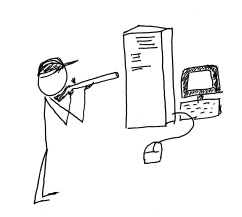
shoot_the_serverMicrosoft has made a decision to include more “cloud” capability in its offerings for small business, ending the life of the successful Small Business Server line and replacing it within the Windows Server 2012 family.  Some businesses are continuing with locally installed servers and are upgrading to Windows 2012 Essentials (or other editions) for in-house use, but more businesses every day are electing to deploy their servers and systems in the cloud instead.

Back when Microsoft introduced the Small Business Server, small business owners found that it was now really easy to implement way more technology in the business than they could directly support.  In one happy little package the SMB could get Windows Server, Exchange, SQL, SharePoint, Remote Web Access, an internal Company Website and more.  Information technology service companies, on the other hand, found it to be a big driver for delivering equipment and services to small business customers, and the product line’s adoption and implementation numbers grew.  Even the smallest of businesses could enjoy enterprise-class email, file and document sharing, client-server applications and remote access for a (relatively) affordable price.  It was this type of offering which created opportunity for server virtualization technologies to be used in small business, as the various server types each benefitted from their own “sandbox”, and IT providers recognized another opportunity to leverage their expertise at the customer location.

Business use of technology continues to expand rapidly so it makes sense that the Small Business Server offering from Microsoft is pretty popular.  In fact, Foresitetech.com says in an article on the subject that “The overwhelming majority of small businesses (80%) with less than 75 employees use Microsoft’s Small Business Server (SBS) software.”

But this fast-paced world of technology continues to move along, and Microsoft has ended the life of the SBS 2011 product.  In its place, small business customers are encouraged to upgrade to one of the editions of Windows Server 2012 as a replacement for their beloved SBS and hopefully they can find an edition which (affordably) delivers the functionality and features the business has come to rely on.  Unfortunately, there isn’t an edition of Windows Server 2012 that offers quite what SBS did, so now there is a big buying decision for the customer.  As the Clash sang it: “do I stay or do I go?”

Microsoft’s elimination of the feature-rich and friendly-sounding Small Business Server has created a lot of opportunity for VARs and IT service providers to move their customers to cloud services, SaaS solutions and hosted environments.  Particularly as information technology continues to become more complex, small businesses (well, businesses of all sizes) are recognizing that they may be better off focusing on running the business operation and managing the company as opposed to spending a lot of focus on IT system purchasing, installation, administration and management.  They have come to understand that IT services are critical to the business, but the server doesn’t have to be under the front desk or in a back closet in order to function for the business.  There is simply too much evidence in the market for these business owners to ignore;  shooting the server is now a viable option.

Every day more business owners are being inspired to [shoot their servers] seek out the services that will allow them to continue to benefit from innovations in technology while relieving them of the direct responsibilities of equipment purchasing, implementation, administration and lifecycle management.  Cloud services deliver this capability, and channel partners and Value Added Resellers should recognize their opportunity to get inspired as well, and to start offering cloud-based and hosted services to their customers and capture the “buying decision” opportunity that Microsoft has created.

Ready. Aim. Fire.

jmbunnyfeetMake Sense?

J

Accounting, Technology and Small Business – The Best of 2013 from CooperMann

Accounting, Technology and Small Business – The Best of 2013 from CooperMann

cooper-mann-top-20It has been an eventful year, hasn’t it?  With the NSA lurking about collecting data, innovative new approaches to information and identity theft emerging almost daily, and complete turmoil in the IT services industry challenging trusted sales and distribution models, most of us have simply become numb to the noise.  Information technology is evolving at an increasingly rapid pace and the way people and businesses interact with and use technology is being forced to change along with it.  It’s starting to become almost, weirdly, natural.

Much of this change can be attributed to “The Cloud”, which is not a thing or a place.  Cloud has become the term which applies to just about anything having anything to do with the Internet.  For technology “purists”, cloud means something fairly specific, but for normal people (no offense to the nerds and geeks, but you know what I mean), cloud applies to pretty much anything accessible via the Internet.  Photos back up to “the cloud”; music gets stored in “the cloud”, websites are hosted in “the cloud”; businesses run their applications in “the cloud”, and you can do darned near anything you need (or want) to with a phone.  The cloud could be some guy’s server in his basement, or it could be a sophisticated network of systems housed in secure facilities around the globe.  They both qualify, sort of.  The point is that mobility, Internet services, subscription access to technology, and social computing are changing how people view technology – resulting with changes not simply in how IT is purchased, but in how IT is used and applied to daily life.

There are, however, some things that do not change even if the working environment does.  The accounting profession, for example, is undergoing a great deal of change, and much of it fueled by the advancements in technology and social computing.  But accounting fundamentals – the “truth of debits and credits” and the good old accounting equation – remain.  The basics of running a business are also unchanged, even as methods of doing business evolve and globalization of markets continues.  Business fundamentals – fiscal responsibility, cash and growth management, and focus on value and sustainability – are as necessary now as every before.

With all this change and IT “advancement”, there have certainly been impacts to how and where we work.  But the more things change, the more they remain the same.  Good business generates goodwill and more business – that doesn’t change – and bad news still tends to spread faster than good news (much faster, given social platforms that are designed to spread the word far and wide).  And when it comes down to the fundamentals – the basic and essential foundations supporting building, operating, and accounting for business – we generally find that they remain constant even as the environment in which they exist experiences change.

jmbunnyfeetMake Sense?

J

Here are the top 20 ranked posts for 2013 from CooperMann.com

  1. The 2 Most Popular Models for Working with QuickBooks Desktop Editions and the Cloud
  2. Accounting Professionals, You’re right – your clients don’t care about the numbers.
  3. Remote access to client bookkeeping comes in many forms because clients come in many forms
  4. What Small Businesses Need To Know about QuickBooks and the Cloud
  5. Intuit Introduces Changes to Authorized Commercial Host for QuickBooks Program, Introduces QuickBooks Enterprise Rental Licensing
  6. Managed Applications, Cloudpaging, and a New Flavor of Hosted QuickBooks
  7. The Language of Accounting: Disconnect between Accountants and Bookkeepers
  8. Why Accountants and Bookkeepers Use the Cloud
  9. Small Business Owner to Accountant: Make Accounting Valuable to ME
  10. Changing How We See Software: QuickBooks 2013 interface frustrates power users
  11. Bookkeeping and Benchmarks – Getting the Numbers Right
  12. In Bookkeeping, Accounting, and Information Technology: The Value of Outsourcing
  13. Hosting All My Applications in the Cloud
  14. 4 Rules of Thumb for Business Success
  15. Intuit Hosting Program for QuickBooks Website Goes Live
  16. Re-defining the role of the accountant, or going back to the good old days?
  17. Cloud Computing for Small Business: It’s All About 3 Apps
  18. The Collaborative Online Model for Small Business Accounting Professionals
  19. QuickBooks Hosting: New Program Tier Announced for QuickBooks Hosting Providers
  20. 4 Rules for Building Service Customer Loyalty
Posts by category – with Accounting Professionals, QuickBooks Hosting, QuickBooks Software, and Small Business being the top categories with ranking articles.
ACCOUNTING PROFESSIONALS
Small Business Owner to Accountant: Make Accounting Valuable to ME
Accounting Professionals, You’re right – your clients don’t care about the numbers.
The Language of Accounting: Disconnect between Accountants and Bookkeepers
Why Accountants and Bookkeepers Use the Cloud
Bookkeeping and Benchmarks – Getting the Numbers Right
In Bookkeeping, Accounting, and Information Technology: The Value of Outsourcing
Re-defining the role of the accountant, or going back to the good old days?
The Collaborative Online Model for Small Business Accounting Professionals
Remote access to client bookkeeping comes in many forms because clients come in many forms
QUICKBOOKS AND BUSINESS APPLICATION HOSTING
The 2 Most Popular Models for Working with QuickBooks Desktop Editions and the Cloud
What Small Businesses Need To Know about QuickBooks and the Cloud
Intuit Introduces Changes to Authorized Commercial Host for QuickBooks Program, Introduces QuickBooks Enterprise Rental Licensing
Hosting All My Applications in the Cloud
Intuit Hosting Program for QuickBooks Website Goes Live
Cloud Computing for Small Business: It’s All About 3 Apps
QuickBooks Hosting: New Program Tier Announced for QuickBooks Hosting Providers
Managed Applications, Cloudpaging, and a New Flavor of Hosted QuickBooks
QUICKBOOKS SOFTWARE
Changing How We See Software: QuickBooks 2013 interface frustrates power users
SMALL BUSINESS
4 Rules of Thumb for Business Success
4 Rules for Building Service Customer Loyalty