Retaining Productivity while Empowering the Remote and Mobile Workforce

Retaining Productivity while Empowering the Remote and Mobile Workforce

anywhere-anydevicehttp://wp.me/p2hGOJ-J7

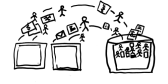
A lot of the marketing and discussion around why businesses should use the cloud for IT service is focusing on creating anytime, anywhere access to business data and improving overall IT performance.  By deploying applications to remote desktops and hosted systems, business owners are recognizing the benefits of outsourcing IT service management to professionals who can spend their time actually managing IT.  Focus is able to remain on the business operation and not the technology supporting it; the main office and remote locations are able to work with the same systems and information, and users are able to access information while at home or on the road. Bringing workers together with the same applications and data means new levels of productivity can be achieved regardless of where the work gets done.

Yet the perceived value of “working in the cloud” and the reality remain somewhat disconnected for many mobile business users. The confusion and frustration many users experience with connected, online working models has quite a lot to do with the realization that they don’t simply need remote access or virtual office solutions to bring them together.  Users want solutions that help them get their work done even when they aren’t working on a traditional computer.  When a computer is available, that’s great.  But users want to be able to work from their tablets and smartphones, too.  Have you ever tried to login to a remote desktop from your phone, or to see a full screen of data when the keyboard takes up more than half of the view?  It may technically function, but there’s no way to get anything useful done with that little teeny weeny screen, and that’s a problem.

It is this new multi-mode working environment which is testing the boundaries of usability for software developers and service providers alike.  No longer may the assumption be that users will perform their job functions using a desktop or laptop computer, just as it is no longer assumed that a mobile phone will be used just for phone calls.  Users want (and sometimes need) to be able to get their work done using their smartphones, iPads, Kindles, or other types of tablet, pad or surface computers.  Applications designed to run on full size screens and desktop computers often don’t work well for users accessing them with other types of devices, even when the device is connecting to a remote desktop service.

Mobile device users are starting to face these usability barriers somewhat less frequently when visiting various websites.  If you look at many reasonably modern business websites, you’ll find there is a “mobile” counterpart.  The mobile website is often somewhat less functional than the full website, providing only essential information for the mobile viewer rather than the expanded content and functionality available on the full site.  Yet the mobile site delivers a more pleasant and usable resource for the mobile device user, encouraging the user to visit the site more often.

Application software development can be approached in a similar manner, where essential functionality is presented for mobile users in a format usable by mobile devices, and where the full functionality and rich feature set might be available only in the full application interface.  Even where legacy applications are concerned – those firmly tied to the desktop and network – there are likely options for extending some manner of functionality and access to remote and mobile devices, perhaps by using 3rd party integrated or connected solutions.

Many commercial software developers are successfully viewing this “web and mobile enabled” approach as a means to capture Software-as-a-Service buyers by providing some web-based and mobile functionality with attachments back to the data and applications residing on the LAN or hosting platform.  This hybrid approach may actually present better and more options for businesses, as it embraces the concepts of mobility and device independence while at the same time retaining the features, functionality and productivity-enhancing working mode that only desktop applications have to-date fully proven… and the businesses can keep their own data to take with them and not be relegated to list-only extractions if they wish to change solutions.

This idea is not really new – the idea of providing users with the specific functionality they need (and not more) to accomplish their tasks and get their jobs done.  The concept of Service Oriented Architecture has always spoken to this philosophy, advocating that the right approach to software is the one which orients the application, functionality and view specifically and directly towards the user and their role.

The new twist on SOA is that the orientation of the application should be based not only on roles and functionality.  Modern business applications must also address device and modality, not assuming a particular form factor or platform of access, and having an understanding of the particular mode in which the solution exists or is experienced by the user.  Mobile users want a useful experience on their  mobile devices, and remote and  local desktop users want the features, functionality and performance of desktop applications.

Website designers have figured out that visitors may access the website using any variety of computing devices, including smartphones, tablets, laptops and desktops.  Understanding that each device has a different capability in terms of displaying and interacting with content, site developers have begun to include mobile site designs as a standard offering with business website services.  Users accessing the site with smartphones and tablets are able to effectively navigate and view information on the site because it’s been formatted to fit the screen, and navigation and other action options are accessible from smart menus that are sized and placed for touch screen access.  This approach is now finding its way in many business applications now that the applications are also “living” on the web.

The growing number of web and SaaS products on the market clearly demonstrate that mobility is a big consideration in modern application design.  Unfortunately, productivity losses due to sluggish interfaces or complicated operating processes often offset the benefits of the solution, even though it may be both desktop and mobile “friendly”. Software companies rolling out new SaaS models to their existing desktop product user bases are finding that the desirability of the subscription model web-based solution may be somewhat less than expected.  This may be attributed to the fact that users have become not simply accustomed to how they can make the desktop software work for them – they’ve become reliant upon that ability.  Initial experiences with transitioning from desktop applications to SaaS has left many businesses with frustrations founded in overall productivity loss.  I’ve even heard the term “productivity-sucking”, which I don’t think describes either a feature or a benefit.

There must be a balance found, where productivity is enhanced for both desktop and mobile users and where critical functionality is not sacrificed in order to facilitate a mobile capability.  The goal is to empower the remote and mobile user to be as productive as the non-mobile user, and to do it without forcing changes which may impede rather than improve productivity of the overall organization.

Make Sense?

J

Read more about:

QuickBooks online, or QuickBooks Online? Use Software on the web without using Web-based software

Bringing Order to Inefficient Business Processes: Give people easy to use tools that make sense, and they’ll use them.

Justifying the IT Budget: the Cost of Not Spending

it_spend“Competitive and ever-increasingly sophisticated in the marketplace”[1] describes a company positioned for long term business survival.  Complacency takes the business nowhere but into irrelevance-land, which I think we can all agree is not where most business owners wish to end up…  it makes selling the company slightly more challenging.  Even in markets which were once firmly held to be localized are now open to new – and new kinds of – competitors, due in most part to advancements the development of information technology (IT) as well as how it is applied.  These days, competition is globally facilitated rather than locally, and it’s becoming the standard approach.  Welcome to the cloud.

New paradigms in IT capability and use are spawning huge shifts in what were broadly recognized normal or traditional business approaches.  This realization has created the need for businesses to radically change their view of IT investment and the value of IT within the organization and operation.  Yet IT is rarely an area which gains a strategic focus for investment within most businesses, and is frequently considered to be like a pencil or a particular chair… something the business needs but which has little impact on the company’s ability to compete better.  Au Contraire, Mon Frère:  Information technology is at the heart of business competitiveness, but justifying the desired investment is the great challenge.  Maybe it’s because the focus is always on the great benefits to be achieved with the spend, rather than looking realistically at the impact of not doing it well or at all.  Especially with information technology, there is a large potential cost to be paid for not spending adequately.

While business operations are sustained through IT involvement, economic pressures continue to weigh down business interest in funding IT operations. (which is weird, as there is a lot of evidence that the good bet is on those who do just the opposite). This regular spending reduction and cost control plan has good intentions of reducing the overall cost of business operations. The unfortunate reality is that operations are less efficiently sustained and are even more frequently unable to create or manage any level of growth. Reducing all IT spending is only useful when profitability is also improved and quality is maintained, unless it is an effort to simply stay afloat as revenues decline (and it’s recognized that quality will decline as well). But reducing costs does not help the business seeking to remain competitive in a rapidly changing marketplace, and pulling the pins out of the department primarily responsible for at least keeping things currently in operation operating serves only to chip away at the once-solid foundation. It’s a real problem, this difficulty with increasing interest and justifying increased funding for business information technology. And it all stems from the inability of organizations to clearly and with tangible benefit cost justify the investment.

It is this justification – demonstrating IT investment as a strategic asset presenting an advantage over competitors and positioning the business for future success – which requires effort and analysis to fully describe. Information technology is not a set of servers and software, and it is not websites and portals. It’s not click thru rates or SEO scores. Well, it’s all of that, but it is none of that. There is so much to consider and incorporate, and there are many degrees of success which might be experienced along the way. Information technology is a fundamental requirement in each and every business, and dependency upon it is increasing at a startlingly rapid pace, yet we still can’t quite figure out how to put it all on paper with provable numbers.

It might be easier to forecast in little departmental or functional pieces, but that doesn’t provide a total picture of the enterprise. And it’s often really difficult to quantify the impact of not doing something, or doing it only OK rather than really well. When this data does present itself, it often comes too late and in the form of a comparison to the competition, revealing where the business just didn’t meet the mark as compared to others in the same space.

It all boils down to businesses coming to the realization that information technology investment must be made on a continuing basis. The justification for IT funding must be made, and that justification must necessarily be balanced against the potential implications and impacts of not implementing. This is the only formula which can ultimately describe the value of IT investment in the business.

Make Sense?

Read the entire article on LinkedIn

https://www.linkedin.com/today/post/article/20140624161243-633314-justifying-the-it-budget-the-cost-of-not-spending


[1] A model for investment justification in information
technology projects: A. Gunasekaran et al. / International Journal of Information Management 21 (2001) 349–364

A Higher Level of Customer Relationship Management: Building Closer Customer Relationships

A Higher Level of Customer Relationship Management: Building Closer Customer Relationships

Most businesses recognize the importance of creating a quality experience for customers doing business with them.  The thing that many business owners overlook is how their internal workflows and information management systems serve to either support or impede the delivery of a well-rounded positive customer experience.  Growing businesses must adjust their processes and improve their tools in order to have the necessary information available to workers at various levels of the organization, providing a centralized means for collaboration, data sharing and analysis.   With the right information systems and process support, even small businesses are able to function at exceptionally high levels and provide the consistently high-quality service and customer experience that establishes long-term value in each and every customer relationship.

Businesses which excel at providing very high levels of customer service tend to have a few common characteristics – features of the business that identify it as an organization geared towards growth and success in driving the customer engagement and business value.  Among these characteristics is the recognition of the need to use technology better – leveraging automation to a greater degree to create consistency in work performance, and improving information collection and integration to provide more context and depth to the data. Added efficiency which affords employees time to focus on customer oriented tasks and elevating the customer experience even more is the payback.

total-business

Many CRM solutions describe the benefits of a “360 degree” view of the customer, yet these solutions often orient themselves to supporting only sales and Contact Management and do not address product and/ or service delivery (fulfillment of what was sold/ordered)  or project management, contracts and agreements tracking or other aspects of doing business with the customer.

Granted, customer interaction occurs most frequently with sales and service teams, but there are potentially vast number of processes and tasks performed within the business which operate with the same information as sales and services, and which would benefit by integration within the same information and workflow framework.

By selecting a solution that addresses the wider variety of business and information management requirements rather than focusing solely on sales and support, business owners and managers find that they are better able to address internal workflows with streamlined process automation.

The result is significant improvement in the quality and completeness of the information available to users throughout the organization, ultimately improving the quality and nature of customer engagement and interaction. Perhaps even more impactful is the ability for the business to better understand  the context of and motivations for customer interactions, and (most importantly!) having the capability to take immediate action based on that knowledge.

With the right customer relationship and business management solution in place, and with a focus on systematic approaches to enabling process and workflow automation, businesses can become more flexible and responsive to changing customer needs and expectations.  Creating the complete view of the customer relationship and capturing the data which helps users understand the dynamics of the entire relationship serves to build closer customer relationships that will strengthen and grow over time.

When a business needs to implement a Customer Relationship Management solution to address sales and support needs, it makes sense to also review information management requirements for:

  • Delivery of products and/or services  – i.e. fulfillment of what was promised by sales
  • Scheduling of Work/Service Orders and integrated billing based on completed work
  • Time and personnel activity management as well as time reporting and billing
  • Project or job resource and time management and reporting
  • Documents, contracts, before & after pictures, and agreements of all types
  • Products and services, proposals and quotes, price books and channels

Additionally, since the processes are so closely related in terms of the information collected or used, it makes sense that the CRM solution would also work with:

  • Marketing campaigns and activities, lead generation systems and e-newsletter solutions
  • Accounting solutions which also utilize customer, product, job, time, cost and other data
  • Expense spending management, approvals and reporting

To be truly useful, the solution must also support remote and mobile workers since field service personnel and other workers are often not in the office when they need to get something done.  Whether the access is via hosted solutions providing full remote desktop functionality, or via web-based application extensions allowing device independent access (or both!), the solution should be designed to allow users to access the system and perform their work from wherever it is required.

Even more, a comprehensive approach to managing business activities and information, particularly with a focus on providing all departments with all the information and capability they need to get their jobs done properly, requires that everyone in the company be on board.  There really isn’t a great way to centralize and manage critical business data when the approach is to give a few people some information and functionality, leaving it up to human beings and individual initiative to connect the dots (and the data).  The result is almost always a series of gaping holes in various processes where information and requests get lost.

Among the best solutions I have found which delivers the foundation for all of this functionality is Results CRM.  Thousands of users have successfully migrated from ACT!, Goldmine, Telemagic, Salesforce.com and other SFA and CRM solutions to the Results CRM platform, and have benefitted from better workflow automation, more logical company and contacts associations, and a broader range of functionality supporting everything from sophisticated quote and proposal development to comprehensive project, time and expense management.

At the end of the day, it’s the reporting that wins.  If the data isn’t in the database, you can’t report on it.  If you can’t report on it, you can’t measure it. If you can’t measure it, you can’t make good business decisions and grow the business.

Make sense?

J

Degrees of Success: Improving Productivity and Performance through Process Automation

Degrees of Success: Improving Productivity and Performance through Process Automation

Few businesses use just one solution to get all their work done.  In most cases, the business must at least communicate, produce information and account for financial activities – and each of these functions has a software product or service associated with delivering the required capability.  While every business uses technology at some level, some businesses have more success than others in developing streamlined and efficient processes guiding the various tasks and activities performed throughout the day.  Sometimes the problem stems from a lack of understanding of the importance of process automation, and sometimes it’s the software.

integrated

The success (or lack thereof) in streamlining a business process is often enabled by the tools supporting it, yet the truth of software and systems is that not everything  is easily integrated and not all business workflows actually “flow” smoothly.  In many cases it is left to the human user to connect the processes and keep the work flowing, creating the opportunity for missed deadlines, duplicated or erroneous data, and a greater dependency on individual worker knowledge than is good for the business.

The better alternative may be the adoption of workflow and automation tools to assist with bridging and scheduling of repetitive tasks, building the knowledgebase of process and task flow supporting business sustainability efforts and easing the burdens of training new employees.  Process automation helps to improve productivity, it’s just that simple.

If the time is taken to really consider the variety and numbers of repetitive tasks employees perform throughout the day, the cost in time, lost productivity and data errors or omissions would likely add up to far more than initially expected.  People tend to adapt to using the tools they are provided, and will find ways to get things done (whether it’s the most effective way or not).   The end does not always justify the means, and many businesses ultimately find that it is here – where individual worker initiative and unguided action are most prevalent – that the operation fails to accomplish stated goals.

In order to create a sustainable operation with consistently high levels of production and performance, the business must establish a complete framework for process automation and support.  Where existing application and software functionality is not able to meet the requirement, the business should implement specialized tools to bridge the gap and embed the process knowledge in the system.

Scheduled reporting, customer and product data synchronization, import/export routines, data maintenance routines – these are among the tasks and processes which represent the regularly-performed work that may be sucking the user productivity and performance out of the business.  It’s a matter of degrees of success, and productivity improvements introduced through comprehensive process and task automation can make the difference between a little success and a lot.

Make Sense?

J

The Cloud for Your Firm: 3 Initial Considerations for Cloud Enabling Accounting and Bookkeeping Firms Working With Small Businesses

The Cloud for Your Firm

3 Initial Considerations for Cloud Enabling Accounting and Bookkeeping Firms Working With Small Businesses

dscn0903.jpgThe potential benefits of a real-time, lean collaborative working model are too great to argue with.  Accounting professionals, bookkeepers and their small business clients are all hearing about the value of working together in the cloud, and how cloud technologies and solutions can reduce cost and improve efficiency.  There is a great deal of truth in these statements, just as there was a truth in the value of implementing computers, networks and other technologies in business.  What is not clear is exactly what businesses need “in the cloud”, and how they should approach this shift from local IT to outsourced managed service.  Initially, there are 3 issues which warrant consideration, if not deep discussion, prior to making any significant move to relocate internal IT and shift business applications to the cloud: internal use systems, client interaction, and operational support for both.

With all the discussion about cloud computing and remote access, it would seem that all the applications and solutions businesses need are now available online and paid for in low monthly subscription fees.  Anyone working with small businesses, however, comes to understand that the vast majority of these businesses are still using more traditional modes of information management and computing.   For the most part, these businesses are using PCs and local networks, possibly with a little hosted email thrown in.  Almost certainly they have a website and maybe even a fairly sophisticated e-commerce system that allows them to sell products online.  But when it comes to general office functions, and particularly back-office functions like bookkeeping and accounting, the software and the data generally reside on the office PC and server.

Accounting and bookkeeping professionals who work with small businesses are often in the same position as their business clients when it comes to information technology.  Since so much of the work involved requires the same programs and data formats as those used by the client, service providers find that they spend as much in management of software licensing and systems to support working with client data as they do on systems intended for internal use only – sometimes more.  Many of these service providers are also small businesses, and it becomes challenging to find a way to handle internal IT needs while at the same time trying to address those of the client. Where e-commerce solutions are readily available to handle operational aspects of product based businesses, the best tool set for a professional accounting firm or bookkeeping business working with small business clients may not be so easily defined.

The solution for many providers has been revealed through cloud computing and hosted application models.  With Cloud Servers, Remote Desktops, and Virtual Desktop Infrastructure now widely available as affordable alternatives to capital-intensive implementations of locally installed products, businesses are finding new abilities to manage applications and data, provide mobility and enhance collaboration.  The additional benefit is in how accounting service providers may engage with their clients in more efficient and effective ways, without the burdens of replicating data or trying to share access to a single machine or application resource.

There are a number of elements to consider before taking the file server to the parking lot and running it over with a truck.  Moving to the cloud is not a one-step process, and it is important to do a little research and collect some important information before making the final decision on how to proceed.

Internal Use Systems

Among the first of the questions to ask when considering a change in IT management approaches is “which software do we need”?  Implementing an outsourced IT arrangement, which is really what “cloud” is about”, does not necessarily mean throwing away all the existing software and starting with new.  The software in use within the firm may be exactly what it needs right now and adding full IT management, fault tolerance, and remote or mobile access could be the main scope of the requirement.  Moving from locally installed solutions to hosted solutions provides quite a number of benefits while removing many of the direct costs and frustrations of IT management and administration. The greatest benefit of this type of approach is the ability to preserve the “body of knowledge” existing in the business, knowledge invested in the people and processes already developed.

On the other hand, there may be new tools or services only available as “cloud” service, and it makes sense to explore how they may benefit the business more than the in-use applications.  The important element is to remember that the solution must address real business problems, and whether it runs in the cloud or not isn’t the first or most important thing to ask.  For example, a discussion about whether QuickBooks Online might be a better choice than QuickBooks Pro, Premier or Enterprise should be focused on the functionality provided by the applications and not which servers they are running on.  With application hosting for QuickBooks now being an available option, there is a managed IT and remote access capability for both solutions, rendering the fact that QBO is a SaaS solution almost irrelevant in terms of being a differentiator.

Client Interaction

An important aspect of adopting new technologies or working models is the consideration of how the firm and the client businesses will work together, and whether or not there is (or could be) a standardized approach that might work for most clients.  Certainly, it makes sense to standardize as much as possible.  Treating every issue or engagement as a singular event – a one-off – is the least efficient way to do business.  The key to profitability is in the firm’s ability to produce high quality work consistently and in a timely fashion.  This requires that the business be well-structured in terms of the standard processes and methods which will be used to work with client information.  When the firm and the client can work seamlessly together as and when required, and when each is responsible for their own systems and data, it is a best-case scenario. The questions relating to client interactions focus on how the firm works with clients and which tools or solutions are required to improve that situation.

It is likely that the firm will need to be able to address working relationships with various client and engagement types – where clients do some of the work, where the bookkeeper does the work, or where the participants work collaboratively together in the same systems.  While it may seem that the best way to create a dependency on your services with the client is to keep them out of the systems, empowering the client is really the key to a close and long-standing engagement.  This means that the client needs to have their own solutions and approach to cloud-enabled IT, and the accounting or bookkeeping service provider should be able to access and work within that environment.

It is rare that a small business can effectively operate without computers and software to manage information and support operations, so it makes sense that the business should have its own accounting and financial systems, too.  For the accounting service provider, it is essential that a level of understanding be gained around the use of today’s available remote and mobile access technologies, as it is with these solutions and tools that participation in client systems will be enabled.  When the client accounting solution sits on their office PC, there are limited options for working together in any real collaborative form.  Connecting to their PC via remote control is a widely recognized means of gaining access to client systems, but if the bookkeeper is on the system when there is a problem of some sort, all eyes go directly to that remote user as the likely cause of the problem.

The considerations relating to remote access to client systems focus not just on enabling a collaborative working environment, but also on mitigating risk and improving client perception.  The risk issue comes in when the accounting service provider is exposed to systems and information not relevant to their task, and the perception issue becomes material when the accounting professional becomes the software or IT service provider.  It makes sense for the accounting professional to make recommendations or suggestions about software and IT service which might benefit the business, but not to necessarily be the reseller or direct provider of the product or service.  The moment the accounting professional attempts to sell the client a software product or IT service, the relationship is changed and the client is more likely to view their accounting pro as another vendor rather than a trusted advisor.  It’s also not necessarily a great move to start a new client engagement by telling the client they have to switch accounting products to allow the accountant to work closer.  Rather, professionals need to help their clients position those products for more efficient use, which may include enabling remote or mobile access granted via deployment in the cloud.

Operational Support

When businesses outsource their IT management and administration, there is often an initial belief that all responsibilities in these areas will be handled by the IT service provider.  What is often overlooked is the reality that the firm still needs to have people attending to IT related tasks, just doing different levels of work with the technology. It is important to recognize that someone in the firm will end up dealing with various IT and process support issues, and it still makes sense to have personnel dedicated to these tasks (*Note: here’s where I suggest that the cloud changes the focus of internal IT personnel, but it doesn’t eliminate the need for them).  The service provider and solution evaluation and selection process, as well as the actual deployment and administration of services, will take valuable time away from actually performing client accounting or bookkeeping work, and there should be people attending to these issues while the business continues operating.

Where an internal IT department or contract technicians may once have supported internal systems, an operational role within the business is still required to manage outsourced IT activities, including and particularly those where clients are involved with the firm systems.  Delivering new benefits with a minimum of business disruption is the goal, and can be achieved through proper planning and coordination with team members and clients alike.

Closing Thoughts

“The Cloud” is just another way to run software and implement computing resources.  It still takes servers and software, it uses processors and storage and networking, just like more “traditional” computing models.  The difference is in how these resources are purchased and provisioned, and the impact is a change in how businesses of all types can benefit from technologies which enable collaboration, lean process, and mobilityThe Cloud for Your Firm addresses your internal business requirements, lends itself to client collaboration, and has internal operational support to ensure the firm is fully leveraging the available benefits to improve business performance and profitability.

Make sense?

J

Read more about Accountants and Bookkeepers Working With QuickBooks Clients: App Hosting Approaches That Work

technorati-top-100-small-business-blog

Hosting All My Applications in the Cloud

Many business owners will recall when their first in-house computer networks were installed.  When the PCs were networked together in an office, it made file sharing and collaboration among team members easier and more efficient.  Installing additional applications on the PC was a relatively simple process, and when the new application came with the ability to integrate with another app already on the PC, it was often a fairly simple process to get the two “talking” together.  But installing and integrating applications on your personal computer is a bit different from getting multiple applications installed and integrated with a cloud hosting service provider.

In almost all cases, integrating multiple desktop software solutions requires installing those solutions on the same computer so that they can share certain program elements or, at least, share .ini or data files.  Application integration is important because it allows different software solutions to work together, communicating data from one application to the other so the information may be used in different ways or for different purposes.

An example of this might be a Microsoft Office integration with QuickBooks, which allows the user to perform a one-click export of QB financial data to an Excel spreadsheet.  Another example is the integration between QuickBooks and Fishbowl Inventory, which synchronizes information from the Fishbowl inventory system into the QuickBooks financial software.

In nearly every case where a software program has a software-based integration with another solution, the integration must be installed in the same system as the core solution.  In the QuickBooks world, this means that the programs which integrate with QuickBooks must be installed on the same computer as QuickBooks.

In a conventional PC network, the necessity of installing the various software solutions on the same machine is not a big problem as PC software and integrations have been implemented in this manner for years.  On the other hand, when the business is considering the option of moving desktop applications to the cloud, it is important to make sure the provider and service will allow all of your products to be hosted.  In most cases, this requirement highlights the main difference between a shared service versus a dedicated or server-based solution.

With shared services, the servers are generally configured to offer a strict and limited set of applications to be hosted.  The applications on the servers are used by subscribers of the service, and users are limited to accessing only those applications available in the environment.  The shared approach is popular with some application hosting providers as it creates an economy of scale which helps providers to earn more revenue on their infrastructure.    The trade-off is that a shared hosting solution only works well for businesses with a limited application requirement, and is generally fairly expensive when more users are added to the service.

The need for diversity in hosted application choices, coupled with the need for businesses to keep costs down even as the number of business users increases, are the primary drivers for adoption of dedicated and server-based cloud hosting solutions.  When the solution is managed as an entire environment rather than on an exclusively per-user basis, an economy of scale is developed within the organizational IT infrastructure.  As the business grows and adds more users and applications, the incremental costs to bring each user or application onto the platform is often far less than a user subscription in a shared solution.

For any business planning to migrate their server and systems to the cloud, the first step is to have a thorough understanding of the applications and integrations the business needs in the host environment, and then to find a hosting provider that can deliver the infrastructure and baseline system administration required.  It is unreasonable to expect a hosting provider to be an expert with every software product available, but skilled and experienced hosting providers understand how to generally install and implement most standard business applications and will rise to meet the customer demand.

While no business can guess what their future software needs may be, decisions can be reasonably made based on the solutions currently in use.  Finding a provider with a service to meet immediate needs is useful, but businesses change and therefore business requirements change, and it is good to know that the hosting infrastructure and IT services supporting the business can adjust to those changing needs.  After all, cloud hosting of applications and data just means the servers and infrastructure are with the service provider and not in the office, but it doesn’t mean businesses can’t have the feature-rich and functional applications their businesses have come to rely on.

Make sense?

J