

QuickBooks and Dropbox? Yeah… no.

mobile cloud dataHaving your data available from anywhere is awesome.  Storing files in the cloud and being able to sync them with files on the computer is a great way to make sure the files are centrally available regardless of which machine you use to access them with.  Dropbox is among those favored solutions which provide users with the cloud drive storage and an ability to seamlessly sync those files to various computers.  It’s pretty cool, but let’s face it: not every type of file loves living in a Dropbox or sync folder.  Particularly for folks who want to be able to store and sync their QuickBooks and other business files to the cloud, there are a few things to be aware of when using these nifty sync solutions.

A file is not always just a file.  What do I mean by this?  Well, there are lots of different types of files an application might store and use, and not all of them work the same way.  For example, Word documents are files that only one person can actually work on at a time – there’s no actual “multi-user” functionality when it comes to a Word doc.  You either get the file in a state that allows you to make changes to it, or you get it in ready-only mode.  Document files like this – Word docs, Excel spreadsheets, PDFs and text files – work great with sync solutions. This is because the type of file being sync’d is designed to allow only one person at a time to have it open and editable.  You sync it to your computer, work on the file, and then sync it back.  It’s pretty straightforward.

The file that isn’t just a file is a database – a file or series of files that make up a complete data set, and which have some type of database manager or other framework keeping track of things.  It’s this type of solution that often has problems working in a sync folder or system.  An Outlook data file (a .PST file) is a type of file which fits into this category.  While the Outlook file isn’t generally viewed as a multi-user data file or a database file, it is being communicated with and written to by various processes while the application is running.  There is information being added to the file as emails are received, even while the user may be writing an email or entering a calendar appointment.  The point is that there are multiple types of data elements being updated all the time and by various processes.  This type of file is always in use and getting changes, so there really isn’t a point in time when it’s closed and available to make copies of, which is what has to happen for a proper sync.    And, because the sync solutions often try to sync incremental file changes, there is a big possibility of ending up with a damaged file because some changes were properly written where others might not be, ending up with file conflicts and corrupt data.

A QuickBooks company file is also a database file, so the same issues around syncing an Outlook data file exist with QuickBooks.  When the QuickBooks software is open and a company file is being worked on, the file may get incremental changes throughout the work session.  As each of these little changes happens, the sync program may attempt to copy those changes to the file in the cloud.  Because the QuickBooks file is constantly being updated, the attempt to incrementally sync updates to the file in the cloud can easily cause damage and corruption to the file.  Folks who have attempted to fake a sort of multi-user access to QuickBooks data files by using Dropbox or other sync services quickly find that the system isn’t going to work for them that way.  Further, they often find that the QuickBooks data files can get pretty screwed up trying to manage the live company file in this manner.


The only way to use QuickBooks, Outlook and similar types of data files with Dropbox is to recognize that the sync folders are only viable as a backup storage location for the files, not the place where the actual, working data files can be stored.  If using an application such as QuickBooks, businesses should store the “working copy” of the file in the documents area on the machine, and then backup or copy the data file to the sync folder periodically.  Placing the backup files or file copies in the sync folder allows them to sync to the cloud, storing them as offsite backups in case you need them, and allows the file to remain where it can be used by the application.

Businesses who need access to QuickBooks applications and data from different computers or locations may want to consider checking out hosting services as an alternative to a sync solution. Hosting solutions can help businesses get their software and data available anytime, anywhere either from their own PC or from a secure environment so they can access their QuickBooks applications and data from any Internet-connected device.

When a company wants to keep backup copies of their information in the cloud, a sync service might be an okay solution.  For folks who need to be able to access a live file and applications from a variety of locations, or if multi-user access is required (especially if those users are in different locations), then a full hosted solution might be the better answer.  Hosting the applications and data in the cloud is a great way to get the company connected, and it’s a far better alternative to pretending the system can be multi-user when it really can’t.

jmbunnyfeetMake Sense?

J

Just Getting Started: App Hosting for Small Business

Just Getting Started: Application Hosting for Small Business

acoustic couplerAccessing software applications and data from a remote system isn’t new stuff.  Starting with telephone modems, acoustic couplers (those things you’d put the phone handset into so that the modem could “hear” the data), green screen ASCII terminals and host computers, users have connected to remote systems to access applications and manipulate stored data for years.  As personal computers became viable for business use, applications and data moved from centralized hosts to local computer environments.
As complexity of local environments rises and broadband becomes truly affordable and accessible, application and data management services are moving back to the centralized system approach.  It’s an expand and contract model, where new capabilities empower the endpoint (the user device) and complexity and scale economies drive centralization of resources and management.  Computing paradigms have once again reached the point where centralization of resources, along with the management and administration of the resource, makes sense for even the smallest of business organizations.  This is the new push for small business IT service delivery, and we’re just getting started.

Application Service Providers (ASPs) were once thought to be the providers who would tip the scales towards server-based computing in the new era.  Rather than creating wide-spread adoption of hosted applications and “virtual” desktops, the ASP business model fell by the wayside as part of the dot-com bust.  It was the right idea, but the market wasn’t ready to accept it and promises of the demise of the desktop turned into the demise of the ASP.

With the successful introduction of SaaS solutions and web-based applications, interest in subscription based IT models has not only grown, but becomes the specific focus of the entire IT industry.  From OEMs to channel resellers, the supply chain for IT products and services is adopting cloud and subscription-based service and business models.  What’s interesting about this second go-around with Internet-based desktop and application services is that the adoption levels are real, the revenue potential is real, and customers are seeking out these solutions rather than being sold.  Managed applications and hosted virtual desktops have become accepted, if not preferred, models for delivering IT services to businesses.

Small businesses can benefit from enterprise-class technologies when a certain economy of scale is developed, and if the environment delivers services around the software and functionality those businesses already need and use.  Logic dictates that Intuit QuickBooks desktop products might be a focus for hosting service providers, as the solution is easily the most accepted financial application by small businesses.  Businesses don’t readily change their financial and accounting software, so addressing this need is a key aspect of adoption.  Also, with QuickBooks, it is as likely as not that the business has an outside accountant who will, at some point, need access to the application and data. Meeting this need and proving the viability of hosting applications such as QuickBooks – offering the solution in the form of subscription service to the customer – has been accomplished through many years of discovery and validation by some of the providers in what is now the Intuit Authorized Host for QuickBooks program.

With the validation of the service model and Intuit’s introduction of an Authorized Host for QuickBooks program, a great deal of opportunity has been created for value added resellers and their small business customers.  Some in the industry would suggest that Intuit’s focus on the Online edition of the product indicates that opportunities around selling or hosting the desktop products have diminished, and Intuit appears to be spending heftily on the promotion of QuickBooks Online.   Yet it remains true that many customers – whether they be existing QuickBooks desktop customers or new QuickBooks customers – want the functionality and the integrations available only with the desktop editions.

For these customers, a hosted/managed application service model is the only answer.  IT resellers working with small business customers are undoubtedly getting the requests, and a few are beginning to recognize the value and service potential associated with offering hosted application services for QuickBooks and other popular small business software products.

As the largest of software vendors (like Microsoft, Intuit, etc.) with small business solutions make their licensing models available to hosting providers, resellers and hosts alike can take advantage these programs and offer their customers the benefits of mobility and managed service around the applications already in use.  Business owners like the benefits to be gained by adopting cloud computing models, but are resistant to changing their software and restructuring their processes.  It is the ability to deliver the benefit without the disruption that makes these application hosting service models attractive.

There are millions of QuickBooks desktop users out there, and only a small fraction are being hosted by authorized providers.  Intuit continues to sell the desktop solutions and the number of QuickBooks users isn’t in decline, so the opportunity to serve those QuickBooks customers continues to grow.  When it comes to providing application hosting services for small businesses, we really are just getting started.

jmbunnyfeetMake Sense?

J

Go Ahead and Shoot the Server: End of Microsoft Small Business Server Inspires Cloud Adoption with Small Businesses

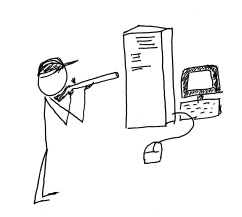
shoot_the_serverMicrosoft has made a decision to include more “cloud” capability in its offerings for small business, ending the life of the successful Small Business Server line and replacing it within the Windows Server 2012 family.  Some businesses are continuing with locally installed servers and are upgrading to Windows 2012 Essentials (or other editions) for in-house use, but more businesses every day are electing to deploy their servers and systems in the cloud instead.

Back when Microsoft introduced the Small Business Server, small business owners found that it was now really easy to implement way more technology in the business than they could directly support.  In one happy little package the SMB could get Windows Server, Exchange, SQL, SharePoint, Remote Web Access, an internal Company Website and more.  Information technology service companies, on the other hand, found it to be a big driver for delivering equipment and services to small business customers, and the product line’s adoption and implementation numbers grew.  Even the smallest of businesses could enjoy enterprise-class email, file and document sharing, client-server applications and remote access for a (relatively) affordable price.  It was this type of offering which created opportunity for server virtualization technologies to be used in small business, as the various server types each benefitted from their own “sandbox”, and IT providers recognized another opportunity to leverage their expertise at the customer location.

Business use of technology continues to expand rapidly so it makes sense that the Small Business Server offering from Microsoft is pretty popular.  In fact, Foresitetech.com says in an article on the subject that “The overwhelming majority of small businesses (80%) with less than 75 employees use Microsoft’s Small Business Server (SBS) software.”

But this fast-paced world of technology continues to move along, and Microsoft has ended the life of the SBS 2011 product.  In its place, small business customers are encouraged to upgrade to one of the editions of Windows Server 2012 as a replacement for their beloved SBS and hopefully they can find an edition which (affordably) delivers the functionality and features the business has come to rely on.  Unfortunately, there isn’t an edition of Windows Server 2012 that offers quite what SBS did, so now there is a big buying decision for the customer.  As the Clash sang it: “do I stay or do I go?”

Microsoft’s elimination of the feature-rich and friendly-sounding Small Business Server has created a lot of opportunity for VARs and IT service providers to move their customers to cloud services, SaaS solutions and hosted environments.  Particularly as information technology continues to become more complex, small businesses (well, businesses of all sizes) are recognizing that they may be better off focusing on running the business operation and managing the company as opposed to spending a lot of focus on IT system purchasing, installation, administration and management.  They have come to understand that IT services are critical to the business, but the server doesn’t have to be under the front desk or in a back closet in order to function for the business.  There is simply too much evidence in the market for these business owners to ignore;  shooting the server is now a viable option.

Every day more business owners are being inspired to [shoot their servers] seek out the services that will allow them to continue to benefit from innovations in technology while relieving them of the direct responsibilities of equipment purchasing, implementation, administration and lifecycle management.  Cloud services deliver this capability, and channel partners and Value Added Resellers should recognize their opportunity to get inspired as well, and to start offering cloud-based and hosted services to their customers and capture the “buying decision” opportunity that Microsoft has created.

Ready. Aim. Fire.

jmbunnyfeetMake Sense?

J

Keeping Up with Expectations: Buyer Satisfaction and the Customer Experience

Keeping Up with Expectations: Buyer Satisfaction and the Customer Experience

There used to be saying in business that the customer is always right and anything or everything should be done to make the customer happy, even if it includes throwing someone under a bus.  On the other hand, some professionals in sales and service would contend that keeping the company mission in mind and fairly representing the company side of things is a better way even if the customer goes away mad.  Realistically, both mentalities have some merit, and it is the challenge of finding balance between making customers happy and doing what is right for the business that makes things difficult.  What many businesses fail to recognize is that they are no longer directly responsible for setting the customer expectation, so they must understand and adapt to the environment and influences impacting the buyer in order offer a customer experience that satisfies.

A customer experience is not simply what happens after someone buys.  The customer experience is composed of the entire life cycle of interactions between the company and the buyer, including any “impressions” the buyer may have experienced through social venues, personal interactions and in media.  Creating and managing the customer experience doesn’t mean simply tracking interactions like sales calls and emails, as with a customer relationship management or sales force solution.  Crafting a customer experience embodies all aspects of the business – from the outside face shown to the public and market to the internal mechanisms that help get work done, the attitudes of the people involved, and the influences of others.

Businesses used to have more sway over how their customer experience flowed, and a great bunch of people providing quality services would generally be a “win” with the buyer.  In today’s market, the table has turned and it is the consumer who dictates what, exactly, they want their customer experience to be.  If the experience doesn’t meet with expectations, it is likely to be a failure regardless of how well the company executes on it.  The exceptional difficulty introduced is that each and every buyer is different – has different motivations and priorities and agendas – and meeting all the expectations of a diverse audience is not easily accomplished.

It’s sort of like with those advertisements you see now, where prospective college students aren’t willing to accept the “old way” of getting an education.  They want to have classes that interest them, they expect to get educated when and where it is right for them, and to get that education in a manner that fits better into the way of life they imagine.   Everyone wants it “my way”, and they’re getting it because they have come to understand that technology and the Internet have made it possible.

Technology and information systems are the foundations of creating and delivering a customer experience and level of service which will keep customers engaged and coming back for more.  Businesses have been trained to look to technology advances and identify opportunities to leverage new developments towards the defined business goal.  In the market that has now developed, where social and mobile computing are the norms, it is the consumer rather than the technology which is driving change.

The individual experience – how the buyer perceives the solution to fit within their business and lifestyle, and how the buyer benefits from the interaction – has become the basis for measuring quality of service and delivery.  Regardless of how technically perfect and flawless a product or service may be, the overall customer experience is the basis on which a stay or go decision is formed.

This shift in focus has changed how businesses view service delivery and support performance, and has introduced the concept that every department in the business should act a little bit like the marketing department – listening to and learning what the buyer deems important and adjusting the process or message based on the finding.  By placing a focus on the buyer priorities and developing an approach that allows a buyer to guide their own experiences with the company, businesses are finding great success in engaging with increasingly demanding buyers and improving overall satisfaction with the experience.

Make sense?

J

A Higher Level of Customer Relationship Management: Building Closer Customer Relationships

A Higher Level of Customer Relationship Management: Building Closer Customer Relationships

Most businesses recognize the importance of creating a quality experience for customers doing business with them.  The thing that many business owners overlook is how their internal workflows and information management systems serve to either support or impede the delivery of a well-rounded positive customer experience.  Growing businesses must adjust their processes and improve their tools in order to have the necessary information available to workers at various levels of the organization, providing a centralized means for collaboration, data sharing and analysis.   With the right information systems and process support, even small businesses are able to function at exceptionally high levels and provide the consistently high-quality service and customer experience that establishes long-term value in each and every customer relationship.

Businesses which excel at providing very high levels of customer service tend to have a few common characteristics – features of the business that identify it as an organization geared towards growth and success in driving the customer engagement and business value.  Among these characteristics is the recognition of the need to use technology better – leveraging automation to a greater degree to create consistency in work performance, and improving information collection and integration to provide more context and depth to the data. Added efficiency which affords employees time to focus on customer oriented tasks and elevating the customer experience even more is the payback.

total-business

Many CRM solutions describe the benefits of a “360 degree” view of the customer, yet these solutions often orient themselves to supporting only sales and Contact Management and do not address product and/ or service delivery (fulfillment of what was sold/ordered)  or project management, contracts and agreements tracking or other aspects of doing business with the customer.

Granted, customer interaction occurs most frequently with sales and service teams, but there are potentially vast number of processes and tasks performed within the business which operate with the same information as sales and services, and which would benefit by integration within the same information and workflow framework.

By selecting a solution that addresses the wider variety of business and information management requirements rather than focusing solely on sales and support, business owners and managers find that they are better able to address internal workflows with streamlined process automation.

The result is significant improvement in the quality and completeness of the information available to users throughout the organization, ultimately improving the quality and nature of customer engagement and interaction. Perhaps even more impactful is the ability for the business to better understand  the context of and motivations for customer interactions, and (most importantly!) having the capability to take immediate action based on that knowledge.

With the right customer relationship and business management solution in place, and with a focus on systematic approaches to enabling process and workflow automation, businesses can become more flexible and responsive to changing customer needs and expectations.  Creating the complete view of the customer relationship and capturing the data which helps users understand the dynamics of the entire relationship serves to build closer customer relationships that will strengthen and grow over time.

When a business needs to implement a Customer Relationship Management solution to address sales and support needs, it makes sense to also review information management requirements for:

  • Delivery of products and/or services  – i.e. fulfillment of what was promised by sales
  • Scheduling of Work/Service Orders and integrated billing based on completed work
  • Time and personnel activity management as well as time reporting and billing
  • Project or job resource and time management and reporting
  • Documents, contracts, before & after pictures, and agreements of all types
  • Products and services, proposals and quotes, price books and channels

Additionally, since the processes are so closely related in terms of the information collected or used, it makes sense that the CRM solution would also work with:

  • Marketing campaigns and activities, lead generation systems and e-newsletter solutions
  • Accounting solutions which also utilize customer, product, job, time, cost and other data
  • Expense spending management, approvals and reporting

To be truly useful, the solution must also support remote and mobile workers since field service personnel and other workers are often not in the office when they need to get something done.  Whether the access is via hosted solutions providing full remote desktop functionality, or via web-based application extensions allowing device independent access (or both!), the solution should be designed to allow users to access the system and perform their work from wherever it is required.

Even more, a comprehensive approach to managing business activities and information, particularly with a focus on providing all departments with all the information and capability they need to get their jobs done properly, requires that everyone in the company be on board.  There really isn’t a great way to centralize and manage critical business data when the approach is to give a few people some information and functionality, leaving it up to human beings and individual initiative to connect the dots (and the data).  The result is almost always a series of gaping holes in various processes where information and requests get lost.

Among the best solutions I have found which delivers the foundation for all of this functionality is Results CRM.  Thousands of users have successfully migrated from ACT!, Goldmine, Telemagic, Salesforce.com and other SFA and CRM solutions to the Results CRM platform, and have benefitted from better workflow automation, more logical company and contacts associations, and a broader range of functionality supporting everything from sophisticated quote and proposal development to comprehensive project, time and expense management.

At the end of the day, it’s the reporting that wins.  If the data isn’t in the database, you can’t report on it.  If you can’t report on it, you can’t measure it. If you can’t measure it, you can’t make good business decisions and grow the business.

Make sense?

J

Accounting, Technology and Small Business – The Best of 2013 from CooperMann

Accounting, Technology and Small Business – The Best of 2013 from CooperMann

cooper-mann-top-20It has been an eventful year, hasn’t it?  With the NSA lurking about collecting data, innovative new approaches to information and identity theft emerging almost daily, and complete turmoil in the IT services industry challenging trusted sales and distribution models, most of us have simply become numb to the noise.  Information technology is evolving at an increasingly rapid pace and the way people and businesses interact with and use technology is being forced to change along with it.  It’s starting to become almost, weirdly, natural.

Much of this change can be attributed to “The Cloud”, which is not a thing or a place.  Cloud has become the term which applies to just about anything having anything to do with the Internet.  For technology “purists”, cloud means something fairly specific, but for normal people (no offense to the nerds and geeks, but you know what I mean), cloud applies to pretty much anything accessible via the Internet.  Photos back up to “the cloud”; music gets stored in “the cloud”, websites are hosted in “the cloud”; businesses run their applications in “the cloud”, and you can do darned near anything you need (or want) to with a phone.  The cloud could be some guy’s server in his basement, or it could be a sophisticated network of systems housed in secure facilities around the globe.  They both qualify, sort of.  The point is that mobility, Internet services, subscription access to technology, and social computing are changing how people view technology – resulting with changes not simply in how IT is purchased, but in how IT is used and applied to daily life.

There are, however, some things that do not change even if the working environment does.  The accounting profession, for example, is undergoing a great deal of change, and much of it fueled by the advancements in technology and social computing.  But accounting fundamentals – the “truth of debits and credits” and the good old accounting equation – remain.  The basics of running a business are also unchanged, even as methods of doing business evolve and globalization of markets continues.  Business fundamentals – fiscal responsibility, cash and growth management, and focus on value and sustainability – are as necessary now as every before.

With all this change and IT “advancement”, there have certainly been impacts to how and where we work.  But the more things change, the more they remain the same.  Good business generates goodwill and more business – that doesn’t change – and bad news still tends to spread faster than good news (much faster, given social platforms that are designed to spread the word far and wide).  And when it comes down to the fundamentals – the basic and essential foundations supporting building, operating, and accounting for business – we generally find that they remain constant even as the environment in which they exist experiences change.

jmbunnyfeetMake Sense?

J

Here are the top 20 ranked posts for 2013 from CooperMann.com

  1. The 2 Most Popular Models for Working with QuickBooks Desktop Editions and the Cloud
  2. Accounting Professionals, You’re right – your clients don’t care about the numbers.
  3. Remote access to client bookkeeping comes in many forms because clients come in many forms
  4. What Small Businesses Need To Know about QuickBooks and the Cloud
  5. Intuit Introduces Changes to Authorized Commercial Host for QuickBooks Program, Introduces QuickBooks Enterprise Rental Licensing
  6. Managed Applications, Cloudpaging, and a New Flavor of Hosted QuickBooks
  7. The Language of Accounting: Disconnect between Accountants and Bookkeepers
  8. Why Accountants and Bookkeepers Use the Cloud
  9. Small Business Owner to Accountant: Make Accounting Valuable to ME
  10. Changing How We See Software: QuickBooks 2013 interface frustrates power users
  11. Bookkeeping and Benchmarks – Getting the Numbers Right
  12. In Bookkeeping, Accounting, and Information Technology: The Value of Outsourcing
  13. Hosting All My Applications in the Cloud
  14. 4 Rules of Thumb for Business Success
  15. Intuit Hosting Program for QuickBooks Website Goes Live
  16. Re-defining the role of the accountant, or going back to the good old days?
  17. Cloud Computing for Small Business: It’s All About 3 Apps
  18. The Collaborative Online Model for Small Business Accounting Professionals
  19. QuickBooks Hosting: New Program Tier Announced for QuickBooks Hosting Providers
  20. 4 Rules for Building Service Customer Loyalty
Posts by category – with Accounting Professionals, QuickBooks Hosting, QuickBooks Software, and Small Business being the top categories with ranking articles.
ACCOUNTING PROFESSIONALS
Small Business Owner to Accountant: Make Accounting Valuable to ME
Accounting Professionals, You’re right – your clients don’t care about the numbers.
The Language of Accounting: Disconnect between Accountants and Bookkeepers
Why Accountants and Bookkeepers Use the Cloud
Bookkeeping and Benchmarks – Getting the Numbers Right
In Bookkeeping, Accounting, and Information Technology: The Value of Outsourcing
Re-defining the role of the accountant, or going back to the good old days?
The Collaborative Online Model for Small Business Accounting Professionals
Remote access to client bookkeeping comes in many forms because clients come in many forms
QUICKBOOKS AND BUSINESS APPLICATION HOSTING
The 2 Most Popular Models for Working with QuickBooks Desktop Editions and the Cloud
What Small Businesses Need To Know about QuickBooks and the Cloud
Intuit Introduces Changes to Authorized Commercial Host for QuickBooks Program, Introduces QuickBooks Enterprise Rental Licensing
Hosting All My Applications in the Cloud
Intuit Hosting Program for QuickBooks Website Goes Live
Cloud Computing for Small Business: It’s All About 3 Apps
QuickBooks Hosting: New Program Tier Announced for QuickBooks Hosting Providers
Managed Applications, Cloudpaging, and a New Flavor of Hosted QuickBooks
QUICKBOOKS SOFTWARE
Changing How We See Software: QuickBooks 2013 interface frustrates power users
SMALL BUSINESS
4 Rules of Thumb for Business Success
4 Rules for Building Service Customer Loyalty