
No REST for QuickBooks Desktop Integration Developers
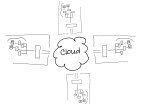 Intuit, the maker of QuickBooks small business accounting software (among other things), is discontinuing service for the REST API and the Sync Manager on March 1, 2016 [1]. Developers with applications which integrate with the desktop editions of QuickBooks using this method must change their approach right away or risk having their integrations simply stop functioning. It’s not that Intuit will DO something on March 1st. Rather, they’ll stop doing something – like handling Sync Manager integrations.
There are a lot of different types of businesses in the world, and each of them produces and consumes a lot of information. From sales to human resources; from operations to finance – every business generates and manages information to support the various processes which make up the business activities. Computer systems and software represent the tools businesses use to develop and manage information, and often become foundations for structuring the information which flows through the organization. Just as there may be different people in the business, each with their own responsibilities and job functions, there are likely software applications which are similarly oriented to support different processes within the business. Integrating or connecting different applications and processes within the business helps the organization be more efficient with information usage, generally increasing the quality of access and reporting throughout the business while at the same time reducing or eliminating redundant data entry and the potential for errors. Software integrations are a big thing to many businesses, which is why the discontinuation of Intuit’s Sync Manager for QuickBooks Desktop editions is a big deal.
Intuit’s Sync Manager was the big thing just a few short years ago. Providing developers with a seamless method for accessing QuickBooks company data and passing it to/from web-based and other applications was a boon to the online application model and paved the way for many disk-based integrated solutions to migrate to SaaS offerings instead. Developers who saw success operating in Intuit’s QuickBooks marketplace as recognized add-ons were encouraged to use Sync Manager so that they would be able to seamlessly market to, subscribe and onboard new users who purchased QuickBooks products. Whether or not the developer participated in Intuit’s application marketplace, the Sync Manager and the REST API provided them with some very important capabilities and supported new methods now recognized as “standards” for development of web-based solutions and services.
The World Wide Web has succeeded in large part because its software architecture has been designed to meet the needs of an Internet-scale distributed hypermedia system. The modern Web architecture emphasizes scalability of component interactions, generality of interfaces, independent deployment of components, and intermediary components to reduce interaction latency, enforce security, and encapsulate legacy systems. http://dl.acm.org/citation.cfm?doid=337180.337228
In order to integrate a solution with QuickBooks desktop products, there are two essential problems to solve. First, there must be access to the QuickBooks data. Few products are able to directly access the data in a QuickBooks data file; generally, the QuickBooks program itself is used to ‘broker’ access to the company file. So, developers need a way to work inside of QuickBooks to use it to access the data their applications need. Second, the data must be transported (via the Internet) to allow for data to come from QuickBooks into another app, or to allow data from the other app to come to QuickBooks. The REST API and the Sync Manager addressed both of those problems and provided developers with the mechanisms required to facilitate the data integration as well as transport the data.

REST (representational state transfer) is “the software architectural style of the World Wide Web [2]” and represents a standard for creating scalable, distributed system interactions. Using this method, developers were able to make their online solutions access, read and write data in QuickBooks desktop products because Intuit had first sync’d the data to its servers, so developers needed only to reach the Intuit servers to reach the data. The Sync Manager provided the transport, carrying the data to/from the desktop installation where the Sync Manager service was running. And, because the Sync Manager was basically built-in to QuickBooks, there was no additional software to install and maintain on the computer because it was all part of the QuickBooks installation.
Intuit did a fantastic job of getting developers to move to the API integration method, positioning all those lovely 3rd party solutions for linkage via an Intuit.com account and, now, to QuickBooks Online. Intuit is clearly favoring the QuickBooks Online edition and the API integration method available with that platform, and is telling developers that they must convert their customers to QBO in order to retain the easy connective ability they had with the desktop editions via Sync Manager.
Now that Intuit has announced the discontinuation of the REST API and the Sync Manager, what options do QuickBooks integration developers have, and how can customers using 3rd party integrations keep using them? Options do remain, and they aren’t all that bad. In fact, the options which remain continue to be the methods of choice for certain developers. These developers recognized early on that Intuit’s somewhat “lightweight” methods couldn’t handle the complexity or full functionality of their integrations facilitated their solutions using the SDK and never looked back (and still don’t). For this community of developers – many of whom likely never considered trying to market their solutions in the Intuit app marketplace – the elimination of the REST API and Sync Manager don’t really matter. They didn’t bother with them in the first place, just as they aren’t bothering with QBO. Those solutions don’t fit their customers, anyway.
The QuickBooks desktop SDK (Software Development Kit) has been around for years, and using the SDK developers have been able to craft tight integrations between their solutions and the QuickBooks desktop products. From payment plug-ins to fully integrated sales, customer relationship, inventory and manufacturing solutions – a broad range of integrated applications built with the SDK have been successfully deployed to QuickBooks customers all over the world. Many applications which integrate with QuickBooks desktop solutions are desktop products themselves and are designed to work within the same desktop and network environment as QuickBooks, so there is no need to worry about “transport” of the data over the Internet.
For other solutions, such as online applications and services, there may be a need to exchange data via the Web. The QuickBooks Web Connector has also been a very popular solution for developers of applications that integrate data with QuickBooks. The Web Connector is just what its name implies: it is a way to connect QuickBooks to the web and vice versa. With the Web Connector application and a web connector configuration file, developers could provide a method of exchanging data between QuickBooks desktop and another solution fairly simply. While the Web Connector is quite useful in providing a means to transport integrated data to/from the QuickBooks desktop to an external system (like an online application), it only allows access to whatever data Intuit decides. For this reason, many developers use both an SDK application and the Web Connector so their applications can access all data required and also have a web service available to transport it.
There are numerous implications relating to the sunset of QuickBooks REST API and Sync Manager, and another among them is the impact in hosted environments. For customers who are (or might) benefit from hosted QuickBooks delivery models, what does the end-of-life of the Sync Manager mean? Since the Sync Manager was basically built into QuickBooks desktop editions, it meant that there wasn’t any extra software to install or manage when a company wanted to adopt a Sync Manager-based 3rd party integrated solution. In a hosting environment, this means that the customer could easily add integrated applications to work with their hosted QuickBooks and the service provider might never even know it was being done. There would be no additional software to install on the host servers; so many providers would simply be unaware that their customers were using these other solutions.
As developers return to SDK and Web Connector implementations in order to integrate with QuickBooks desktop, customers will ask their hosting providers to install the QWC (QuickBooks Web Connector) and/or integration software in their service. In shared service delivery models, this may be virtually impossible to do without potential compromise to existing customers using those servers or other applications resident on the systems. Hosting customers will not always understand that a “simple plug-in” actually represents installable software that must be secured, maintained, managed, and kept from improperly interacting with other software in the environment. Some providers may not even be willing to work with the new integration software, while others may allow it but will not take adequate precautions to ensure proper and secure function.
Intuit has said to many constituent groups that its focus on desktop editions of QuickBooks will continue, and new certifications and benefits for desktop ProAdvisors (and continued development of interoperability with other solutions, like the Revel POS integration for QuickBooks desktop) give support to those statements. Yet developers who support integrations with QuickBooks desktop are once again adjusting to the not infrequent changes Intuit makes to developer programs and philosophies. The push to QBO and connected apps may be the focus for QuickBooks marketing dollars, but there are still quite a number of (very busy!) developers supplying solutions to businesses who don’t shop inside their QuickBooks software.
 Make Sense?
J
[1] https://developer.intuit.com/blog/2014/09/08/timeline-to-discontinue-the-quickbooks-desktop-rest-api
[2] https://en.wikipedia.org/wiki/Representational_state_transfer


 Everything is moving to the cloud! Everything is going online! At least, that is what they’re telling you. And, to a certain extent, it is true that a lot of things are moving to the cloud; just not everything.
  Devices are more powerful so that they can run more applications – fast – and deliver more useful functionality to the user. Maybe the data will be in a cloud, and maybe even some app functionality will be delivered via a cloud, but it is very unlikely that everything will be in the cloud. Complexity and cost drove developers to seek out alternatives, and advancements in technology will introduce new options that change everyone’s thinking again. While the
 In most regions around the country high-speed broadband is readily available, and using the Internet for working and playing online is a part of everyday life. Facebook and Twitter and Instagram are household names and just about every conversation starts or ends with a reference to a
 Running applications online, or “in the cloud” using today’s parlance, is top priority for a lot of businesses. It’s not that these organizations have a burning desire to post their financials to the web, which is what a lot of folks thought was going to happen when we first suggested they use their financial applications online. Rather, business owners and managers have begun to recognize and experience the benefits of connecting their various locations, remote and mobile workers with real time access to business applications and data. Further, centralization of IT coupled with outsourced IT management and subscription service pricing has introduced financial and operational benefits which make businesses more cost-efficient as well as more agile. From being the basis for foundational process and workflow improvements to allowing the repositioning of IT costs from capex to opex, online application services are proving their value in various ways every day.
 When Intuit introduced QuickBooks Online, however, the tried-and-true solution known as “QuickBooks” became something very different at first glance, creating the need to educate the market about the continuing existence of desktop QuickBooks products as well as the newer online QuickBooks product. Differentiation of the two is not really the “desktop” versus “online” moniker – Commercial Hosts for QuickBooks, who essentially

