The Cloud for Your Firm: 3 Initial Considerations for Cloud Enabling Accounting and Bookkeeping Firms Working With Small Businesses

The Cloud for Your Firm

3 Initial Considerations for Cloud Enabling Accounting and Bookkeeping Firms Working With Small Businesses

dscn0903.jpgThe potential benefits of a real-time, lean collaborative working model are too great to argue with.  Accounting professionals, bookkeepers and their small business clients are all hearing about the value of working together in the cloud, and how cloud technologies and solutions can reduce cost and improve efficiency.  There is a great deal of truth in these statements, just as there was a truth in the value of implementing computers, networks and other technologies in business.  What is not clear is exactly what businesses need “in the cloud”, and how they should approach this shift from local IT to outsourced managed service.  Initially, there are 3 issues which warrant consideration, if not deep discussion, prior to making any significant move to relocate internal IT and shift business applications to the cloud: internal use systems, client interaction, and operational support for both.

With all the discussion about cloud computing and remote access, it would seem that all the applications and solutions businesses need are now available online and paid for in low monthly subscription fees.  Anyone working with small businesses, however, comes to understand that the vast majority of these businesses are still using more traditional modes of information management and computing.   For the most part, these businesses are using PCs and local networks, possibly with a little hosted email thrown in.  Almost certainly they have a website and maybe even a fairly sophisticated e-commerce system that allows them to sell products online.  But when it comes to general office functions, and particularly back-office functions like bookkeeping and accounting, the software and the data generally reside on the office PC and server.

Accounting and bookkeeping professionals who work with small businesses are often in the same position as their business clients when it comes to information technology.  Since so much of the work involved requires the same programs and data formats as those used by the client, service providers find that they spend as much in management of software licensing and systems to support working with client data as they do on systems intended for internal use only – sometimes more.  Many of these service providers are also small businesses, and it becomes challenging to find a way to handle internal IT needs while at the same time trying to address those of the client. Where e-commerce solutions are readily available to handle operational aspects of product based businesses, the best tool set for a professional accounting firm or bookkeeping business working with small business clients may not be so easily defined.

The solution for many providers has been revealed through cloud computing and hosted application models.  With Cloud Servers, Remote Desktops, and Virtual Desktop Infrastructure now widely available as affordable alternatives to capital-intensive implementations of locally installed products, businesses are finding new abilities to manage applications and data, provide mobility and enhance collaboration.  The additional benefit is in how accounting service providers may engage with their clients in more efficient and effective ways, without the burdens of replicating data or trying to share access to a single machine or application resource.

There are a number of elements to consider before taking the file server to the parking lot and running it over with a truck.  Moving to the cloud is not a one-step process, and it is important to do a little research and collect some important information before making the final decision on how to proceed.

Internal Use Systems

Among the first of the questions to ask when considering a change in IT management approaches is “which software do we need”?  Implementing an outsourced IT arrangement, which is really what “cloud” is about”, does not necessarily mean throwing away all the existing software and starting with new.  The software in use within the firm may be exactly what it needs right now and adding full IT management, fault tolerance, and remote or mobile access could be the main scope of the requirement.  Moving from locally installed solutions to hosted solutions provides quite a number of benefits while removing many of the direct costs and frustrations of IT management and administration. The greatest benefit of this type of approach is the ability to preserve the “body of knowledge” existing in the business, knowledge invested in the people and processes already developed.

On the other hand, there may be new tools or services only available as “cloud” service, and it makes sense to explore how they may benefit the business more than the in-use applications.  The important element is to remember that the solution must address real business problems, and whether it runs in the cloud or not isn’t the first or most important thing to ask.  For example, a discussion about whether QuickBooks Online might be a better choice than QuickBooks Pro, Premier or Enterprise should be focused on the functionality provided by the applications and not which servers they are running on.  With application hosting for QuickBooks now being an available option, there is a managed IT and remote access capability for both solutions, rendering the fact that QBO is a SaaS solution almost irrelevant in terms of being a differentiator.

Client Interaction

An important aspect of adopting new technologies or working models is the consideration of how the firm and the client businesses will work together, and whether or not there is (or could be) a standardized approach that might work for most clients.  Certainly, it makes sense to standardize as much as possible.  Treating every issue or engagement as a singular event – a one-off – is the least efficient way to do business.  The key to profitability is in the firm’s ability to produce high quality work consistently and in a timely fashion.  This requires that the business be well-structured in terms of the standard processes and methods which will be used to work with client information.  When the firm and the client can work seamlessly together as and when required, and when each is responsible for their own systems and data, it is a best-case scenario. The questions relating to client interactions focus on how the firm works with clients and which tools or solutions are required to improve that situation.

It is likely that the firm will need to be able to address working relationships with various client and engagement types – where clients do some of the work, where the bookkeeper does the work, or where the participants work collaboratively together in the same systems.  While it may seem that the best way to create a dependency on your services with the client is to keep them out of the systems, empowering the client is really the key to a close and long-standing engagement.  This means that the client needs to have their own solutions and approach to cloud-enabled IT, and the accounting or bookkeeping service provider should be able to access and work within that environment.

It is rare that a small business can effectively operate without computers and software to manage information and support operations, so it makes sense that the business should have its own accounting and financial systems, too.  For the accounting service provider, it is essential that a level of understanding be gained around the use of today’s available remote and mobile access technologies, as it is with these solutions and tools that participation in client systems will be enabled.  When the client accounting solution sits on their office PC, there are limited options for working together in any real collaborative form.  Connecting to their PC via remote control is a widely recognized means of gaining access to client systems, but if the bookkeeper is on the system when there is a problem of some sort, all eyes go directly to that remote user as the likely cause of the problem.

The considerations relating to remote access to client systems focus not just on enabling a collaborative working environment, but also on mitigating risk and improving client perception.  The risk issue comes in when the accounting service provider is exposed to systems and information not relevant to their task, and the perception issue becomes material when the accounting professional becomes the software or IT service provider.  It makes sense for the accounting professional to make recommendations or suggestions about software and IT service which might benefit the business, but not to necessarily be the reseller or direct provider of the product or service.  The moment the accounting professional attempts to sell the client a software product or IT service, the relationship is changed and the client is more likely to view their accounting pro as another vendor rather than a trusted advisor.  It’s also not necessarily a great move to start a new client engagement by telling the client they have to switch accounting products to allow the accountant to work closer.  Rather, professionals need to help their clients position those products for more efficient use, which may include enabling remote or mobile access granted via deployment in the cloud.

Operational Support

When businesses outsource their IT management and administration, there is often an initial belief that all responsibilities in these areas will be handled by the IT service provider.  What is often overlooked is the reality that the firm still needs to have people attending to IT related tasks, just doing different levels of work with the technology. It is important to recognize that someone in the firm will end up dealing with various IT and process support issues, and it still makes sense to have personnel dedicated to these tasks (*Note: here’s where I suggest that the cloud changes the focus of internal IT personnel, but it doesn’t eliminate the need for them).  The service provider and solution evaluation and selection process, as well as the actual deployment and administration of services, will take valuable time away from actually performing client accounting or bookkeeping work, and there should be people attending to these issues while the business continues operating.

Where an internal IT department or contract technicians may once have supported internal systems, an operational role within the business is still required to manage outsourced IT activities, including and particularly those where clients are involved with the firm systems.  Delivering new benefits with a minimum of business disruption is the goal, and can be achieved through proper planning and coordination with team members and clients alike.

Closing Thoughts

“The Cloud” is just another way to run software and implement computing resources.  It still takes servers and software, it uses processors and storage and networking, just like more “traditional” computing models.  The difference is in how these resources are purchased and provisioned, and the impact is a change in how businesses of all types can benefit from technologies which enable collaboration, lean process, and mobility.  The Cloud for Your Firm addresses your internal business requirements, lends itself to client collaboration, and has internal operational support to ensure the firm is fully leveraging the available benefits to improve business performance and profitability.

Make sense?

J

Read more about Accountants and Bookkeepers Working With QuickBooks Clients: App Hosting Approaches That Work

technorati-top-100-small-business-blog

via Accounting and Business Technologies | QuickBooks Pro and Premier as Software-as-a-Service

QuickBooks Pro and Premier as Software-as-a-Service

Running business applications online was once considered a fad, but has now become a mainstream approach to implementing technology. Businesses large and small are finding that turning technology investments into a predictable expense allows them to focus on their business operations and not the IT budget. For some, the ability to bring remote locations or mobile team members closer to the systems that support the business is the biggest benefit. For others, the security of having business continuity and disaster recovery built into the system is the key. Regardless of the motivating factors, business owners are finding that online application services can make a positive impact to their bottom line.

The market has clearly identified online technologies and application services as something beneficial. This is demonstrated by the rapid adoption and growth of business solutions that leverage the Internet as network. Further, online applications and services are being used as a way to augment systems that were once exclusively LAN or PC based. An example of this is the extension of Intuit’s QuickBooks products to incorporate online payroll services and online payment processing solutions.

With the move to online application services being one of the biggest shifts in technology seen in years, it only makes sense that the applications that have become “standards” in business shift to an online model, as well. The opportunity is great, but the responsibility is greater.

Many software companies are facing a number of problems with respect to the unauthorized hosting of their desktop applications. Because of the technology employed for desktop application hosting is very costly, many service providers feel compelled to “leverage” application licensing and other system features to increase their value proposition and in order to compete. Customers who utilize these unauthorized application services are putting their businesses at potential risk. This risk may come in the form of substandard services resulting in lost or corrupted data; risk may come in the form of unauthorized access to confidential business or personal information due to poor system security; risk may come in the form of exposure due to the unauthorized use of software licenses.

While the market has clearly demonstrated the value and benefit of application hosting services, the lack of protections, consistency and support make it a venture fraught with peril for many. The volume of “grey market” activity and instances of license piracy have undoubtedly increased dramatically, as the cost of service delivery is high and the margins for the service provider are narrow. Manipulating the cost of service by leveraging the application licensing is sometimes the only way some service providers can create profitability in their offerings. But with the prior lack of oversight in terms of service pricing, licensing, quality assurance, or service orientation, it had become the “wild west” for service providers, and the perceived value of the service declined while the number of and variety of deliveries increased.

The answer to the problem, or at least as it exists around the Intuit QuickBooks products, is in the ability for Intuit-Authorized QuickBooks hosting providers to offer subscription access to QuickBooks Pro and Premier licenses when they are hosted. Customers no longer need worry about purchasing their QuickBooks software before engaging with the hosting company, and can avoid the annual cost of upgrading their application software. With the QuickBooks license delivered under a subscription program, customers are able to work with the most current version of the software, and know that their systems are protected and their data is secure. Intuit-authorized QuickBooks Hosting providers can supply, manage, and maintain hosted QuickBooks implementations for businesses of virtually any size and type – all with an Intuit-supported license.

via Accounting and Business Technologies | Joanie Mann: QuickBooks Pro and Premier as Software-as-a-Service.

Technology and Tools for Accounting Professionals

Joanie Mann Bunny FeetTechnology and Tools for Accounting Professionals

old_school_ledgerThere was a time not so long ago when accounting professionals focused more on tabulation and summarizing of information than on analysis.  Accounting for businesses, in particular, required collecting myriad papers and receipts and other transaction documents, summarizing the information, translating it into journal entries, and finally posting those numbers to the big bound book which represented the business general ledger.  With the work required to gather and enter all of the information, professionals necessarily focused their efforts on making the process as efficient as possible by attempting to structure the workflow and manage the paper.


When those efforts are compared to today’s approach which involves digital documents, intelligent data collection tools, automated workflow solutions, online accounting and data analysis, it is clear that the processes for accounting for business activities have not really become simpler.  In fact, much of the enabling technology has served to complicate certain processes, which drives users to find even more “solutions” to address these new problems.  It (IT) is a bit like the Wonka Everlasting Gobstopper, which never gets finished and never gets smaller.  IT simply changes things – regularly and often.

Back then – before the Internet and digital imaging, or even Personal Computers – high technology wasn’t the focus because it didn’t exist in the realm of business in general.  I suppose you could call business solutions at that time “low” technology, where mainly mechanical solutions were introduced to address various business problems.

old_school_filecabinet

As an example, prior to the advent of digital imaging and electronic documents, one of the primary requirements of the business was to organize and store paper documents.  Over time, a wide variety of filing, foldering and labeling solutions have been developed, all oriented towards making the storage and later retrieval of paper documents easier.  For some businesses, letting go of the paper is a hard thing to do.  Years and years of training in keeping paper files has left many business owners and managers wary of working without physical paper documents.  Investments in office space, filing cabinets, storage folders and personnel to organize, file and retrieve all of the documents is only a partial measurement of the cost of managing paper, and large numbers of businesses continue to operate in this manner.

old_school_desk

The technology applied to processing the work has also changed, in many ways even more dramatically than the technology applied to collecting and storing the information.  Take the simple processes of tabulation (to arrange in tabular form; condense and list) and summing (adding up) information, for example.  Previous generations didn’t have computers and spreadsheet software to perform the work.  Rather, individuals would painstakingly handwrite each transaction entry into a ledger or on a columnar worksheet, and would then have to manually add each column and then cross check footer totals to ensure accuracy.  Back then, the machines used to perform the addition/subtraction were mechanical devices and could not perform multiplication or division.   These adding machines were first hand-cranked devices, later replaced with shiny new electrical ones (weighing approximately 20 lbs each).

old_school_telephone

Even voice communications have changed dramatically over the years.  Many people don’t remember a time when having multiple phone lines in the business meant having multiple telephones, and the concept of a PBX (Private Branch eXchange) didn’t exist.  Every phone would be hard-wired to an incoming line; if you wanted to answer a call, you had to use the right phone.  This became difficult in an office with many people, so solutions such as the “fabulous extendo-phone” was invented to allow anyone in the office to access the phone from their desk.

The technology available to businesses today is astounding, and offers amazing potential and benefit.  On the other hand, technology rarely (truly) makes things simple or easy – it more frequently serves to shelter certain users from the complexity while delivering new workloads and concerns to others.  It’s rather like energy – it isn’t created or destroyed, it just changes form [law of conservation of energy].  Business is like that, particularly where information technology is involved.  The underlying requirement doesn’t go away, just like a business’s requirement to account for financial transactions and activities,  and the need for the business to capture and retain documents isn’t changed.  How the process is managed, and which tools or mechanisms are applied to the task is what changes.

Make Sense?

J

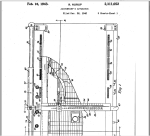
onewrite-accountant_apparatusOne-Write System Revolutionizes Accounting.  These guys had the right idea, they just didn’t have the cloud.

Accounting Professionals, Software as Service, and DIY

Joanie Mann Bunny Feet

The question begs to be asked “how did we get here?” (with “here” being the current state of information technology and the accounting industry). There is confusion in the market; there is still significant debate as to the underlying value of Internet technologies and online application services, and the “managed enterprise approach” has yet to return the benefit and cost-efficiency that is expected.

The accounting industry is experiencing continued change, and understanding the progression of events and technology developments can provide significant insight into where the industry is today and where it will likely be tomorrow. Most professional accounting firms recognize the need to implement technology and solutions that will help the firm and its clients compete in today’s market. Understanding the options available and imperatives that drive the need is key to making the right choices

Technology to manage general business and financial processes has evolved tremendously in the past 20 years, and history clearly reveals that those who have successfully adopted such technologies have done so in stages. Bridge technologies and services (which I fondly refer to as “tweeners”, like cloud hosting of legacy applications) provide a means for safe and low-risk adoption of online working models and managed IT services.

Application hosting solutions have achieved a high level of acceptance in the market, and these are the services that have assisted in garnering online users for the purely Web-based (SaaS and cloud) applications. Providers delivering their “legacy” applications using terminal servers, Quest, Citrix and similar technologies offer the full capability of the Windows application along with the rich Windows interface, as well as the benefits of ASP service and Internet accessibility similar to the Web- app (e.g., the “software as a service” model). This familiarity in functionality and presentation has made adoption of hosted deliveries of these applications a harmless and often seamless transition from localized IT models.

Once a business has adjusted to working online and outsourcing the management of the general IT service, taking the step towards a “true” SaaS solution is much less of a step.

However, trends in the software industry indicate that the concept of “software as a service” has been taken several steps beyond simply providing online access to applications, and are offering outsourced support and finished product deliverables rather than just the software application. For example – an accounting professional may obtain a “finished client tax return” rather than simply purchasing the tax preparation software.

For many emerging Web-based applications, this is the positioning and model which is selected to bolster adoption of the solution.  There has been a great deal of success in offering business users access to a solution, and then providing the actual business service behind it as users find it easier and more efficient than doing the work themselves. This activity has focused on the direct customer and consuming market, where business applications are not sold separately, but as a function of getting the business process facilitated. CRM and helpdesk services are frequently offered this way, as are HR administration and payroll services. The technology has matured to a point where the outsourcer can facilitate the internal business process on behalf of a business fairly transparently, including business bookkeeping and accounting.

All of this serves to devalue the knowledge required to perform the business and accounting processes. There is a belief that has been marketed very well to the small business sector – “if you can write a check, then you can do your own books”. This concept has not proven as realistic as many would choose to believe. But it earned – and continues to earn –  market share. With the trend in software becoming the transparent outsourcing of the processes, is the consuming market likely to recognize the expertise required to manage the outcome?  Retail providers of accounting, tax preparation, and other services (H&R Block, as an example) have quite successfully marketed against the need for businesses to engage with a skilled credentialed professional.  Accounting professionals who do not view this as a threat to their value are simply not paying attention.

Today’s accounting professional must address the realities of Internet technologies, outsourcing, and retail or consumer-direct competition, and the potential impact it will have on the businesses (the client business as well as the professional practice). Recognizing that accountants (by trade) are not typically technologists, it is important to understand that involvement with the financial processes causes a necessary level of involvement with the technology, as well. Professionals who understand and embrace the appropriate use of technology and outsource models are the professionals who will continue to demonstrate their value and expertise to their client businesses and to the market.

With the industry generally moving towards an online, enabling model, those who do not embrace such technologies will rapidly find themselves attempting to compete. As the trend continues to devalue the backoffice processes by essentially hiding them from the consumer (the client business), the position of the accounting services provider is also devalued.

By embracing the technology/enabling model now, the professional service organization positions itself to function as seamlessly with the market as the online service. A clear example of such activity is the emergence of free e-filing of tax returns and the prevalence of low-cost do-it-yourself business bookkeeping and accounting solutions online. Reports indicate that there continues to be a marked decrease in the number of returns prepared by professional organizations as compared to the significant increase in volumes of online do-it-yourself return processing. This has clearly devalued the tax preparation service in the eyes of the consuming market, bringing it down to a level where price is the sole differentiation.

The solution is to fully “enable” the professional services organization, and provide the foundation for seamless delivery of services to the consumer. Once an online working model is adopted within the professional service organization, it gains the opportunity to change and reconstruct internal systems without concern for direct client impacts.

Just as the online application can render the computing platform irrelevant, so can the professional service delivery render the supporting applications irrelevant. This offers the professional service provider the flexibility and freedom to use or develop systems that create differentiation through the underlying process rather than forcing frequent change upon the client.

Make Sense?

Joanie Mann Bunny Feet

J

Have questions about hosting business applications (like QuickBooks)?Are you looking for help developing your IT-enabling model?  Need assistance convincing clients to use the cloud, or onboarding clients to cloud services?

We can help.

Preparing for Disasters of the Legal Kind

Preparing for Disasters of the Legal Kind

As businesses begin to realize the benefits of cloud computing and business data mobility, they may be overlooking one of the most important issues any enterprise can face: information management in the event of litigation.  While the IT department probably has a disaster recovery plan for handling various computer system failures, is there also a plan for managing system data and electronic information in the event of a “legal disaster”?  In the spotlight is e-discovery, which is the requirement of the business to respond to legal requests for electronically stored information, and the issues CIOs and business owners should be paying attention to as computing solutions and technology models continue to change at a rapid pace.

The popularity of BYOD (Bring Your Own Device), data sync solutions, and online collaboration tools has created an environment where business data may exist in various states (meaning as in conditions or status, not as in State, like California) and on a variety of devices and systems, some of which may not be in the direct control of internal IT.  Regardless of where or how the information was delivered to these devices and systems, CIOs and business owners should recognize that the information on those devices is included in discovery requests, and should be prepared with a plan for dealing with the response.

This “e-discovery plan” is the most important thing, and it means not only working through the various aspects of managing the information, but also providing consideration to keeping the plan updated.  As technology changes, and as user behavior changes along with it, businesses must adjust their IT management approaches in kind.  Consider that a user couldn’t store business data on their phone until the phone was able to handle that function.   Now that smartphones are the norm and tablet computers are gaining in popularity, business data is roaming on personal and business devices.  These advancements may introduce productivity and process gains which provide an advantage to businesses, but they also introduce potential risk and certain complexity when it comes to e-discovery.

Litigation is always expensive, but sanctions for slow response or other costs can be avoided if the plan helps the business respond in a timely manner.  For this reason, the plan should include an identification of all sources for information (every location where business information and data is stored), as well as the steps to be taken to preserve this data in the current state.  If the business has systems which regularly purge information (like accounting systems which purge prior period details, email systems which automatically purge old emails, or backup systems which delete old backup files as new ones are made), all of these activities must be halted.  If the company doesn’t have access to control the various devices and systems to prevent these activities (or doesn’t know that they are happening), significant risk is introduced.  In the case of a legal “hold”, all data and metadata and the audit controls and files must be preserved.

The final steps in the plan are the steps to be taken after the litigation is over.  This is often times a forgotten part of the plan, which is the final destruction of the information gathered for discovery.  Not that the original data must be destroyed (consider ALL dependencies), but the “database” of collected information related to the litigation probably should be.  With this data pooled in a single place, it becomes a potentially valuable target for a data breach.  At minimum, the collected information could too-easily be pulled into an entirely new legal case.

IT managers, CIOs and business owners must be realistic about the information their enterprises generate and store, including being realistic about the risk potential that duplicated and mobile data represents.  It is not that the enterprise should be afraid of allowing mobility and providing remote access solutions, but it is essential that the enterprise control the use of these solutions and how they use or interact with business data.   Without a strictly enforced policy of usage and control for all devices, services and solutions “touching” business data, any legal disaster planning falls short.

Joanie Mann Bunny FeetMake Sense?

J

Read More:

e-Discovery in the Cloud: Benefits versus Risks

e-Discovery in the Cloud: Benefits versus Risks

After many years of working with business professionals in “enabling” their organizations to make better use of technology, I must say that it is a bit frustrating trying to get folks to understand that this new and wonderful cloud computing model (or Internet-based computing, SaaS, or whatever-you-want-to-call-it computing) is still just technology.  It uses computers and disk drives, it runs software, it takes electricity, and it was developed by human beings.  It can break.   It’s not magical and perfect and you can’t get the good stuff for free.  Swim at your own risk.  So, assess the risks, and measure the benefits against the risks and costs.  For many, the benefits outweigh the risks, as cloud computing approaches can deliver advanced capabilities at cost levels not previously available to most businesses.

No industry is immune to the security and access considerations surrounding a cloud computing model.  Particular those lawyers involved in e-discovery (all of them) have recognizing the potential benefits – and tradeoffs – of the model.  This reality was clearly revealed at the ILTA (International Legal Technology Association) 2010 event in Las Vegas.  While the discussions at the conference were oriented specifically towards the legal profession, the IT-related discussions are totally relevant to every business.  Accounting and finance professionals should pay close attention to this type of conversation, as it relates very directly to accounting’s approach to information technology and the application of IT in the business or professional practice.

In a recap of the event entitled ILTA 2010 in Las Vegas: Strategic Unity, Defensibility, and the Cloud, author Chris Dale discussed that professionals in both public and corporate service must work with the IT departments towards a common goal.  “IT is no longer just a service department providing an infrastructure, applications, training, and troubleshooting.”  While these elements still remain as critical aspects of IT, the role has grown to also incorporate considerations for collaboration (collaborative information management), mobility, and social media.

Recounting one session attended, called Defensible Ediscovery Processes, the author related the variety of definitions provided to the general term” defensible”, which were pretty amusing.  These definitions ranged from “protected against attack“, to “less lousy practices“ or “practices which suck the least” (my personal favorite), and finally, “what you can get away with without being found guilty of spoliation“.  From these definitions then came qualifiers, such as “reasonableness” and “faith”.

Why would defensible processes be important, and how does this relate to IT or cloud computing?  An example of the element of “faith” came up in this context: ” how can [lawyers] have faith that the technology is delivering the right answers?”  A panelist gave the sample of “an email retrieved from (or possibly not retrieved from [love those lawyers]) a system, with 26.5 pages missing.  How can you be sure that the systems which you are using will not do that to you?”  These are valid questions in any IT environment, and are no less important when considering a cloud-based technology model.   The trade-offs are related to perfection in functionality and performance of the solution versus cost, and should be measured in proportion to one another.

The tradeoffs may come in a variety of areas, with collaboration and connectivity being the primary drivers (collaboration) and barriers (connectivity) to the model.  Businesses are more than ready to adopt cloud computing strategies based on the belief in improved collaboration, access to information, and improved IT management,  but tend to overlook the offsets in the areas of bandwidth availability (and consistency), application functionality (or lack thereof), and level of support available from the provider.  In support of this argument,  Jerry Justice (IT Director for SS&G – Certified Public Accountants and Advisers) posted in a LinkedIn discussion on the topic that “by design the Internet is ‘reasonably’ connected, but not the same as a well-connected [local] network.  the upside is it gives you the ability to connect from great distances, the tradeoff is that you experience variable connectivity.”

“The underlying issues are that there is a paradigm shift to working on the Internet (from working in the office) and then another shift when you add in cloud-based environments (versus local apps).  It is possible to be very productive, but .. you have to adapt your approaches“.

The idea “that perfect must be qualified by cost and proportionality” was also discussed in an ILTA session on cloud computing which included panelists from Autonomy iManage, Mayer Brown, and Ernst & Young.  “Cloud computing remains a contentious area, with no obvious agreement even as to what the term means, let alone as to its implications” wrote Mr Dale in his recap of the event.  While the panelists held differing views, the representative from Mayer Brown held a position similar to Mr Dale, in that it is important to “dissect the objections one at a time, accepting that there is room for more than one view, and testing arguments against the alternatives.  Arguments based on pure cost are pretty compelling, and if one method of achieving an objective is very much cheaper than the others, then the burden shifts to those who argue for the more expensive route.”

Discussions went on to describe differences between public cloud providers and others, who segregate customer data in “private and identifiable silos”.  “The key word here is identifiable“, writes the author, “which connotes a geographical certainty as well as anything else.  I sometimes wonder if the imagery associated with cloud computing (invariably a jagged line disappearing into some cumulus) does not leave some people with the idea that their precious data is indeed floating in some inchoate container up in the air.”

“If you neglect to provide in your contract that your data remains in a specified jurisdiction, and if you fail to conduct proper due diligence checks on the provider, then you deserve all you get.  Like any risk assessment, it involves weighing cost against other factors; most of these other factors are definable and quantifiable“.

I couldn’t have said it better myself.

Joanie Mann Bunny FeetJ

original post March 24, 2011