

Where do we go from here? The SMB SaaS Migration

Where do we go from here?  The SMB SaaS Migration

Forests are a great renewable resource.  You may cut them down, but you can replant and grow new ones to cut down again later.  I suppose it’s sort of like that for software vendors who provide small business solutions.  While many small businesses fail and close every year, lots and lots of them start up and continue operating each year.  Since there’s a steady stream of new prospective customers coming up each year, maybe it is OK when some of them outgrow the product and leave (leaf?).

On the other hand, maybe it makes sense to understand where those customers who do grow up and flourish will go… to which products or solutions they will migrate, and how the company might actually retain a relationship with them through that process and beyond.  Some businesses will mature successfully, and will outgrow their small business solutions and leave their vendors, but it doesn’t necessarily have to be that way for all.  For some key software vendors, a fair question to ask themselves is where their customers will go from here… where “here” is the solution the customer is using now.

When this question is applied to the small business accounting market, it ends up centering on the QuickBooks product line.  Intuit is currently encouraging all QuickBooks customers to look at the QuickBooks Online solution, the fully SaaS-based offering which is different from the desktop editions.  The QuickBooks desktop editions, on the other hand, service small businesses very well.  The functionality improves and increases as users move up the product line from the Pro version through Premier and to Enterprise edition.  This line of solutions has done a great job of serving the needs of both small and larger businesses – all within the same product set.  But now Intuit wants users to experience the benefits of subscription-based service and an online working model.  Those are great benefits, but there’s a question that is left open for the asking.  Where are QuickBooks customers supposed to go from there, assuming that at least some of them might grow beyond the capability of the online product?  It’s a fair question, and here’s why I think so.
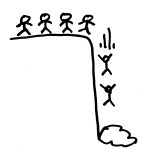
fall_from_cloudOnce a business has adopted a certain working model and the mentality that goes along with it, it is difficult to come in and tell them they have to change to a new model and find a way to adjust.  Change doesn’t come that easily for many individuals much less an entire organization, so this is a big deal and potentially very impactful to all aspects of the operation.  Yet this is exactly what is currently suggested with Intuit’s desire to have customers use the online edition.

It may be a great solution for now, but what’s the next step up from there?  Is it QuickBooks Enterprise on the desktop?  Kind of a weird message, don’t you think?  Let’s have customers adopt an anytime, anywhere subscription solution model, and then migrate them back to the desktop where the management and maintenance of the solution is higher due to number of users, and where there is no mobility, multi-location or remote access capability as there was with online.

The thought is that QuickBooks Online will eventually compete with the Netsuite and Intacct class of SaaS solutions, but right now it doesn’t and there are customers who must leave that product for something that handles their larger and deeper business needs (like the QuickBooks Premier and Enterprise solutions do).   There is a big gap between the entry level accounting products and those which are designed for the larger or midsize “small business”, and the QuickBooks desktop editions represent the only viable options in that very large space.  In fact, many businesses utilize line of business products that allow them to retain use of QuickBooks even as the enterprise scales far beyond the expectation that QuickBooks could handle the need.  But it often can, and it makes sense for businesses to leverage this ability if they are able.

The answer for these growing businesses  – the place they should go when they’ve outgrown the small business SaaS solution like QuickBooks Online (or Xero or Freshbooks or whatever) is to a hosted or remote-enabled QuickBooks model.  With the QuickBooks desktop editions hosted and managed by a cloud provider, businesses are able to retain the benefits of managed service, subscription pricing, and anytime/anywhere access while utilizing the products that are recognized as the industry standards for finance and accounting for growing businesses.

The hosted approach gives the businesses a clear path for the advancement of their systems in line with the growing needs of the business, and removes the need to shift working models from online to on-prem.  As needs increase and the complexity of systems grow through integration and scale, the service provider manages the platform and systems, enabling the business to not simply continue operating, but to grow and expand with the confidence that there is a plan to grow and expand the systems which support it.   The place to go is the cloud, and whether it is an entry-level SaaS solution or a hosted desktop and server approach, the service is there to handle the business.

jmbunnyfeetMake Sense?

J

Security and Users: Change is the Only Constant

Security and Users: Change is the Only Constant

Managing user accounts and access to business IT assets is challenging, particularly as cloud and social computing models introduce new wrinkles in security and identity management. Information has become “mobile” along with the users accessing it, yet management of user behavior is even more complicated that trying to manage a digital resource.

If you look at the history of security breaches, you’ll find that many of them started with a user making a mistake – like losing a laptop or clicking on a phishing email, downloading bad software, or forgetting to report an employee termination to the IT dept – something which inadvertently created a vulnerability that could be exploited.  It’s tough to stop breaches because there are so many possible ways for them to happen.

If most security breaches start with a user mistake, then IT departments have their hands full because users aren’t static, unchanging objects to monitor and manage.  Users change, sometimes a lot.  It is this constant change which undermines the ability for some IT departments to meet the demand to adequately secure company information systems and data. Now is the time to take control of user security and identity management, creating automation and controls to protect business assets in a constantly evolving environment.

It is not simply employee turnover that challenges security management.  Certainly, IT departments have been dealing with user account creation and termination for a long time.  And sure, users have sometimes been promoted and demoted, resulting in the requirement for IT to increase or perhaps decrease access to information and applications.  These are normal and expected activities for a business IT department.  Unfortunately, IT often doesn’t hear about the user’s change in status.  An account isn’t disabled, access isn’t restricted, and the system is left vulnerable.

Just to pile on, think about what happens when a user is more than just a single system user.  It may be manageable when where a single identity and set of credentials governs their access to applications and information.  But the proliferation of web-based services and SaaS solutions has made it commonplace for users to have multiple applications and services available to them, each with their own approaches to identity management.

For even a small business IT department, the security of all of these access points and applications must be managed and monitored – no small task when the department may not even be aware that the solution is in use.  It is not unusual for file sharing, data sync, or other applications to be implemented in businesses without the knowledge or participation of the IT department.  Actually, many services attract users due to their simplicity and ease of use, leveraging the fact that they can be deployed without the “assistance” of IT.

Users are becoming increasingly mobile, accessing information and applications from public and private locations while using any number of possible mobile devices.  Vulnerabilities which may exist in public networks and the increased potential for device loss or theft are high on the list of concerns of IT departments managing remote and mobile user access.  Mobility is driving many changes in how information technology and access to systems is provided to users, and it is changing user demands for what they should be able to easily accomplish while being mobile.

Businesses need to recognize that their continued existence may rely on keeping their information systems and assets safe and secure.  Disaster recovery and business continuity applies not only to loss of physical systems, but also to losses of various forms due to data breach. The disaster recovery and continuity plan (you have one, right?) should not only address situations after they happen; planning by definition is proactive.  It is not enough to have a plan to recover from loss or failure; the business must actively engage in activities which will prevent loss and reduce vulnerability. 

Part of this plan necessarily centers on managing users and user identities, ensuring that the company knows about all access or user accounts involved and employs strict processes and guidelines for making sure they are constantly up to date and have the authority to do what they’re trying to do.  In short, the plan must also be a plan for change, providing change management processes to guide the business as the evolution of information technology and the dynamics of user interaction continue to change.

jmbunnyfeetMake Sense?

J

read more about IT Security and Engaging users to reduce vulnerability

read more about Mobility and the Cloud, Managing BYOD and securing company resources

Is it Cloud or is it Desktop?

Is it Cloud or is it Desktop?

There are a few realities that users of purely SaaS-based solutions are finding, and among them is that most web-based applications don’t readily integrate with the desktop – and the desktop is still where a lot of the real work gets done.  Yes, users are increasingly mobile and are using smartphones and tablets to create and access information via mobile applications and services, yet the PC desktop – whether it’s an actual desktop computer, laptop or full-featured tablet – remains as the workhorse for business.  Even the most popular SaaS applications continue to rely upon the desktop and locally installed applications to get some of the work done (note that many Salesforce.com users still find Excel to be their most effective reporting tool).  In an effort to deliver mobility for those applications traditionally tied to the desktop, software developers have adopted two main approaches: redevelop the application for the web (which usually means bringing functionality down to a lowest-common-denominator approach), or applying a traditional terminal server or virtualized application approach and calling it “cloud”.

desktop-apps

Neither option is awesome for the software maker – the time and cost of development certainly isn’t low, and the realities of hosting conventional desktop or LAN-based applications in shared infrastructure are pretty ugly at best.  What these software makers need is a way to allow businesses to continue to use their software for the desktop and LAN, enabling the user with software license use rights to access that software product and associated data on any of their “desktops”, regardless of where that desktop might be (or what device it is running on).  The model is cloud, but then it’s a desktop model too.

Independent software vendors are more frequently turning to platform providers (PaaS) to help deliver whatever “cloud” approach the company elects, and these ISVs are also feeling the bite of outsourced service fees and growing costs of delivery.  It is not just the direct customer questioning the cost of deploying resources in the cloud – software providers are questioning these costs, too, especially as they attempt to deliver resource-intensive solutions from hosted infrastructure that bills them based on resource utilization.  MyQuickCloud is proving that ISVs and their customers no longer have to bear large infrastructure costs in order to deliver complete user mobility. MyQuickCloud supports IaaS providers and their partner networks, allowing infrastructure-as-a-service offerings to include a simple and fast way to immediately make that infrastructure useful for desktop and application delivery.

The information technology industry has seen a lot of disruption in recent years, with complexity and risk in systems rising as users demand more functional mobile capability and software developers struggle to protect and preserve their assets (users included).  MyQuickCloud jumps right into the middle of it, delivering solutions for business customers, software developers and cloud providers alike, and answering the question of whether it’s cloud or desktop.  The answer is “yes”.

jmbunnyfeetMake Sense?

J

New York or Las Vegas? It doesn’t matter if you can work online.

New York or Las Vegas?  It doesn’t matter if you can work online.

Skyline
Skyline

The 10th annual Accounting Solutions Conference, held by The Sleeter Group, is being held in Las Vegas on November 3-6.  By all accounts, it’s looking like the conference will again bring together some of the best and brightest in accounting and business technologies.

The annual “Sleeter Conference” event is among the best opportunities accounting and bookkeeping professionals have to explore and learn about the technologies, service models, client management tools and other elements involved in delivering accounting, bookkeeping and consulting services to small business clients.  With the introduction of so many new ideas and solutions designed for small businesses and their accountants, it is no wonder that professionals look to this conference to help make sense of it all.

With the right strategy and through the innovative and efficient use of technology, people and processes, even the smallest of organizations can compete with the big boys.  Accounting professionals, pro bookkeepers, and small business consultants and advisors are not simply participants in the financial processes of these small organizations – they are the influencers and implementors of the solutions and methodologies which will generate the positive impact in the client business.  Information technology -mobile access solutions and innovative tools for working together – makes it possible to deliver these benefits to clients, whether they’re in Vegas or the Big Apple.  Come to the conference and hear all about it.

While you’re there, stop by the Uni-Data Skyline Cloud Services booth and check out some of the new stuff that’s going on in the QuickBooks and general application hosting world.  It’s pretty cool!  I give it 5 bunnies.

J

Hosted QuickBooks Need Drives Hosted QuickBooks Approach: QuickBooks Desktop Editions in the Cloud

Intuit QuickBooks essentially “owns” the accounting/bookkeeping software market in the US, having an enormous share of distribution and millions of users.  Even with the emergence of new web-based and SaaS solutions designed to address the needs of small business bookkeeping, the visibility and momentum of the QuickBooks brand has kept it in the lead position and users continue to adopt the QuickBooks desktop and online editions in record numbers.  What may be a surprise to folks who believe “the desktop is dead” is the reality that quite a lot of the adoption and usage continues to be centered on the QuickBooks desktop edition products rather than the purely Online, SaaS product, and this is at least in some part supported by the hosted QuickBooks service model.

The desktop is dead. Long live the desktop!

Software-as-a-Service and “the cloud” have become the focus of the entire information technology industry, and this new paradigm of computing continues to evolve and reveal potential at every level.  What’s interesting is that the paradigm – which involves mobility, anytime/anywhere access, managed service delivered as a utility subscription, and more –  is bringing new life to what many have come to refer to as “legacy” applications (like QuickBooks desktop editions).  While many technologists would have us believe that the traditional desktop is dead, the reality is that the traditional part of it is all that may be dying… the desktop and what it offers and represents isn’t dead at all.  In fact, it’s very much alive and well and continuing to do what it was intended to do, perhaps a bit better, due largely to advancements in desktop and application virtualization and other discoveries.

Several years ago the Application Service Provider model established itself, positioned to provide hosting of business applications as a subscription service (“several” is somewhat of an understatement; the first real ASPs emerged around 2000-ish).  Using Windows Terminal Services and other tools, these early providers recognized the benefits of hosted and managed desktops, and further recognized that the value of the service existed largely with the applications and not simply the outsourced desktop.  Back then, there was an awful lot of talk about how the “desktop is dead”, because delivered applications would become the norm.  Then the dotcoms busted and a lot of ASPs went out of business, leaving a rather poor taste in the mouths of consumers and independent software vendors (ISVs) alike.

As web-based, SaaS and “cloud” solutions began to emerge and prove their viability, business users returned to the web in search of solutions to mobility and secure remote access to business applications and data.  While a great deal of success has been realized by many of these SaaS solution providers, there has remained a significant need and desire for desktop applications, desktop presentation, and desktop functionality.  The adoption by the market of SaaS and cloud services eased the adoption of hosted application services, as well, and now there are a wide variety of providers offering an equally wide variety of hosted and virtualized desktop and application services (application services like hosted QuickBooks, for example).

The popularity of the QuickBooks desktop products, coupled with new capability offered through advancements in hosting and application delivery solutions, directly address the desire of the market to eliminate complexity and reduce cost of IT operations.   Hosting is somewhat of an “equalizer” between QuickBooks desktop and QuickBooks Online, allowing the QuickBooks desktop users to have the same managed subscription service as Online Edition users, but with the rich features and full functionality present in the desktop editions.  Businesses wanting to run QuickBooks in the Cloud are not forced to transition to the product which may not fully meet their needs, or which is simply unfamiliar to them – they can continue to utilize their trusted QuickBooks desktop editions, only in a hosted/delivered environment.

Here’s the catch:  It’s a good idea to only work with an Intuit-authorized Commercial Host for QuickBooks, because there is no other lawful way to obtain QuickBooks hosting services from a service or solution provider.  No, it is not lawful to provide QuickBooks hosting services unless the hosting provider/service is actually authorized by Intuit to do so, and anybody using QuickBooks software has already agreed that they will not utilize the software with a hosting provider or similar entity without specific authorization.  The hosting provider risks being targeted for unauthorized software distribution, and the customer risks losing their right to the software and services by violating the EULA terms.  Even if the software doesn’t cost a lot, businesses will recognize that their business data has value, and keeping their software in a usable and properly licensed state is necessary to preserve the value of that data.

The End User License Agreement for QuickBooks products – an agreement between Intuit and the consumer – spells it out in plain language and describes specifically how the QuickBooks product is NOT eligible to be hosted, or provided by a hosting service. Note that this includes situations where the hosting company is providing the actual QuickBooks software, and in situations where a business already has their QuickBooks software and provides it to a commercial hosting company to have it installed and managed and provided to users.  In short – QuickBooks is not supposed to be installed and managed by a 3rd party hosting provider who is not authorized by Intuit as a commercial host for QuickBooks regardless of whether or not the customer provided the license.

Further, by accepting the EULA in order to use the QuickBooks product, users accept the fact that Intuit has the full right to terminate that license in the event that terms of use are violated.  Remember that these license agreements provide USE RIGHTS, not ownership, of the product.  You have to use the solution under the terms and conditions of the license, or you lose your rights to the product, support, or any other benefits included.  http://support.quickbooks.intuit.com/support/articles/INF20630

Why Businesses Use QuickBooks Hosting Services

The reasons why businesses elect to have their QuickBooks solutions hosted come in many forms, which explains why there are a variety of options for getting hosted QuickBooks service.

For users of the QuickBooks Enterprise products, managed IT service may be the primary goal in adopting a cloud hosting model.  Hosted and managed IT services, including hosted desktops and managed applications, allows the business to benefit from predictability in IT cost and to transition from a regularly scheduled capital-intensive upgrade cycle to a consistent and budgetable operational expense.

Users of QuickBooks Pro and Premier, on the other hand, are more likely to see mobility, remote access, and real time collaboration as the primary benefits of a hosted model.  While the small business owner will frequently argue about the true cost of IT management (which is pretty arguable when the totality of their infrastructure consists of a standalone PC), it is the access to the application and data at any time and from anywhere that gets this single user online – generally with a smart phone or tablet computer or some such mobile device accompanying the requirement.

In many cases, there are other drivers in the business moving the organization along the path towards “cloud enablement” of their solutions, and QuickBooks is simply one of the products to contend with.  Hosted QuickBooks may not be THE REASON for going to an online working model, but it is one of the core components which can cause the project to either see success or fail miserably.

I have seen situations where an entire organization’s computing infrastructure was re-deployed as SaaS service, but the one critical thing they forgot was the controller’s requirement for QuickBooks Pro.  Months of time and many dollars were invested in moving the rest of the company to online application service, only to find that they all returned to local application use because of the requirement to work collaboratively with the controller and with reports and data produced through QuickBooks.  On the other hand, I’ve also seen where the accounting department was the only group moved to the hosted environment (in this case, the provider was focusing on QB and not on the rest of the business requirement), and this group also returned quickly to local operation in order to continue collaboration with internal team members and to benefit from the integration of applications (e.g., QuickBooks working with MS Office, etc.).  One size certainly does not fit all, and any purchaser of a hosted QuickBooks solution should keep in mind the entire business requirement in case QuickBooks is only a piece of the puzzle (albeit an essential piece).

Hosted QuickBooks may come as a published or managed application, as a desktop application on a remote or virtual desktop delivery, or as an application“delivered” to the user’s PC.  In any case, whether QuickBooks is viewed as a point solution – delivered alone as a single application – or whether it is part of a larger virtualized desktop or application deployment, it remains one of those products that satisfies a fundamental need in small businesses, and now it’s available in the cloud.

Joanie Mann Bunny FeetMake Sense?

J

