Better QuickBooks Access, Management and Security – QuickBooks Licensing and Hosting Models

Whether hosted in-house or offsite, licensing models for hosting QuickBooks can be very confusing.

driving1-ANIMATIONThe demand for solutions to address user mobility, better collaboration and improved information security is increasing as connectivity improves and cloud services and threats evolve. Server-based computing models and application hosting are increasingly popular as businesses seek to embrace teleworking and telecommuting models for their entrenched applications and systems, creating a foundation for improved productivity and work/life balancing (or integration).  On the technical side, the benefits of centralizing applications and data include improved efficiency in managing, maintaining and securing systems. For many small businesses, this means centralizing the installation and maintenance of core business applications like Intuit QuickBooks Pro, Premier or Enterprise.

Whether it be offsite with a commercial hosting provider or on a co-located server somewhere, or an onsite installation on the in-house server, hosting Intuit QuickBooks licenses can be straightforward or complicated depending on what you are trying to do with them. Because QuickBooks was designed as a standalone single-user application, there are a number of challenges when it comes to preparing it for server-based use.  The primary issue is often simply understanding the QuickBooks licensing model, which is not particularly INTUITive (sorry).

Licensing hosted QuickBooks applications comes with two different sets of implementation issues: the technical implementation (the installation and setup) and the logical allocation of licenses to users (the licensing rules).

When it comes to the technical implementation, many an experienced engineer has beaten their head against the wall trying to get QuickBooks to work properly in a workspace or session-based system (e.g., terminal server), all because they expect the product to implement like a “normal” client/server application. While QuickBooks may use the Sybase database manager guts to handle multi-user access to QuickBooks data files (I think it is still Sybase), the architecture required to properly service a networked QuickBooks installation does not necessarily mimic what would be used with, for example, a .NET desktop client application with an MS SQL back-end.   First, the QuickBooks data files cannot be remote to the application, meaning that both the client and the database manager (which is actually working as an adjunct to the client) must exist on the local network; it will not work over a WAN connection, which is why so many folks get frustrated when they put their server “in the cloud” and attempt to connect from a local client using a VPN.  It just won’t work that way with QuickBooks; it all has to be on the local network – client, server, data… all of it.

It is notable that many businesses use Dropbox and other file sync solutions because they want to be able to get to their data from multiple locations, but the data they’re getting must be “local” to the apps that use it.  It doesn’t allow for simultaneous multi-user access, but it can be an effective way to share a file.  The caveat is that the file (at least in the case of a QuickBooks file, or Outlook PST file, etc.) should not actually be used from the sync folder.  Sync folder should contain copies of data files that users wish to sync or share with other devices.  But I digress…

With a server-based implementation of QuickBooks, technicians will install the QuickBooks desktop software on the server, and will determine whether or not that same machine will also handle the company data files.  The QuickBooks DB manager is part of the installation of QuickBooks, and the file system and drive where the QB files are to be managed must be recognized as a local drive on the server running the QBDB manager.  The overhead used by the database manager isn’t huge, but it can impact the performance of users on the server.  For this reason, some techs will decide to implement a separate file server to manage the QB data files, taking that load off the app server.

  • The QuickBooks software uses the database manager to “host” access to company files.  This simply means that a single server with the data on it is providing managed access to remote-desktop-sessionsQuickBooks application users.
  • When QuickBooks application software and data is installed and centrally managed on a server (instead of QuickBooks being installed on individual PCs), that means QuickBooks application is being “hosted” on that server.
  • When a 3rd party provider supplies the server, the QuickBooks installation, data storage, and your way of connecting to it all,  that provider is a “host” providing hosting services for your QuickBooks.

In a dedicated hosting environment, the data is often stored on the same server as the applications, whereas in a shared hosting environment, the data is often stored on central file servers which serve multiple customers. This is why, in some shared hosting situations, one bad data file can take down the database manager services for all the customers using that same file server.

Users open the QuickBooks application on the server instead of having the application installed on individual PCs.  The single server-based installation of the software is able to be used concurrently by all users logging in to that computer. With the database manager running, the file is essentially “hosted” on that machine, and the file may then be opened in multi-user mode.  OK so far.  The problem generally comes about when a second user on the same computer/server wants to open the same QB data file as the first user.

Because the QB database manager is looking at the license of the client application accessing the data file, it will recognize when two different users/sessions with the same license key attempt to open the company data file.  If that license key is a single-user key, then the database manager knows it should allow only 1 concurrent user in the file.  QuickBooks doesn’t get installed for each user on a computer or server; it is installed one time on the machine and each user on that machine runs from that single shared installation. Any particular version of the QuickBooks application may be installed only once on a single computer, but it is possible to install multiple editions, year versions, and “flavors” of QuickBooks on a single machine (cannot be more than one installation of each unique product). There will be more than a few annoyances when running a variety of QBs on the same computer, but it is technically possible.

In order to allow multiple users to simultaneously access the same data file from a central installation of QuickBooks, the license key installed on the computer must be a multi-user key.  QuickBooks Pro, for example, can be keyed to 3 concurrent users, meaning that the license will allow up to 3 users with that same license key to simultaneously access the same company file.  Technically (but not lawfully) this installation of QuickBooks on the machine could allow a virtually unlimited number of users to launch the QuickBooks application simultaneously, limited only by machine resources.  This is where the logical allocation of licensing comes in.. the rule of licensing QuickBooks.

The logical allocation of unique licenses for each QuickBooks user is a little easier to understand than the technical implementation.  The rule is simply that each user of QuickBooks is required to have a valid registered/activated license. That valid license is a license purchased and activated for that business.
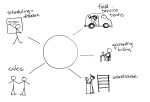
total-businessMaking QuickBooks desktop editions more useful by adding secure remote access and centralized management makes a lot of sense.  For companies who rely on the functionality and features of the desktop products (QuickBooks Pro, Premier and Enterprise), a hosted approach is the only way to really address mobility and multi-location requirements.  Remember that hosting doesn’t necessarily mean offsite, although that could make sense for the business, too.

Centrally-managing QuickBooks applications and data creates greater efficiency and improves overall IT management capability for the business.  At the same time, a centralized model introduces a better strategy for mobilizing the workforce and connecting remote users and offices. The struggles of understanding and implementing proper QuickBooks licensing begin to seem very small when compared to the benefits of deploying a centralized system that’s easier to access, manage and secure.

Make sense?

J

The Cloud for Your Firm: 3 Initial Considerations for Cloud Enabling Accounting and Bookkeeping Firms Working With Small Businesses

The Cloud for Your Firm

3 Initial Considerations for Cloud Enabling Accounting and Bookkeeping Firms Working With Small Businesses

dscn0903.jpgThe potential benefits of a real-time, lean collaborative working model are too great to argue with.  Accounting professionals, bookkeepers and their small business clients are all hearing about the value of working together in the cloud, and how cloud technologies and solutions can reduce cost and improve efficiency.  There is a great deal of truth in these statements, just as there was a truth in the value of implementing computers, networks and other technologies in business.  What is not clear is exactly what businesses need “in the cloud”, and how they should approach this shift from local IT to outsourced managed service.  Initially, there are 3 issues which warrant consideration, if not deep discussion, prior to making any significant move to relocate internal IT and shift business applications to the cloud: internal use systems, client interaction, and operational support for both.

With all the discussion about cloud computing and remote access, it would seem that all the applications and solutions businesses need are now available online and paid for in low monthly subscription fees.  Anyone working with small businesses, however, comes to understand that the vast majority of these businesses are still using more traditional modes of information management and computing.   For the most part, these businesses are using PCs and local networks, possibly with a little hosted email thrown in.  Almost certainly they have a website and maybe even a fairly sophisticated e-commerce system that allows them to sell products online.  But when it comes to general office functions, and particularly back-office functions like bookkeeping and accounting, the software and the data generally reside on the office PC and server.

Accounting and bookkeeping professionals who work with small businesses are often in the same position as their business clients when it comes to information technology.  Since so much of the work involved requires the same programs and data formats as those used by the client, service providers find that they spend as much in management of software licensing and systems to support working with client data as they do on systems intended for internal use only – sometimes more.  Many of these service providers are also small businesses, and it becomes challenging to find a way to handle internal IT needs while at the same time trying to address those of the client. Where e-commerce solutions are readily available to handle operational aspects of product based businesses, the best tool set for a professional accounting firm or bookkeeping business working with small business clients may not be so easily defined.

The solution for many providers has been revealed through cloud computing and hosted application models.  With Cloud Servers, Remote Desktops, and Virtual Desktop Infrastructure now widely available as affordable alternatives to capital-intensive implementations of locally installed products, businesses are finding new abilities to manage applications and data, provide mobility and enhance collaboration.  The additional benefit is in how accounting service providers may engage with their clients in more efficient and effective ways, without the burdens of replicating data or trying to share access to a single machine or application resource.

There are a number of elements to consider before taking the file server to the parking lot and running it over with a truck.  Moving to the cloud is not a one-step process, and it is important to do a little research and collect some important information before making the final decision on how to proceed.

Internal Use Systems

Among the first of the questions to ask when considering a change in IT management approaches is “which software do we need”?  Implementing an outsourced IT arrangement, which is really what “cloud” is about”, does not necessarily mean throwing away all the existing software and starting with new.  The software in use within the firm may be exactly what it needs right now and adding full IT management, fault tolerance, and remote or mobile access could be the main scope of the requirement.  Moving from locally installed solutions to hosted solutions provides quite a number of benefits while removing many of the direct costs and frustrations of IT management and administration. The greatest benefit of this type of approach is the ability to preserve the “body of knowledge” existing in the business, knowledge invested in the people and processes already developed.

On the other hand, there may be new tools or services only available as “cloud” service, and it makes sense to explore how they may benefit the business more than the in-use applications.  The important element is to remember that the solution must address real business problems, and whether it runs in the cloud or not isn’t the first or most important thing to ask.  For example, a discussion about whether QuickBooks Online might be a better choice than QuickBooks Pro, Premier or Enterprise should be focused on the functionality provided by the applications and not which servers they are running on.  With application hosting for QuickBooks now being an available option, there is a managed IT and remote access capability for both solutions, rendering the fact that QBO is a SaaS solution almost irrelevant in terms of being a differentiator.

Client Interaction

An important aspect of adopting new technologies or working models is the consideration of how the firm and the client businesses will work together, and whether or not there is (or could be) a standardized approach that might work for most clients.  Certainly, it makes sense to standardize as much as possible.  Treating every issue or engagement as a singular event – a one-off – is the least efficient way to do business.  The key to profitability is in the firm’s ability to produce high quality work consistently and in a timely fashion.  This requires that the business be well-structured in terms of the standard processes and methods which will be used to work with client information.  When the firm and the client can work seamlessly together as and when required, and when each is responsible for their own systems and data, it is a best-case scenario. The questions relating to client interactions focus on how the firm works with clients and which tools or solutions are required to improve that situation.

It is likely that the firm will need to be able to address working relationships with various client and engagement types – where clients do some of the work, where the bookkeeper does the work, or where the participants work collaboratively together in the same systems.  While it may seem that the best way to create a dependency on your services with the client is to keep them out of the systems, empowering the client is really the key to a close and long-standing engagement.  This means that the client needs to have their own solutions and approach to cloud-enabled IT, and the accounting or bookkeeping service provider should be able to access and work within that environment.

It is rare that a small business can effectively operate without computers and software to manage information and support operations, so it makes sense that the business should have its own accounting and financial systems, too.  For the accounting service provider, it is essential that a level of understanding be gained around the use of today’s available remote and mobile access technologies, as it is with these solutions and tools that participation in client systems will be enabled.  When the client accounting solution sits on their office PC, there are limited options for working together in any real collaborative form.  Connecting to their PC via remote control is a widely recognized means of gaining access to client systems, but if the bookkeeper is on the system when there is a problem of some sort, all eyes go directly to that remote user as the likely cause of the problem.

The considerations relating to remote access to client systems focus not just on enabling a collaborative working environment, but also on mitigating risk and improving client perception.  The risk issue comes in when the accounting service provider is exposed to systems and information not relevant to their task, and the perception issue becomes material when the accounting professional becomes the software or IT service provider.  It makes sense for the accounting professional to make recommendations or suggestions about software and IT service which might benefit the business, but not to necessarily be the reseller or direct provider of the product or service.  The moment the accounting professional attempts to sell the client a software product or IT service, the relationship is changed and the client is more likely to view their accounting pro as another vendor rather than a trusted advisor.  It’s also not necessarily a great move to start a new client engagement by telling the client they have to switch accounting products to allow the accountant to work closer.  Rather, professionals need to help their clients position those products for more efficient use, which may include enabling remote or mobile access granted via deployment in the cloud.

Operational Support

When businesses outsource their IT management and administration, there is often an initial belief that all responsibilities in these areas will be handled by the IT service provider.  What is often overlooked is the reality that the firm still needs to have people attending to IT related tasks, just doing different levels of work with the technology. It is important to recognize that someone in the firm will end up dealing with various IT and process support issues, and it still makes sense to have personnel dedicated to these tasks (*Note: here’s where I suggest that the cloud changes the focus of internal IT personnel, but it doesn’t eliminate the need for them).  The service provider and solution evaluation and selection process, as well as the actual deployment and administration of services, will take valuable time away from actually performing client accounting or bookkeeping work, and there should be people attending to these issues while the business continues operating.

Where an internal IT department or contract technicians may once have supported internal systems, an operational role within the business is still required to manage outsourced IT activities, including and particularly those where clients are involved with the firm systems.  Delivering new benefits with a minimum of business disruption is the goal, and can be achieved through proper planning and coordination with team members and clients alike.

Closing Thoughts

“The Cloud” is just another way to run software and implement computing resources.  It still takes servers and software, it uses processors and storage and networking, just like more “traditional” computing models.  The difference is in how these resources are purchased and provisioned, and the impact is a change in how businesses of all types can benefit from technologies which enable collaboration, lean process, and mobility.  The Cloud for Your Firm addresses your internal business requirements, lends itself to client collaboration, and has internal operational support to ensure the firm is fully leveraging the available benefits to improve business performance and profitability.

Make sense?

J

Read more about Accountants and Bookkeepers Working With QuickBooks Clients: App Hosting Approaches That Work

technorati-top-100-small-business-blog

via Accounting and Business Technologies | QuickBooks Pro and Premier as Software-as-a-Service

QuickBooks Pro and Premier as Software-as-a-Service

Running business applications online was once considered a fad, but has now become a mainstream approach to implementing technology. Businesses large and small are finding that turning technology investments into a predictable expense allows them to focus on their business operations and not the IT budget. For some, the ability to bring remote locations or mobile team members closer to the systems that support the business is the biggest benefit. For others, the security of having business continuity and disaster recovery built into the system is the key. Regardless of the motivating factors, business owners are finding that online application services can make a positive impact to their bottom line.

The market has clearly identified online technologies and application services as something beneficial. This is demonstrated by the rapid adoption and growth of business solutions that leverage the Internet as network. Further, online applications and services are being used as a way to augment systems that were once exclusively LAN or PC based. An example of this is the extension of Intuit’s QuickBooks products to incorporate online payroll services and online payment processing solutions.

With the move to online application services being one of the biggest shifts in technology seen in years, it only makes sense that the applications that have become “standards” in business shift to an online model, as well. The opportunity is great, but the responsibility is greater.

Many software companies are facing a number of problems with respect to the unauthorized hosting of their desktop applications. Because of the technology employed for desktop application hosting is very costly, many service providers feel compelled to “leverage” application licensing and other system features to increase their value proposition and in order to compete. Customers who utilize these unauthorized application services are putting their businesses at potential risk. This risk may come in the form of substandard services resulting in lost or corrupted data; risk may come in the form of unauthorized access to confidential business or personal information due to poor system security; risk may come in the form of exposure due to the unauthorized use of software licenses.

While the market has clearly demonstrated the value and benefit of application hosting services, the lack of protections, consistency and support make it a venture fraught with peril for many. The volume of “grey market” activity and instances of license piracy have undoubtedly increased dramatically, as the cost of service delivery is high and the margins for the service provider are narrow. Manipulating the cost of service by leveraging the application licensing is sometimes the only way some service providers can create profitability in their offerings. But with the prior lack of oversight in terms of service pricing, licensing, quality assurance, or service orientation, it had become the “wild west” for service providers, and the perceived value of the service declined while the number of and variety of deliveries increased.

The answer to the problem, or at least as it exists around the Intuit QuickBooks products, is in the ability for Intuit-Authorized QuickBooks hosting providers to offer subscription access to QuickBooks Pro and Premier licenses when they are hosted. Customers no longer need worry about purchasing their QuickBooks software before engaging with the hosting company, and can avoid the annual cost of upgrading their application software. With the QuickBooks license delivered under a subscription program, customers are able to work with the most current version of the software, and know that their systems are protected and their data is secure. Intuit-authorized QuickBooks Hosting providers can supply, manage, and maintain hosted QuickBooks implementations for businesses of virtually any size and type – all with an Intuit-supported license.

via Accounting and Business Technologies | Joanie Mann: QuickBooks Pro and Premier as Software-as-a-Service.

Criteria for Evaluating QuickBooks Hosting Providers: Going Beyond Pricing

Criteria for Evaluating QuickBooks Hosting Providers: Going Beyond Pricing

When a small business elects to run their QuickBooks desktop edition software in the “cloud”, it makes sense to work with an experienced provider – a company with the people and the experience to keep the QuickBooks desktop software working properly and securely.  The keys to selecting the best provider for the business are often hidden in the experiences of others; experiences which reveal issues that may significantly impact vendor selection and which have nothing to do with the price of the service. Criteria such as system performance, responsiveness to technical issues, resources for self-help, and knowledge of support personnel – these are the things that more frequently and directly impact the customer experience and, ultimately, the customer’s loyalty.

While Intuit supports QuickBooks Enterprise in terminal server and Remote Desktop environments, they only support the license when it is deployed for the single business organization the license was issued to. If a business has lots of different users on the platform and those users don’t belong to the one company who “owns” the infrastructure and the license, then the implementation is non-compliant and won’t be supported. Intuit also doesn’t offer direct support for QuickBooks Pro and QuickBooks Premier editions in remote desktop implementations, yet the software will work perfectly well in that environment. There are a few quirks and tricks to using the software in this manner, however, so provider technical experience specifically with QuickBooks is essential.

When working with a company providing managed application hosting services and not just managed server platforms, it generally means that the provider is taking responsibility not only for the server/network/infrastructure, but also for the setup, configuration and maintenance of system users and security, and the installation/management/maintenance of the applications running on the server.  When a business elects to outsource this level of service to any 3rd party, there are a variety of areas in addition to pricing which should be thoroughly explored prior to signing the service agreement.

When evaluating potential service providers, research the provider’s offerings and performance directly as well as evaluating the public’s perception of them, considering these 4 areas:

  1. Technology
  2. Innovation
  3. Business Practices
  4. Customer Satisfaction

The technology evaluation relates not only to the systems and tools applied to the service delivery, but also to the systems or tools applied to assist the customer with dealing with the service.  Too often, providers pay more attention to their ordering systems than their service delivery, believing that a quality customer experience rests more with simple purchasing processes than with a functional and well-performing application service.  Others may focus on delivering the best and highest quality application service, yet relegate their clients to sending emails or making phone calls to place service orders or request service information.  The providers who score the highest points in this category are those who recognize that both elements – service delivery and service administration – are critically important to providing a quality overall customer experience.

The innovation evaluation looks at the actual service infrastructure and delivery. This includes features as well as limitations.  One of the pitfalls of being an application service provider is the inertia created with existing systems and customers.  Once the platform is in place and there are a bunch of users on the systems, upgrading and updating the underlying technologies can be a tremendous challenge.  I have often related this as being like trying to change tires on a moving truck.  Unfortunately, systems age and lose functionality, compatibility, support, etc.

Keeping the platform updated isn’t the only element involved with scoring provider innovation.  Even more important than simple change management supporting status quo, true innovation speaks to efforts directed towards crafting a better, more functional and more useful solution delivery.  Many skilled technicians can set up a terminal server for remote access to QuickBooks using the “standard” tools available, but it takes more skill and understanding to create a service which offers more and better capability than everyone else.  The point isn’t that the provider is changing QuickBooks software in any way – that’s not really an option.  Rather, it is in how the provider elects to architect their systems and solution, and whether they are attempting to improve the experience and deliver with a unique approach rather than a generic one.

With increased competition and as some provider platforms experience challenges either due to age or capacity, certain “interesting” practices have emerged.  I now look at these business practices as part of the process of evaluating providers.  In the early days of hosting and application delivery, the business practices of various providers had some similarities, but not any more.  The practices which frustrate me most and which always cause me to score the provider with low marks in this category relate almost exclusively to transparency – or lack thereof.  Here are two scenarios which I’ve seen come up with some frequency, and which (in my opinion) are indications that the provider may not necessarily be one you want to work with.

  • A business has signed a one-year service agreement with a hosting provider, and has been required to prepay that annual contract.  The business was not provided with a demonstration or evaluation system prior to executing the service agreement; they simply trusted the information provided by sales.  After a few months on the service, the performance and support are so poor that the business wants out of the annual agreement, even though high service levels and support responses were part of the contract.  In order to be allowed to end the service agreement and stop paying for the service, the business was told they would have to not only buy out a portion of the remaining contract, but also sign an agreement not to communicate the service problems they experienced or the exit agreement terms with anyone. (*please note that I am essentially in agreement about having to buy out a committed term agreement, at least in part, but applying a gag order? Not so much).
  • A business is using the services of a hosting provider, and has a need to know details of their delivery (like server operating system version) in order to verify compatibility with a new software product they wish to purchase.  Before the business customer is allowed to obtain the information, the provider requires that they sign an agreement promising not to disclose the information they may receive to any other party.  (*note: While I recognize that this type of agreement is desirable to protect proprietary information, it is more often used to prevent the prospective customer from disclosing something potentially negative, and it certainly doesn’t do much in terms of building trust.)

The final evaluation is on customer satisfaction, where anecdotes and information is collected from both current and past customers of the provider.  Admittedly, much of this information I scour from various forums and discussion groups and interviews but it is truly amazing what you can learn about a business simply by listening to customer stories in various social venues.  The picture these stories paint is often (frequently!) very different from the “happy sunshine and rainbows” testimonials you find on websites and in marketing brochures.  Of course, who would buy from a provider who says their “support is great until you’ve been with us for a month, and then we pretty much don’t care about you any more”.  Also, people tend to be more vocal when they’re mad about something, so there is often more negative than positive out there in the social realm, so weight that carefully.  But the fact that certain provider names come up more often than others is the clue; when you don’t see the provider name come up in these discussions, it usually means they’re simply not making people mad.

There is a lot to consider in selecting the right service provider for the business, and the items listed above are just part of it.  While there are some (few) standards among application service providers, it is still what some might refer to as an “emerging” model and will continue to evolve with the market demand and technology.

For now, businesses just need to know that their solution provider is trustworthy and willing to communicate honestly and completely. Selecting the right provider – a provider who supports their business and model with full transparency to the client –  will help the business move forward just as the wrong provider is more likely to hold it back.  While pricing is an important and unavoidable aspect of the discussion, businesses should also put some focus on these other elements which help to reveal how the provider works with their customers, and to determine whether or not they can (or will even try to) meet your requirements now and in the future. 

Make Sense?

Joanie Mann Bunny FeetJ

Technology and Tools for Accounting Professionals

Joanie Mann Bunny FeetTechnology and Tools for Accounting Professionals

old_school_ledgerThere was a time not so long ago when accounting professionals focused more on tabulation and summarizing of information than on analysis.  Accounting for businesses, in particular, required collecting myriad papers and receipts and other transaction documents, summarizing the information, translating it into journal entries, and finally posting those numbers to the big bound book which represented the business general ledger.  With the work required to gather and enter all of the information, professionals necessarily focused their efforts on making the process as efficient as possible by attempting to structure the workflow and manage the paper.


When those efforts are compared to today’s approach which involves digital documents, intelligent data collection tools, automated workflow solutions, online accounting and data analysis, it is clear that the processes for accounting for business activities have not really become simpler.  In fact, much of the enabling technology has served to complicate certain processes, which drives users to find even more “solutions” to address these new problems.  It (IT) is a bit like the Wonka Everlasting Gobstopper, which never gets finished and never gets smaller.  IT simply changes things – regularly and often.

Back then – before the Internet and digital imaging, or even Personal Computers – high technology wasn’t the focus because it didn’t exist in the realm of business in general.  I suppose you could call business solutions at that time “low” technology, where mainly mechanical solutions were introduced to address various business problems.

old_school_filecabinet

As an example, prior to the advent of digital imaging and electronic documents, one of the primary requirements of the business was to organize and store paper documents.  Over time, a wide variety of filing, foldering and labeling solutions have been developed, all oriented towards making the storage and later retrieval of paper documents easier.  For some businesses, letting go of the paper is a hard thing to do.  Years and years of training in keeping paper files has left many business owners and managers wary of working without physical paper documents.  Investments in office space, filing cabinets, storage folders and personnel to organize, file and retrieve all of the documents is only a partial measurement of the cost of managing paper, and large numbers of businesses continue to operate in this manner.

old_school_desk

The technology applied to processing the work has also changed, in many ways even more dramatically than the technology applied to collecting and storing the information.  Take the simple processes of tabulation (to arrange in tabular form; condense and list) and summing (adding up) information, for example.  Previous generations didn’t have computers and spreadsheet software to perform the work.  Rather, individuals would painstakingly handwrite each transaction entry into a ledger or on a columnar worksheet, and would then have to manually add each column and then cross check footer totals to ensure accuracy.  Back then, the machines used to perform the addition/subtraction were mechanical devices and could not perform multiplication or division.   These adding machines were first hand-cranked devices, later replaced with shiny new electrical ones (weighing approximately 20 lbs each).

old_school_telephone

Even voice communications have changed dramatically over the years.  Many people don’t remember a time when having multiple phone lines in the business meant having multiple telephones, and the concept of a PBX (Private Branch eXchange) didn’t exist.  Every phone would be hard-wired to an incoming line; if you wanted to answer a call, you had to use the right phone.  This became difficult in an office with many people, so solutions such as the “fabulous extendo-phone” was invented to allow anyone in the office to access the phone from their desk.

The technology available to businesses today is astounding, and offers amazing potential and benefit.  On the other hand, technology rarely (truly) makes things simple or easy – it more frequently serves to shelter certain users from the complexity while delivering new workloads and concerns to others.  It’s rather like energy – it isn’t created or destroyed, it just changes form [law of conservation of energy].  Business is like that, particularly where information technology is involved.  The underlying requirement doesn’t go away, just like a business’s requirement to account for financial transactions and activities,  and the need for the business to capture and retain documents isn’t changed.  How the process is managed, and which tools or mechanisms are applied to the task is what changes.

Make Sense?

J

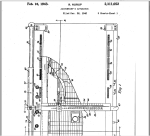
onewrite-accountant_apparatusOne-Write System Revolutionizes Accounting.  These guys had the right idea, they just didn’t have the cloud.

Cloud Computing and Online Accounting for All? Some Markets Are Still Waiting for Broadband

Cloud Computing and Online Accounting for All? Some Markets Are Still Waiting on Broadband

As the information technology industry espouses the benefits of the “paradigm shift” in computing and the move to cloud computing platforms and models, there are folks out there in the world who just aren’t seeing it happen like that.  Not everybody’s working online. For many, the Internet and online working models simply haven’t intruded into their lives and businesses as it has for others.  While this may be partially rooted in conservative mentalities and beliefs which are resistant to change, the more likely reality is that options for high-quality and affordable broadband service is simply not available to them.  Without choices for affordable and useful connectivity to the Internet, online just doesn’t have the attraction it does for those who are “connected”.

When businesses look at cloud solutions and the Internet dependency that comes along with them, having more than one connection to the outside world becomes the imperative rather than a luxury.  Unfortunately, some markets are still waiting for broadband (or have very limited options for service), rendering the cloud nearly unreachable.

It may come as a surprise to some, particularly to those in East and West coastal regions, that high speed broadband just isn’t as available in other zones.  In fact, the *National Broadband Map clearly reveals limited availability and choice in numerous regions of the US.  Broadband Internet access is a necessity to support the IT industry’s shift from localized IT to “cloud” IT.  But the shift is only evident to those who are involved in it or who have that option.  For those who the industry is beginning to refer to as the technology “have-nots”, this lack of available and affordable access will ultimately create more than simply an inability to participate in broadband-reliant IT solutions.  The fast pace of innovation and evolution in IT almost guarantees that the technology have-nots will fall even further behind, possibly to the point of not being able to catch up.

 “A Growing Gap Between IT Haves, Have-Nots. There will be a growing gap between the IT haves and have-nots in 2013. The latter will fall behind the former on a wide range of business technology fronts such as mobile, cloud, social, virtualization, and analytics…” 7 SMB Technology Predictions for 2013 | InformationWeek.com

As business (and personal) technology models continue to evolve, and as new solutions and services begin to displace the old, those who remain disconnected will begin to directly experience much more impact.

Consider something as simple as using QuickBooks desktop software for small business bookkeeping.  As Intuit continues to remove elements from the installed software product, turning them into web services instead, customers with limited or no broadband access will find themselves without the features and functionality they need in the software.  And the only possibly comparable alternatives to QuickBooks desktop accounting products are Internet-based alternatives, making them not really alternative options at all.

It is also likely that lack of sufficient broadband is one of the factors motivating many solution providers to seek clients in other markets – outside of the United States, and in regions where broadband availability is more prevalent and service speed and quality is higher.  Yes, it’s true.  The United States is not the leader in broadband availability, or even in quality.

“For many people, their broadband connections are their lifelines. So what is the state of broadband in the U.S.? Well, when it comes to speed and price and adoption, we’re certainly not a leader — “middling” is a better way to describe our position.

Currently 119 million people that live in the U.S. don’t have broadband connections (for many reasons, including not wanting it or not being able to afford it) while 19 million don’t even have the option to get it. Our rate of broadband adoption (62 percent) lags behind countries such as South Korea, the U.K.,and Germany, according this year’s Federal Communication Commission report. (We’re closer to the penetration rates to Japan, Finland, and Canada.) These numbers are not likely to change soon, given that broadband growth is slowing and providers are moving away from wireline infrastructure. “ GIGAOM:The state of broadband in the U.S. [infographic]

Accountants and other professional service providers serving clients in regions lacking sufficient choices for access must recognize that their approaches to doing business will not necessarily match their peers in more fully connected areas.  Certainly, accounting and legal professionals are dealing with this reality as practice coaches and industry leaders push for IT- and cloud-enabled models for improving practice performance and creating differentiation, even as their proven applications and business solutions morph into or are replaced with SaaS applications and online service.

The take away from this is that there are still large numbers of businesses and individuals doing things with legacy tools, managing spreadsheets on standalone PCs, or writing with pens and using paper – even in areas where broadband access is plentiful.  Regardless of how forward moving the rest of the world may be there remains a need to provide service and support these IT have-nots.  Perhaps this becomes a means for differentiation, finding ways to work with businesses who are connected and those who are not, and leveraging the firm’s access and capability to deliver what the client cannot obtain directly.

Make Sense?

J

*The National Broadband Map is a tool to search, analyze and map broadband availability across the United States