4 Rules of Thumb for Considering Cloud Applications in Business

With all the talk of cloud computing and Software-as-a-Service models, businesses are increasingly questioning their continued use of on-premises and “traditional” software implementations. Having heard that cloud applications are cheaper and better than locally installed solutions, some small business owners and IT managers are actively seeking alternatives to their current software selections. In too many cases, however, these business owners or IT managers aren’t looking at the longer term impacts of their decisions, and may be adopting cloud software solutions simply because it seems to be the way things are going these days.

The cloud is simply a term being applied to a new way of looking at information technology – how businesses buy it, how they use it, and what they expect from it. Even as technology gets more complicated, users are demanding greater ease-of-use and lower costs. The response to these conditions is the cloud: addressing basic and common requirements and delivering the solution for a low-cost to many users. While the approach meets the simplicity and affordability elements, it may or may not fully address all the functional, compliance or sustainability needs of the business.

4-rules-of-thumbOne size never fits all, and this is as true with cloud computing as it is with bathing suits. For the business owner or IT manager considering adoption of cloud-based applications for the business, keep in mind these 4 Rules of Thumb so that the hype and excitement doesn’t cloud your judgment.

Rule 1: Software is software, and it is installed somewhere. Just because an application is accessed using a browser (which is software) doesn’t mean the product isn’t installed somewhere. When it’s a SaaS solution, the product is simply installed and running on the provider’s servers rather than your own computers.  Software can fail even when it isn’t on your computer, so it should be expected that failure could happen with SaaS solutions.  The difference is that a failure of an app on one machine isn’t news; failure of an app that lots of people are using at the same time is news.

Rule 2: Software that talks to other software means there is integration between the two. Whether the products are installed on the PC or whether they run from different providers’ systems, they still have to be able to communicate together at some common level. The Windows platform used to provide a “common” standard for integration of Windows applications. When applications move from the desktop platform to the web, many of the common integration approaches no longer work and new methods must be developed.  Just because a solution integrates with the desktop edition of a product does not mean it will automatically integrate with a web or SaaS edition of the product (QuickBooks exemplifies this).

Rule 3: Software still requires hardware and other resources. When cloud-based solutions are implemented, the cost of the server and storage facilities (along with other elements) may be included in the subscription price. The efficiency and scale economies developed by the provider will ultimately determine their profitability, but it is generally the case that centralization of resources, management and administration can significantly reduce the cost of operations. With most cloud solutions, it is the assumption of scale (leveraging a single asset base to many subscribing customers) which makes things more affordable than deploying similar capabilities individually for each customer. Consider also that any deployment of cloud software solutions still means that businesses must retain their local networks and devices. While PCs, laptops and tablets may not be running business applications, they are still computing devices which may need to connect to networks, have virus protection, have remote access or connection software installed on them, and any number of other things. In short, moving to the cloud does not remove the requirement to have and maintain user devices, printers and LANs.  And really, don’t most people still want Office applications on their devices, even if they also have remote access to such applications?  Office for iPad is somewhat of a tell in that respect; kind of proves the point.

Rule 4: Not all data is stored in the same manner. This is as true on a PC or LAN as it is in the cloud. However, cloud solutions can introduce quite a wrinkle when it comes to keeping copies of business data over time. With PCs and local networks, a business would back up their data in any variety of ways, preserving the files and formats for possible later use. As long as there was software available to read and open the files, the backed up data would be usable. Simply due to the popularity of some data formats, there might also be tools or utilities available to read the data even if the original application was lost. The wrinkle introduced with cloud solutions is not necessarily that the format of the data is strange – it is likely that most cloud-based business applications use fairly proven and recognizable database technology. The difficulty is that the actual database file(s) containing a company’s unique data may or may not be separate from other company data. If it is separate (single-tenant database), it is unlikely that the database as structured is portable. The fact is, most web-based or cloud solutions will allow users to export data from the database, but cannot provide actual structured data files ready for use with another application, lacking logical data or table relationships. Some solutions suggest that simple list exports are sufficient, and others may say they have data conversion capabilities, but the reality is that data existing in a cloud application is not very portable. Business intelligence is a terrible thing to waste, so it is really important to be able to take all the data with you (in a meaningful way, not as a bunch of disparate lists).

Cloud computing covers a really broad spectrum of technologies and delivery models, and most of the above is more about SaaS applications rather than actual cloud platforms. The platforms are where the applications live – server and network environments.  This is where hosting companies do their work, as the things they host live on the platforms.

Businesses electing to add mobility, management, fault tolerance and other capabilities to their systems should explore the benefits of application hosting and cloud platforms, and not immediately look to SaaS and cloud application alternatives to their existing software solutions. By deploying their systems in a managed hosting environment, businesses can often keep using their existing core software products, integrations, and data archiving methods while gaining the best benefits of “cloud”.

Joanie Mann Bunny FeetMake Sense?
J


Go Ahead and Shoot the Server: End of Microsoft Small Business Server Inspires Cloud Adoption with Small Businesses

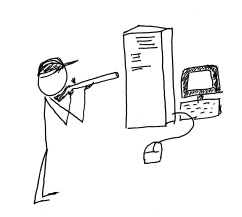
shoot_the_serverMicrosoft has made a decision to include more “cloud” capability in its offerings for small business, ending the life of the successful Small Business Server line and replacing it within the Windows Server 2012 family.  Some businesses are continuing with locally installed servers and are upgrading to Windows 2012 Essentials (or other editions) for in-house use, but more businesses every day are electing to deploy their servers and systems in the cloud instead.

Back when Microsoft introduced the Small Business Server, small business owners found that it was now really easy to implement way more technology in the business than they could directly support.  In one happy little package the SMB could get Windows Server, Exchange, SQL, SharePoint, Remote Web Access, an internal Company Website and more.  Information technology service companies, on the other hand, found it to be a big driver for delivering equipment and services to small business customers, and the product line’s adoption and implementation numbers grew.  Even the smallest of businesses could enjoy enterprise-class email, file and document sharing, client-server applications and remote access for a (relatively) affordable price.  It was this type of offering which created opportunity for server virtualization technologies to be used in small business, as the various server types each benefitted from their own “sandbox”, and IT providers recognized another opportunity to leverage their expertise at the customer location.

Business use of technology continues to expand rapidly so it makes sense that the Small Business Server offering from Microsoft is pretty popular.  In fact, Foresitetech.com says in an article on the subject that “The overwhelming majority of small businesses (80%) with less than 75 employees use Microsoft’s Small Business Server (SBS) software.”

But this fast-paced world of technology continues to move along, and Microsoft has ended the life of the SBS 2011 product.  In its place, small business customers are encouraged to upgrade to one of the editions of Windows Server 2012 as a replacement for their beloved SBS and hopefully they can find an edition which (affordably) delivers the functionality and features the business has come to rely on.  Unfortunately, there isn’t an edition of Windows Server 2012 that offers quite what SBS did, so now there is a big buying decision for the customer.  As the Clash sang it: “do I stay or do I go?”

Microsoft’s elimination of the feature-rich and friendly-sounding Small Business Server has created a lot of opportunity for VARs and IT service providers to move their customers to cloud services, SaaS solutions and hosted environments.  Particularly as information technology continues to become more complex, small businesses (well, businesses of all sizes) are recognizing that they may be better off focusing on running the business operation and managing the company as opposed to spending a lot of focus on IT system purchasing, installation, administration and management.  They have come to understand that IT services are critical to the business, but the server doesn’t have to be under the front desk or in a back closet in order to function for the business.  There is simply too much evidence in the market for these business owners to ignore;  shooting the server is now a viable option.

Every day more business owners are being inspired to [shoot their servers] seek out the services that will allow them to continue to benefit from innovations in technology while relieving them of the direct responsibilities of equipment purchasing, implementation, administration and lifecycle management.  Cloud services deliver this capability, and channel partners and Value Added Resellers should recognize their opportunity to get inspired as well, and to start offering cloud-based and hosted services to their customers and capture the “buying decision” opportunity that Microsoft has created.

Ready. Aim. Fire.

jmbunnyfeetMake Sense?

J

Client Experience and Perceived Value: It’s Looking Cloudy for Accountants Working with Small Business

Client Experience and Perceived Value: It’s Looking Cloudy for Accountants Working with Small Business

Every day it seems there is another professional accounting or bookkeeping firm asking questions about how to get new clients for their new “online accounting” business.  Most of these professionals are likely missing the point that their current clients are probably already looking at online accounting solutions and services. Just like in the days when QuickBooks was beginning to take the lead in the market; today’s increasingly popular online accounting solutions are gaining popularity with the direct users, and are bringing those solutions to the professional community (not the other way around).  Professionals who wish to build their businesses on what the market demands would do well to recognize that the push to the cloud coming from their clients is a reflection of past activities, and firms riding the wave are much more likely to see success than those fighting it.

In reflection, remember that QuickBooks, unlike the other business accounting and financial products at the time, was a retail product marketed to and sold via retail and direct-to-customer outlets rather than via a channel or reseller approach.  At that time, State of the Art Software (which became Peachtree and then Sage 50) was the solution preferred by most accounting professionals, yet more and more small business owners would come to the professionals with the QuickBooks product already in hand, so accountants threw up their hands and adopted (if not embraced) the software.  Over the years, QuickBooks became the “go to” software for small business accounting, and many professional firms didn’t just gear up to work with it, but went as far as developing standards and practices based on the product.

With the introduction of high-speed broadband access, business Internet connectivity and affordable remote/mobile service, businesses are now finding that their options for shopping for, purchasing and implementing various solutions to business problems is possible at any time and from anywhere.  Even more, social computing and the blurring of the lines between personal and business use has made it all but assured that new business owners will seek online solutions where they can access business information and perform business-related activities regardless of location or mode of access.  This is what they have come to expect as consumers of information and services, and the expectation extends no less into their small businesses.

Professional firms must recognize that these evolving paradigms represent opportunity, taking advantage of cloud-based, real-time collaboration models to provide more timely value to their clients.  Where the more traditional on-premises and paper-based models have flourished, the online working models representing lean process and sustainability become the focus.

The movement to the cloud for small business accounting started with the consumer, who ultimately became the small business, and who may eventually become the big business. The professionals who recognize the value of and wisely adopt cloud technologies and online application services in their businesses – specifically in terms of how they work with clients and deliver value – are the firms which recognize that the client experience and perception of value delivered are the most important elements of all.

jmbunnyfeetMake Sense?

J

New York or Las Vegas? It doesn’t matter if you can work online.

New York or Las Vegas?  It doesn’t matter if you can work online.

Skyline
Skyline

The 10th annual Accounting Solutions Conference, held by The Sleeter Group, is being held in Las Vegas on November 3-6.  By all accounts, it’s looking like the conference will again bring together some of the best and brightest in accounting and business technologies.

The annual “Sleeter Conference” event is among the best opportunities accounting and bookkeeping professionals have to explore and learn about the technologies, service models, client management tools and other elements involved in delivering accounting, bookkeeping and consulting services to small business clients.  With the introduction of so many new ideas and solutions designed for small businesses and their accountants, it is no wonder that professionals look to this conference to help make sense of it all.

With the right strategy and through the innovative and efficient use of technology, people and processes, even the smallest of organizations can compete with the big boys.  Accounting professionals, pro bookkeepers, and small business consultants and advisors are not simply participants in the financial processes of these small organizations – they are the influencers and implementors of the solutions and methodologies which will generate the positive impact in the client business.  Information technology -mobile access solutions and innovative tools for working together – makes it possible to deliver these benefits to clients, whether they’re in Vegas or the Big Apple.  Come to the conference and hear all about it.

While you’re there, stop by the Uni-Data Skyline Cloud Services booth and check out some of the new stuff that’s going on in the QuickBooks and general application hosting world.  It’s pretty cool!  I give it 5 bunnies.

J

Sleeter Peeps and New Technology in Las Vegas

Sleeter Peeps and New Technology in Las Vegas

Marshmallowpeeps.com bunnies Peeps

The Sleeter Group is preparing for its 10th annual Accounting Solutions Conference, which is in Las Vegas next month (Nov 3-6) at Caesars Palace.  The conference is THE annual event where Sleeter Group Consultant Network members and other accounting, bookkeeping and business professionals get together to learn about new technologies, see and explore a wide variety of solutions and services, and to meet and network with their peers and peeps.

The venue this year, Caesars Palace in Las Vegas, is likely to be even more fun than last year and is far easier to get to than Orlando, Florida (for those of us on the West coast, anyway).  And, unlike in Florida, we’re probably not going to see all those little lizards everywhere around the hotel grounds.  Well, unless there’s a lizard convention going on in LV, which wouldn’t surprise me.  Actually, the good old days of attending the conference at the Tuscany Suites are what I miss – when the venue was a little more intimate and you could really have a good conversation without all of the typical Vegas distractions.

The “Sleeter Conference” used to be a purely QuickBooks-oriented conference, but has expanded to embrace the larger realm of products and services emerging which serve various small business accounting or process automation needs.  While there remains a very large focus on the QuickBooks products and service lines, it is not unusual to see sponsors and speakers representing other accounting solutions and business technology products.  The benefit for the audience is exposure to emerging technologies and trends, and discussion on how these trends are impacting business in so many ways.

Among the technologies and trends to explore at the conference are application hosting and software licensing and delivery, and how those models are changing the way people obtain and use their business applications.  We introduced the application hosting models and cloud-based QuickBooks models years ago, and those hosting solutions proved the value of anytime, anywhere access to conventional desktop applications.  Now, we’re introducing other application delivery models which address a variety of needs, and which go beyond the Remote Desktop concept.  It’s pretty cool stuff, and this conference is where you can learn more about it. [*Note: visit Skyline Cloud Services by Uni-Data at the conference; they’ll know where to find me.]

Meet me in Las Vegas next month, and we’ll chat more about technology, the evolution of the accounting industry and profession, and how these elements are combining to create new challenges and opportunities at all levels of business.  Sleeter peeps – I’ll see you there!

J


  • Read more about how accountants need business intelligence, too
  • Read more about how there’s no fear and loathing in accounting
  • Read more about the pressure on accountants to deliver more value and intelligence to their clients
  • Read more about Data Warriors: accounting in the cloud

Marketing and Sales Needs System and Process Automation

Marketing and Sales Needs System and Process Automation

Running a business means finding and keeping customers who will buy from you.  This isn’t necessarily easy, particularly with the number and variety of “impressions” people get throughout their day.  It used to be that simply locating a business in the right place would generate drive-by traffic, with location being the key to generating impressions and causing people to actually stop and shop.  Impressions – yes, those brief instances where your brand or service is viewed – count.

The entire lifecycle of the customer relationship starts with the first impression, so it needs to be a good one.   Marketing impressions expose your business and products to prospective customers, with efforts oriented towards the generation of sales leads.  A lead is a business or individual that may ultimately develop into a sales or business opportunity.  Rather than attempting to engage with businesses or individuals one at a time, businesses use marketing to target large groups in hopes of earning the permission to engage group members in more focused or individualized sales activities. When the business earns the ability to communicate directly with a prospective buyer, a sales lead is generated, and the business now has a prospective customer and the potential to make a sale.

Sales leads don’t stop becoming leads just because they purchase from you.  Every customer remains an ongoing opportunity to generate new business directly or indirectly via referrals or recommendations.  The best case scenario for your business is when you know when and why your customer buys from you, when the customer wants more, and that they will refer their friends or business associates to you.

Part of the problem with marketing and sales is that there are often too few people and/or resources to apply to the task.  Most businesses aren’t in the position of simply throwing money at a problem (which rarely actually solves the problem), so it becomes essential that you find a way to get the job done with the same or fewer people and resources.  The keys to solving this problem are systems and processes (automation).  Automation doesn’t always mean that there is an “automatic system” somewhere which performs all of the tasks for you.  In most cases, it simply means that the process is structured, efficient, and is able to be effectively repeated without significant deviation or loss.  Structured systems and processes, along with a strong commitment to capturing activity data and measuring results, is the foundation which will support growth.

Marketing Automation Explained (Infographic) | The automation of business function is set to be the new trend in 2014. There are already dozens of sales, marketing and finance automation options, and for good reason: The quantifiable returns they provide are undeniable. Here is a look at marketing automation and how it works. 

http://www.entrepreneur.com/article/227923#ixzz2ghHq9Qpn

From the very first impression through the conclusion of the sale and ongoing, it is essential to capture the data which describes the activities and events around doing business with your customers.  It is important to track unsuccessful efforts as well as those which are successful.  By understanding what does not work, you develop valuable insight which helps refine the process and the approach, resulting in fewer wasted efforts. The accumulated data tells the story of how you earn new business and how you create a customer relationship, which helps you understand how and where you are successful in earning new business and why you are able to retain loyal customers.

Joanie Mann Bunny FeetMake Sense?

J

Read more about Enterprise Functionality for Small Business | Relating to Customer Data