Your Server Shouldn’t Be Living in a Closet

Why hosting QuickBooks Desktop and other business applications on Microsoft Azure with Noobeh is a smarter way to work

I have seen a lot of servers in my career. Some were humming away in pristine data centers. Others were tucked under desks, squeezed into storage rooms, or sharing a shelf with copier paper and somebody’s forgotten lunch bag.

That may have worked when everyone came to the same office, used the same network, and crossed their fingers during thunderstorms. It is not a great foundation for a modern business. Today, your team may be working from the office, from home, from a client site, or from an airport between flights. They still need dependable access to QuickBooks Desktop, line-of-business applications, and the files that keep the company moving.

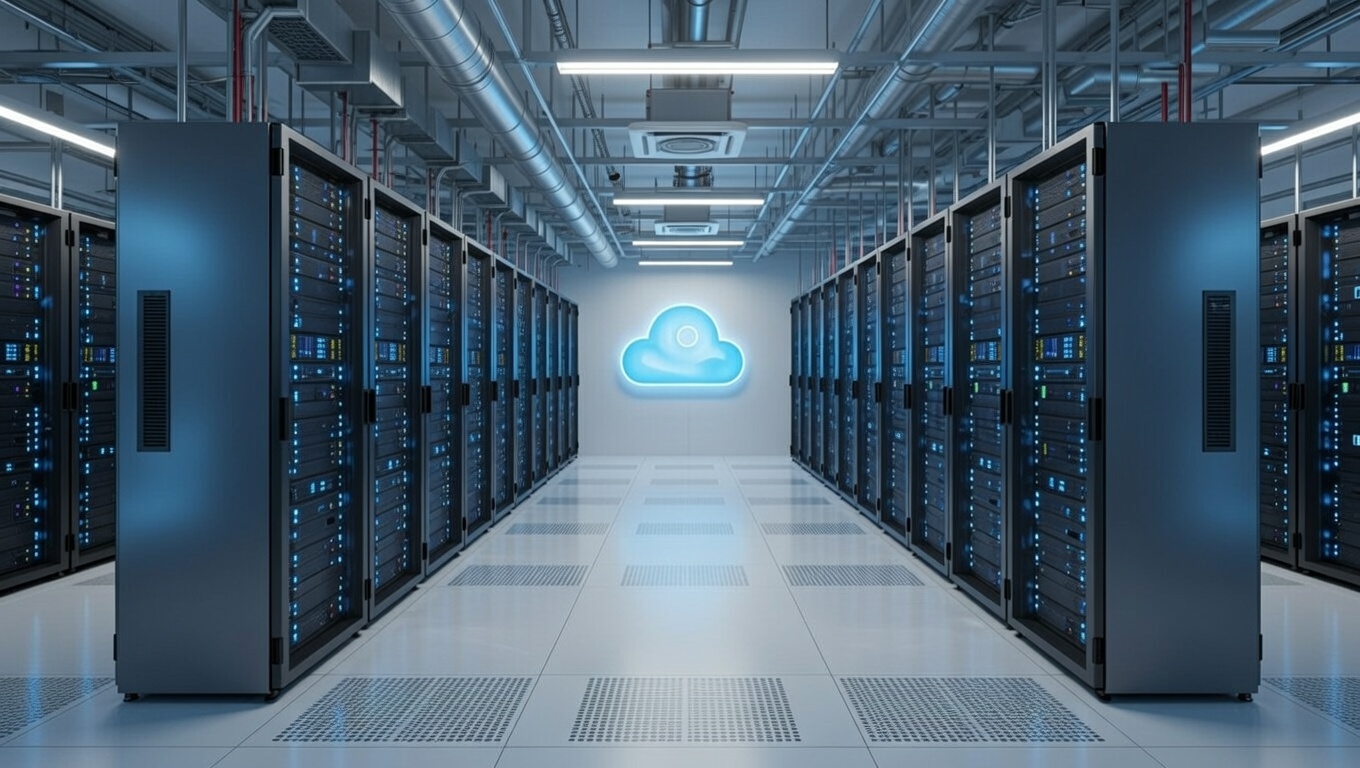
Hosting those systems on Microsoft Azure with Noobeh gives your business a secure, professionally managed environment without asking you to become an infrastructure company.

QuickBooks Desktop—without being tied to a desktop

QuickBooks Desktop remains essential for many businesses because it supports familiar workflows, specialized integrations, and years of valuable company data. The problem is often not the application. The problem is where it lives.

When QuickBooks lives on one office computer or an aging local server, access can become a daily obstacle. Remote users may struggle with complicated connections. Performance can vary. Backups may depend on someone remembering to check them. A hardware failure can turn an ordinary Tuesday into a business emergency.

In an Azure-hosted environment, authorized users connect to a centralized workspace where QuickBooks Desktop and other applications run close to the company data. The experience stays familiar, but the infrastructure behind it is built for secure access, business continuity, and growth.

What the business gains

Work from almost anywhere

Your people need access to their work, not a scavenger hunt for the one machine that has the right software installed. A hosted environment gives approved users a consistent way to reach the applications and data they need, whether they are in the office or working remotely.

Reduce the risk of aging hardware

Servers do not improve with age. Eventually, warranties expire, drives fail, and replacement parts become harder to find. Azure shifts the conversation away from buying and maintaining a physical box and toward providing the right computing resources for the business.

Strengthen security with layers

Security is not one product or one checkbox. It is a combination of identity controls, access policies, system maintenance, monitoring, backups, and good operational practices. Noobeh designs and manages the environment so these pieces work together, based on the needs of your organization.

Plan for interruptions before they happen

A local power outage, failed server, or inaccessible office should not automatically stop the business. A thoughtfully designed cloud environment can support backup, recovery, and continuity objectives that match the company’s tolerance for downtime and data loss. That planning matters far more than simply saying, “We have a backup somewhere.”

Scale without another hardware project

Businesses change. You hire people, add applications, open locations, or hit a busy season. Azure resources can be adjusted as requirements evolve, which makes growth a planning conversation instead of another round of shopping for a server that may be too small next year or far too large today.

Why Noobeh?

Microsoft Azure is a powerful platform, but power alone does not create a good business outcome. Someone still has to ask the practical questions: How many people need access? Which applications must work together? What performance does QuickBooks require? How should data be protected? What happens when a user needs help?

That is where Noobeh comes in. We bring cloud expertise together with an understanding of the applications businesses actually use. We help design the environment, move workloads, configure access, and manage the infrastructure after launch. You get a cloud solution built around the way your company works, not a pile of technology and a wish for good luck.

And because every business is different, the answer is not automatically “move everything.” The right approach may include QuickBooks Desktop, supporting applications, shared files, or a broader hosted workspace. Noobeh evaluates the full picture and recommends an environment that makes sense operationally and financially.

The real value is confidence

Cloud hosting is not exciting because a server is running somewhere else. It is exciting because your team can log in and get to work. Because adding a new employee does not require a weekend hardware project. Because your critical systems are managed intentionally instead of being quietly ignored until something breaks.

That is the point: fewer infrastructure distractions, better access to the tools people depend on, and a technology foundation that can keep pace with the business.

Is it time to get your server in a better place?

If your business depends on QuickBooks Desktop or other server-based applications, now is a good time to ask whether the current setup is helping you grow or simply giving you one more thing to worry about.

Talk with Noobeh about an Azure-hosted environment designed for your people, your applications, and your business. Let’s move the infrastructure out of the way so your team can focus on the work that matters.

Make Sense?

bunny feetJ

Your Business Data Is Everywhere

We see it time and again: a business moves from desktop software to web-based applications, and before long, its data is everywhere. Files and folders collect on local hard drives. Teams adopt more apps and services. What started as progress becomes a technology tangle that no one fully understands. If there is an IT manager, they may have little visibility into how many of those tools were selected, configured, or connected. That is how shadow IT takes hold—and how security, protection, and backup quietly become afterthoughts. Eventually, someone abandons an app, but its connections and data-sharing permissions may remain in place long after anyone remembers why they were created.

Moving to web-based applications does not eliminate the need to protect your data.

In many cases, migrating from locally-installed software to web-based solutions causes even more data distribution. Businesses must build integrations, jump between systems, or download files to a PC to use the full capabilities of an application. And, just as often, everything winds up in a spreadsheet so the work can finally get done.

Distributed data rarely feels like a serious problem, until it is. Consider business intelligence reporting or AI. If these tools cannot access all the relevant business data, the results can be incomplete, misleading, or simply wrong. Good decision support depends on good, relevant, and complete data. Anything less produces poor, irrelevant, and incomplete information.

Security is another major concern.

Businesses need to know where their data is stored, how it is being accessed, whether it is backed up, and who can reach it. Every integration, plug-in, add-on, downloaded file, and shared connection creates another place to pay attention.

Noobeh has years of experience helping small businesses and growing enterprises use technology to gain new capabilities without losing control of the information that keeps the business running. We believe a practical approach to change matters more than buying the latest shiny thing. After all, business still has to get done, even in the middle of a transformation.

Ready to simplify your systems without losing sight of your data?

Connect with Noobeh to learn how we can help streamline operational workflows, reduce complexity and friction, and keep your valuable business information secure, protected, and within reach.

Make Sense?

bunny feetJ

Beyond the Books: Why Accountants Must Become Technology Advisors

When we created a hosting model for QuickBooks Desktop in the early 2000s, the promise was bigger than remote access. Yes, accountants and bookkeepers could work with client data anytime, keep the books current, and collaborate without the usual barriers of time and distance. But convenience was never the ultimate goal. The real opportunity was to use that closer connection to give business owners better advice—and help them manage and grow stronger companies.

Thousands of accounting and finance professionals eventually embraced online working models. Hosting services—and later, cloud-based applications—helped QuickBooks ProAdvisors and bookkeepers serve more clients far more efficiently than traveling from office to office ever could.

Somewhere along the way, however, the focus stayed on bookkeeping efficiency and accuracy. Those things still matter, but more of that work is rapidly being handled by automation and AI. Small and growing businesses need something more valuable: guidance on how to govern information, streamline workflows, and implement solutions that support the entire operation—not just the finance function.

The technology has caught up with that vision. In the early days, hosting was cumbersome and expensive because providers had to build the platforms themselves. Today, public cloud platforms such as Microsoft Azure give small businesses access to agility, security, and scalability without an enterprise-sized price tag. Modern ERP solutions such as Microsoft Dynamics 365 Business Central can also replace legacy accounting applications burdened by bolt-ons, disconnected tools, and fragile integrations.

That shift makes it essential to understand how the whole business fits together. IT and accounting can no longer operate in separate lanes. Information management, security, privacy, access controls, and auditability may sound technical, but they are inseparable from sound financial management. Accounting sits at the core of any ERP system, and proper accounting treatment must guide the way integrated and add-on capabilities are designed.

Technology platforms, software, and systems exist to support business processes—and every one of those processes creates or uses data. That is where the collaborative model finally delivers on its original promise. By bringing accounting, finance, operations, and technology together, trusted advisors can help clients turn raw information into insight, identify where efficiency is being lost, and uncover opportunities for greater profitability. The profession has already moved online. Now it is time to move beyond doing the books and start helping clients build better businesses.

Ready to turn that vision into action? Reach out to Noobeh Cloud Services to explore how the right cloud, ERP, and information-management strategy can help your business modernize operations, work more efficiently, and build for sustainable growth.

bunny feetMake Sense?

J

Security and Agility for C-Stores, Retailers, Inventory -Based Operations and Small Manufacturers

Noobeh hosts PDI Technologies, Sage 50, Sage 100 ERP, QuickBooks Enterprise Desktop, AccountEdge, Acctivate Inventory, MISys Manufacturing and more.

Purchasing hardware to support your accounting or ERP solution and SQL databases is costly—especially on top of software and service expenses. Keeping systems on premises can add up quickly when done properly. This is a well-recognized problem for convenience store operators, fuel retailers (all retailers, really), inventory-based businesses, small manufacturers or any business running their software and systems in-house.

Noobeh offers a better alternative to buying and maintaining your own server: a private virtual server hosted on Microsoft Azure. It is your server in your own Microsoft account, and it offers agility and performance capabilities not available with traditional server hardware.

Shared hosting providers and platforms introduce risk and loss of control. As your managed service provider, Noobeh gives you complete control and authority over your environment without sacrificing security or support. It’s like working with a hosting provider, but you own the infrastructure. Our focus isn’t on keeping a loaded shared platform operational. If something goes wrong with your system, our priority is getting you back up and running.

Your business gets a fully managed system with comprehensive service and support—without relying on unnamed hardware in a co-located server hosting facility. With Microsoft Azure, your systems run in Microsoft data centers on Microsoft-managed hardware, benefiting from the same security protections Microsoft uses for its own services.

Prevent Data Loss and Strengthen Business Continuity

Noobeh provides 24/7 monitoring and protection, with multiple redundancy, backup, and protection options to help keep your systems and data available.

Your business faces real risks, from cyberattacks to natural disasters. Noobeh helps reduce those risks by hosting your systems in a safer, more secure environment than most on-premises setups. Local and regional redundancy options give you failover flexibility, including the ability to place redundant systems across the country.

Because each Noobeh customer uses their own Microsoft account, every business can be confident that its domains, networks, and servers support only its operations. Our technical and support teams work diligently to provide the right system for each customer—keeping business running, users productive, and data secure and accessible.

Ready to protect your business, reduce IT complexity, and run with confidence?

Contact Noobeh today to discuss a managed Azure hosting solution built around your applications, your data, and your business goals.

Transform Your Business with M365’s Integrated Accounting Solution

The Best Alternative to QuickBooks May Be Part of a Fully Integrated Framework You Already Use

When looking at the business accounting and finance systems available in the market – particularly considering those which have earned a level of market share – there are visible gaps – big ones.

This is clearly reflected in the numbers, where Intuit QuickBooks leads in the small business market but has no reciprocal in the midrange or enterprise markets.

QuickBooks fits into that early space where the business is just starting out, but QuickBooks Enterprise can expand to keep more detailed customer, vendor and item information. Yet there often comes a point where a business has requirements that extend beyond the ability of the QuickBooks software.

Sometimes the mere thought of change is so terrible, usually based on a bad initial implementation experience, that the business uses the software far beyond what it was built to handle. In other cases, add-on solutions are adopted which offer more in-depth or complex capabilities to handle the growing business requirements. Both options may prove to be temporary solutions, meeting most functional demands as long as business needs don’t change.

If a change is in order, it makes sense to consider the benefits of using tools built on a familiar platform that is essentially a framework for designing exactly the system the business needs now, and which has flexibility and scalability enough to change as the business changes.

We understand that an integrated framework can provide much more scalability and support than a standalone solution.

We also recognize that, in today’s modern business, creating workflow efficiency and enabling user productivity are paramount.

While many products calling themselves ERP systems offer a broad range of functionality, integration, and data management capability, they often dictate more to the business how it must operate rather than revealing how it might operate.

Instead, we believe every business should have the opportunity to adapt their business software to make it easier for users to accomplish their work effectively while delivering the data and insight to guide the operation forward.

The need is for an entire tech stack and framework, not simply an application.

Competing ERP systems on the market typically address more and increasingly complex business processes while scaling to support larger business sizes. But the cost and complexity of these products, coupled with poor or too-expensive implementation services, is often the barrier to their adoption and retention.

In most cases, there is no small business version of the big business software, so the upgrade path is unclear and problematic.

Given the huge gap between the “typical” small business system and the upper-levels in the enterprise applications catalogue – the transition from very small to very large software is not likely to be made in a single step. Yet businesses can reduce the number of migration steps in the lifecycle of the company by moving to a flexible platform that can adapt and scale with the operation.

There are three things every business does: communicate, produce information, and keep score.

Microsoft places at the top with the first two, providing email and other communication tools used by businesses of all sizes around the globe, and creating the Microsoft Office family of productivity tools recognized and used by just about everyone.

In the third spot, keeping score, Intuit QuickBooks remains the clear winner. But when the business needs something beyond QuickBooks, or desires to have a solution that fits better, and maybe even integrates into their current M365 working environment, we can introduce the stakeholders to M365 Dynamics Business Central.

Business Central is part of the Microsoft 365 family of products.

Business Central is part of the Microsoft 365 family of products and is integrated with Microsoft Outlook directly, as well as the rest of the family of applications.

It is all able to be connected to the Microsoft Fabric, which weaves together the solutions and services that drive business operations around the globe.

Microsoft has the framework to provide the entire stack of applications, services and technologies working seamlessly together to deliver functionality and process support to fit the business and how it works.

When a siloed financial solution no longer supports the business requirement, or as operations become unworkable due to software that no longer fits the needs, connect with the experts at Mendelson Consulting to see what options are available.

There is never just one way to solve a problem, but there is usually a best way.

jm bunny feetMake sense?

J

PowerBI, Data Warehouses and Combining QuickBooks Enterprise Data with Other Data

Businesses of all types are looking for ways to discover more useful information hidden in their systems. With a desire to implement business intelligence tools such as Microsoft PowerBI, companies need the ability to combine and analyze data coming from a variety of sources. The data can help businesses inform their conclusions rather than leaving it up to “gut”, supporting decision making in all areas of the company.

The tools for exposing and combining data are many. Enterprise ETL (Extract/Transform/Load) products have been available for many years. When it comes to SMBs and the applications they utilize, the options aren’t quite as prevalent nor as powerful. In most cases, businesses are left to working with data exports and a bunch of linked Excel worksheets.

Noobeh understands that businesses need their data available for integration, analysis and reporting. Noobeh are experts in deploying SMB applications such as QuickBooks Enterprise desktop, Acctivate Inventory, Sage ERP, MISys Manufacturing and more, all on the Microsoft Azure platform, positioning the applications and their data perfectly for use in business analytics and data warehouses.

Data warehouses and data lakes are growing in popularity because there is simply too much disparate data present in any growing business to effectively analyze it one data silo at a time. The number and variety of data sources in a single small business can be far larger than the company realizes until it attempts to capture and report on that data.

Any approach to data warehousing should consider the potential number and variety of data sources involved. This is among the reasons for Noobeh electing to work with Microsoft Azure and PowerBI. The Azure platform provides the infrastructure services and platform tools to enable data connections needed, powering the data warehouse and exposing the data to PowerBI and other reporting and analysis tools.

Even QuickBooks Enterprise desktop data can be extracted into its own standalone data warehouse, connected to a broader data warehouse and then combined with other business data. When businesses can combine data from their various solutions, even those which may still be desktop-bound, the power of the information and intelligence contained in it can be revealed.

Whether the purpose is process improvement, performance monitoring, management reporting or combined operational intelligence, collecting and storing the data is the first step. Noobeh is there to help make it happen.

jm bunny feetMake sense?

J