Unlock KPIs and Improve Reporting with QuickBooks

It is surprising how many businesses still keep boxes of 3×5 ledger cards with customer and vendor information on them. More likely than the card box, the business may be storing its essential customer billing and vendor product information in the accounting system because that is the system they have.

These growing businesses need a better system to capture more information that delivers greater detail for accounting and reporting purposes. Just as likely, the business has other information it should and possibly could be capturing but isn’t sure about what steps to take next.

When details that inform a process are not part of an integrated system, it creates greater potential for lost or inaccurate data. The larger the volume, the more difficult and error-prone managing the information becomes.  

Business needs more detailed information about… everything.

Businesses may need to track time for payroll or jobs or both, job tracking may be a requirement, inventory tracking or more detailed inventory management may all be areas for greater attention. Mendelson Consulting can help develop these capabilities by making sure the business is using the right software, and then enabling the functionality needed to support the workflow and capture more and better data.

No data means no KPIs.

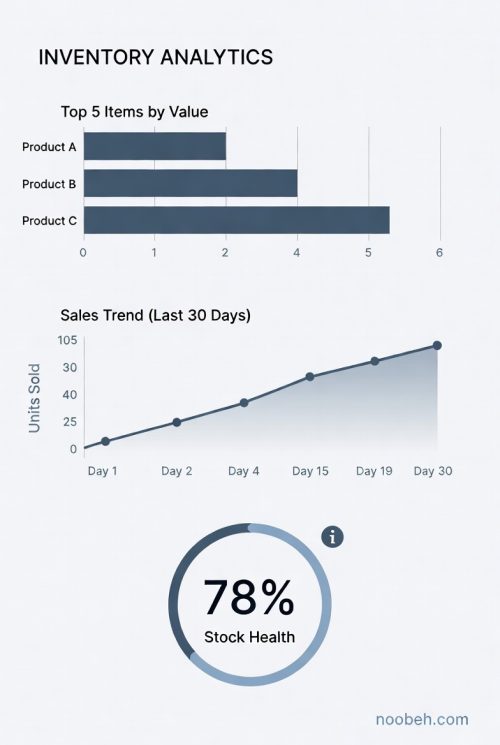
More and better data means more information to fuel KPI reporting. Key performance indicators can reflect operational performance in a variety of areas and may help identify where improvements are required.

Using data from the accounting and operational systems, businesses of all sizes measure their effectiveness using KPIs to evaluate the successes – or failures – of their processes and activities.

Mendelson Consulting’s team of QuickBooks Enterprise Experts and ERP consultants provide guidance, implementation and training, and report development to get beyond bookkeeping to proper processes that result in good accounting data. Mendelson’s cloud services team – Noobeh – sets it all up on Microsoft Azure, where data connectors, data warehouses and Microsoft Fabric weave it all together.

Whether just starting out or an enterprise or franchise expanding at a national or global level, we help businesses do more with their systems and software. We understand each stage of business and how to help our clients reach their next best level.

jm bunny feetMake sense?

J

Windows Server 2012/R2 Not Aging Well, Loses Support for Microsoft 365 Apps

Lots of people loved (and continue to love and use) Windows Server 2012/R2. This Windows Server release introduced several new and improved features that made it a cornerstone of business and service provider networks worldwide. Notable improvements in virtualization with Hyper-V, along with improvements in storage, networking, remote access and server administration features, made 2012/R2 a necessary upgrade from the 2003 and 2008 versions still present in many networks.

Sadly, even though Release 2 (R2) for Server 2012 was largely a new OS due to its features and capabilities, it did not receive a new lifecycle end date and instead inherited the end dates for 2012 version. And an extended lifecycle end-date doesn’t guarantee extended usefulness or compatibility.

Windows Server 2012 began with mainstream support on October 30, 2012 and that mainstream support ended in January 2018, including for R2. Extended support for 2012/R2 goes through January 2023, but that is only if you are paying for Software Assurance for your licenses.

During this period where extended support may still be available for the OS, there is no guarantee that it will remain as a supported platform for your application software. An example of this is the Microsoft Office 365 Apps suite formerly known as ProPlus. The Office 365 apps, which include Outlook, Word, Excel, Powerpoint and more, are staples of business users worldwide. These applications are no longer supported on Windows Server 2012/R2.

Microsoft 365 Apps ended support on Windows Server 2012/R2 on January 14, 2020.

Innovative features and functionality continues to be released for the Microsoft 365 Apps and Microsoft needs to know that the platforms running the applications will work properly with those innovations. As the software is improved and new capabilities introduced, stability and performance issues can plague the install when it is running on older or unsupported operating systems.

Microsoft has pointed out that any Microsoft 365 Apps updated to version 2005 or later will result with functionality and stability problems because there are changes that are specifically not compatible with Windows 8 and Windows Server 2012.

The pace of change is increasing no matter what industry you are in. With technology adoption rates rising faster than ever in all sectors, business owners cannot rely upon outdated systems if their operations are to remain competitive. Application software as well as the operating system platforms it runs on must be regularly updated in order to provide the reliable performance and useful functionality demanded by today’s business users.

jmbunnyfeetMake Sense?

J

Are You Prepared for SQL Server 2008 End of Support?


Everything gets old eventually, and now it is official for SQL Server 2008.

03-2012sean-phone-328-e1377042261105On July 9, 2019, support for SQL Server 2008 and 2008 R2 will end. That means the end of regular security updates and general support for the product. Are you ready?

It took more than 10 years for Microsoft to end support for our beloved SQL 2005 and version 2008 has enjoyed a similarly long reign. But it’s over and you need to get used to the idea. Even more, you need to get upgraded to a new version of SQL so your systems can still be patched, updated and supported. With all the nasty exploits out there, letting your software get out of date is more of a business risk than ever.

With cyberattacks becoming more sophisticated and frequent, running apps and data on unsupported versions can create significant security and compliance risks. The 2008 family of products was great for its time, but we highly recommend upgrading to the most current versions for better performance, efficiency, and regular security updates.

Now is a Good Time to Consider Azure

Microsoft is giving a present to businesses that want to migrate their workloads to Azure. For those customers that elect to take this as an opportunity to move to the Azure cloud, extended security updates will be available for free in Azure for 2008 and 2008 R2 versions of SQL Server and Windows Server to help secure workloads for three more years after the end of support deadline. Moving existing systems to the Azure cloud is a natural step in modernizing the business infrastructure and makes the next step of upgrading to managed database services and/or migrating to new Azure servers a lot easier.

Upgrading isn’t simply a matter of maintaining status quo, either.

Moving to new versions can be a foundation for new strategic capability and increasing overall business potential, powering new decision-making processes fueled by analytics and business intelligence.

The Microsoft Lifecycle Policy offers 10 years of support (5 years of regular support and another 5 years of extended support) for the 2008 and 2008 R2 versions of SQL Server and Windows Server. When the extended support period ends, there will be no patches or security updates, which always creates security risk.

If your business is going to remain competitive, you can’t rely on outdated systems.

Your business is tough enough to manage without having your systems work against you.  Software that prevents you from keeping up with demand, creates risk in compliance and security, and reduces operational performance is not what you need. Collecting, storing and rationalizing data takes power and speed, and securing your growing information warehouse requires vigilance in security and update management.

Use this opportunity to review your platforms and applications, and consider moving your on-premises or co-located systems to the cloud. The upcoming milestone is a great opportunity to transform applications and infrastructure to take advantage of cloud computing and the latest versions of SQL Server and Windows Server.

jmbunnyfeetMake Sense?

J

Why Accounting in the Cloud?

Why Accounting in the Cloud?

Business owners and managers need to keep close control of their financial data.  They need to know where they stand at all times, and having information available to make business decisions is essential.  When the financial information is in the office but the owner isn’t, how can wise decisions be made without access to supporting data?  They can’t, and that’s a problem.  The solution is simple: work in the cloud.

A cloud computing model properly applied to accounting and bookkeeping systems helps businesses of any size keep their financial data and accounting applications in a safe a secure environment, yet accessible to those who need it.  By locating the business applications and data in a protected central location, access to programs and data sets can be provided to authorized users regardless of location or computing platform.  For a small business owner, this means that working from home or on vacation can be as productive as working in the office.  In larger businesses, cloud-based accounting means the accounting department, CFO and financial advisers might all access the same financial records and applications no matter where they work from.

Cloud computing and hosted application models applied to accounting and bookkeeping represent a viable option for managing, securing and providing access to critical financial information.  Businesses outsourcing their accounting or bookkeeping work find that cloud based approaches offer workflow and process efficiencies to help get the necessary information in the hands of those who need it, quickly and efficiently.

Keeping accounting and bookkeeping systems safe yet available, providing business decision makers with the flexibility of accessing their financial data from anywhere and at any time is a highly valuable service. Accounting and finance professionals can act as the trusted adviser to their clients, providing important business insight and information, with guidance in developing cloud computing and online accounting approaches being among the benefits the firm offers.   Working closer with clients allows professionals to produce better, more accurate and insightful results.   Cloud computing models remove distance barriers and allow professionals and their clients to work more collaboratively with applications and data than ever before.

Many firms are just recently discovering the relationship between technology adoption and business competitiveness.  Those that embrace new computing paradigms gain the ability to meet client requirements in innovative, efficient and timely ways while those that do not adopt these new models continue to struggle, unable to communicate value and differentiation in their service offerings.

There are some recognized truths in business, and one is that is isn’t what you know but who you know.  Another truth, an understanding that is just now being fully recognized, is that it’s not what you do, but how you do it that matters.  Accounting and bookkeeping for business is absolutely an area where cloud computing and the wise application of technology and service can improve cost efficiency, accuracy and turnaround times, allowing the firm to provide a higher level of service to clients.  Accounting in the cloud is a technology-enabled approach which propels the firm into an entirely new range of capabilities and potential service offerings, reaching higher levels of performance and profitability.

Joanie Mann Bunny FeetMake Sense?

J

Efficiency and Value with Cloud Accounting

For some accounting professionals, the problem is finding a way to provide services that are valuable to the client, and doing it in a way that makes it profitable for the provider.  Outsourced and online accounting models are the answer, employing innovative tools in the practice and with clients: tools and resources necessary to get more informed and run the business better.

accountingCloud

With online accounting solutions the firm is able to increase profitability with the range of services offered, often adding clients and work without hiring more personnel.  Online solutions allow professionals and their clients to work from anywhere at any time, providing both with the freedom to focus on core business capabilities (and lifestyle).

Reducing the requirement for sophisticated on-premises technology may mean providing everyone with the ease of use and security of server-based computing models, which is among the benefits of a cloud IT approach.  Centralizing and managing applications, protecting valuable data resources, and streamlining business processes are among the benefits to be achieved with an outsourced, managed application hosting solution.  Businesses who outsource their IT management often realize an increased capacity to do business simply by leveraging the cloud to make the current working models more efficient and effective.

Leveraging mobility and real time access is also about increasing the overall range of opportunity to deliver value.  Contractors, employees and clients all find improvements in getting the information they need when it matters, and the firm finds a greater agility in meeting client demands and expanding service offerings.

Cloud computing and online accounting solutions have proven the viability of anytime, anywhere working models, and professional accounting practices of all sizes and orientations are realizing the benefits of working closer with their clients by applying them to the engagement.

Cloud accounting is really about improving the profitability of the accounting practice while delivering higher levels of service to the client.  The movement of information from one place to another; translating data from one form to another – these are the processes representing the cost and inefficiency in the practice, and are specific areas where a collaborative, online approach may introduce new service efficiency and value.

jmbunnyfeet

Make Sense?

J

It is worth noting that “cloud accounting” and online accounting models do not necessarily require the use of a SaaS solution.  QuickBooks Online, Xero, Freshbooks – these are new small business offerings that exist purely on the web.  QuickBooks desktop editions can be “cloudy”, too, when they’re hosted by an authorized QuickBooks hosting provider.  The point is not necessarily to use web software, but to approach IT management and systems from an outsourced perspective, allowing for centralized management and administration and delivering secure remote and mobile access.  The systems should facilitate the working model, not force it.

The Productivity Paradox: Accounting for Returns on IT Investments

The Productivity Paradox: Accounting for Returns on IT Investments

There has always been somewhat of a struggle between the IT department and “management”, much of the difficulty existing with the need to demonstrate clear returns on investments for IT purchases.  Unfortunately, expenditures in information technology are often the result of short-term views of long-standing problems, applying “solutions” that do not fully address the requirement or which do not deliver the productivity or performance gains expected, particularly in a dynamic and rapidly changing business environment. The assumption is that a wise investment in information technology will result with improved profitability and performance.  Demonstrating this on paper is not always easily accomplished.

There is a great deal of research on the subject of accounting for returns on IT investments.  Some of this research describes “The Productivity Paradox”, referring to early studies on the “relationship between information technology and productivity, and finding an absence of a positive relationship between spending on IT and productivity or profitability”. [1]  Previous to the emergence of cloud computing and widely available remote and mobile technologies (and now possibly even more with the prevalence of available options), businesses invest heavily in IT infrastructure and applications which deliver nominal benefit to the business when measured against the cost of acquisition and implementation.  Heavy IT investments are made with little or no measurable benefit to profitability, even if operational performance improvements are created.  In many cases, the difficulty in “proving” benefit from information technology investments rests with the lack of information relating to impacts in non-operational areas, such as with investors, auditors or analysts.

The early research has become a foundation for making the argument that accounting professionals should be more directly involved in determining the value and impacts of IT investments – due largely to the fact that accounting professionals are generally familiar with the variety of formulas and approaches which become relevant in measuring the effects of IT purchases.  Information technology spending will result in short-term impacts, but will impress on the business over the longer view as well. With a foundation in accounting principles, valuation and analysis, and accompanied by IT knowledge and experience, management accounting benefits from an improved ability to recognize the relevance and value in IT implementations even where no direct profit improvement is visible.

Can difference in firm performance be explained by differences in IT investments?
Can differences in firm performance be explained by differences in IT investments?

Emerging technology models are having huge impacts in business capability as well as risk, and this new paradigm requires that accounting professionals apply their skills to understanding more fully the influences from and results of IT spending in the enterprise.

Having a basis for studying valuation and recognizing the good and bad of focusing on various key measurements (return on assets vs equity vs sales vs investment…) is essential in developing a “formula” for predicting impacts of and potential returns from IT spending, and solving the puzzle that is the productivity paradox.

jmbunnyfeetMake Sense?

J

[1] Journal of Information Systems Vol. 16; “Returns on Investments in Information Technology: a Research Synthesis”