No REST for QuickBooks Desktop Integration Developers

No REST for QuickBooks Desktop Integration Developers
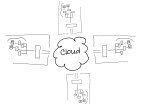
elastic-cloudIntuit, the maker of QuickBooks small business accounting software (among other things), is discontinuing service for the REST API and the Sync Manager on March 1, 2016 [1].  Developers with applications which integrate with the desktop editions of QuickBooks using this method must change their approach right away or risk having their integrations simply stop functioning.  It’s not that Intuit will DO something on March 1st.  Rather, they’ll stop doing something – like handling Sync Manager integrations.

There are a lot of different types of businesses in the world, and each of them produces and consumes a lot of information.   From sales to human resources; from operations to finance – every business generates and manages information to support the various processes which make up the business activities.  Computer systems and software represent the tools businesses use to develop and manage information, and often become foundations for structuring the information which flows through the organization. Just as there may be different people in the business, each with their own responsibilities and job functions, there are likely software applications which are similarly oriented to support different processes within the business.  Integrating or connecting different applications and processes within the business helps the organization be more efficient with information usage, generally increasing the quality of access and reporting throughout the business while at the same time reducing or eliminating redundant data entry and the potential for errors.  Software integrations are a big thing to many businesses, which is why the discontinuation of Intuit’s Sync Manager for QuickBooks Desktop editions is a big deal.

Intuit’s Sync Manager was the big thing just a few short years ago.  Providing developers with a seamless method for accessing QuickBooks company data and passing it to/from web-based and other applications was a boon to the online application model and paved the way for many disk-based integrated solutions to migrate to SaaS offerings instead.  Developers who saw success operating in Intuit’s QuickBooks marketplace as recognized add-ons were encouraged to use Sync Manager so that they would be able to seamlessly market to, subscribe and onboard new users who purchased QuickBooks products. Whether or not the developer participated in Intuit’s application marketplace, the Sync Manager and the REST API provided them with some very important capabilities and supported new methods now recognized as “standards” for development of web-based solutions and services.

The World Wide Web has succeeded in large part because its software architecture has been designed to meet the needs of an Internet-scale distributed hypermedia system. The modern Web architecture emphasizes scalability of component interactions, generality of interfaces, independent deployment of components, and intermediary components to reduce interaction latency, enforce security, and encapsulate legacy systems. http://dl.acm.org/citation.cfm?doid=337180.337228

In order to integrate a solution with QuickBooks desktop products, there are two essential problems to solve.  First, there must be access to the QuickBooks data.  Few products are able to directly access the data in a QuickBooks data file; generally, the QuickBooks program itself is used to ‘broker’ access to the company file. So, developers need a way to work inside of QuickBooks to use it to access the data their applications need.  Second, the data must be transported (via the Internet) to allow for data to come from QuickBooks into another app, or to allow data from the other app to come to QuickBooks.  The REST API and the Sync Manager addressed both of those problems and provided developers with the mechanisms required to facilitate the data integration as well as transport the data.

REST (representational state transfer) is “the software architectural style of the World Wide Web [2]” and represents a standard for creating scalable, distributed system interactions.  Using this method, developers were able to make their online solutions access, read and write data in QuickBooks desktop products because Intuit had first sync’d the data to its servers, so developers needed only to reach the Intuit servers to reach the data.  The Sync Manager provided the transport, carrying the data to/from the desktop installation where the Sync Manager service was running.  And, because the Sync Manager was basically built-in to QuickBooks, there was no additional software to install and maintain on the computer because it was all part of the QuickBooks installation.

Intuit did a fantastic job of getting developers to move to the API integration method, positioning all those lovely 3rd party solutions for linkage via an Intuit.com account and, now, to QuickBooks Online.  Intuit is clearly favoring the QuickBooks Online edition and the API integration method available with that platform, and is telling developers that they must convert their customers to QBO in order to retain the easy connective ability they had with the desktop editions via Sync Manager.

Now that Intuit has announced the discontinuation of the REST API and the Sync Manager, what options do QuickBooks integration developers have, and how can customers using 3rd party integrations keep using them?  Options do remain, and they aren’t all that bad.  In fact, the options which remain continue to be the methods of choice for certain developers. These developers recognized early on that Intuit’s somewhat “lightweight” methods couldn’t handle the complexity or full functionality of their integrations facilitated their solutions using the SDK and never looked back (and still don’t).  For this community of developers – many of whom likely never considered trying to market their solutions in the Intuit app marketplace – the elimination of the REST API and Sync Manager don’t really matter.  They didn’t bother with them in the first place, just as they aren’t bothering with QBO.  Those solutions don’t fit their customers, anyway.

The QuickBooks desktop SDK (Software Development Kit) has been around for years, and using the SDK developers have been able to craft tight integrations between their solutions and the QuickBooks desktop products.  From payment plug-ins to fully integrated sales, customer relationship, inventory and manufacturing solutions – a broad range of integrated applications built with the SDK have been successfully deployed to QuickBooks customers all over the world.   Many applications which integrate with QuickBooks desktop solutions are desktop products themselves and are designed to work within the same desktop and network environment as QuickBooks, so there is no need to worry about “transport” of the data over the Internet.

For other solutions, such as online applications and services, there may be a need to exchange data via the Web. The QuickBooks Web Connector has also been a very popular solution for developers of applications that integrate data with QuickBooks.  The Web Connector is just what its name implies: it is a way to connect QuickBooks to the web and vice versa. With the Web Connector application and a web connector configuration file, developers could provide a method of exchanging data between QuickBooks desktop and another solution fairly simply.  While the Web Connector is quite useful in providing a means to transport integrated data to/from the QuickBooks desktop to an external system (like an online application), it only allows access to whatever data Intuit decides.  For this reason, many developers use both an SDK application and the Web Connector so their applications can access all data required and also have a web service available to transport it.

There are numerous implications relating to the sunset of QuickBooks REST API and Sync Manager, and another among them is the impact in hosted environments.  For customers who are (or might) benefit from hosted QuickBooks delivery models, what does the end-of-life of the Sync Manager mean?  Since the Sync Manager was basically built into QuickBooks desktop editions, it meant that there wasn’t any extra software to install or manage when a company wanted to adopt a Sync Manager-based 3rd party integrated solution. In a hosting environment, this means that the customer could easily add integrated applications to work with their hosted QuickBooks and the service provider might never even know it was being done.  There would be no additional software to install on the host servers; so many providers would simply be unaware that their customers were using these other solutions.

As developers return to SDK and Web Connector implementations in order to integrate with QuickBooks desktop, customers will ask their hosting providers to install the QWC (QuickBooks Web Connector) and/or integration software in their service.  In shared service delivery models, this may be virtually impossible to do without potential compromise to existing customers using those servers or other applications resident on the systems.  Hosting customers will not always understand that a “simple plug-in” actually represents installable software that must be secured, maintained, managed, and kept from improperly interacting with other software in the environment.  Some providers may not even be willing to work with the new integration software, while others may allow it but will not take adequate precautions to ensure proper and secure function.

Intuit has said to many constituent groups that its focus on desktop editions of QuickBooks will continue, and new certifications and benefits for desktop ProAdvisors (and continued development of interoperability with other solutions, like the Revel POS integration for QuickBooks desktop) give support to those statements.  Yet developers who support integrations with QuickBooks desktop are once again adjusting to the not infrequent changes Intuit makes to developer programs and philosophies.  The push to QBO and connected apps may be the focus for QuickBooks marketing dollars, but there are still quite a number of (very busy!) developers supplying solutions to businesses who don’t shop inside their QuickBooks software.

Joanie Mann Bunny FeetMake Sense?

J

[1] https://developer.intuit.com/blog/2014/09/08/timeline-to-discontinue-the-quickbooks-desktop-rest-api

[2] https://en.wikipedia.org/wiki/Representational_state_transfer

Paperless_468x80

The Cloud, The Desktop and QuickBooks

subtitle: Just When They Told You the Desktop Was Dead… 

along comes another desktop app.

Everything is moving to the cloud! Everything is going online!  At least, that is what they’re telling you.  And, to a certain extent, it is true that a lot of things are moving to the cloud; just not everything.  And some of what has moved in is moving right back out.  Use of the cloud and cloud services is increasing, but that certainly isn’t proving that the desktop is going away anytime soon.  The only thing we can be certain of is that things are going to continue to change fairly rapidly, yet the lion’s share of business users will retain working models they have come to trust and rely upon until they are forced to do something else. Today, many accounting and business professionals feel that they are being forced out of the software they have known and worked with for years: QuickBooks desktop software.

I was recently asked to present to a group of accounting and tax professionals, the topic being “alternatives to QuickBooks Online”.  I thought it was interesting that this would be a topic of such interest, as QuickBooks has long been recognized as the market leading application for small business bookkeeping and accounting.  Accountants and bookkeepers, as well as tax professionals, have worked with QuickBooks for years – many having even styled their practices around the QuickBooks brand and offering QuickBooks-specific training and other services.  Why are these professionals now asking to learn about alternatives?  Well, it is an alternative to the online version of QuickBooks that these folks are seeking, and they have been given the impression that the desktop editions of their beloved QuickBooks are no more and their businesses are being forced to change.

Due to Intuit’s focus on promotion of the QuickBooks Online edition as THE  QuickBooks to buy, there is a growing belief that the desktop products are going away.  Many professionals who have worked with the product line for years are now operating under a belief that their only future with QuickBooks is with the online edition, so they are searching for alternatives for their clients and their own practices.  The QuickBooks Desktop editions aren’t being eliminated (2016 editions and certifications coming!), but any real mention of them in the direct marketing is gone, because Intuit isn’t pushing these solutions to new customers. It is no wonder the accounting and tax pros are looking at alternatives – and their customers are, too.

QuickBooks has always been a direct-to-consumer solution and was pretty much the only thing a small business owner would find if they shopped for software at the local computer or office supply store. The high-value desktop editions continue to be available, but it is difficult to tell a business owner they need to purchase licensing and then pay for mobility for QuickBooks desktop editions while QBO sounds much cheaper and they can get it on their tablet or PC for that cheap price. Also, there is more shopping online – from phones and tablets as well as PCs – so consumers are being exposed to other brands and the plethora of new online solutions. Now that they are considering buying or changing accounting/bookkeeping software… they could just as easily elect to use something completely free and not spend anything with Intuit or anybody else.

The small business owner isn’t focusing on the qualities of the accounting solution or how it impacts their accounting professional’s processes – they are focusing on monthly price of the solution.  Accounting professionals are now recognizing that the software isn’t (or shouldn’t be) the basis for their practices, it is simply a tool.  And there are a LOT of tools available to work with, not just QuickBooks, so the value of aligning solely with that solution is perhaps not as good an idea as it once was, but it is not gone.  There is still a tremendous volume of work to be done with businesses using the QB desktop products – you just wouldn’t know it from the marketing hype around QBO.

The thrill of exploring SaaS (software-as-a-service) and online application models has introduced new competition in markets where the dominant player once felt secure (small business accounting, for example).  While Intuit’s QuickBooks products were a defacto standard and essentially owned the smb accounting market, the diminished response to the QBO product has created opportunity for many newcomers.  Xero, for example, has been able to make great progress, even recruiting long-standing QB ProAdvisors as Xero advisors and promoters.  gnuCash, once a bit of an outlier, is getting new business because it IS desktop based (some people like that!) yet it doesn’t require an an ongoing commitment to internet connectivity or to pay fees to the developer. NolaPro, Wave, Freshbooks and more are growing in popularity as more freelancers and small business owners begin using applications other than spreadsheets to manage their business finances.  The generation that grew up with online banking is now readily adopting computerized bookkeeping, but they aren’t necessarily interested in QBO.  Still, a great many move to QuickBooks desktop editions because QBD is a recognized and respected solution.

It also remains to be seen what happens with usage of some of these online smb accounting solutions when the business reaches some size or complexity.  While they may be highly useful for startup or freelance business, many are not likely to satisfy business requirements far into the business lifecycle.  This is when the going concern and growing business demands more functionality and performance, which often becomes the catalyst for seeking faster and more powerful software and systems and has been a driving force for businesses returning to locally-installed or hosted accounting and ERP solutions.  Along with QuickBooks desktop editions, Sage is positioned extremely well here. The Sage 50 solutions (good old Peachtree!) can scale and also have very strong accounting functionality.  These were actually the preferred solutions for most accounting pros for a time, but the momentum of QuickBooks pushed them to the side.  With the attempt to now leverage the QB user base to the QB Online solution, Intuit has created the opportunity for Sage to regain a position with accounting professionals and their clients who demand more.

As these software and systems have (in some part) migrated from the local infrastructure to the web, we have also seen a lot of hybrid or “tweener” approaches come about.  These approaches, just as cloud service of any type, come in many varieties and exist to solve different problems.  The problem of browser-based functionality and modality is among the issues identified with QBO.  The browser-based app doesn’t allow for multiple operating windows – you have to use browser functionality for that.  And it is relatively slow – performing data updates and screen refreshes like with a website and not as one would require of a business application.  The solution provided is a great example of a hybrid approach.  The desktop app for QuickBooks Online (yeah) is a software app that comes in a flavor for Windows and Mac, and which provides more of a desktop user experience even though it mimics the interface and connects to the data of QBO.  It is faster, and multiple windows can be used, and more… which are some of the great benefits of running software on the local device and why desktop software is so great a performer.  This hybrid model simply allows for desktop software to work with cloud-stored data and back-end processes, and potentially delivers some of the best of both technology models: cloud and localized.

If you consider how much of the actual QuickBooks desktop product has been turned into web service (payroll, merchant processing, etc), it seems like QuickBooks desktop is already beginning to be a bit of a hybrid approach.  And when QB desktop is run with a hosting service provider, the whole thing becomes available anytime/anywhere.  Hosting is the way to provide the management and mobility aspects of QuickBooks and other desktop software.  The hosting model delivers benefits of cloud service – providing users with all the features and functionality of the desktop solution – and introduces the system management and mobility that is part of the underlying value of a web-based or SaaS application approach.

The real discussion, I believe, is not about the death or  near death of the desktop and locally installed applications – that’s just silly. Even phones are now being touted as possible desktop replacements, as the processing and storage capacity has increased to rival the most useful portables and laptops.  Clearly, devices continue to be more powerful and capable, and these advancements aren’t done solely to make web browsing more enjoyable.

pendulumDevices are more powerful so that they can run more applications – fast – and deliver more useful functionality to the user. Maybe the data will be in a cloud, and maybe even some app functionality will be delivered via a cloud, but it is very unlikely that everything will be in the cloud.  Complexity and cost drove developers to seek out alternatives, and advancements in technology will introduce new options that change everyone’s thinking again.  While the pendulum did swing to one extreme (move it all to the cloud and off the device!), we are now seeing it swing back  in the other direction a bit and those who didn’t swing all the way the first time are in a position to reap some benefit.

Joanie Mann Bunny FeetMake Sense?

J


Intuit QuickBooks 2014: Another Move Towards Unification of Features and Software as Service

Intuit QuickBooks 2014: Another Move Towards Unification of Features and Software as Service

qb2014Intuit QuickBooks is the recognized standard for small business accounting, and the introduction of the QuickBooks Online Edition was a testament to Intuit’s understanding that users are looking for SaaS solutions as well as traditional desktop products.  While it may seem that the entire market is moving to online applications and everything-as-a-service, the Intuit desktop products remain the leading business computerized accounting tools.  Intuit does seem to recognize that many things can be done better with a “software-as-service” model , and that the number of businesses seeking purely web-based solutions is growing, and this is evidenced by the fact that many features and presentation elements in the Online edition are making it into the desktop editions.  Creating consistency throughout the product line makes sense for users, and leveraging the benefits of shared service makes sense for Intuit.

In a previous blog article entitled Changing How We See Software: QuickBooks 2013 interface frustrates power users, I had suggested that many of the interface changes introduced with the 2013 QuickBooks desktop editions were a step towards unification of interfaces (to the degree possible) between desktop and Online editions.  Additionally, integrations with various connected services, Intuit payroll and payment solutions, and other online service elements clearly demonstrate that certain functionality and service offerings will be provided consistently through either solution set.  Another new “unified” feature announced for QuickBooks desktop is the Income Tracker, a feature that originated with the QB Online edition.

The Income Tracker provides you with a fast way to see the status of your unbilled and unpaid transactions, and provides you with features to improve billing/collections as well as perform a number of batch procedures… This feature was first developed in QuickBooks Online, and this year Intuit has brought it into QuickBooks Desktop

http://www.sleeter.com/blog/2013/09/quickbooks-2014-income-tracker/

The introduction of a purely subscription licensing model for the desktop products is yet another move towards enabling the pay-as-you-go subscription model for purchasing software.  Businesses are able to purchase “plus” subscriptions, which provide not only perpetual most current version software but also deliver support for the life of the subscription.  This is another change from the more traditional boxed software approach, where the product was a one-time purchase and came with short-term or limited support.

It seems that many of the changes introduced with 2014 indicate that online service and subscription pricing models will continue to introduce themselves into the QuickBooks desktop products, and users who change from one solution to another in the product family will find more familiarity and consistency in the attached Intuit services they also use.

Many independent software vendors and developers of business applications are recognizing the value of subscription service models and the benefits of leveraging web-based applications and shared services within their solutions.  For software companies, turning a one-time sale into a recurring revenue stream is highly desirable.  From a development perspective, one project could service the entire product line, rather than efforts being divided among multiple products.  From an operational perspective, infrastructure and personnel are able to centrally service the functional requirement, providing the same benefits of shared service that users of SaaS solutions experience (it may simply be internal rather than external customers being served).

The point of the discussion is that, while QuickBooks desktop editions may not be going away any time soon, there is wisdom (and business necessity) which is likely to drive even more subscription model SaaS inclusions in those products that were once purely and firmly planted on the desktop.  Even good old QuickBooks must change, and for the most part, users are seeing benefit in those changes.

Make Sense?

J

Criteria for Evaluating QuickBooks Hosting Providers: Going Beyond Pricing

Criteria for Evaluating QuickBooks Hosting Providers: Going Beyond Pricing

When a small business elects to run their QuickBooks desktop edition software in the “cloud”, it makes sense to work with an experienced provider – a company with the people and the experience to keep the QuickBooks desktop software working properly and securely.  The keys to selecting the best provider for the business are often hidden in the experiences of others; experiences which reveal issues that may significantly impact vendor selection and which have nothing to do with the price of the service. Criteria such as system performance, responsiveness to technical issues, resources for self-help, and knowledge of support personnel – these are the things that more frequently and directly impact the customer experience and, ultimately, the customer’s loyalty.

While Intuit supports QuickBooks Enterprise in terminal server and Remote Desktop environments, they only support the license when it is deployed for the single business organization the license was issued to. If a business has lots of different users on the platform and those users don’t belong to the one company who “owns” the infrastructure and the license, then the implementation is non-compliant and won’t be supported. Intuit also doesn’t offer direct support for QuickBooks Pro and QuickBooks Premier editions in remote desktop implementations, yet the software will work perfectly well in that environment. There are a few quirks and tricks to using the software in this manner, however, so provider technical experience specifically with QuickBooks is essential.

When working with a company providing managed application hosting services and not just managed server platforms, it generally means that the provider is taking responsibility not only for the server/network/infrastructure, but also for the setup, configuration and maintenance of system users and security, and the installation/management/maintenance of the applications running on the server.  When a business elects to outsource this level of service to any 3rd party, there are a variety of areas in addition to pricing which should be thoroughly explored prior to signing the service agreement.

When evaluating potential service providers, research the provider’s offerings and performance directly as well as evaluating the public’s perception of them, considering these 4 areas:

  1. Technology
  2. Innovation
  3. Business Practices
  4. Customer Satisfaction

The technology evaluation relates not only to the systems and tools applied to the service delivery, but also to the systems or tools applied to assist the customer with dealing with the service.  Too often, providers pay more attention to their ordering systems than their service delivery, believing that a quality customer experience rests more with simple purchasing processes than with a functional and well-performing application service.  Others may focus on delivering the best and highest quality application service, yet relegate their clients to sending emails or making phone calls to place service orders or request service information.  The providers who score the highest points in this category are those who recognize that both elements – service delivery and service administration – are critically important to providing a quality overall customer experience.

The innovation evaluation looks at the actual service infrastructure and delivery. This includes features as well as limitations.  One of the pitfalls of being an application service provider is the inertia created with existing systems and customers.  Once the platform is in place and there are a bunch of users on the systems, upgrading and updating the underlying technologies can be a tremendous challenge.  I have often related this as being like trying to change tires on a moving truck.  Unfortunately, systems age and lose functionality, compatibility, support, etc.

Keeping the platform updated isn’t the only element involved with scoring provider innovation.  Even more important than simple change management supporting status quo, true innovation speaks to efforts directed towards crafting a better, more functional and more useful solution delivery.  Many skilled technicians can set up a terminal server for remote access to QuickBooks using the “standard” tools available, but it takes more skill and understanding to create a service which offers more and better capability than everyone else.  The point isn’t that the provider is changing QuickBooks software in any way – that’s not really an option.  Rather, it is in how the provider elects to architect their systems and solution, and whether they are attempting to improve the experience and deliver with a unique approach rather than a generic one.

With increased competition and as some provider platforms experience challenges either due to age or capacity, certain “interesting” practices have emerged.  I now look at these business practices as part of the process of evaluating providers.  In the early days of hosting and application delivery, the business practices of various providers had some similarities, but not any more.  The practices which frustrate me most and which always cause me to score the provider with low marks in this category relate almost exclusively to transparency – or lack thereof.  Here are two scenarios which I’ve seen come up with some frequency, and which (in my opinion) are indications that the provider may not necessarily be one you want to work with.

  • A business has signed a one-year service agreement with a hosting provider, and has been required to prepay that annual contract.  The business was not provided with a demonstration or evaluation system prior to executing the service agreement; they simply trusted the information provided by sales.  After a few months on the service, the performance and support are so poor that the business wants out of the annual agreement, even though high service levels and support responses were part of the contract.  In order to be allowed to end the service agreement and stop paying for the service, the business was told they would have to not only buy out a portion of the remaining contract, but also sign an agreement not to communicate the service problems they experienced or the exit agreement terms with anyone. (*please note that I am essentially in agreement about having to buy out a committed term agreement, at least in part, but applying a gag order? Not so much).
  • A business is using the services of a hosting provider, and has a need to know details of their delivery (like server operating system version) in order to verify compatibility with a new software product they wish to purchase.  Before the business customer is allowed to obtain the information, the provider requires that they sign an agreement promising not to disclose the information they may receive to any other party.  (*note: While I recognize that this type of agreement is desirable to protect proprietary information, it is more often used to prevent the prospective customer from disclosing something potentially negative, and it certainly doesn’t do much in terms of building trust.)

The final evaluation is on customer satisfaction, where anecdotes and information is collected from both current and past customers of the provider.  Admittedly, much of this information I scour from various forums and discussion groups and interviews but it is truly amazing what you can learn about a business simply by listening to customer stories in various social venues.  The picture these stories paint is often (frequently!) very different from the “happy sunshine and rainbows” testimonials you find on websites and in marketing brochures.  Of course, who would buy from a provider who says their “support is great until you’ve been with us for a month, and then we pretty much don’t care about you any more”.  Also, people tend to be more vocal when they’re mad about something, so there is often more negative than positive out there in the social realm, so weight that carefully.  But the fact that certain provider names come up more often than others is the clue; when you don’t see the provider name come up in these discussions, it usually means they’re simply not making people mad.

There is a lot to consider in selecting the right service provider for the business, and the items listed above are just part of it.  While there are some (few) standards among application service providers, it is still what some might refer to as an “emerging” model and will continue to evolve with the market demand and technology.

For now, businesses just need to know that their solution provider is trustworthy and willing to communicate honestly and completely. Selecting the right provider – a provider who supports their business and model with full transparency to the client –  will help the business move forward just as the wrong provider is more likely to hold it back.  While pricing is an important and unavoidable aspect of the discussion, businesses should also put some focus on these other elements which help to reveal how the provider works with their customers, and to determine whether or not they can (or will even try to) meet your requirements now and in the future. 

Make Sense?

Joanie Mann Bunny FeetJ

QuickBooks In-House Hosting Services for Accountants

QuickBooks Hosting Services for IT-Capable Accountants

DIY-SelfHostingSmall businesses in large numbers are looking to the cloud as a platform to deliver solutions for the problems of escalating IT costs, mobility, and remote access to business data. The cloud is also becoming the recommended platform for the delivery of services from accounting and bookkeeping professionals, as the benefits of remote data access and real-time collaboration nicely address the requirement for accounting pros to exchange and share information with their business clients. One of the popular “cloud” hosting solutions addressing a collaborative accounting model is a hosted application approach to using Intuit QuickBooks desktop products. While accounting professionals may be aware that QuickBooks can be hosted by 3rd party providers, many firms are not aware of what is referred to as the “self-host” model, which is a QuickBooks hosting model for accounting firms with some in-house technical capability.

For small businesses and many accounting service providers, working with a 3rd party hosting provider makes a lot of sense, as the host has the infrastructure and the support organization necessary to service large-scale hosted customer requirements.

On the other hand, there are a lot of accounting and bookkeeping firms which have skilled in-house IT personnel who are more than capable of creating a hosting environment to serve not only their internal needs, but also to meet basic requirements of the QuickBooks-using clients they work with. It makes sense to explore the possibilities of implementing a “self-hosting” model for client access to QuickBooks, overcoming the cost and other barriers involved with 3rd party hosting services.

When an accounting firm works with a number of clients with QuickBooks desktop edition files, the firm has to install and manage not only their own software products, but also the relevant QuickBooks software products in use by the various clients (must have the right QB program in order to open the QB data file). This often puts an undue burden on the internal IT systems of the practice which has its own internal-use software and systems to support. With an internal hosting approach, the firm can provide standardized/centralized application hosting services to their clients, building their own “economy of scale” on the platform and reducing the IT management while achieving all the real-time and remote access benefits of an outsourced hosted model. The firm does not experience a retail cost for a hosting solution, and the cost to host the client is generally offset through the efficiency gained at the firm level through direct access to client data and applications.

The technical model for delivering hosting services to a relatively small client base is not overly complicated. Commercial service providers have complex architectures because they must serve a large and diverse client base, and they never really know what sort of devices (computers and printers) or connectivity the customer may have. Commercial providers have to be prepared to deal with any and all situations, where a “self-host” firm needs only to concern themselves with supporting their particular client users and use cases. Additionally, when the solution is offered as part of the accounting or bookkeeping service, the support requirements of the customer tend to be focused during mutual working hours, as opposed to the 24×7 support demanded of the commercial host.

As accountants and bookkeepers search for solutions to improve efficiency, increase profitability and differentiate services, it makes sense for those serving QuickBooks desktop clients and having an in-house IT capability to explore becoming a QuickBooks self-host. It is one possible way to eliminate cost as a barrier to working closer with QuickBooks desktop clients while providing the mobility and collaboration businesses need.


Make Sense?

Joanie Mann Bunny FeetJ

Moving Your Systems to the Cloud

The IT industry is promoting Software as a Service and online applications as the new normal for computing, and unless you’ve been living under a rock for the past few years you have heard how it is supposed to make our computing lives ever so much better.  Hiding under that rock might also have spared you from reading about the various failures and outages which impact users, forcing them to make do without the online applications and data they have become so reliant upon.  It’s surprising, but not unimaginable, that businesses rely so heavily on applications and services that didn’t even exist a few short years ago.

The potential benefits of a SaaS model are many, but the risks are equally significant and should not be minimized.  This assessment should center on a review of the application software in use, considering whether or not it is meeting the needs of the business.  Where and how the software runs is much less of an issue than the functionality and process support it provides – most “legacy” applications can be run in a cloud server environment, making remote access and managed service part of the service model.

There is risk in changing business applications – risk of data loss, changed or broken data relationships, lost productivity, and more.  Many businesses would benefit by running their applications in a cloud model while continuing to utilize the software solutions their operation relies on.

Application hosting models where desktop applications are delivered on cloud servers is  often overlooked when businesses go looking for cloud software because they are shopping for software and not the platform.

With Software as a Service (SaaS), the software and the platform are combined and together represent the solution. With application hosting on a cloud server, the software is the same software a business would traditionally run on PCs and servers, but the they are installed and managed on the cloud server rather than the local computers.

The big benefit is the agility of the platform and the user mobility it allows.  The unspoken benefit is that you can still “take your ball and go home” if the service doesn’t work out.

Removing the barriers for adopting an online working model allows the business to experience the benefits attached to cloud computing without introducing unnecessary risk through unneeded changes in software and applications.

Make sense?

J