Your Server Shouldn’t Be Living in a Closet

Why hosting QuickBooks Desktop and other business applications on Microsoft Azure with Noobeh is a smarter way to work

I have seen a lot of servers in my career. Some were humming away in pristine data centers. Others were tucked under desks, squeezed into storage rooms, or sharing a shelf with copier paper and somebody’s forgotten lunch bag.

That may have worked when everyone came to the same office, used the same network, and crossed their fingers during thunderstorms. It is not a great foundation for a modern business. Today, your team may be working from the office, from home, from a client site, or from an airport between flights. They still need dependable access to QuickBooks Desktop, line-of-business applications, and the files that keep the company moving.

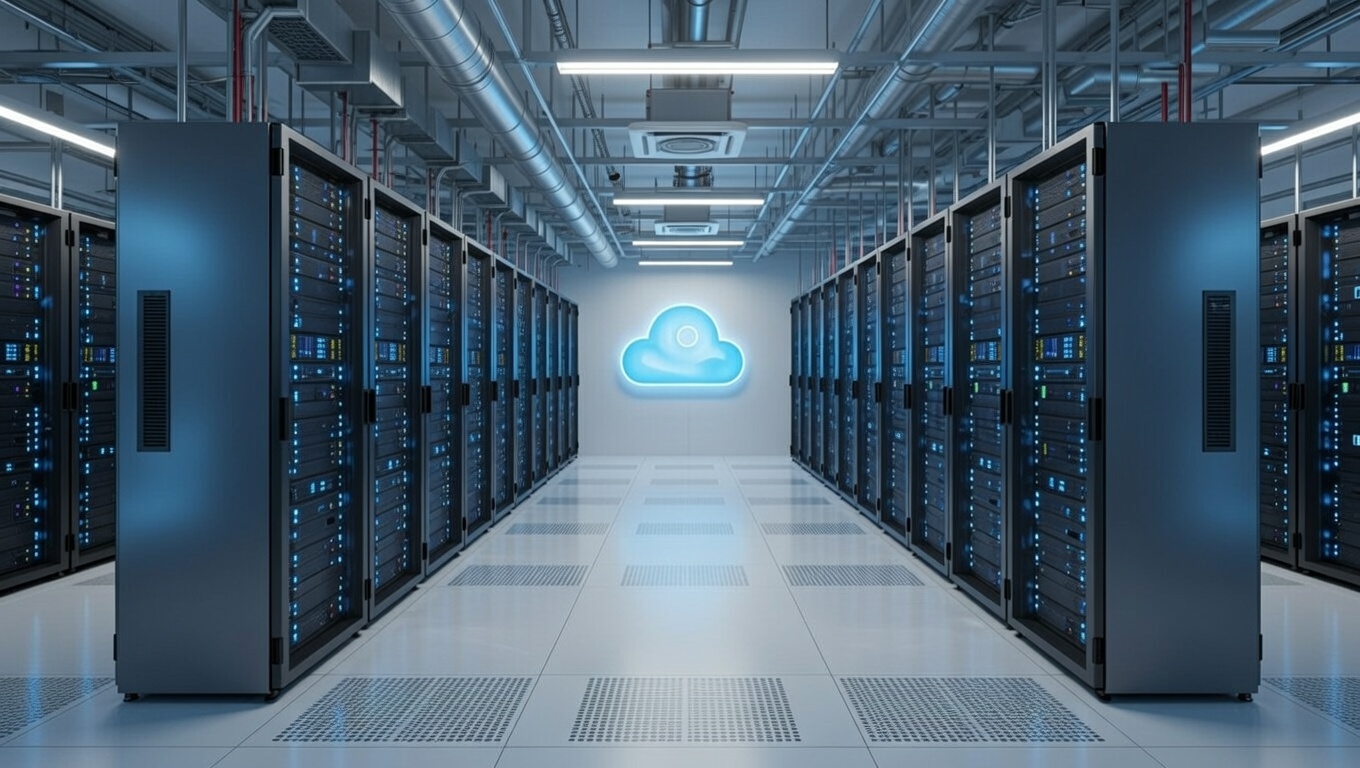
Hosting those systems on Microsoft Azure with Noobeh gives your business a secure, professionally managed environment without asking you to become an infrastructure company.

QuickBooks Desktop—without being tied to a desktop

QuickBooks Desktop remains essential for many businesses because it supports familiar workflows, specialized integrations, and years of valuable company data. The problem is often not the application. The problem is where it lives.

When QuickBooks lives on one office computer or an aging local server, access can become a daily obstacle. Remote users may struggle with complicated connections. Performance can vary. Backups may depend on someone remembering to check them. A hardware failure can turn an ordinary Tuesday into a business emergency.

In an Azure-hosted environment, authorized users connect to a centralized workspace where QuickBooks Desktop and other applications run close to the company data. The experience stays familiar, but the infrastructure behind it is built for secure access, business continuity, and growth.

What the business gains

Work from almost anywhere

Your people need access to their work, not a scavenger hunt for the one machine that has the right software installed. A hosted environment gives approved users a consistent way to reach the applications and data they need, whether they are in the office or working remotely.

Reduce the risk of aging hardware

Servers do not improve with age. Eventually, warranties expire, drives fail, and replacement parts become harder to find. Azure shifts the conversation away from buying and maintaining a physical box and toward providing the right computing resources for the business.

Strengthen security with layers

Security is not one product or one checkbox. It is a combination of identity controls, access policies, system maintenance, monitoring, backups, and good operational practices. Noobeh designs and manages the environment so these pieces work together, based on the needs of your organization.

Plan for interruptions before they happen

A local power outage, failed server, or inaccessible office should not automatically stop the business. A thoughtfully designed cloud environment can support backup, recovery, and continuity objectives that match the company’s tolerance for downtime and data loss. That planning matters far more than simply saying, “We have a backup somewhere.”

Scale without another hardware project

Businesses change. You hire people, add applications, open locations, or hit a busy season. Azure resources can be adjusted as requirements evolve, which makes growth a planning conversation instead of another round of shopping for a server that may be too small next year or far too large today.

Why Noobeh?

Microsoft Azure is a powerful platform, but power alone does not create a good business outcome. Someone still has to ask the practical questions: How many people need access? Which applications must work together? What performance does QuickBooks require? How should data be protected? What happens when a user needs help?

That is where Noobeh comes in. We bring cloud expertise together with an understanding of the applications businesses actually use. We help design the environment, move workloads, configure access, and manage the infrastructure after launch. You get a cloud solution built around the way your company works, not a pile of technology and a wish for good luck.

And because every business is different, the answer is not automatically “move everything.” The right approach may include QuickBooks Desktop, supporting applications, shared files, or a broader hosted workspace. Noobeh evaluates the full picture and recommends an environment that makes sense operationally and financially.

The real value is confidence

Cloud hosting is not exciting because a server is running somewhere else. It is exciting because your team can log in and get to work. Because adding a new employee does not require a weekend hardware project. Because your critical systems are managed intentionally instead of being quietly ignored until something breaks.

That is the point: fewer infrastructure distractions, better access to the tools people depend on, and a technology foundation that can keep pace with the business.

Is it time to get your server in a better place?

If your business depends on QuickBooks Desktop or other server-based applications, now is a good time to ask whether the current setup is helping you grow or simply giving you one more thing to worry about.

Talk with Noobeh about an Azure-hosted environment designed for your people, your applications, and your business. Let’s move the infrastructure out of the way so your team can focus on the work that matters.

Make Sense?

bunny feetJ

How Accounting Professionals Can Improve the Profitability of Their Existing Business Using Cloud

Working Closer with Business Clients

Accounting professionals are increasingly asked to provide more meaning behind the numbers they report on. Small business owners care about the bank balance and their tax bill, but they care far more about how profitable and productive the business is operating. And small business owners care about how they can improve performance – earn more profits and keep more of it. Accounting professionals can help their small business clients do this more efficiently using cloud and hosting technologies.

Small businesses need their accounting professionals to take a more direct level of involvement in support of daily processes than larger companies do.

For small and mid-size businesses, the accounting office may be asked to handle bookkeeping, payroll processing, bank account reconciliations, paying bills and invoicing customers and more. In order to have close access to the information and applications supporting these processes, it becomes necessary for accounting pros to be able to connect remotely to client systems. This isn’t a new requirement, but the technology available today to make it work allows for closer and more immediate interaction between the client and the accounting professional.

When a small and growing business runs their applications on a cloud platform, the variety of users that need to work with the information are able to access it regardless of where they are located because the Internet becomes the network.  This model doesn’t in any way require that businesses adopt web-based applications instead of the desktop applications they have come to rely on.  Desktop applications like QuickBooks, Sage50, Microsoft Office and more can be hosted on cloud platforms, allowing business users to login and use the software they are familiar with and that supports their various processes.

With a cloud hosting model for running business applications and storing business data companies can take advantage of fully-managed deployments of their software and systems without having to employ the IT staff to implement and manage it all. This allows small businesses to have the advantage of high performance IT without the typically high-cost budgets required to support it. The other advantage is that the accounting professionals working with the business are able to access the systems in real time from their offices or other locations, enabling the close working relationship the business needs.

The key value proposition for the accounting professional is the improved profitability to be found in existing client engagements.

Whether it is through an increase in the number and type of services offered to the client or through an improved level of efficiency found with operating on the hosted system, professionals can increase revenues and reduce costs of supporting existing clients. That’s the secret to success in working with the small clients: earn enough working for them while at the same time keeping their costs down so they can grow into larger more profitable business clients.

Make Sense?

J

Better QuickBooks Hosting: Noobeh Cloud Solutions on Azure Help Businesses Avoid Data Loss, Improve Application Performance and Implement QuickBooks Integrations

They said back in 1999 that the desktop was dead, but desktop software is far from gone. In fact, application hosting services for products like QuickBooks desktop editions just keeps growing in popularity because it delivers the access, mobility and managed services businesses need.

Service providers have been hosting QuickBooks for years, and I’ve been right there all the way, ever since the model was originally developed. In fact, the company I worked with is still selling that original service model today while many other providers have come along to follow it and take advantage of the opportunity.

Using the cloud to support accounting and other business processes makes a lot of sense, and the best part is that it doesn’t require businesses adopt the online versions of the software that just doesn’t work as well. I have a background in accounting so I understand the issues of working remotely with clients, when the business is done in one place but the accounting is done in another. And I love the technology and finding ways to make it easier and more efficient to get small business accounting done.

The benefits of using hosted QuickBooks services are many.

Anytime/anywhere access and fully-managed service are among the most obvious benefits for QuickBooks desktop users, but the advantages of centralized information and applications, secure support for mobile and remote workers, and real-time integrations and analytics capabilities can be transformational for the entire business.  Having the means to affordably extend applications to the entire workforce and keep everyone working with the same data in real time can become the foundation for improved processes, greater efficiency and better business performance.

Among the key benefits of the application hosting model is the fact that businesses are not forced to adopt software subscription services or invest their data in web applications that do not provide the functionality or features required. Even more, the business can elect to move their hosted system back to in-house computers, because the hosting is simply an alternative platform for running the software the business owns. You can take your ball and go home if you don’t want to stay.

With all the benefits of hosting QuickBooks, there are also risks involved, especially when working with shared hosting platforms.

Shared hosting platforms are architectures where the service provider spreads the cost of their infrastructure across many customers to help keep the costs down. Using conventional technologies to create divisions between customers on servers, networks and so on, services providers can deliver at a lower cost when they are able to generate revenue from lots of customers for the same pieces of equipment. As more customers are added, more servers are joined into the network. After a while, there are many servers handling the customer load.

Unfortunately, the greater the number of servers, the more complicated and costly it becomes to update the platform. This is among the reasons why many service providers have aged platforms, with server operating systems that are going out of support and offering only legacy desktop views. In addition to compatibility and modernization, a big problem with allowing the platform to age is that it becomes less secure and more difficult to keep protected.

Protecting against disaster is not the same as doing backups.

Many hosted QuickBooks customers have been faced with the ugly reality that their service provider backups are not enough to recover from disaster. This is largely the fault of the providers and is somewhat by design.  Businesses hosting their financial and other business applications and data want to know that their information is safe and secure. Performing data backups is part of the promise of protecting customer data, so most customers believe that their service provider is backing up in a way that ensures the data can be recovered.

What most hosting customers don’t understand is that the provider backups are there to help the provider recover from disaster and not necessarily to get the customer back where they were.

Hosting companies know that they need to do backups so they can support customers when files get deleted or become corrupted. Hosting companies typically do regular backups of customer data, but they do not necessarily retain individual backup data sets and they often backup all customer data together. This means that the backup data is constantly being updated, and that fully restoring the data of just one customer may be problematic. Service provider backups are there to support the continued operations of the service provider and may not provide the level of archive or retention needed by the customer. Just to make sure their data is safe and recoverable, I strongly recommend that clients keep any hosted data archived in at least one other location off the host’s platform.

In just the past year, outages caused by malware have been experienced by service providers Cetrom, Skyline, Cloud9 and Insynq, demonstrating just how devastating an outage can be when the service provider doesn’t have adequate protections in place.

In many cases customers lost data because the service provider wasn’t able to recover it from compromised or nonexistent backups. Suggesting that customers should have their data backed up locally is never part of the marketing or onboarding with the QuickBooks host, but it is often the fallback position in times of trouble.

Perhaps the most troubling aspects of these provider failures are that many of the problems stem from the shared nature of the platform.

When we first started building QuickBooks hosting services the hardware and software to make it work was terribly expensive. To approach some level of affordability, a shared platform approach was developed. This allowed the service to scale while offering a lower cost of service to customers. When the services were initially developed, there was concern about protecting from viruses and Trojans, but the nature of malware in the wild was not nearly as troublesome as it has become. Things were manageable.

But technology has evolved and so have the threats and bad actors.

The smarter bad guys should be forcing platform providers to reconsider their shared management and delivery models.

Affordable computing resources are available from platforms like Microsoft Azure and Amazon AWS, offering small businesses the opportunity to have not only powerful and scalable platforms for their business IT, but also offering a means of operating privately. Not being forced to operate in the same network or on the same VMs as other companies means not having to worry about the behavior of other people or applications in your business network. It also means that the focus is on recovering your system if disaster strikes, not on recovering the systems of hundreds or thousands of other businesses at the same time.

Considering the move to a more private cloud hosting solution is an important way to reduce risk and improve IT performance for the business.

When they were in-house, the networks were private and no other businesses were sharing the servers. Moving to the cloud should not radically change that profile, and should offer customers the same privacy from outsiders and the same flexibility to implement whatever applications the business needs.

The Microsoft Azure platform provides this capability and businesses can benefit without compromising the budget. With private accounts on the Microsoft Azure platform, our customers are able to take advantage of the current and emerging technologies while safely and affordably supporting their business requirements, which is something the shared platforms fail to offer.

Make Sense?

J

QuickBooks 2018 Updates and Enhancements

QuickBooks 2018: Changes You See and Updates You Can’t See

QuickBooks 2018 has been released, and there are a number of beneficial enhancements and changes to the application that many will find very useful.  Sometimes it is the little things – like a past-due stamp that can be printed on invoices when they are re-sent to a customer – that can make getting the work done just a bit easier. Being able to search the chart of accounts is another thing that doesn’t sound like a big deal, but becomes one when you just can’t remember the account number you’re looking for. Frequently having to scroll through the list of accounts is taking more of your time than you’d think it would.

For the most part, it looks like there are some nice and needed changes that come with QuickBooks 2018. These changes address some functionality and usability issues (like supporting multiple monitors) and are visible to the user.  There are also other important changes that come with QB 2018 editions that aren’t quite as visible.

All editions (Pro, Premier and Enterprise) in the US, Canada and UK got some common updates, including:

  • Multiple monitor support
  • Search in the Chart of Accounts
  • Cash/Accrual toggle on reports
  • Past Due Stamp
  • Keyboard shortcuts for copy/paste lines in transactions
  • Secure Webmail option

For folks using payroll, there are now useful reminders for payroll tax liabilities, and for accountant edition users there is now the ability to merge multiple vendor records.  An exciting feature for many users of QB Enterprise is improvement to the sales order fulfillment process, including support for mobile (un-tethered) barcode scanners.

The changes that remain less visible to the user are primarily component updates and security improvements.  Additional encryption for certain PII (personally identifiable information) fields, version updates of framework and database components, and reliance on Internet Explorer v11 are among the items addressed. While these are not visible changes that impact the program functionality directly, they are necessary to keep the product up to date with Windows platform and to modernize the security in the product. In particular, users should pay attention to the requirement for Internet Explorer v11.  While Microsoft continues to promote Edge as the power browser for Windows 10, it is Internet Explorer v11 that QuickBooks requires.

It is important to note that Intuit‘s support for 3rd party applications is sometimes impacted with QuickBooks updates, particularly when it comes to security, encryption and unattended access to QuickBooks data.  Changes made to how QuickBooks encrypts stored credentials (among other things) caused many 3rd party solutions to lose their ability to connect to and sync data with QuickBooks while unattended (like a middle of the night sync, when nobody else is working).  Many applications had to return to a user-attended sync process, where a user in QuickBooks had to manually initiate the sync which allows the application to connect to QuickBooks and run.  With the release of QuickBooks 2018 this issue remains, which means that you should check with your 3rd party software provider regarding any possible automation changes or additional configuration that might be required due to the update.

For those running QuickBooks in a server-based or hosted environment, there are a few additional considerations regarding some of the changes in QuickBooks 2018. Some of these items represent known technical limitations of working in a terminal server/RDS/hosted environment, and sometimes they’re limitations or restrictions based on the technology being used and how it is applied. It is in this area where the suggestion that hosted QuickBooks will work EXACTLY as the program does when locally installed is not entirely true.

Multiple monitor support, for example, may or may not be easily handled by your hosting provider or remote access solution.  In particular, if you access your hosted service as a Remote Desktop or Virtual Desktop, you may have only one actual Window (the remote desktop window) to work with.  Even if your hosted QuickBooks were to attempt to open multiple popup windows so you could move them to different monitors, you’ll still be limited to the dimensions of your remote desktop. If the remote desktop doesn’t span over multiple monitors, then the QuickBooks windows that open in the remote desktop window won’t either.

The option to keep a user logged in to QuickBooks is another item that may not be useful or workable in a hosted environment, and isn’t necessarily a great idea even if running QB on a local computer.  This option keeps the user logged in to the QB “instance” which can make working with lots of company files a bit faster and makes loading/unloading QB seem faster because it doesn’t really unload or shut down.  While it may be convenient to eliminate the wait times during these login processes, the offset in security risk and problematic application functionality may be higher.  Leaving a user connected to QB for a fast login means that an unattended PC becomes a vulnerability as someone could access the app and files without having to enter credentials every time.  In a hosted environment, the functionality tends to leave QuickBooks running in a user session, often causing the user to be unable to launch QuickBooks if they log off and back on to the host system (getting the message that QuickBooks is already running or the company file is already open).

Support for 3rd party integrations varies in hosting environments, too, but the granting of administrative permissions to users is largely consistent: users do not get administrative permissions. This means that some applications which require Windows administrator permissions to run cannot be easily handled in a hosted delivery.  Additionally, applications that run as services on the computer, and particularly those with controls accessible via the task manager, are difficult to manage in a hosted environment because users are generally not able to access the task manager on the machine to start or stop running services.

Among the most challenging items to support in a hosted environment are mobile and handheld scanning devices.  Mobile scanning devices have become essential tools for inventory and product management, providing users with the ability to rapidly access item information by simply scanning a barcode.  Manually keying in data increases the potential for errors, but also requires a machine with a keyboard be nearby. With mobile scanners, workers are able to input item information regardless of whether they have a computer nearby or not (which is often the case in a warehouse or out on the shop or store floor). The software sees the barcode scanner input as though the data were typed in, which eliminates input errors and failed lookups by ensuring the item number is correctly entered every time.

Where the challenge with a hosted solution comes to play is in communicating between the hosted software (QuickBooks in this case) and the scanner device.  Usually, a scanner must be able to “see” the computer running QuickBooks on the local network.  The scanning device, like a networked printer, is able to communicate directly with the PC on the network so it is able to work with the software running on the PC.  When the QuickBooks software is running on the hosting provider’s computers, the mobile scanners in your business location aren’t able to “see” the host computers on the local network so they may not be able to communicate.

The time for software upgrades is also the time to take a look at how you’re implementing the software to ensure that your business has the most effective and easy to manage system possible. Rather than simply installing the new version on top of the old, consider whether your systems and software might be handled in a more cost efficient and useful manner.

If you’re installing the new QuickBooks editions in-house, maybe it makes sense to take a look at doing a server-based approach, which reduces the number of software installs required, centralizes the access and applications which makes managing the system easier, and creates a single system to back up and administer.

If you’re looking to eliminate the burdens of installing and maintaining your software, backing up your systems and dealing with hardware issues, moving to a managed hosting solution may be the right answer.

Software upgrade time is the right time to explore these options, giving your business the opportunity to test out new delivery models and services without impacting the production system.  There is always some element of risk in updating applications, so it is important to make sure things are ready before starting the process. Make sure all systems are fully backed up, and make sure you have the tools necessary to re-install the old versions of your applications just in case there are changes you can’t work with or problems you didn’t expect. If you’re not sure the best way to approach upgrading your QuickBooks system, contact me and we’ll find the right answer together.

Make Sense?

J

Remote applications, virtual desktops and hosted QuickBooks

Cloud computing and SaaS applications are all the rage, and businesses are finding tremendous benefits with the mobility and managed service these models provide.  On the other hand, there also continues to be huge reliance on the desktop computer and the software running on it. From basic productivity tools to more advanced business solutions, desktop-based software and locally installed applications remain in favor for the vast majority of businesses around the country.  Adoption of web-based solutions is certainly increasing, but the need for tried-and-true business applications that were traditionally installed and managed directly on the PC or local network doesn’t seem to be going away. At least part of the reason for this is the functionality and performance these applications deliver.  Another factor is that hosting and remote access solutions have matured to the point where hosting applications is just as “mainstream” (and often more useful to the business) as using a SaaS solution. Managed application hosting models have made solutions like Microsoft Office and QuickBooks desktop editions available anytime, anywhere and using just about any device. I call hosting the best “tweener” solution available, because users can have the functionality they need and still get fully managed, on-demand service.

Back when a few businesses started operating as Application Service Providers (ASPs), there were a limited number of realistic approaches available for building the platform to deliver desktop applications.  Many application hosting offerings grew somewhat like a fungus from the internal Citrix Metaframe and terminal service set ups performed by IT service companies.   A lot of these companies didn’t start out to provide application hosting services; they simply found it to be more efficient and profitable than trying to manage all that hardware and software at the client site.

Over the years, a variety of solutions have been introduced to ease the burdens of implementation and management of desktop applications on centralized platforms, but most of them were designed more for enterprise deployment rather than as the basis for a generalized service offering.  Microsoft’s Remote App and Remote Desktop services, Microsoft and Citrix and Dell (Quest) app virtualization/management/publishing, even streaming and “containerized” applications… there are quite a few options out there and, in some circumstances, they can work pretty well.   What has kept them from working out REALLY well, however, is the cost and complexity of deploying these solutions.  From printing problems to user device support to simply allowing a user to gracefully reset their connection when it gets stuck…  application and desktop delivery platforms can be very difficult to set up and manage.

My team works with a number of solutions which address these aspects of application and desktop delivery, bringing the functionality to a level where small businesses and their IT service providers can easily set up secure remote access and hosting environments that actually work.  This includes addressing the printing facilities, user management, app and desktop publishing, workspaces administration, and connection management that makes a remote desktop or app deployment useful. For IT folks, the fact that no special firewall configurations are required and that a static IP address is not needed means that our solution for on-prem can work where many VPNs and web portals can’t.

Remote Desktop services (Terminal services) is the most widely recognized approach for creating “virtual” desktop or hosted application services.  It solves many of the problems involved in centralizing the management and administration of computing resources and applications for broad bases of users, and it’s pretty much the only game in town when it comes to putting traditional desktop applications online (or putting the desktop online).  This approach, which is essentially packing all of the computing requirement into a centralized infrastructure, is the most effective method of addressing the total business requirement (e.g., hosting all the business applications with associated data, administering user security and access, and managing the entire system) at any significant scale.  Each of these methods of providing managed applications require that the entire realm of solutions – the main applications, all integrations, drivers for devices to be supported, and all associated data – exist on the service provider servers and under the service provider’s control.

Our services deliver a simple and straightforward set up so you begin using the platform right away; seamless and affordable.

Joanie Mann Bunny FeetMake Sense?

J

Hosting QuickBooks Desktop Editions – The Good and the Bad – Accountex Report

published on Sleeter.com blog, now Accountex Report, January 22, 2013. This is an oldie but a goodie… perhaps more relevant now than ever.

With the accounting industry moving towards cloud computing and fully online working models, users of Intuit QuickBooks desktop editions may believe that their best option is to migrate to a web-based edition of the software rather than continuing to use the version of QuickBooks they have come to rely on. While QuickBooks Online Edition may seem like the best option for anytime, anywhere access to financial applications and data, it might not provide the functionality or features that QuickBooks desktop edition users need. When the business needs the full capability of the desktop edition product, hosting that solution with an application hosting service provider may be the right answer.

“Hosting” QuickBooks desktop editions means that a hosting service provider installs and manages the QuickBooks software and the company data files on their own cloud-based servers. Users don’t have to install QuickBooks on their PC, because they use the Internet to connect to their QuickBooks software and company data hosted by the service provider. Whether the service is accessed by clicking on an icon on the local PC desktop or by logging in via a web page or portal, the underlying technology is still Windows and QuickBooks.

Continue reading Hosting QuickBooks Desktop Editions – The Good and the Bad – Accountex Report

check out MyQuickCloud for QuickBooks Remote Access and Managed Cloud Hosting