 There are two certainties in life – death and taxes. While both are unavoidable, at least the taxes issue can be managed. Managing taxes and business finances in general takes detailed information. Considering how most small businesses get their start with business bookkeeping and accounting, it’s no surprise that information gathering becomes one of the most time-consuming and frustrating tasks around tax time. Fixing the problem from the beginning and implementing a system to manage the detailed information the business needs on an ongoing basis is key to avoiding the rush as well as building a business information framework that might span the life of the business entity. Yet fixing the problem for this year’s tax information gathering is relatively simple compared to figuring out how to format, retain, and continuously collect and compile new data for analysis throughout the life of the business.
In order to understand how to address the problem, it is important to understand the evolution of business accounting. Not how the concepts or practices have evolved, but how technology has (or has not) been applied to certain problems, and where the gaps are.
Starting Up
The first things a new business owner generally does is get a business license, get a computer, and run down to the discount store to buy a copy of QuickBooks or maybe Microsoft Excel. Now, this business owner isn’t necessarily prepared to properly handle the accounting for the business, but he understands that he has to do something. Keeping a check register, at the minimum, lets him know how much money is in the bank. And that’s what it’s all about for the small business person – cash flow and cash availability. But the focus on the checkbook frequently causes the business to postpone implementing deeper, more beneficial processes.
With a focus on the checkbook, the business manages cash by counting payments out and receipts in. But the nature of the payment or the receipt is the true question that must be answered and accounted for. It is surprising how many businesses still keep ledger cards – those manual 3×5’s in a box – where customer and vendor information is kept. It is a simple method, and provides the business a way to keep individual account records. But the fact that this detail information is not part of an integrated system creates a greater potential for lost or inaccurate data. Further, the greater the volume the more difficult and error-prone managing the information becomes.
It is at this point that the business seeks to find a more comprehensive means to manage the additional business data. This is another buying decision the business owner must make, introducing a new system which can handle the additional activities around accounts receivable, accounts payable, inventory and sales orders, etc. The business was already keeping track of products or services, customers and vendors. But here we are at a step where new systems and processes must be introduced. Although a belated effort, this after-the-fact implementation of customer, vendor and item tracking now establishes the means to manage more business activities as part of an integrated system.
The difficulty comes in loading the historic information and learning new systems. Depending on volume, the quality of the manually kept data, etc., it may be determined that historic transaction details are not to be entered. So, the business moves forward with a better system for managing business activities and data, but loses the value of the early transaction detail.
Volume and Growth
The business has implemented an accounting system which helps to keep track of customers, vendors, items, and cash. More detailed processes are introduced as the business requirement grows – offering perhaps more specific information on costs of certain products, or summaries of customer purchases or item sales activity. This data provides a much more informed basis for business decision-making, but also impacts the systems as the volume of data to be managed grows.
Growth may present itself in many ways – growth in the number of products or services offered, growth in the number of transactions processed regularly, growth in the dollar value of transactions, or growth in the number of employees who need access to the system. All of these areas impact the ability of the system to continue to support the business requirements. Quite frequently, a certain “density of data” is reached and the current system is not able to efficiently manipulate and manage the volume. Here again is another buying decision. Can the existing system be expanded to handle the additional volume? Or must a new system yet again be introduced? The business process requirements may not have changed, but the earlier choice of systems may cause a forced change simply due to business volume or number of users.
The frustrations of changing business systems are compounded the further into the business life cycle the change comes. Much of the historic intelligence of the business is derived from the earlier days of operation; data which reflects the stages and activities of the business over time. When a business reaches a point where data volumes force a systems change, a worst-case scenario occurs: The volume of historic data is too great for the current system, and loading it into a new system takes a huge amount of time and effort. Unfortunately, this task often proves too daunting for the company, so again valuable historic detail information is lost and summary information is loaded into the new system.
Operationally Specific Systems
As the business matures – and in order for the business to mature in a healthy manner – specific and detailed information must be captured and analyzed. Systems which take a broad view of the business, offering only general information and process support, frequently do not supply the business with the levels of intelligence truly required. For example, a manufacturing business needs to fully understand and manage the manufacturing processes and materials supply chain to ensure profitability and consistent product quality. A retailer needs to know which products sell in which markets in order to ensure product stock and availability to key customers. And all of this information is time-critical if the business is to make necessary adjustments in time to benefit from them.
This level of detail can only come from a system which incorporates a certain specific orientation towards the operational processes of the business. The fact of selling a product to a customer is an activity which gets recorded, but the additional details of the customer location, pricing levels, purchasing levels, salesman, inventory item, and warehouse location tell the rest of the story. Over time, the business owner can then better understand customer purchasing habits, inventory item turnover, supplier dependencies – a wealth of business intelligence. This data is then used to assist the business owner or management in determining the specific activities or actions necessary to keep the business moving forward and improving performance.
In the end, it is the demonstration of well-defined processes, deep insight into the business operational metrics and financial performance, and the ability to effectively and accurately report on this information that creates a basis for provable business value.
No Best Answer
When looking at the business accounting and finance systems available in the market – particularly considering those which have earned a level of market share – there are visible gaps – big ones. This is clearly reflected in the numbers, where Intuit QuickBooks leads in the small business market, but has no reciprocal in the midrange or enterprise markets. QuickBooks fits into that early space, where the business is just starting out and, maybe, extending into keeping more detailed customer, vendor and item information. MS Excel is also a winner for very small and new businesses, as the spreadsheet is a simple and easy solution to creating an electronic check register. But there comes a point where a business has requirements that extend beyond the ability of the small business software. Sometimes, the mere thought of change is so abhorrent (usually based on a bad initial implementation experience) that the business attempts to use the software far beyond what it was built to handle.
Other application makers offer systems that have a number of small business features, but that also offer more in-depth or complex capabilities to handle the growing business. These systems, too, have a great potential to be outgrown, and can be costly implementations which handle only a portion of the business life cycle.
Larger, module-based systems and frameworks offer a broad range of functionality, integration, and data management capability. They typically address more – and more detailed – business processes, and can scale to very large sizes. But the cost and complexity of these systems is often the barrier, and given that there is no clear seed product (small business version of the big business software), the upgrade path is unclear and problematic. Given the huge gap between the “typical” small business system and the upper-levels in the enterprise applications catalogue – the transition from very small to very large software is not likely to be made in a single step.
Losing intelligence with each step
Each stage of business requirement typically drives to a buying decision. This buying decision is met with angst, as considerations include not only cost, but data conversion vs re-loading, new process or system design and setup, user training, proofing the system (running parallel?) and a host of other issues, not the least of which is the business benefit to be derived.
The emergence of SaaS solutions and multitenant web applications has compounded this issue, as there is a tendency for such solutions to provide only list data and other easily exported data. Transaction information and details are frequently unavailable for export to another solution, or the data may be exported but not necessarily in a meaningful form.
Small Businesses should be particularly concerned about whether or not the solution will fit the needs of the business for an extended period of time and through a variety of business conditions. The small business should also determine if there is a way to continue use of the solution (or transition from the solution) if the solution or the provider stop meeting the needs of the business. Small business owners are particularly at risk, because the SaaS solutions oriented towards small business users often don’t have the on-premises options that some of their enterprise counterparts offer. And small businesses are the ones who are most likely to need to transition to another solution as the business grows. Further, the small business user often lacks the technical knowledge to manage the conversion effectively, and doesn’t typically employ skilled in-house IT personnel to handle it for them. The result: consulting dollars get spent, just to retain the data the business already has. http://jcmann.blogspot.com/2009/11/salvaging-business-intelligence.html
If information is power, too many businesses are losing that power when they migrate from one software product to another – they are losing valuable historic information by leaving transaction and other detail data behind when they convert from one system to another. This should be an area of focus and key discussion point when any change to systems is considered. After all, the insight and business intelligence gathered over the years was likely instrumental in helping the small business grow up to become a successful big business, and will continue to be important for years to come.
 Make Sense?
J
0.000000
0.000000


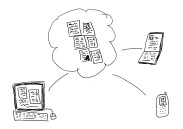 Running applications online, or “in the cloud” using today’s parlance, is top priority for a lot of businesses. It’s not that these organizations have a burning desire to post their financials to the web, which is what a lot of folks thought was going to happen when we first suggested they use their financial applications online. Rather, business owners and managers have begun to recognize and experience the benefits of connecting their various locations, remote and mobile workers with real time access to business applications and data. Further, centralization of IT coupled with outsourced IT management and subscription service pricing has introduced financial and operational benefits which make businesses more cost-efficient as well as more agile. From being the basis for foundational process and workflow improvements to allowing the repositioning of IT costs from capex to opex, online application services are proving their value in various ways every day.
 Make Sense


 Cooper Mann Consulting