

QuickBooks 2022 Boasts Modernized Foundation

Every year, businesses around the world anxiously await the release of the new versions of QuickBooks desktop software. While that may sound a bit silly, the truth is that QuickBooks is widely used in numerous countries around the world and when Intuit makes big changes to QuickBooks it impacts a lot of businesses.

While the focus for Intuit, like most software companies, is online subscription service, the fact remains that the desktop products and the ecosystem around them continues to grow.

Over the past few years, the company has invested in artificial intelligence and platform solutions that extend and add value to the desktop and online products. Some of these investments are becoming clearer with the launch of QuickBooks desktop 2022 editions.
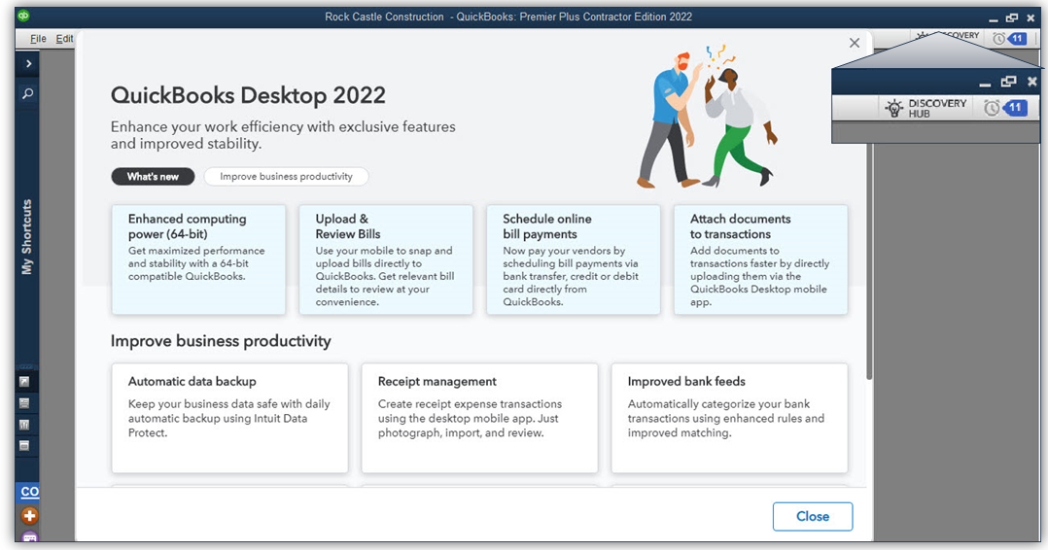
64-bit QuickBooks [1]

The “guts” of QuickBooks was elderly and wasn’t up to current processing standards. Now, QuickBooks has a 64-bit foundation and the full capability of 64-bit processors can be used. This typically means faster application and data load times, faster report generation and an ability to handle larger data sets more efficiently. Beware of QB 2022 until you verify that your computers are all 64-bit machines, because QB 2022 can’t be installed on 32-bit systems. If you’re working with a hosting platform, you’ll need to make sure your host has modern infrastructure and up-to-date operating systems.

E-commerce for QuickBooks with Webgility [2]

Need to track your revenue from different selling platforms like Amazon, eBay, and Shopify, and sync the data directly with QuickBooks? There are a lot of e-commerce integrations for QuickBooks desktop, but Webgility wins when it comes to working with QuickBooks. There’s now a bundle that makes it easier to get the Webgility e-commerce integration for QuickBooks. Customers still must sign up with Webgility to get the service but purchasing the bundle package makes that quite a bit easier. Webgility uses a database to keep track of orders, so you’ll want to make sure your system is able to handle the extra load. If you’re on a hosting platform (other than NOOBEH), be ready to pay additional fees to support running Webgility.

Bill payment approval process

Improve your accounts payable process by creating a structured approval process so that only the right bills get paid. AP workflows can help businesses manage cash flow and improve transparency. Working in conjunction with the user’s Intuit.com account, the company can set up rules for QuickBooks to check which bills need approval for entry and payment. Users are then prompted to send bills for approval

Pay and schedule bills faster with Melio payments

Some subscription holders of QuickBooks Desktop Pro Plus, Premier Plus, or Enterprise are working with the new feature (from Melio Payments) that allows businesses to use QuickBooks to schedule and pay bills using a bank transfer, credit card or debit card. The vendor doesn’t have to have a Melio account; they can receive their payments either as ACH or paper check.

Bill entry automation and customized bill payment stubs

Save time and have QuickBooks automate bill entries from the QuickBooks Desktop mobile app (iOS or Android versions) or from bills sent via email. Review the bill data once it’s uploaded and match it to existing transactions in QB. Bill payment stubs are now on the list of customizable forms, so you can set up and email formal payment confirmations to vendors.

Upload documents [3]

Instead of scanning files on your PC to attach to QuickBooks transactions, you can now use the QuickBooks Desktop mobile app to attach documents to transactions. The attached documents feature of QuickBooks is awesome because it lets you use QB as kind of a document management solution where you can store original copies of bills, receipts, contracts, or other documents that associate with financial transactions or entities in your QB files. This new feature that allows documents to be uploaded via the QuickBooks Desktop mobile app is a great solution for businesses operating on some hosted platforms that can’t or won’t support scanning. One “gotcha” with attached documents is that many businesses forget that they have them, and when they go to migrate their QB data to another platform or computer, the file attachments either get forgotten or are so voluminous that it makes the migration difficult.

Choose from multiple customer contacts

Only available with Plus and Enterprise subscriptions is the ability to add multiple customer contacts to batch email runs. The program now lets you send emails more quickly by choosing batch mail recipients from a list of customer or vendor contacts, reducing the chances of email troubles caused by manual entry of addresses.

Instant deposit

When you use QuickBooks Payments (or any other payment service), it generally takes a few days for the money to wind up in your bank account. With a QuickBooks Payments account and for an additional fee, Intuit is now letting you get your money faster when customers pay. Instant Deposit is a service that works with a VISA or debit card to deposit the money into your checking account – any processing or other fees will continue to be debited from your regular payments bank account.

Payment links

Now you can do in QuickBooks what you can do with PayPal, Zelle and other money transfer apps. Businesses can use simple Payment links to collect payments before work is performed and even before an invoice is created. As with all other payments features, you need a QuickBooks Payments account to use this one.

Changes to software purchasing options

QuickBooks Desktop 2022 is only available as a subscription purchase. There is no outright purchase option for QuickBooks desktop any longer. For businesses that need only the most basic features of QB, Intuit is hoping the QBO platform will work, and changing the software from purchase to subscription is just one more step in moving users to adopt the web application. QuickBooks Pro and Premier are still widely used so they will be available for some time to come, but Intuit is clearly making moves to try to push smaller edition desktop users to the web.

[1] NOOBEH deploys only modern architecture, 64-bit systems for QB on Azure and other hosted solutions

[2] NOOBEH doesn’t charge extra to have Webgility or any other applications installed in your QB on Azure service

[3] NOOBEH QB on Azure  and other cloud hosting solutions support scanning directly from your local PC to QuickBooks, using specialty 3rd party tools. Whether you use QuickBooks mobile or scan directly to QB using the Attached Documents feature, NOOBEH supports it.

jm bunny feetMake Sense?

J

Cybersecurity Terms Every Business Owner Should Know, and Zombies are Bad

The world of cybersecurity constantly changes, making ongoing education the key to understanding the threats businesses face and how to possibly deal with them.

Cybersecurity is often defined as a set of techniques for protecting an organization’s digital infrastructure – the networks, systems, and applications – from being compromised by attackers and other threat actors. Cybersecurity is comprised of the efforts to design, implement, and maintain security for any organization network which is connected to the Internet.

Cybersecurity is made up of the technology, people, and processes which create strategies to protect sensitive data, ensure business continuity, and safeguard against financial loss.

To understand what cybersecurity entails, it is important to have a basic understanding of the relevant terminology.

Starting with a few that are frequently misused, here are some cybersecurity terms to add to your business vocabulary.

Data are the bits and bytes. When multiple bits and bytes are combined, they make up information. Knowledge is required to turn information into action.

A threat is the possibility that something bad that might happen, while a risk includes the probability of the bad thing happening and the possible result.

Risk Management is the process of responding to the possibility that something bad might happen. Traditionally, there are four options for managing risk in the business: accept it, transfer it to someone else, avoid it altogether, or mitigate it (reduce the severity).  To manage cybersecurity risk, many businesses establish requirements or controls to identify activities, processes, practices, or capabilities an organization may have. Controls may or may not be mandatory, but requirements generally are.

Information Security, or Information Assurance, is the protection of facts, news, knowledge, or data in any form. Information Assurance is an important aspect of preserving business resources and is often combined with cybersecurity, although it isn’t squarely in that area. Where cyber addresses digital, information security must also address non-digital such as paper, human knowledge or memorized, stone tablets, pictures, and signals or whatever.

Authentication is the process of proving an individual is who they say they are (claiming an identity and then proving it), whereas authorization is the use of access controls to determines and enforces what authenticated users are permitted to do within a computer system. Access Controls are the means and mechanisms of managing access to and use of resources by users.

Audits, in cybersecurity, are usually performed after a security incident. In general, an audit is an official inspection of some type. An assessment is often more like a health check for gauging capability or status. Audits may be performed internally or by outside entities. Compliance is meeting a requirement, whether internal or external. Sometimes these are regulatory requirements where a certification or attestation of some type is shown. Both audits and assessments may be required to be compliant with certain standards or designations.

A cyberattack is any attempt to violate the security perimeter of a logical environment. This could be a single computer system, a local or wide-area network, a cloud server, etc. – whatever is within your “perimeter” and is interconnected with your systems, regardless of location in the physical world. Cyberespionage, on the other hand, is the unlawful and unethical act of violating the privacy and security of an organization for the purposes of leaking data or disclosing internal, confidential, or private information.

And then there’s malware (malicious software), which includes any code that is written for the specific purpose of causing harm, disclosing information or in some other way violating the security or stability of a system. The malware category includes lots of different types of terrible and potentially damaging programs including virus, worm, Trojan horse, logic bomb, backdoor, Remote Access Trojan (RAT), rootkit, ransomware, and spyware/adware and more.

To better-secure your systems, multi-factor or two-factor authentication is suggested. Multi-(multiple) factor and two-factor authentication are a means of verifying a “claimed” identity using two or more types of proof (authentication factors). The password is typically the initial proof provided, and the other factor/method might be SMS to your phone or possibly an authenticator app.

For example: You claim that the email address is your identity, and you verify that by entering your password. That is one “factor” that proves your identity. But if your password gets hacked or revealed, it would be good to have another layer of protection on that login. Two is better than one in this case; MFA (multi-factor) and 2FA (two-factor) authentication is considered stronger than any single factor authentication and requires another method (factor) of identification to prove your identity.

Finally, there are zombies. Yes, Zombies. This is a term that relates to the concept of a malicious network of “bots” (a botnet). Botnets are made up of poor, innocent computers that are compromised by malicious code so that they can run remote control or other agents. The agents give the attackers the ability to use the system’s resources to do nefarious things, like perform illicit or criminal actions. The zombie can be the system that hosts the malware agent of the botnet, or it could be the malware agent itself. Either way, zombies are bad.

Security is an essential consideration for every business, and the Internet and the interconnected design of today’s technology has made things so much more complicated. The most important thing is to be aware of the threat and how that landscape is changing, and to educate team members so that everyone in the company participates in keeping the system, and the business, protected.

jm bunny feetMake Sense?

J

Building A Solid Foundation for Business Cybersecurity

The cybersecurity threat landscape has changed dramatically in the last few years. No longer primarily a big-business concern, cybersecurity has become a key focus of businesses small and large. Attacks on SMBs are on the rise, perhaps because they represent a plentiful and often easy target. And the cost of damage and disruption to business just keeps going up.

Cybersecurity is not a problem you can simply throw a bunch of money and tools at to fix.

No matter how much great software or fancy systems you implement, the people will always be a big part of the equation. The root cause of over half the data breaches reported is a result of negligent employees or contractors.

That means that nearly half of all attacks are being executed through phishing or social engineering. The only tool you can apply to this problem is education. Efforts should be focused on security awareness and training workers to be more cautious to the point of almost being paranoid. Better to be safe than sorry in this case.

Training workers to be more careful as they work with emails, documents and websites is part of it, but there is much more to making sure the business is addressing the entire cybersecurity issue. NIST (National Institute of Standards and Technology) offers a wide variety of information and guides that businesses can use to learn more about and implement cybersecurity practices. Among these resources is the Cybersecurity Framework.

According to NIST, “the Framework focuses on using business drivers to guide cybersecurity activities and considering cybersecurity risks as part of the organization’s risk management processes.” It is a highly useful tool in helping the business align and prioritize activities with business requirements, risk tolerances and resources. The standard framework includes elements that are consistent and common across sectors and critical infrastructure, so it can be oriented to any business.

Even if the business is not prepared to delve into the details of a comprehensive cybersecurity policy and guideline, a basic outline and approach cannot be avoided without asking for disaster.

Putting this squarely into the Risk Management category, there is an ongoing process of identifying, assessing, and responding to risk situations or conditions. To manage the risk, businesses need to consider the likelihood that an event will occur and what the potential impact is as a result.

Knowing the acceptable level of risk for reaching the business objective is the risk tolerance. If a business understands its risk tolerance, the company can prioritize cybersecurity activities and make informed decisions about cybersecurity expenditures.

There are five key functions to consider as it relates to cybersecurity risk: Identification, Protection, Detection, Response and Recovery. How the business addresses each of these in the context of the systems and activities is essentially the business’s cybersecurity posture, a high-level and somewhat strategic view of the organization’s management of cybersecurity risk.

The key to building a solid foundation for  business cybersecurity practice is to establish a platform where all the business applications and data can be identified and access secured.

User desktops, productivity applications, operational software and business data can be hosted on private cloud servers, allowing the business to fully-manage data and application access. The server-based model reduces or eliminates the need to sync data to devices, and remote desktops keep user environments secure, patched and up-to-date.

Our consultants can’t write your cybersecurity policies or determine your risk tolerance, but we can help implement a solution that improves fault tolerance, resilience, and recovery.

Make Sense?

J

Office 2013 Loses Support for Commercial Office 365 Services

If you’re not on a subscription for your Office desktop applications, you may lose access to your email box and other services.  Why? Because Microsoft announced that, effective October 13th, 2020, Office 365 services (like OneDrive, Hosted Exchange and more) will only support client connectivity from subscription clients or perpetual clients with mainstream support.

Basically this means that Office 2013 is about to be no fun any more.

You won’t be able to use Office 2013 Outlook to connect to your Microsoft-hosted Exchange mailbox, and your Word and Excel won’t connect to OneDrive.  If you are with a hosting provider who supplies your Office licenses as part of the service, cross your fingers and hope that it isn’t Office 2013. It will be pretty frustrating if your Outlook suddenly has problems accessing your Microsoft-hosted mailbox.

Like many other products, a lot of the functionality in the desktop software has been turned into web service and the Microsoft Office applications are a great example. With cloud connectivity being the focus, desktop solutions are more frequently leveraging online resources to extend and expand their capabilities. This also means they’re more frequently turning from one-time software purchases to subscription service.

After October, Microsoft’s ongoing investments in the Office 365 cloud services – including Exchange Online, SharePoint Online, and OneDrive for Business – will be made based on “post-Office 2013 requirements”.  Now is the time to migrate your Office 2013 to Microsoft 365 Apps (formerly Office 365 ProPlus). We highly recommend this move anyway, so businesses can take advantage of using their Office applications seamlessly on Azure servers as well as their local PC desktops and mobile devices.

Users of Office 2016 and Office 2019 have a little more time before their software no longer supports the cloud services. That end date is currently October 2023. You can find the support lifecycle site for Office mainstream support dates here.

It isn’t that Microsoft plans to actively block older Office clients from connecting to Office 365 services. It’s just that older applications may have performance or reliability issues when they try to connect to the constantly-updated cloud services.  Increased security risks are certain and users may even find that they are no longer compliant with certain requirements. The big thing is that Microsoft support will likely not be able to resolve issues related to unsupported connections.

The days of buying software once and running it forever are just about over.

Developers have recognized that cloud services can expand and enhance their solutions in ways that static local installation can’t. For many businesses, it becomes easier and ultimately more efficient to migrate to subscription service for IT platform and software. Azure cloud servers, for example, allow businesses to always have modern infrastructure that is more fault tolerant and agile than on-premises hardware.

Combing these benefits with software that is cloud-connected and always up to date means the business never faces lost productivity or revenues due to outdated systems or lost compatibility with newer solutions.

Make Sense?

J

Cloud for Small Business: Gain Hardware Independence

Small businesses tend to approach their business IT in terms of the tangibles.. the hardware and software they can see and touch.

The desktop PCs where the programs are installed, the server in the back room where the files are stored, and the backup that goes offsite (tapes? discs? usb drives?) is the stuff most small business owners think of when asked about the computing technology they use. This view isn’t very comprehensive when it comes to considering the costs of purchasing and maintaining IT in the business, yet it identifies a major problem with the typical small business IT approach.

The problem is the dependency on the hardware and the reliance of the small business on the operation of individual computers.

The solution to this reliance on on-premises hardware? The cloud.

The solution to the problem isn’t centered on using web-based applications. The real solution to this small business IT problem is cloud platform, like Microsoft Azure. When businesses deploy a private cloud server they get solution that allows them to run all their desktop and network applications and store their data on a virtual platform that isn’t tied to any particular piece of hardware in the office.

Microsoft Azure offers virtual computing resources, managed and secured on Microsoft’s hardware in Microsoft datacenters. Rather than purchasing and maintaining hardware on-premises, business can deploy virtual networks and servers on the Azure platform. This makes the systems far more versatile and resilient than would be affordable to do otherwise. Surprise server hardware failures become a thing of the past, and buying ahead for possible future needs is no longer required because the systems can be upgraded on demand.

Businesses still need desktops where users access their programs and data, but the “desktop” can be a cloud desktop rather than the local PC desktop.

Remote desktops on the cloud server keeps software licensing and business information securely stored on the cloud server rather than being resident on user computers where it is more easily compromised. Users may still browse the internet and do other things with the local PC desktop, but using the cloud desktop for business applications and data means that just about any PC could safely be used for work.

When applications and data are managed on-premises, it makes changing servers or workstations a big deal. 

Changing desktops or servers means that software must be uninstalled and reinstalled, data must be migrated and user profiles and permissions may need to be recreated. When the cloud server is where users get their desktops, computer workstations become interchangeable because nothing is really installed on them other than the connection to the cloud desktop. This is also why traveling laptops and home computers become more secure for business use, because the applications and data are really running on the cloud server and not on the local device.

The cloud platform provides what the business needs without the lock-in to on-premises hardware or SaaS/Web-based software.

Rebuilding servers due to hardware failures, upgrading systems to handle future growth or replacing aging hardware all contribute to the unpredictable cost of managing and maintaining on-premises computer systems. SaaS and web-based software solutions lock-in data and lock-out many future options, yet they don’t address user desktops and the rest of the applications and data the business needs.

Rather than risking outages and lost productivity, businesses are finding that running their systems on a managed cloud platform provides more stability and consistent performance for a reasonable and more predictable cost. Desktop and server software licensing is able to service multiple locations when installed on a cloud server, and workers at home can access the tools to be just as productive as they are in the office (maybe more).

Make Sense?

J

Windows Server 2012/R2 Not Aging Well, Loses Support for Microsoft 365 Apps

Lots of people loved (and continue to love and use) Windows Server 2012/R2. This Windows Server release introduced several new and improved features that made it a cornerstone of business and service provider networks worldwide. Notable improvements in virtualization with Hyper-V, along with improvements in storage, networking, remote access and server administration features, made 2012/R2 a necessary upgrade from the 2003 and 2008 versions still present in many networks.

Sadly, even though Release 2 (R2) for Server 2012 was largely a new OS due to its features and capabilities, it did not receive a new lifecycle end date and instead inherited the end dates for 2012 version. And an extended lifecycle end-date doesn’t guarantee extended usefulness or compatibility.

Windows Server 2012 began with mainstream support on October 30, 2012 and that mainstream support ended in January 2018, including for R2. Extended support for 2012/R2 goes through January 2023, but that is only if you are paying for Software Assurance for your licenses.

During this period where extended support may still be available for the OS, there is no guarantee that it will remain as a supported platform for your application software. An example of this is the Microsoft Office 365 Apps suite formerly known as ProPlus. The Office 365 apps, which include Outlook, Word, Excel, Powerpoint and more, are staples of business users worldwide. These applications are no longer supported on Windows Server 2012/R2.

Microsoft 365 Apps ended support on Windows Server 2012/R2 on January 14, 2020.

Innovative features and functionality continues to be released for the Microsoft 365 Apps and Microsoft needs to know that the platforms running the applications will work properly with those innovations. As the software is improved and new capabilities introduced, stability and performance issues can plague the install when it is running on older or unsupported operating systems.

Microsoft has pointed out that any Microsoft 365 Apps updated to version 2005 or later will result with functionality and stability problems because there are changes that are specifically not compatible with Windows 8 and Windows Server 2012.

The pace of change is increasing no matter what industry you are in. With technology adoption rates rising faster than ever in all sectors, business owners cannot rely upon outdated systems if their operations are to remain competitive. Application software as well as the operating system platforms it runs on must be regularly updated in order to provide the reliable performance and useful functionality demanded by today’s business users.

jmbunnyfeetMake Sense?

J
