Better QuickBooks Access, Management and Security – QuickBooks Licensing and Hosting Models

Whether hosted in-house or offsite, licensing models for hosting QuickBooks can be very confusing.

driving1-ANIMATIONThe demand for solutions to address user mobility, better collaboration and improved information security is increasing as connectivity improves and cloud services and threats evolve. Server-based computing models and application hosting are increasingly popular as businesses seek to embrace teleworking and telecommuting models for their entrenched applications and systems, creating a foundation for improved productivity and work/life balancing (or integration).  On the technical side, the benefits of centralizing applications and data include improved efficiency in managing, maintaining and securing systems. For many small businesses, this means centralizing the installation and maintenance of core business applications like Intuit QuickBooks Pro, Premier or Enterprise.

Whether it be offsite with a commercial hosting provider or on a co-located server somewhere, or an onsite installation on the in-house server, hosting Intuit QuickBooks licenses can be straightforward or complicated depending on what you are trying to do with them. Because QuickBooks was designed as a standalone single-user application, there are a number of challenges when it comes to preparing it for server-based use.  The primary issue is often simply understanding the QuickBooks licensing model, which is not particularly INTUITive (sorry).

Licensing hosted QuickBooks applications comes with two different sets of implementation issues: the technical implementation (the installation and setup) and the logical allocation of licenses to users (the licensing rules).

When it comes to the technical implementation, many an experienced engineer has beaten their head against the wall trying to get QuickBooks to work properly in a workspace or session-based system (e.g., terminal server), all because they expect the product to implement like a “normal” client/server application. While QuickBooks may use the Sybase database manager guts to handle multi-user access to QuickBooks data files (I think it is still Sybase), the architecture required to properly service a networked QuickBooks installation does not necessarily mimic what would be used with, for example, a .NET desktop client application with an MS SQL back-end.   First, the QuickBooks data files cannot be remote to the application, meaning that both the client and the database manager (which is actually working as an adjunct to the client) must exist on the local network; it will not work over a WAN connection, which is why so many folks get frustrated when they put their server “in the cloud” and attempt to connect from a local client using a VPN.  It just won’t work that way with QuickBooks; it all has to be on the local network – client, server, data… all of it.

It is notable that many businesses use Dropbox and other file sync solutions because they want to be able to get to their data from multiple locations, but the data they’re getting must be “local” to the apps that use it.  It doesn’t allow for simultaneous multi-user access, but it can be an effective way to share a file.  The caveat is that the file (at least in the case of a QuickBooks file, or Outlook PST file, etc.) should not actually be used from the sync folder.  Sync folder should contain copies of data files that users wish to sync or share with other devices.  But I digress…

With a server-based implementation of QuickBooks, technicians will install the QuickBooks desktop software on the server, and will determine whether or not that same machine will also handle the company data files.  The QuickBooks DB manager is part of the installation of QuickBooks, and the file system and drive where the QB files are to be managed must be recognized as a local drive on the server running the QBDB manager.  The overhead used by the database manager isn’t huge, but it can impact the performance of users on the server.  For this reason, some techs will decide to implement a separate file server to manage the QB data files, taking that load off the app server.

  • The QuickBooks software uses the database manager to “host” access to company files.  This simply means that a single server with the data on it is providing managed access to remote-desktop-sessionsQuickBooks application users.
  • When QuickBooks application software and data is installed and centrally managed on a server (instead of QuickBooks being installed on individual PCs), that means QuickBooks application is being “hosted” on that server.
  • When a 3rd party provider supplies the server, the QuickBooks installation, data storage, and your way of connecting to it all,  that provider is a “host” providing hosting services for your QuickBooks.

In a dedicated hosting environment, the data is often stored on the same server as the applications, whereas in a shared hosting environment, the data is often stored on central file servers which serve multiple customers. This is why, in some shared hosting situations, one bad data file can take down the database manager services for all the customers using that same file server.

Users open the QuickBooks application on the server instead of having the application installed on individual PCs.  The single server-based installation of the software is able to be used concurrently by all users logging in to that computer. With the database manager running, the file is essentially “hosted” on that machine, and the file may then be opened in multi-user mode.  OK so far.  The problem generally comes about when a second user on the same computer/server wants to open the same QB data file as the first user.

Because the QB database manager is looking at the license of the client application accessing the data file, it will recognize when two different users/sessions with the same license key attempt to open the company data file.  If that license key is a single-user key, then the database manager knows it should allow only 1 concurrent user in the file.  QuickBooks doesn’t get installed for each user on a computer or server; it is installed one time on the machine and each user on that machine runs from that single shared installation. Any particular version of the QuickBooks application may be installed only once on a single computer, but it is possible to install multiple editions, year versions, and “flavors” of QuickBooks on a single machine (cannot be more than one installation of each unique product). There will be more than a few annoyances when running a variety of QBs on the same computer, but it is technically possible.

In order to allow multiple users to simultaneously access the same data file from a central installation of QuickBooks, the license key installed on the computer must be a multi-user key.  QuickBooks Pro, for example, can be keyed to 3 concurrent users, meaning that the license will allow up to 3 users with that same license key to simultaneously access the same company file.  Technically (but not lawfully) this installation of QuickBooks on the machine could allow a virtually unlimited number of users to launch the QuickBooks application simultaneously, limited only by machine resources.  This is where the logical allocation of licensing comes in.. the rule of licensing QuickBooks.

The logical allocation of unique licenses for each QuickBooks user is a little easier to understand than the technical implementation.  The rule is simply that each user of QuickBooks is required to have a valid registered/activated license. That valid license is a license purchased and activated for that business.
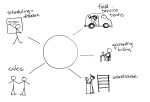
total-businessMaking QuickBooks desktop editions more useful by adding secure remote access and centralized management makes a lot of sense.  For companies who rely on the functionality and features of the desktop products (QuickBooks Pro, Premier and Enterprise), a hosted approach is the only way to really address mobility and multi-location requirements.  Remember that hosting doesn’t necessarily mean offsite, although that could make sense for the business, too.

Centrally-managing QuickBooks applications and data creates greater efficiency and improves overall IT management capability for the business.  At the same time, a centralized model introduces a better strategy for mobilizing the workforce and connecting remote users and offices. The struggles of understanding and implementing proper QuickBooks licensing begin to seem very small when compared to the benefits of deploying a centralized system that’s easier to access, manage and secure.

Make sense?

J

The Language of Accounting: Disconnect between Accountants and Bookkeepers

The Language of Accounting: Disconnect between Accountants and Bookkeepers

There are a tremendous number of bookkeeper training programs developed over the years which propose to deliver the essential bookkeeping knowledge (e.g., double entry accounting) required in order to properly service business bookkeeping requirements.  Particularly as the CPA profession stepped away from traditional bookkeeping in favor of performing “higher level” and more profitable work, there was and continues to be a great need for skilled and experienced bookkeepers.  While it seems that accountants and bookkeepers would be a natural fit for partnering to serve small business client needs, there is often a disconnect between the two which causes the working relationship to not always prove as beneficial as it could.  What is the cause of this disconnect?  In many cases, it is due to the fact that the bookkeeper training educated the operator on the use of a software product, and not on the fundamentals of accounting and bookkeeping.

Over the past few years, I have had the opportunity to look through a lot of bookkeeper training programs, and the thing that stands out is that many of these programs aren’t really training bookkeepers on accounting principles.  More frequently, the training is focused on teaching users how to use software (usually QuickBooks).  With the number of users of the QuickBooks product, it is obvious that there is a need to educate users on the solution because people need to know how to use their software properly.  But it happened at some point in time that a majority of the industry came to believe that learning QuickBooks (or Xero or Freshbooks or Kashoo or whatever) was somehow synonymous with learning bookkeeping.

When I first started working with my father in his accounting practice, I had to use a manual general ledger, check register, etc.  It was all manual – computers didn’t come along for a while (yes, I am that old).  It was time-consuming, but it taught me the fundamentals.  I know what a subledger is.  In consumer-friendly software like QuickBooks, you don’t work in the AR subledger; you push the button that says “customers” or maybe “invoices”.   QuickBooks, in many ways, doesn’t speak accounting.  It speaks record keeping.  And this is where the disconnect begins.

An old school accountant will recall the green eye shade days and working with book ledgers and 13-column pads, but even “new” school accounting professionals know that the fundamentals of accounting aren’t available for re-invention.  A debit is still a debit and a credit is a credit.  Yes, there are intimacies involved which speak to specific treatment of items for reporting and tax purposes, etc., but the essentials of double entry and other basic accounting principles are consistent and unchanging.

The “language of accounting” includes certain precise terms with specific meaning, and this precision in the use of terms simply doesn’t exist in many bookkeeper training programs. Rather than focusing on the fundamental accounting training bookkeepers truly need in order to be of maximum value to the business, these programs focus on helping users become experts in using the software product, or even to become experts at teaching others how to use the solution.  While this software expertise may be beneficial in terms of helping accountants work with their clients who use the software, it doesn’t add enough value to the relationship to warrant partnering.  What accounting professionals need are bookkeepers who understand bookkeeping and who can apply basic accounting principles to the task.  Which software they operate is secondary to that purpose.

Professional bookkeepers, accountants, and the business client are all in a position to benefit tremendously when the service providers team up to provide comprehensive service.  The key to making these connections lies with the professional bookkeeper who must not only understand basic accounting principles, but must also be able to speak to the accounting professional in their native language.

Make Sense?

J

read more…

Opinion:   I think that every QuickBooks training program should include taking the sample data file in QuickBooks, and translating that to a manual accounting system of book ledgers and reports.  Then, have the student process a years’ worth of transactions manually and from paper-based source materials (and also make them create and use a manual paper filing system for all that information, and come up with a means to travel to obtain all the documents necessary which aren’t mailed via USPS).  The requirement would include generating the bank reconciliations from printed bank statements and cancelled check copies, creating a trial balance from the general ledger and then creating the P&L and Balance Sheet.  I’ll bet you end up with a group of bookkeepers who better understand the fundamentals of the accounting process.  The other benefit is that these folks will have a much better understanding of the problems in the outsourced accounting model which can be directly addressed and solved by today’s cloud and connected solutions.


Cloud Computing and Online Accounting for All? Some Markets Are Still Waiting for Broadband

Cloud Computing and Online Accounting for All? Some Markets Are Still Waiting on Broadband

As the information technology industry espouses the benefits of the “paradigm shift” in computing and the move to cloud computing platforms and models, there are folks out there in the world who just aren’t seeing it happen like that.  Not everybody’s working online. For many, the Internet and online working models simply haven’t intruded into their lives and businesses as it has for others.  While this may be partially rooted in conservative mentalities and beliefs which are resistant to change, the more likely reality is that options for high-quality and affordable broadband service is simply not available to them.  Without choices for affordable and useful connectivity to the Internet, online just doesn’t have the attraction it does for those who are “connected”.

When businesses look at cloud solutions and the Internet dependency that comes along with them, having more than one connection to the outside world becomes the imperative rather than a luxury.  Unfortunately, some markets are still waiting for broadband (or have very limited options for service), rendering the cloud nearly unreachable.

It may come as a surprise to some, particularly to those in East and West coastal regions, that high speed broadband just isn’t as available in other zones.  In fact, the *National Broadband Map clearly reveals limited availability and choice in numerous regions of the US.  Broadband Internet access is a necessity to support the IT industry’s shift from localized IT to “cloud” IT.  But the shift is only evident to those who are involved in it or who have that option.  For those who the industry is beginning to refer to as the technology “have-nots”, this lack of available and affordable access will ultimately create more than simply an inability to participate in broadband-reliant IT solutions.  The fast pace of innovation and evolution in IT almost guarantees that the technology have-nots will fall even further behind, possibly to the point of not being able to catch up.

 “A Growing Gap Between IT Haves, Have-Nots. There will be a growing gap between the IT haves and have-nots in 2013. The latter will fall behind the former on a wide range of business technology fronts such as mobile, cloud, social, virtualization, and analytics…” 7 SMB Technology Predictions for 2013 | InformationWeek.com

As business (and personal) technology models continue to evolve, and as new solutions and services begin to displace the old, those who remain disconnected will begin to directly experience much more impact.

Consider something as simple as using QuickBooks desktop software for small business bookkeeping.  As Intuit continues to remove elements from the installed software product, turning them into web services instead, customers with limited or no broadband access will find themselves without the features and functionality they need in the software.  And the only possibly comparable alternatives to QuickBooks desktop accounting products are Internet-based alternatives, making them not really alternative options at all.

It is also likely that lack of sufficient broadband is one of the factors motivating many solution providers to seek clients in other markets – outside of the United States, and in regions where broadband availability is more prevalent and service speed and quality is higher.  Yes, it’s true.  The United States is not the leader in broadband availability, or even in quality.

“For many people, their broadband connections are their lifelines. So what is the state of broadband in the U.S.? Well, when it comes to speed and price and adoption, we’re certainly not a leader — “middling” is a better way to describe our position.

Currently 119 million people that live in the U.S. don’t have broadband connections (for many reasons, including not wanting it or not being able to afford it) while 19 million don’t even have the option to get it. Our rate of broadband adoption (62 percent) lags behind countries such as South Korea, the U.K.,and Germany, according this year’s Federal Communication Commission report. (We’re closer to the penetration rates to Japan, Finland, and Canada.) These numbers are not likely to change soon, given that broadband growth is slowing and providers are moving away from wireline infrastructure. “ GIGAOM:The state of broadband in the U.S. [infographic]

Accountants and other professional service providers serving clients in regions lacking sufficient choices for access must recognize that their approaches to doing business will not necessarily match their peers in more fully connected areas.  Certainly, accounting and legal professionals are dealing with this reality as practice coaches and industry leaders push for IT- and cloud-enabled models for improving practice performance and creating differentiation, even as their proven applications and business solutions morph into or are replaced with SaaS applications and online service.

The take away from this is that there are still large numbers of businesses and individuals doing things with legacy tools, managing spreadsheets on standalone PCs, or writing with pens and using paper – even in areas where broadband access is plentiful.  Regardless of how forward moving the rest of the world may be there remains a need to provide service and support these IT have-nots.  Perhaps this becomes a means for differentiation, finding ways to work with businesses who are connected and those who are not, and leveraging the firm’s access and capability to deliver what the client cannot obtain directly.

Make Sense?

J

*The National Broadband Map is a tool to search, analyze and map broadband availability across the United States

Workflow is Essential in Document Driven Business

The popularity and proliferation of online applications and cloud computing solutions for business has transformed how organizations manage activities, people and resources.  The Internet-connected marketplace has introduced both opportunity and challenge for businesses of all sizes, and much of this focus has been placed on the management and control of digital documents and data.

Electronic document management has been commonly used in professional services business for many years, yet has not always been viewed as an essential technology to apply in the context of organizing and structuring the processing of the document.  As clients of these professional firms continue to generate and utilize a great deal of paper documentation and written information, firms continue their reliance upon paper files, shared drives, and other more traditional methods of organizing the work, and storing or controlling access to documents.  However, key trends in the industry are causing these approaches to be increasingly burdensome for professional service firms, including:

  • Need to support multiple offices, geographically disbursed team members, and mobile workers and devices
  • Increasing use of email as a primary tool for collaboration
  • Introduction of new risk elements accompanying new technologies
  • Increasing numbers of forms and document types coming from clients
  • Rising expectations of clients and increased market competition
  • Growing need for businesses to increase earnings and profitability with fewer resources
  • Increasing requirement for knowledge management supporting sustainability, creating the ability to retain and reuse best practices and work produced

Advances in the design and underlying technology supporting many document management solutions today have delivered great capability to firms adopting electronic document management approaches.

Benefits of implementation include the ability to create a centralized, searchable documents base which includes all client-related content, including email communications as well as documents and data files. Easy search, access, collaboration, and re-use of information are enabled, and complete audit trails may be retained. Electronic document solutions also reduce physical document storage needs, reducing costs associated with managing and storing paper files, and can better serve business disaster recovery and continuity initiatives.

While today’s electronic document management solutions may address many of the challenges involved in working with large volumes and varieties of documents and data, there are few solutions on the market which address fundamental issues relating to document processing workflows and how they are impacted by various business or data-driven events, or by the availability of people or resources to facilitate the process.

The growing problem facing businesses today is the volume and variety of information which must be organized, processed and archived. The market is sold on the idea that electronic communications and record keeping will simplify things, but the reality is proving otherwise. Businesses are hoarding information at unprecedented rates and with the ability to collect and generate increasing volumes of digital data, businesses have not simplified their information processing, they have only created a greater need.

Generating and collecting data is not the issue created, nor is ultimately the archival and storage of the information. Rather, the problem created is in organizing the work related to processing this ever-increasing volume of documents and data.

Businesses dealing with documents and transaction-based activities should not only attempt to structure workflows necessary to support the various processes, but must also seek to normalize as much as possible, developing a consistent and methodical approach to the work which results in predictable and consistently high quality service delivery.

The efficiency gained through this structuring and standardization of the work allows the professional services firm to achieve a greater level of profitability for outsourced processing engagements, which are often viewed as low-margin and low-profit activities.

Make Sense?

J

Read about Using Structured Workflow to Manage Offline Clients | Intuit Accountants News Central

Accounting Professionals, You’re right – your clients don’t care about the numbers.

Accounting pros, what your clients care about is how they’re doing and if they’re on the right path.  Are you helping them understand that, or are you just the guy who works with the numbers to make sure they’re accurate?

Accounting professionals are having a hard time of it right now, with clients demanding more insight and assistance in helping to build value and profitability in their businesses, yet accounting professionals continue to be mired in the details of the numbers.  It’s like the old saying about not being able to see the forest for the trees.  You spend time in the trees, counting trees and making sure the trees are properly categorized, but are you seeing how this group of trees performs compared to others in the forest?  The analogy isn’t that far off.  You see, if there are other trees in the way, or if it doesn’t rain enough, the tree won’t grow and thrive.

This is what it’s like out in the world, where your business is just one of many.  It’s not like you can grow and thrive no matter what others are doing. If they’re bigger than you and take all the light, then you can’t grow.  If they take all the nutrients and resources, you can’t grow.  If it doesn’t rain, you can’t grow.  Somehow, some way, you have to find a way to stand above the others, get the light and the resources and the rain.  Someone in the business should be paying attention to this bigger picture, and it is often the business owner.  Their accounting professionals, on the other hand, tend to remain in the dark, below the sun, counting numbers because the owner isn’t interested in counting.  The owner is interested in growing.

Accounting is about numbers, but growing a successful business is about numbers and strategy.  Historically, the numbers tell you how the business has performed up to this point.  Adding in the elements which speak to strategy, you can then look at what your potential performance will be in the future, and then make the necessary adjustments to make sure that the potential is realized.  The accounting professional acting as a small business CFO must be prepared to help business clients look beyond the numbers to their meaning and what they say about the business today, factoring in elements relating to business strategy and market forces to reveal what they indicate about the future.

Accountants, it’s time to recognize that you are the only ones really worried about the numbers.  Business owners just want to understand what the numbers mean and what they can do about them.

Reducing costs and managing expenses and cashflow is critical, yes, but how many business owners actually know what they’ll be up against when looking for financing, or a buyer? Or do they even realize that they’re not on the path they wanted… building something valuable they can leave to the kids? Sure, the cashflow may be there, and they’re taking a healthy monthly salary… but does that really tell the entire picture or show them where they’re likely to end up? No, it doesn’t, and every accounting professional knows that truth.

While it’s true that bad accounting data turns into bad decisions really fast, it’s also true that too many accounting professionals THINK their client’s don’t care about what the numbers SAY just because they don’t care about the numbers. I would suggest that maybe small business owners care far more than their accounting professionals recognize… and they care about building value and not just accurate digits.  This is one of the reasons why KPI dashboards, dynamic reporting tools, and business valuation solutions are so popular among small business owners – they are able to have a conversation with their business data that their accountant isn’t having.

Can self-help reporting and valuation tools be useful to business owners? Well, that’s sort of like asking if trying to figure out what you’re worth (or not, as the case may be) will hurt your business.  Information is power, and every business owner wants to believe they have the power to succeed in their own hands.  Just because they’re not having this conversation with their accounting professional doesn’t mean they’re not thinking about it.  Maybe they’re just not asking and the accountant isn’t offering.

Accounting professionals, go ahead and continue to monitor KPIs and crunch the numbers and show cash flow (real cash flow, not just today’s bank balance). But if your client had 1 hour per month to actually spend working ON the business (on the forest), trying to make sure their business is heading where they originally planned to go with it, wouldn’t it be a good idea to show them where to spend that time?  Yes, it would, and adopting the use of realtime reporting and analysis tools for business clients can help do that.

Data dashboards and decision-support solutions are important tools which help business owners understand their businesses better.  Rather than viewing these tools as dangerous or competitive, accounting professionals should view financial analysis, business valuation and KPI reporting tools as something they can use to help build value in the information they develop, rather than trying to convince clients that the value IS the information and not the guidance it suggests.  The data won’t make the tree grow, it’s the guidance that feeds it.

Make Sense?

J

Bookkeeping and Benchmarks – Getting the Numbers Right

I am a big fan of business analytical and reporting tools.  I very much believe in using industry benchmarks as a means to understand various aspects of business performance as it is compared to others.  I feel strongly that this type of information is essential at all stages of the business, and is useful for planning and forecasting as well as in daily business management.   There are a lot of tools available now which provide KPI (key performance indicator) reporting, dashboards, and industry comparisons.  The thing that none of these tools provides is an assurance that the underlying data is any good.

For data-driven reporting and analytical tools, the reliance upon customer- reported and accumulated benchmark data is both the benefit and the problem.  Drawing upon actual customer financial data is what makes the reporting solution useful – reflecting the realities of the business as they are revealed in the accounting data.  The problem is that the data will often be flawed in some manner due to the lack of accounting knowledge of the user.  Particularly when small business owners take it upon themselves to perform their own bookkeeping work, there is a large potential for the information to be incomplete or erroneous, or at least not truly reflective of the business finances.

It is essential that accounting professionals be involved in the accounting process to ensure the accuracy of the information presented to any analytical and reporting solution, thus improving the quality and value of the information.  Further, I would suggest that accounting and business professionals would look to these types of tools to assist in the identification of issues or conditions which exist in the business requiring attention.  Business owners would get far greater value from the services of their accounting professionals, and accountants would deliver a much higher level of tangible value to their clients.

If the accounting professional is not regularly discussing business issues and conditions with the small business client, the client can use their own tools to attempt to gain the insight.  HOWEVER (note the big letters), any small business owner who tries to do their own books and use their own decision-support tools is likely to run into problems. While it is true that some accounting professionals are not offering the level of guidance and insight (“value intelligence”) that some analytical and reporting solutions might try to offer a small business user, suggesting that the DIY reporting tool is useful when coupled with DIY accounting is questionable at best.  Why?  Because most small business owners and untrained bookkeepers do not know how to perform proper accounting.  And bad accounting data turns into bad business decisions really fast, even with the coolest-looking reporting tool.

badaccounting

What’s the bottom line?  The participation of a qualified accounting professional is necessary to make sure business bookkeeping information is properly accounted for, even and especially when great tools and solutions designed to help small businesses get their work done are being used.  The accounting professional is necessary to make sure information is classified correctly, connected and associated with the proper supporting information, and that the data is complete.  This is a lot of work if done on a regular basis (which it should be) yet many accounting firms don’t even offer the service, or offer it affordably.

Accounting professionals working with small businesses, look at it this way: it makes more sense for you to engage a contract bookkeeper and make a bit of money on the work they do to serve the client than it does for you to

a) lose the client to an accountant offering bookkeeping services, or
b) charge the client to re-write up the information, which isn’t really profitable for you and isn’t as valuable to the client

Serving larger businesses may provide firms with an ability to be more selective of the services they offer, but small business accountants need to take an entirely different approach.  Small business accounting professionals need to be full-service providers and help clients get the complete range of services they need, including daily bookkeeping.

Accounting professionals helping their small business clients get complete service – from basic bookkeeping to insightful planning and advice – that’s the benchmark for high value accounting in the world of small business.  It’s the only way to make sure the numbers are right, and that the business owner is looking at the right numbers.

jmbunnyfeetMake Sense?

J