

Imagine having a business where connected systems are free-flowing conduits for data to move intelligently into and out of with ease.
Software and systems connecting to one another isn’t new at all. For many years, businesses have recognized the value of having information entered in one system available in another. Entire ERP frameworks have been created based on this concept of entering data once and using it in many ways.
A single technology stack or framework may offer such a capability, but even the most robust system may need to rely on expert systems or add-ons to address aspects of the operation.
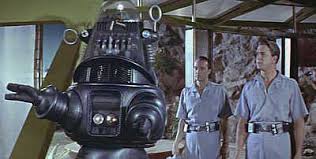
When two or more systems need to connect, the idea is to create that connection and enable the unattended and intelligent movement of data. People shouldn’t have to get involved for the information to flow from one system to another… it should just go by itself. Like a robot.
A simple example might be someone who owns a web store and does their bookkeeping with QuickBooks. The webstore isn’t running QuickBooks. It is running an e-commerce solution or shopping cart system. This allows customers to buy things online. However, the webstore does create sales orders and charge transactions and may even manage an inventory of salable items.
Business owners often take on the task of getting the information from the webstore to QuickBooks and vice versa. They either enter the information manually themselves or hire an employee to do it. This manual re-entry of information introduces a large potential for errors in the data entered and is time-consuming and costly.
If it is problematic for a small retailer, imagine having the problem multiplied many times over. It is unimaginable for even small businesses with active and growing operations. As the volume of data grows, the time consumed and the data entry error costs stack up.
“It was just awful,” said David Clothier, treasurer of the Knoxville, Tenn., company, which operates more than 500 Pilot Flying J truck stops nationwide. “There were humans everywhere.” wsj.com/articles/the-new-bookkeeper-is-a-robot-1430776272
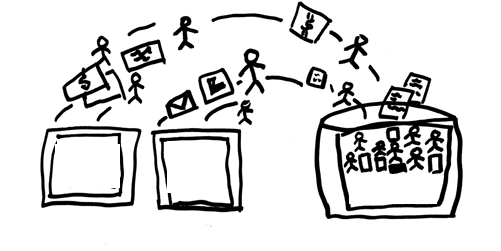
Rather than having a person re-type the information from one system into another, software-based integration programs are generally available to help users map the data and move it from one solution to the other. This approach is faster and reduces the error rate, increasing the overall value and usefulness of the information.
Automation isn’t the only requirement that makes this all robot-like. The additional requirement is intelligence. If people still must get directly involved for something to happen, then all the happening is still based on human performance. No robots here.
Intelligent integration of information occurs when the systems at both ends can make decisions and act on them.
For example, a business might use a solution that allows vendors to submit their invoices electronically. Through a base of rules that match invoices to requests and approvals, the system can issue payment and record the transactions automatically and without human intervention, saving hugely on personnel and processing costs. Robots (the automation solution) wouldn’t make up all the rules but could follow them repetitively and without question once established.
…software can help businesses operate more effectively. “If you think like a human, there are only certain things you can do. When you think like a robot, many things are possible.” wsj.com/articles/the-new-bookkeeper-is-a-robot-1430776272
It isn’t a new paradigm for improving business operations, this doing of things a bit smarter than before and leveraging technology to get more done in less time.
The difference is that the pace of change is increasing, giving businesses less time to address inefficient processes and outmoded working models. Mendelson Consulting and the Noobeh cloud services team recognize that intelligent automation and integration shouldn’t be a one-time setup. Instead, we partner with clients to find the best solution to not only address today’s needs but tomorrow’s new demands.
 Make Sense?
J


 Make Sense?
 In today’s business world, risk, uncertainty and volatility are just par for the course – everyday realities of simply being in business. Nothing is certain, they say, except death and taxes. Yet there is a fine art to driving profitable growth in a business, and adapting to existing and emerging risk takes a great deal of experience, information and agility. While planning and process development may occur at many levels within the organization, it is the FP&A (financial planning and analysis) capability which helps top performing businesses be top performers.

 Businesses are migrating their systems to the cloud, it’s true. Organizations of every size and type are taking advantage of the cost savings and flexibility introduced with cloud deployments and hosting services. Rather than focusing efforts on procuring, installing and maintaining servers and applications in-house, IT departments are moving workloads offsite to cloud providers and hosted platforms. The tools are readily available to help these IT workers configure and light up VMs in hosted infrastructure, and certain platform licenses and other elements are made accessible to customers. But there’s something missing in the toolsets provided by platform hosting companies – a certain something that ultimately determines how useful (or not) the hosting platform service is when IT is ready to deploy users and applications in the environment.

 Cooper Mann Consulting