The Language of Accounting: Disconnect between Accountants and Bookkeepers

The Language of Accounting: Disconnect between Accountants and Bookkeepers

There are a tremendous number of bookkeeper training programs developed over the years which propose to deliver the essential bookkeeping knowledge (e.g., double entry accounting) required in order to properly service business bookkeeping requirements.  Particularly as the CPA profession stepped away from traditional bookkeeping in favor of performing “higher level” and more profitable work, there was and continues to be a great need for skilled and experienced bookkeepers.  While it seems that accountants and bookkeepers would be a natural fit for partnering to serve small business client needs, there is often a disconnect between the two which causes the working relationship to not always prove as beneficial as it could.  What is the cause of this disconnect?  In many cases, it is due to the fact that the bookkeeper training educated the operator on the use of a software product, and not on the fundamentals of accounting and bookkeeping.

Over the past few years, I have had the opportunity to look through a lot of bookkeeper training programs, and the thing that stands out is that many of these programs aren’t really training bookkeepers on accounting principles.  More frequently, the training is focused on teaching users how to use software (usually QuickBooks).  With the number of users of the QuickBooks product, it is obvious that there is a need to educate users on the solution because people need to know how to use their software properly.  But it happened at some point in time that a majority of the industry came to believe that learning QuickBooks (or Xero or Freshbooks or Kashoo or whatever) was somehow synonymous with learning bookkeeping.

When I first started working with my father in his accounting practice, I had to use a manual general ledger, check register, etc.  It was all manual – computers didn’t come along for a while (yes, I am that old).  It was time-consuming, but it taught me the fundamentals.  I know what a subledger is.  In consumer-friendly software like QuickBooks, you don’t work in the AR subledger; you push the button that says “customers” or maybe “invoices”.   QuickBooks, in many ways, doesn’t speak accounting.  It speaks record keeping.  And this is where the disconnect begins.

An old school accountant will recall the green eye shade days and working with book ledgers and 13-column pads, but even “new” school accounting professionals know that the fundamentals of accounting aren’t available for re-invention.  A debit is still a debit and a credit is a credit.  Yes, there are intimacies involved which speak to specific treatment of items for reporting and tax purposes, etc., but the essentials of double entry and other basic accounting principles are consistent and unchanging.

The “language of accounting” includes certain precise terms with specific meaning, and this precision in the use of terms simply doesn’t exist in many bookkeeper training programs. Rather than focusing on the fundamental accounting training bookkeepers truly need in order to be of maximum value to the business, these programs focus on helping users become experts in using the software product, or even to become experts at teaching others how to use the solution.  While this software expertise may be beneficial in terms of helping accountants work with their clients who use the software, it doesn’t add enough value to the relationship to warrant partnering.  What accounting professionals need are bookkeepers who understand bookkeeping and who can apply basic accounting principles to the task.  Which software they operate is secondary to that purpose.

Professional bookkeepers, accountants, and the business client are all in a position to benefit tremendously when the service providers team up to provide comprehensive service.  The key to making these connections lies with the professional bookkeeper who must not only understand basic accounting principles, but must also be able to speak to the accounting professional in their native language.

Make Sense?

J

read more…

Opinion:   I think that every QuickBooks training program should include taking the sample data file in QuickBooks, and translating that to a manual accounting system of book ledgers and reports.  Then, have the student process a years’ worth of transactions manually and from paper-based source materials (and also make them create and use a manual paper filing system for all that information, and come up with a means to travel to obtain all the documents necessary which aren’t mailed via USPS).  The requirement would include generating the bank reconciliations from printed bank statements and cancelled check copies, creating a trial balance from the general ledger and then creating the P&L and Balance Sheet.  I’ll bet you end up with a group of bookkeepers who better understand the fundamentals of the accounting process.  The other benefit is that these folks will have a much better understanding of the problems in the outsourced accounting model which can be directly addressed and solved by today’s cloud and connected solutions.


via Accounting and Business Technologies | QuickBooks Pro and Premier as Software-as-a-Service

QuickBooks Pro and Premier as Software-as-a-Service

Running business applications online was once considered a fad, but has now become a mainstream approach to implementing technology. Businesses large and small are finding that turning technology investments into a predictable expense allows them to focus on their business operations and not the IT budget. For some, the ability to bring remote locations or mobile team members closer to the systems that support the business is the biggest benefit. For others, the security of having business continuity and disaster recovery built into the system is the key. Regardless of the motivating factors, business owners are finding that online application services can make a positive impact to their bottom line.

The market has clearly identified online technologies and application services as something beneficial. This is demonstrated by the rapid adoption and growth of business solutions that leverage the Internet as network. Further, online applications and services are being used as a way to augment systems that were once exclusively LAN or PC based. An example of this is the extension of Intuit’s QuickBooks products to incorporate online payroll services and online payment processing solutions.

With the move to online application services being one of the biggest shifts in technology seen in years, it only makes sense that the applications that have become “standards” in business shift to an online model, as well. The opportunity is great, but the responsibility is greater.

Many software companies are facing a number of problems with respect to the unauthorized hosting of their desktop applications. Because of the technology employed for desktop application hosting is very costly, many service providers feel compelled to “leverage” application licensing and other system features to increase their value proposition and in order to compete. Customers who utilize these unauthorized application services are putting their businesses at potential risk. This risk may come in the form of substandard services resulting in lost or corrupted data; risk may come in the form of unauthorized access to confidential business or personal information due to poor system security; risk may come in the form of exposure due to the unauthorized use of software licenses.

While the market has clearly demonstrated the value and benefit of application hosting services, the lack of protections, consistency and support make it a venture fraught with peril for many. The volume of “grey market” activity and instances of license piracy have undoubtedly increased dramatically, as the cost of service delivery is high and the margins for the service provider are narrow. Manipulating the cost of service by leveraging the application licensing is sometimes the only way some service providers can create profitability in their offerings. But with the prior lack of oversight in terms of service pricing, licensing, quality assurance, or service orientation, it had become the “wild west” for service providers, and the perceived value of the service declined while the number of and variety of deliveries increased.

The answer to the problem, or at least as it exists around the Intuit QuickBooks products, is in the ability for Intuit-Authorized QuickBooks hosting providers to offer subscription access to QuickBooks Pro and Premier licenses when they are hosted. Customers no longer need worry about purchasing their QuickBooks software before engaging with the hosting company, and can avoid the annual cost of upgrading their application software. With the QuickBooks license delivered under a subscription program, customers are able to work with the most current version of the software, and know that their systems are protected and their data is secure. Intuit-authorized QuickBooks Hosting providers can supply, manage, and maintain hosted QuickBooks implementations for businesses of virtually any size and type – all with an Intuit-supported license.

via Accounting and Business Technologies | Joanie Mann: QuickBooks Pro and Premier as Software-as-a-Service.

Technology and Tools for Accounting Professionals

Joanie Mann Bunny FeetTechnology and Tools for Accounting Professionals

old_school_ledgerThere was a time not so long ago when accounting professionals focused more on tabulation and summarizing of information than on analysis.  Accounting for businesses, in particular, required collecting myriad papers and receipts and other transaction documents, summarizing the information, translating it into journal entries, and finally posting those numbers to the big bound book which represented the business general ledger.  With the work required to gather and enter all of the information, professionals necessarily focused their efforts on making the process as efficient as possible by attempting to structure the workflow and manage the paper.


When those efforts are compared to today’s approach which involves digital documents, intelligent data collection tools, automated workflow solutions, online accounting and data analysis, it is clear that the processes for accounting for business activities have not really become simpler.  In fact, much of the enabling technology has served to complicate certain processes, which drives users to find even more “solutions” to address these new problems.  It (IT) is a bit like the Wonka Everlasting Gobstopper, which never gets finished and never gets smaller.  IT simply changes things – regularly and often.

Back then – before the Internet and digital imaging, or even Personal Computers – high technology wasn’t the focus because it didn’t exist in the realm of business in general.  I suppose you could call business solutions at that time “low” technology, where mainly mechanical solutions were introduced to address various business problems.

old_school_filecabinet

As an example, prior to the advent of digital imaging and electronic documents, one of the primary requirements of the business was to organize and store paper documents.  Over time, a wide variety of filing, foldering and labeling solutions have been developed, all oriented towards making the storage and later retrieval of paper documents easier.  For some businesses, letting go of the paper is a hard thing to do.  Years and years of training in keeping paper files has left many business owners and managers wary of working without physical paper documents.  Investments in office space, filing cabinets, storage folders and personnel to organize, file and retrieve all of the documents is only a partial measurement of the cost of managing paper, and large numbers of businesses continue to operate in this manner.

old_school_desk

The technology applied to processing the work has also changed, in many ways even more dramatically than the technology applied to collecting and storing the information.  Take the simple processes of tabulation (to arrange in tabular form; condense and list) and summing (adding up) information, for example.  Previous generations didn’t have computers and spreadsheet software to perform the work.  Rather, individuals would painstakingly handwrite each transaction entry into a ledger or on a columnar worksheet, and would then have to manually add each column and then cross check footer totals to ensure accuracy.  Back then, the machines used to perform the addition/subtraction were mechanical devices and could not perform multiplication or division.   These adding machines were first hand-cranked devices, later replaced with shiny new electrical ones (weighing approximately 20 lbs each).

old_school_telephone

Even voice communications have changed dramatically over the years.  Many people don’t remember a time when having multiple phone lines in the business meant having multiple telephones, and the concept of a PBX (Private Branch eXchange) didn’t exist.  Every phone would be hard-wired to an incoming line; if you wanted to answer a call, you had to use the right phone.  This became difficult in an office with many people, so solutions such as the “fabulous extendo-phone” was invented to allow anyone in the office to access the phone from their desk.

The technology available to businesses today is astounding, and offers amazing potential and benefit.  On the other hand, technology rarely (truly) makes things simple or easy – it more frequently serves to shelter certain users from the complexity while delivering new workloads and concerns to others.  It’s rather like energy – it isn’t created or destroyed, it just changes form [law of conservation of energy].  Business is like that, particularly where information technology is involved.  The underlying requirement doesn’t go away, just like a business’s requirement to account for financial transactions and activities,  and the need for the business to capture and retain documents isn’t changed.  How the process is managed, and which tools or mechanisms are applied to the task is what changes.

Make Sense?

J

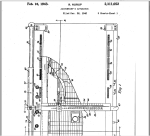
onewrite-accountant_apparatusOne-Write System Revolutionizes Accounting.  These guys had the right idea, they just didn’t have the cloud.

QuickBooks In-House Hosting Services for Accountants

QuickBooks Hosting Services for IT-Capable Accountants

DIY-SelfHostingSmall businesses in large numbers are looking to the cloud as a platform to deliver solutions for the problems of escalating IT costs, mobility, and remote access to business data. The cloud is also becoming the recommended platform for the delivery of services from accounting and bookkeeping professionals, as the benefits of remote data access and real-time collaboration nicely address the requirement for accounting pros to exchange and share information with their business clients. One of the popular “cloud” hosting solutions addressing a collaborative accounting model is a hosted application approach to using Intuit QuickBooks desktop products. While accounting professionals may be aware that QuickBooks can be hosted by 3rd party providers, many firms are not aware of what is referred to as the “self-host” model, which is a QuickBooks hosting model for accounting firms with some in-house technical capability.

For small businesses and many accounting service providers, working with a 3rd party hosting provider makes a lot of sense, as the host has the infrastructure and the support organization necessary to service large-scale hosted customer requirements.

On the other hand, there are a lot of accounting and bookkeeping firms which have skilled in-house IT personnel who are more than capable of creating a hosting environment to serve not only their internal needs, but also to meet basic requirements of the QuickBooks-using clients they work with. It makes sense to explore the possibilities of implementing a “self-hosting” model for client access to QuickBooks, overcoming the cost and other barriers involved with 3rd party hosting services.

When an accounting firm works with a number of clients with QuickBooks desktop edition files, the firm has to install and manage not only their own software products, but also the relevant QuickBooks software products in use by the various clients (must have the right QB program in order to open the QB data file). This often puts an undue burden on the internal IT systems of the practice which has its own internal-use software and systems to support. With an internal hosting approach, the firm can provide standardized/centralized application hosting services to their clients, building their own “economy of scale” on the platform and reducing the IT management while achieving all the real-time and remote access benefits of an outsourced hosted model. The firm does not experience a retail cost for a hosting solution, and the cost to host the client is generally offset through the efficiency gained at the firm level through direct access to client data and applications.

The technical model for delivering hosting services to a relatively small client base is not overly complicated. Commercial service providers have complex architectures because they must serve a large and diverse client base, and they never really know what sort of devices (computers and printers) or connectivity the customer may have. Commercial providers have to be prepared to deal with any and all situations, where a “self-host” firm needs only to concern themselves with supporting their particular client users and use cases. Additionally, when the solution is offered as part of the accounting or bookkeeping service, the support requirements of the customer tend to be focused during mutual working hours, as opposed to the 24×7 support demanded of the commercial host.

As accountants and bookkeepers search for solutions to improve efficiency, increase profitability and differentiate services, it makes sense for those serving QuickBooks desktop clients and having an in-house IT capability to explore becoming a QuickBooks self-host. It is one possible way to eliminate cost as a barrier to working closer with QuickBooks desktop clients while providing the mobility and collaboration businesses need.


Make Sense?

Joanie Mann Bunny FeetJ

Why Accountants and Bookkeepers Use the Cloud

When businesses do business, they generate a lot of information. In most cases, this information has a relationship to a financial transaction of some sort, like a bill from a vendor or an invoice or sales receipt for a customer. It can be difficult for a small business owner to find the best way to manage the information about customers and products and suppliers, and figuring out the best way to handle the bookkeeping and accounting is often a secondary issue. Sure, it’s important to know how much money is in the bank, but online banking helps with that. For a small business owner trying to keep their operation running, the biggest problems are the ones they face every day, like remembering which customer likes which products, or knowing which suppliers will deliver in a pinch. Bookkeeping just isn’t a huge focus other than during tax time because it doesn’t help them get business done.

It is this question of value in daily bookkeeping and accounting work that business owners and their accounting service providers alike struggle with. Certainly, most business owners recognize the necessity to get the books done, but it is generally for compliance purposes alone. Payroll taxes, sales and use taxes, personal property taxes, income taxes – these are the items that business owners think about when they think about accounting. If you see it through the eyes of the business owner, accounting = paying taxes. It’s a tough value proposition for the accountant, when you think about it. The business owner has to pay someone to figure out how much they have to pay someone else. Yeah, try to sell more of that, and good luck.

The cloud, on the other hand, is helping accounting and bookkeeping professionals change this perspective. It’s a relatively new working model for some even though the idea has been there for a long time. Better information helps business make better business decisions, and accounting professionals can help businesses implement the controls and processes which ensure that the information is complete and accurate; they can help make the information better and more meaningful.

Remotely accessed and hosted desktops and application models have been around for quite a while, too, but only recently has the market begun to realize the full potential of the hosted model. We have the investment in SaaS solutions to thank for this; they blazed the trail for online application adoption and created awareness of the possibilities around hosting and anytime/anywhere access. The SaaS and “true cloud” applications continue to gain in popularity and acceptance, yet the hosting model is providing businesses with the ability to retain use of their business applications and data yet benefit from the same managed service and remote access that other online solutions provide.

When you look at how public accountants and professional bookkeepers work with their clients, the concept of creating shared access to accounting applications and financial data makes a lot of sense. Time and distance are the real issues to be solved – the business owner and their accounting pros generally work from different locations, and likely need to access the information for different purposes at different times. If they aren’t in the same place and using the same tools, how efficient can the collaboration truly be? With the cloud, on the other hand, collaboration is fully enabled and allows each user to do what they need to regardless of the location and time.

As the accountant or bookkeeper is able to work more closely with their client (using the same tools and the same data in real time), information can be processed more regularly and with a higher degree of accuracy. Outsourced accounting and bookkeeping providers are then able to give their clients more timely and accurate financial information which supports making better business decisions all the time. Helping with the organization and processing of information as business happens, fewer gaps are found in the data and the improved controls protect against data loss or misclassification. The data becomes more useful in that it contains more details, is more accurate and complete.

For the accounting professional, the benefits are many. Not only is the professional in a better position to deliver tangible value to the client (much higher value than just a tax bill!), the value is delivered more frequently which increases the overall value perception of the service being provided. Note the word “value” is used a lot here; it is the basis for billing clients for the useful nature of services provided and not on the time it takes to provide them. Internally to the accounting or bookkeeping business, the increased efficiency introduced with real-time application and data access means that processing workflows and resources may be more streamlined and handled with a great level of efficiency, which drives improvement in profitability and the consistency of service delivery.

There are a lot of new and exciting products and services emerging: cloud application services, artificial intelligence and automation, and the Internet and Interfaces of Things.. and businesses are being encouraged to adopt these solutions for a variety of reasons. For accountants and bookkeepers working with small business clients, there is no doubt that the cloud, hosting and online collaboration are the keys to helping get more and better business done.

Joanie Mann Bunny FeetJ

Read about Hosting All My Applications in the Cloud

or more about the Collaborative Online Model for Small Business Accounting Professionals

What Small Businesses Need To Know about QuickBooks and the Cloud

With all the talk of cloud computing and having remote access to business applications and data, many small business owners are finding themselves searching for the answer to cloud-ifying their tried-and-true QuickBooks desktop software.  At first view, most business owners get the impression that their only viable choices are to either move up or down the product line – downgrading to QuickBooks Online Edition, which lacks the features and functionality they’ve come to expect from QuickBooks, or upgrading to QuickBooks Enterprise Edition, the only version Intuit visibly supports on terminal servers and which is far more expensive than the Pro or Premier editions.

It is surprising how many accounting or even IT  professionals don’t understand the real options available to their small business customers wanting to move entirely to a cloud-based IT strategy, particularly when it comes to QuickBooks.  This is no fault of the IT guy or accountant – unless they’re specializing with QuickBooks, there are some options they are simply not being made aware of because it isn’t where Intuit is focusing its marketing efforts.  Intuit wants businesses to buy QuickBooks Online.  The market, on the other hand, likes the QuickBooks desktop products and wants them in the cloud.  The well-kept secret is that businesses can have their QuickBooks desktop editions in the cloud and it works the same way as it does on the desktop.

Hosted QuickBooks isn’t rocket science; it’s simply a method of installing QuickBooks desktop software on servers and making the solution available to users via the Internet.  Many business offices are already doing this type of thing without really recognizing it – accessing the office PC via a Remote Desktop connection so they can work on their QuickBooks or other applications from home.

A QuickBooks hosting solution is essentially the same thing: QuickBooks software and the company data exist on a computer in a data center, and the user connects to that computing environment, application and data via a remote connection.  Most providers use the same underlying technology (Remote Desktop) to deliver their hosting services that users deploy in their own offices – they just use “bigger” versions of it and sometimes a little extra technology with it to help out.  The point is that Remote Desktops and hosted applications are not new or bleeding edge technologies; they are a proven means to effectively and efficiently deliver seamless remote access to computing resources (environment, apps, data, etc.).

Perhaps the weirdness surrounding the QuickBooks licensing is part of the problem; I’ve seen this confusion prevent businesses from running their QuickBooks on remote systems simply because they could not figure out the right way to do it and still conform to licensing rules.  Consider that QuickBooks is essentially a single-user application, and it’s the database manager that really allows concurrent multi-user access to a data file.  The program was not designed to have multiple users of the PROGRAM all running from one computer concurrently (which wasn’t a problem when only one person at a time used a computer).

But these days, with terminal servers and remote desktop capabilities, a single computer is essentially turned into a box containing a bunch of user environments (call them desktops, sessions… whatever).  Each of these user environments (desktops/sessions) are running at the same time and on the same computer.  So, when a user goes to launch QuickBooks and then open a QuickBooks company file, the database manager looks at the computer running the QuickBooks license and says “ok, you have a license to allow QB to access a data file with one user”.  When the next user launches QuickBooks from that machine it will allow them to open the program, but if they try to connect to the same data file as the first user, guess what?  QuickBooks database manager looks at the computer and license and sees the same single-user license number coming from the same computer.

A single-user license means only 1 user can access the company file concurrently (at the same time).  So, if two or more people are on the same terminal server (remote desktop server), and are trying to access the same company data file concurrently, the QuickBooks license on their terminal server must be at a level that allows all of them to access the company file at the same time, e.g., a 2- or 3-user license.  This is not intuitive.

Another issue relating to QuickBooks licensing on a terminal server or remote desktop setup is the fact that it’s a really awesome method of giving more users access to QuickBooks than you legally should.  This is an unfortunate technical reality of the product, and is possibly an issue which influences Intuit’s lack of support of the product in this type of environment.  While the licensing language and the operation of the database manager indicate that each user running QuickBooks should have a license, the technical reality is a bit different.

The technical reality is that a single QuickBooks license installed on a terminal server could possibly be actively used by any number of people on that server – all at the same time – as long as those users don’t try to open the same company file at the same time.  Of course, this is in direct violation of the license agreement and is essentially a situation where a single QuickBooks license is being unlawfully accessed by more users than it is licensed for.  Intuit does not approve of this model as it falls into the category of software piracy, but I sure see a lot of accounting firms applying it for client QuickBooks access. (It’s often a statement about how, as a ProAdvisor, the accountant gets their license each year, installs it on the terminal server, and magically all clients now have access to the new edition!).  **Note to self: if your service provider or accountant gives you “free and automatic” upgrades to QuickBooks each year, you may want to look a bit further into whether or not the licensing is actually legitimate; the risk to your business books isn’t worth avoiding a $249 investment**

Another thing that often prevents businesses and their IT people from moving QuickBooks to a hosted solution is the lack of available support.  While Intuit says that they support QuickBooks Enterprise in a terminal server environment, there is no such offering for the Pro and Premier editions.  In reality, this doesn’t mean that the solutions won’t work, because they will.  It simply means that Intuit won’t support the installation directly.  Perhaps this is the best and most evident reason to work with an authorized QuickBooks hosting provider.  Particularly when it comes to your business accounting and financial data, it makes sense to make sure it is running in a supported environment.  There are few things as frustrating and potentially damaging to business than losing customer, vendor and accounting information.  Let us still be realistic about this, though.  QuickBooks was not designed to run on a terminal server, and its behavior and performance may not be flawless.  In most cases, however, any tradeoffs are easily weighted towards the benefits of mobility, security and IT management.  You get glitches with QuickBooks even on a local PC, so occasionally experiencing them with QuickBooks in the cloud should be expected.

Small businesses need help with their information technology, particularly as even simple to use solutions like QuickBooks continue to get more technically complex (simple to use often means there’s a lot going on behind the scenes).  And small businesses want worry-free IT, so they can focus on running the business and not on running computers.  For these reasons and more, the small business owner and the IT person serving small business should take a close look at hosting their QuickBooks desktop software – along with their other business applications – with a trusted cloud hosting provider.  Yes, you can have your QuickBooks in the cloud.  Today.

Make sense?

J