The Language of Accounting: Disconnect between Accountants and Bookkeepers

The Language of Accounting: Disconnect between Accountants and Bookkeepers

There are a tremendous number of bookkeeper training programs developed over the years which propose to deliver the essential bookkeeping knowledge (e.g., double entry accounting) required in order to properly service business bookkeeping requirements.  Particularly as the CPA profession stepped away from traditional bookkeeping in favor of performing “higher level” and more profitable work, there was and continues to be a great need for skilled and experienced bookkeepers.  While it seems that accountants and bookkeepers would be a natural fit for partnering to serve small business client needs, there is often a disconnect between the two which causes the working relationship to not always prove as beneficial as it could.  What is the cause of this disconnect?  In many cases, it is due to the fact that the bookkeeper training educated the operator on the use of a software product, and not on the fundamentals of accounting and bookkeeping.

Over the past few years, I have had the opportunity to look through a lot of bookkeeper training programs, and the thing that stands out is that many of these programs aren’t really training bookkeepers on accounting principles.  More frequently, the training is focused on teaching users how to use software (usually QuickBooks).  With the number of users of the QuickBooks product, it is obvious that there is a need to educate users on the solution because people need to know how to use their software properly.  But it happened at some point in time that a majority of the industry came to believe that learning QuickBooks (or Xero or Freshbooks or Kashoo or whatever) was somehow synonymous with learning bookkeeping.

When I first started working with my father in his accounting practice, I had to use a manual general ledger, check register, etc.  It was all manual – computers didn’t come along for a while (yes, I am that old).  It was time-consuming, but it taught me the fundamentals.  I know what a subledger is.  In consumer-friendly software like QuickBooks, you don’t work in the AR subledger; you push the button that says “customers” or maybe “invoices”.   QuickBooks, in many ways, doesn’t speak accounting.  It speaks record keeping.  And this is where the disconnect begins.

An old school accountant will recall the green eye shade days and working with book ledgers and 13-column pads, but even “new” school accounting professionals know that the fundamentals of accounting aren’t available for re-invention.  A debit is still a debit and a credit is a credit.  Yes, there are intimacies involved which speak to specific treatment of items for reporting and tax purposes, etc., but the essentials of double entry and other basic accounting principles are consistent and unchanging.

The “language of accounting” includes certain precise terms with specific meaning, and this precision in the use of terms simply doesn’t exist in many bookkeeper training programs. Rather than focusing on the fundamental accounting training bookkeepers truly need in order to be of maximum value to the business, these programs focus on helping users become experts in using the software product, or even to become experts at teaching others how to use the solution.  While this software expertise may be beneficial in terms of helping accountants work with their clients who use the software, it doesn’t add enough value to the relationship to warrant partnering.  What accounting professionals need are bookkeepers who understand bookkeeping and who can apply basic accounting principles to the task.  Which software they operate is secondary to that purpose.

Professional bookkeepers, accountants, and the business client are all in a position to benefit tremendously when the service providers team up to provide comprehensive service.  The key to making these connections lies with the professional bookkeeper who must not only understand basic accounting principles, but must also be able to speak to the accounting professional in their native language.

Make Sense?

J

read more…

Opinion:   I think that every QuickBooks training program should include taking the sample data file in QuickBooks, and translating that to a manual accounting system of book ledgers and reports.  Then, have the student process a years’ worth of transactions manually and from paper-based source materials (and also make them create and use a manual paper filing system for all that information, and come up with a means to travel to obtain all the documents necessary which aren’t mailed via USPS).  The requirement would include generating the bank reconciliations from printed bank statements and cancelled check copies, creating a trial balance from the general ledger and then creating the P&L and Balance Sheet.  I’ll bet you end up with a group of bookkeepers who better understand the fundamentals of the accounting process.  The other benefit is that these folks will have a much better understanding of the problems in the outsourced accounting model which can be directly addressed and solved by today’s cloud and connected solutions.


The Small Business Borrower | Biz2Credit

In order for regulation and legislation to work in favor of small businesses, it becomes essential that accurate and complete information be available for analysis. Too often there are details not recognized in the information used by various agencies to help guide policy and action, and particularly in the world of privately held small business, the quality of data is often in question. This is where structured accounting software and the public accountant come in to play, and where a difference can be made not only with the individual client, but at a higher level by facilitating more accurate data production to support various research initiatives, such as those sponsored through the SBA and the Fed.

Overall, these research studies highlight two things: the important role that financial institutions play in lending to small business owners, and the value of quality data sets in ascertaining financing issues faced by small businesses and their owners.

Charles Ou, Ph.D. | Senior Economist | Office of Advocacy | July 2009

With the availability of highly useful tools for monitoring various key performance indicators and metrics in the business (with analysis of cash flow being an essential part), business owners and their accounting professionals alike are able to use real business data to reveal not simply the trends in business performance, but to identify areas where direct action could improve results in one aspect or another. By paying closer attention to managing business finances and analyzing key aspects of business performance, the “discouraged” or “denied” business borrower may become a successful or (even more valuable) a non-borrower.

via The Small Business Borrower at Biz2Credit.com.

Criteria for Evaluating QuickBooks Hosting Providers: Going Beyond Pricing

Criteria for Evaluating QuickBooks Hosting Providers: Going Beyond Pricing

When a small business elects to run their QuickBooks desktop edition software in the “cloud”, it makes sense to work with an experienced provider – a company with the people and the experience to keep the QuickBooks desktop software working properly and securely.  The keys to selecting the best provider for the business are often hidden in the experiences of others; experiences which reveal issues that may significantly impact vendor selection and which have nothing to do with the price of the service. Criteria such as system performance, responsiveness to technical issues, resources for self-help, and knowledge of support personnel – these are the things that more frequently and directly impact the customer experience and, ultimately, the customer’s loyalty.

While Intuit supports QuickBooks Enterprise in terminal server and Remote Desktop environments, they only support the license when it is deployed for the single business organization the license was issued to. If a business has lots of different users on the platform and those users don’t belong to the one company who “owns” the infrastructure and the license, then the implementation is non-compliant and won’t be supported. Intuit also doesn’t offer direct support for QuickBooks Pro and QuickBooks Premier editions in remote desktop implementations, yet the software will work perfectly well in that environment. There are a few quirks and tricks to using the software in this manner, however, so provider technical experience specifically with QuickBooks is essential.

When working with a company providing managed application hosting services and not just managed server platforms, it generally means that the provider is taking responsibility not only for the server/network/infrastructure, but also for the setup, configuration and maintenance of system users and security, and the installation/management/maintenance of the applications running on the server.  When a business elects to outsource this level of service to any 3rd party, there are a variety of areas in addition to pricing which should be thoroughly explored prior to signing the service agreement.

When evaluating potential service providers, research the provider’s offerings and performance directly as well as evaluating the public’s perception of them, considering these 4 areas:

  1. Technology
  2. Innovation
  3. Business Practices
  4. Customer Satisfaction

The technology evaluation relates not only to the systems and tools applied to the service delivery, but also to the systems or tools applied to assist the customer with dealing with the service.  Too often, providers pay more attention to their ordering systems than their service delivery, believing that a quality customer experience rests more with simple purchasing processes than with a functional and well-performing application service.  Others may focus on delivering the best and highest quality application service, yet relegate their clients to sending emails or making phone calls to place service orders or request service information.  The providers who score the highest points in this category are those who recognize that both elements – service delivery and service administration – are critically important to providing a quality overall customer experience.

The innovation evaluation looks at the actual service infrastructure and delivery. This includes features as well as limitations.  One of the pitfalls of being an application service provider is the inertia created with existing systems and customers.  Once the platform is in place and there are a bunch of users on the systems, upgrading and updating the underlying technologies can be a tremendous challenge.  I have often related this as being like trying to change tires on a moving truck.  Unfortunately, systems age and lose functionality, compatibility, support, etc.

Keeping the platform updated isn’t the only element involved with scoring provider innovation.  Even more important than simple change management supporting status quo, true innovation speaks to efforts directed towards crafting a better, more functional and more useful solution delivery.  Many skilled technicians can set up a terminal server for remote access to QuickBooks using the “standard” tools available, but it takes more skill and understanding to create a service which offers more and better capability than everyone else.  The point isn’t that the provider is changing QuickBooks software in any way – that’s not really an option.  Rather, it is in how the provider elects to architect their systems and solution, and whether they are attempting to improve the experience and deliver with a unique approach rather than a generic one.

With increased competition and as some provider platforms experience challenges either due to age or capacity, certain “interesting” practices have emerged.  I now look at these business practices as part of the process of evaluating providers.  In the early days of hosting and application delivery, the business practices of various providers had some similarities, but not any more.  The practices which frustrate me most and which always cause me to score the provider with low marks in this category relate almost exclusively to transparency – or lack thereof.  Here are two scenarios which I’ve seen come up with some frequency, and which (in my opinion) are indications that the provider may not necessarily be one you want to work with.

  • A business has signed a one-year service agreement with a hosting provider, and has been required to prepay that annual contract.  The business was not provided with a demonstration or evaluation system prior to executing the service agreement; they simply trusted the information provided by sales.  After a few months on the service, the performance and support are so poor that the business wants out of the annual agreement, even though high service levels and support responses were part of the contract.  In order to be allowed to end the service agreement and stop paying for the service, the business was told they would have to not only buy out a portion of the remaining contract, but also sign an agreement not to communicate the service problems they experienced or the exit agreement terms with anyone. (*please note that I am essentially in agreement about having to buy out a committed term agreement, at least in part, but applying a gag order? Not so much).
  • A business is using the services of a hosting provider, and has a need to know details of their delivery (like server operating system version) in order to verify compatibility with a new software product they wish to purchase.  Before the business customer is allowed to obtain the information, the provider requires that they sign an agreement promising not to disclose the information they may receive to any other party.  (*note: While I recognize that this type of agreement is desirable to protect proprietary information, it is more often used to prevent the prospective customer from disclosing something potentially negative, and it certainly doesn’t do much in terms of building trust.)

The final evaluation is on customer satisfaction, where anecdotes and information is collected from both current and past customers of the provider.  Admittedly, much of this information I scour from various forums and discussion groups and interviews but it is truly amazing what you can learn about a business simply by listening to customer stories in various social venues.  The picture these stories paint is often (frequently!) very different from the “happy sunshine and rainbows” testimonials you find on websites and in marketing brochures.  Of course, who would buy from a provider who says their “support is great until you’ve been with us for a month, and then we pretty much don’t care about you any more”.  Also, people tend to be more vocal when they’re mad about something, so there is often more negative than positive out there in the social realm, so weight that carefully.  But the fact that certain provider names come up more often than others is the clue; when you don’t see the provider name come up in these discussions, it usually means they’re simply not making people mad.

There is a lot to consider in selecting the right service provider for the business, and the items listed above are just part of it.  While there are some (few) standards among application service providers, it is still what some might refer to as an “emerging” model and will continue to evolve with the market demand and technology.

For now, businesses just need to know that their solution provider is trustworthy and willing to communicate honestly and completely. Selecting the right provider – a provider who supports their business and model with full transparency to the client –  will help the business move forward just as the wrong provider is more likely to hold it back.  While pricing is an important and unavoidable aspect of the discussion, businesses should also put some focus on these other elements which help to reveal how the provider works with their customers, and to determine whether or not they can (or will even try to) meet your requirements now and in the future. 

Make Sense?

Joanie Mann Bunny FeetJ

Technology and Tools for Accounting Professionals

Joanie Mann Bunny FeetTechnology and Tools for Accounting Professionals

old_school_ledgerThere was a time not so long ago when accounting professionals focused more on tabulation and summarizing of information than on analysis.  Accounting for businesses, in particular, required collecting myriad papers and receipts and other transaction documents, summarizing the information, translating it into journal entries, and finally posting those numbers to the big bound book which represented the business general ledger.  With the work required to gather and enter all of the information, professionals necessarily focused their efforts on making the process as efficient as possible by attempting to structure the workflow and manage the paper.


When those efforts are compared to today’s approach which involves digital documents, intelligent data collection tools, automated workflow solutions, online accounting and data analysis, it is clear that the processes for accounting for business activities have not really become simpler.  In fact, much of the enabling technology has served to complicate certain processes, which drives users to find even more “solutions” to address these new problems.  It (IT) is a bit like the Wonka Everlasting Gobstopper, which never gets finished and never gets smaller.  IT simply changes things – regularly and often.

Back then – before the Internet and digital imaging, or even Personal Computers – high technology wasn’t the focus because it didn’t exist in the realm of business in general.  I suppose you could call business solutions at that time “low” technology, where mainly mechanical solutions were introduced to address various business problems.

old_school_filecabinet

As an example, prior to the advent of digital imaging and electronic documents, one of the primary requirements of the business was to organize and store paper documents.  Over time, a wide variety of filing, foldering and labeling solutions have been developed, all oriented towards making the storage and later retrieval of paper documents easier.  For some businesses, letting go of the paper is a hard thing to do.  Years and years of training in keeping paper files has left many business owners and managers wary of working without physical paper documents.  Investments in office space, filing cabinets, storage folders and personnel to organize, file and retrieve all of the documents is only a partial measurement of the cost of managing paper, and large numbers of businesses continue to operate in this manner.

old_school_desk

The technology applied to processing the work has also changed, in many ways even more dramatically than the technology applied to collecting and storing the information.  Take the simple processes of tabulation (to arrange in tabular form; condense and list) and summing (adding up) information, for example.  Previous generations didn’t have computers and spreadsheet software to perform the work.  Rather, individuals would painstakingly handwrite each transaction entry into a ledger or on a columnar worksheet, and would then have to manually add each column and then cross check footer totals to ensure accuracy.  Back then, the machines used to perform the addition/subtraction were mechanical devices and could not perform multiplication or division.   These adding machines were first hand-cranked devices, later replaced with shiny new electrical ones (weighing approximately 20 lbs each).

old_school_telephone

Even voice communications have changed dramatically over the years.  Many people don’t remember a time when having multiple phone lines in the business meant having multiple telephones, and the concept of a PBX (Private Branch eXchange) didn’t exist.  Every phone would be hard-wired to an incoming line; if you wanted to answer a call, you had to use the right phone.  This became difficult in an office with many people, so solutions such as the “fabulous extendo-phone” was invented to allow anyone in the office to access the phone from their desk.

The technology available to businesses today is astounding, and offers amazing potential and benefit.  On the other hand, technology rarely (truly) makes things simple or easy – it more frequently serves to shelter certain users from the complexity while delivering new workloads and concerns to others.  It’s rather like energy – it isn’t created or destroyed, it just changes form [law of conservation of energy].  Business is like that, particularly where information technology is involved.  The underlying requirement doesn’t go away, just like a business’s requirement to account for financial transactions and activities,  and the need for the business to capture and retain documents isn’t changed.  How the process is managed, and which tools or mechanisms are applied to the task is what changes.

Make Sense?

J

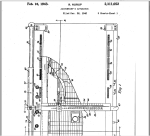
onewrite-accountant_apparatusOne-Write System Revolutionizes Accounting.  These guys had the right idea, they just didn’t have the cloud.

Cloud Computing Evolved: Disruptive Technology Goes Mainstream

jmbunnyfeetCloud Computing Evolved: Disruptive Technology Goes Mainstream

A 2010 information technology report by IDC (International Data Corporation, a global provider of market intelligence) provided a few interesting predictions for Information Technology in these changing times.  Not surprisingly, many of the predictions centered around the same “ingredients of IT industry transformation” which were identified in past years as being disruptive technologies including cloud computing, mobile devices and applications, wireless broadband, virtualized infrastructure, social networking, and smart devices being among those listed.  The subsequent 2011 report suggested a continuing trend of spending and innovation in cloud technologies and mobile computing and in collecting and analyzing the huge volumes of data being generated.  It is clear that cloud computing is evolving from being disruptive technology to mainstream IT.

Everyone must by now recognize the significant growth in use of online and mobile applications and services.  If you haven’t noticed that just about everyone has a smart phone or tablet computer, then you’ve got your head buried deep in the sand.  What this clearly indicates, and IDC supported the position with quantifiable evidence, is that the “disruptive technologies” of yesterday have transitioned from early adoption to mainstream adoption.   This means that use of these technologies had pushed “well beyond” the first 10 to 15% of the market through 2010, and that customers were ready to integrate these new solutions as core parts of their overall IT strategy.

If you don’t believe that cloud computing, virtualization, and mobile access are becoming (have become?) mainstream, consider the staggering number and variety of mobile devices and networks available today.  The adoption of these devices is driven by the availability of broadband wireless service, and their use is fueled by applications offering “social business” and “pervasive analytics”.  No longer limited as a voice communications device, the mobile phone has now become the mobile workstation, capable of supporting a wide variety of business and personal interactions and functions intended to help users generate and analyze “unprecedented volumes of information” – and the 2011 report indicates that mobile computing is continuing to fuel the trend.

“Mobility wins” will be the top theme of the year as mobile devices outship PCs by more than 2 to 1 and generate more revenue than PCs for the first time. 85 billion mobile apps will be downloaded, and mobile data network spending will exceed fixed data network spending for the first time.

IDC’s 2010 report placed an interesting focus on the impact of this new era of IT, believing that it would be a launchpad for  the creation of “intelligent industry” with an IT-enabled “intelligent economy”.  This doesn’t apply only to those very large multinational corporations, like the IBM commercials about a smarter planet and the commercials where the box tells us where it (and the delivery truck) is.  This new-found intelligence would allow businesses of all sizes to offer better and more customized services locally while dramatically expanding their market reach beyond geographic boundaries, and positioning themselves for accelerated growth.

As the number of intelligent communicating devices on the network will outnumber “traditional computing” devices by almost 2 to 1, the way people think about interacting with each other, and with devices on the network, will change. Look for the use of social networking to follow not just people but smart things.”

Business owners who find a way to leverage this new capability through innovative applications of cloud computing and mobile device access will almost certainly find that their businesses are better suited to addressing the needs of their current market, but are also poised to take advantage of emerging opportunities in emerging markets as well.

In 2010 IDC predicted that by 2012 we would begin to see the “slow death” of cloud computing – the term, not the technology model.  Even though cloud computing is one of the hottest buzzwords in tech today, the model is becoming mainstream to the point where it is no longer considered a bleeding-edge method of computing requiring its own descriptive name. While IDC may have been a bit off in terms of forecasting the slow death of “cloud” terminology, their finding that the evolution of cloud computing models is rapidly progressing from disruptive to mainstream appears to be spot on.

Joanie Mann Bunny FeetMake Sense?
J

updated from original post in 2010

QuickBooks In-House Hosting Services for Accountants

QuickBooks Hosting Services for IT-Capable Accountants

DIY-SelfHostingSmall businesses in large numbers are looking to the cloud as a platform to deliver solutions for the problems of escalating IT costs, mobility, and remote access to business data. The cloud is also becoming the recommended platform for the delivery of services from accounting and bookkeeping professionals, as the benefits of remote data access and real-time collaboration nicely address the requirement for accounting pros to exchange and share information with their business clients. One of the popular “cloud” hosting solutions addressing a collaborative accounting model is a hosted application approach to using Intuit QuickBooks desktop products. While accounting professionals may be aware that QuickBooks can be hosted by 3rd party providers, many firms are not aware of what is referred to as the “self-host” model, which is a QuickBooks hosting model for accounting firms with some in-house technical capability.

For small businesses and many accounting service providers, working with a 3rd party hosting provider makes a lot of sense, as the host has the infrastructure and the support organization necessary to service large-scale hosted customer requirements.

On the other hand, there are a lot of accounting and bookkeeping firms which have skilled in-house IT personnel who are more than capable of creating a hosting environment to serve not only their internal needs, but also to meet basic requirements of the QuickBooks-using clients they work with. It makes sense to explore the possibilities of implementing a “self-hosting” model for client access to QuickBooks, overcoming the cost and other barriers involved with 3rd party hosting services.

When an accounting firm works with a number of clients with QuickBooks desktop edition files, the firm has to install and manage not only their own software products, but also the relevant QuickBooks software products in use by the various clients (must have the right QB program in order to open the QB data file). This often puts an undue burden on the internal IT systems of the practice which has its own internal-use software and systems to support. With an internal hosting approach, the firm can provide standardized/centralized application hosting services to their clients, building their own “economy of scale” on the platform and reducing the IT management while achieving all the real-time and remote access benefits of an outsourced hosted model. The firm does not experience a retail cost for a hosting solution, and the cost to host the client is generally offset through the efficiency gained at the firm level through direct access to client data and applications.

The technical model for delivering hosting services to a relatively small client base is not overly complicated. Commercial service providers have complex architectures because they must serve a large and diverse client base, and they never really know what sort of devices (computers and printers) or connectivity the customer may have. Commercial providers have to be prepared to deal with any and all situations, where a “self-host” firm needs only to concern themselves with supporting their particular client users and use cases. Additionally, when the solution is offered as part of the accounting or bookkeeping service, the support requirements of the customer tend to be focused during mutual working hours, as opposed to the 24×7 support demanded of the commercial host.

As accountants and bookkeepers search for solutions to improve efficiency, increase profitability and differentiate services, it makes sense for those serving QuickBooks desktop clients and having an in-house IT capability to explore becoming a QuickBooks self-host. It is one possible way to eliminate cost as a barrier to working closer with QuickBooks desktop clients while providing the mobility and collaboration businesses need.


Make Sense?

Joanie Mann Bunny FeetJ