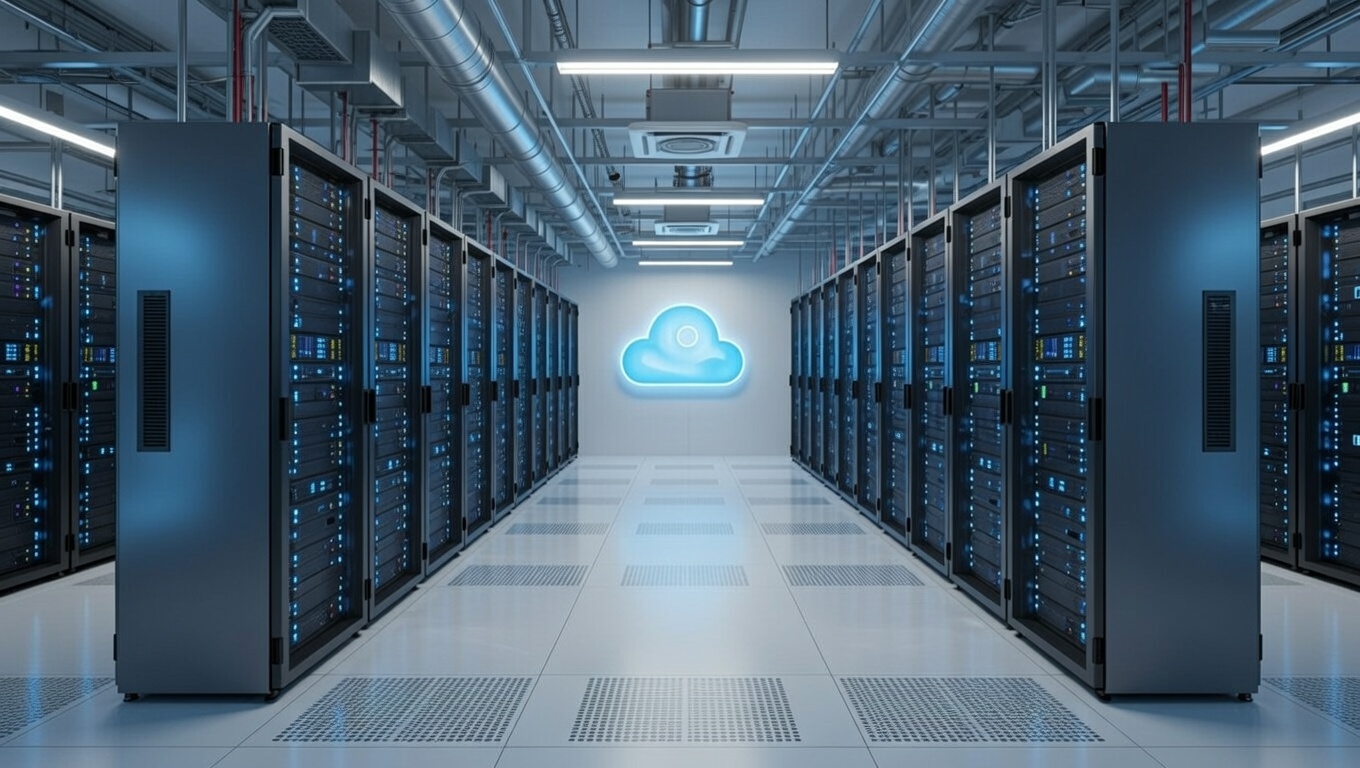
Your Server Shouldn’t Be Living in a Closet

Why hosting QuickBooks Desktop and other business applications on Microsoft Azure with Noobeh is a smarter way to work

I have seen a lot of servers in my career. Some were humming away in pristine data centers. Others were tucked under desks, squeezed into storage rooms, or sharing a shelf with copier paper and somebody’s forgotten lunch bag.

That may have worked when everyone came to the same office, used the same network, and crossed their fingers during thunderstorms. It is not a great foundation for a modern business. Today, your team may be working from the office, from home, from a client site, or from an airport between flights. They still need dependable access to QuickBooks Desktop, line-of-business applications, and the files that keep the company moving.

Hosting those systems on Microsoft Azure with Noobeh gives your business a secure, professionally managed environment without asking you to become an infrastructure company.

QuickBooks Desktop—without being tied to a desktop

QuickBooks Desktop remains essential for many businesses because it supports familiar workflows, specialized integrations, and years of valuable company data. The problem is often not the application. The problem is where it lives.

When QuickBooks lives on one office computer or an aging local server, access can become a daily obstacle. Remote users may struggle with complicated connections. Performance can vary. Backups may depend on someone remembering to check them. A hardware failure can turn an ordinary Tuesday into a business emergency.

In an Azure-hosted environment, authorized users connect to a centralized workspace where QuickBooks Desktop and other applications run close to the company data. The experience stays familiar, but the infrastructure behind it is built for secure access, business continuity, and growth.

What the business gains

Work from almost anywhere

Your people need access to their work, not a scavenger hunt for the one machine that has the right software installed. A hosted environment gives approved users a consistent way to reach the applications and data they need, whether they are in the office or working remotely.

Reduce the risk of aging hardware

Servers do not improve with age. Eventually, warranties expire, drives fail, and replacement parts become harder to find. Azure shifts the conversation away from buying and maintaining a physical box and toward providing the right computing resources for the business.

Strengthen security with layers

Security is not one product or one checkbox. It is a combination of identity controls, access policies, system maintenance, monitoring, backups, and good operational practices. Noobeh designs and manages the environment so these pieces work together, based on the needs of your organization.

Plan for interruptions before they happen

A local power outage, failed server, or inaccessible office should not automatically stop the business. A thoughtfully designed cloud environment can support backup, recovery, and continuity objectives that match the company’s tolerance for downtime and data loss. That planning matters far more than simply saying, “We have a backup somewhere.”

Scale without another hardware project

Businesses change. You hire people, add applications, open locations, or hit a busy season. Azure resources can be adjusted as requirements evolve, which makes growth a planning conversation instead of another round of shopping for a server that may be too small next year or far too large today.

Why Noobeh?

Microsoft Azure is a powerful platform, but power alone does not create a good business outcome. Someone still has to ask the practical questions: How many people need access? Which applications must work together? What performance does QuickBooks require? How should data be protected? What happens when a user needs help?

That is where Noobeh comes in. We bring cloud expertise together with an understanding of the applications businesses actually use. We help design the environment, move workloads, configure access, and manage the infrastructure after launch. You get a cloud solution built around the way your company works, not a pile of technology and a wish for good luck.

And because every business is different, the answer is not automatically “move everything.” The right approach may include QuickBooks Desktop, supporting applications, shared files, or a broader hosted workspace. Noobeh evaluates the full picture and recommends an environment that makes sense operationally and financially.

The real value is confidence

Cloud hosting is not exciting because a server is running somewhere else. It is exciting because your team can log in and get to work. Because adding a new employee does not require a weekend hardware project. Because your critical systems are managed intentionally instead of being quietly ignored until something breaks.

That is the point: fewer infrastructure distractions, better access to the tools people depend on, and a technology foundation that can keep pace with the business.

Is it time to get your server in a better place?

If your business depends on QuickBooks Desktop or other server-based applications, now is a good time to ask whether the current setup is helping you grow or simply giving you one more thing to worry about.

Talk with Noobeh about an Azure-hosted environment designed for your people, your applications, and your business. Let’s move the infrastructure out of the way so your team can focus on the work that matters.

Make Sense?

bunny feetJ

Cloud and Digital are Transforming Business

Businesses, whether small or large, must change how they operate. They need to find ways to leverage the technologies and influences shaping society. Transformation is essential for companies to face today’s rapidly changing environment and embrace the opportunities it provides. This means mapping out a strategy and prioritizing activities which will fundamentally shift the operation towards greater intelligence and agility.

Digital transformation is about changing how businesses operate at a foundational level. It involves transforming processes and capabilities. This is done to leverage digital technologies across all strata of the business. 

Change in business is an ongoing process and not a one-time activity.

Transformational change is enabled in large part by cloud technologies. Cloud computing solutions are in high demand. They allow businesses to scale easily and affordably. They also provide the mobility and remote access that workers require. 

More fundamentally, cloud computing services improve collaboration by users. They also enhance collaboration by applications. This improvement enables seamless integration of functionality and data from various sources.

Microsoft Azure platform provides infrastructure and services previously available only to larger businesses and enterprise IT departments. Noobeh, Mendelson’s cloud services team, uses Microsoft Azure to deliver SQL data warehouses for structured data. It provides data lakes for the storage of unstructured and different data types. The Azure Data Factory and Microsoft Fabric are used to transport, transform, and weave it all together.

Converged wired and wireless networks and smarter telephony solutions deliver location and usage data that were not previously available to most IT departments. Today’s imaging technology can easily reduce a picture to searchable and identifiable metadata. The introduction of IoT brings an even further integration of data from virtual and physical realms. This enhances potentials for intelligence. It also improves understanding and interaction.

Mendelson Consulting recognizes that true transformation is guided by the vision and objective but is supported through operational efforts.

The collection of data for inspection and analysis is the first requirement. Only through the proper establishment of processes and workflow is the required information developed.

Mendelson Consulting partners with businesses to define the scope and strategy for advancing into the digital future. They take fundamental steps to introduce greater agility in platforms and services. These platforms and services support an ever-changing business environment. They also ensure visibility, which drives greater business intelligence and operational insight.

jm bunny feetMake Sense?

J

Better QuickBooks Hosting with Noobeh

QuickBooks hosting is a type of service that allows small businesses to access their QuickBooks Desktop accounting software and data from anywhere with an internet connection. QuickBooks hosting fits into the modern cloud computing world by providing small businesses with a flexible and cost-effective way to manage their accounting and financial operations.

In the past, small businesses would need to install QuickBooks software on their own computers and maintain their own IT infrastructure to manage their accounting and financial data. This requires a significant investment in hardware, software, and IT staff, and makes it difficult for the business to scale their accounting operations as their business grows.

With QuickBooks hosting, small businesses can avoid these challenges by moving their accounting operations to the cloud. Yet not all QuickBooks hosting providers offer the same level of service or protection for your data.

Most QuickBooks hosting providers run the QuickBooks software and store the QuickBooks data on their own servers, renting space on the servers to its business customers. In most cases, many businesses will share the servers, which increases risk.

Noobeh works only with private environments where customers do not share servers or other resources. Each customer has their own private account and environment which is accessible to only their users via the Internet. This eliminates the need for small businesses to maintain their own IT infrastructure and allows them to scale their accounting and business operations up or down as needed.

QuickBooks hosting from Noobeh provides businesses with a number of other benefits, including:

Increased Security: Noobeh’s QuickBooks on Azure deliveries have advanced security measures in place to protect customer data from unauthorized access, data breaches, and other security threats.

Enhanced Collaboration: Noobeh’s QuickBooks on Azure allows multiple users to access and work on the same QuickBooks data at the same time, which can improve collaboration and productivity.

Automatic Backups: Noobeh’s QuickBooks on Azure performs regular backups of customer data, which can help ensure that important financial data is not lost in the event of a disaster or system failure.

Anytime, Anywhere Access: Noobeh’s QuickBooks on Azure allows small businesses to access their accounting data from anywhere with an internet connection, which can be especially useful for remote or distributed teams.

Totally Private: Noobeh’s QuickBooks on Azure runs on the Microsoft Azure platform and uses private Microsoft accounts, keeping things absolutely private for your business.

Noobeh’s QuickBooks on Azure hosting is a modern cloud computing solution that can help small businesses streamline their accounting and financial operations, reduce costs, and improve their overall efficiency.

jm bunny feetMake Sense?

J

Business Data Loss is a Growing Problem

The portable computer was the secret business weapon of yesterday and is today’s essential business tool. The processing power, portability, storage, and connectivity available with laptops, tablets and smartphones has created a seamless extension to the office. Business users can work with their applications and data from just about anywhere. While mobile devices are valuable when it comes to conducting business, they also pose additional security risks. Increased efficiency, mobility, and accessibility can also mean an increased potential for a data breach or business data loss.

The workforce of today is mobile enabled. Business users, owners and managers, accounting advisors and business consultants can access all the information and analytical capability they need to perform their jobs and make informed business decisions, capturing and collecting important information while keeping productivity at the highest levels no matter where they are.

“87% of businesses rely on their employees to use their personal mobile devices to access company apps”, according to a post by Perillon. Some studies have estimated that as much as 80% of the data a company has (like customer files, contracts, financial data, product specifications) might be stored on portable devices. This means that mobility comes with risk, which is why Mendelson Consulting and Noobeh cloud services utilize cloud-based platforms and services to keep data safe and secure.

According to business data loss statistics compiled by Businessdit.com, the two most common causes of data loss are hardware failure (40%) and human error (29%). Overall, malware causes 35% of all data loss, taking advantage of the 21% of files that businesses are not protecting at all.

The stats show that it takes approximately 206 days on average to even detect a data breach, the costs of downtime and losses average around $1,410 per minute for small businesses, and 22% of SMBs close after a ransomware attack.

Data loss or theft can create big business and legal problems, too. Customer or client privacy may be compromised, sensitive information may be exposed, and confidential plans may be made public if a business doesn’t take steps to secure mobile data.

“The average cost of a data breach in 2021 was $4.24 million. That’s a huge increase from the $3.86 million cost in 2020. And it’s only going to get more expensive in the future. Companies need to be prepared to deal with the fallout from a data breach, which can include everything from legal costs to damage to their reputation.”

Businessdit.com

There’s an old saying that there are only two types of businesses: those who have lost their data and those who will. Imagine the potential chaos, risk exposure, reputation damage and the expense of losing your valuable business data or having it exposed to unauthorized parties.

While computing mobility delivers a host of advantages to the business and the user, care must be taken to ensure security, privacy, and confidentiality of the business information and protecting against business data loss.

Increased exposure to liability is a reality for any mobile business, and the risk is only multiplied by the number of systems a company has in the field. Smart businesses reduce risk by deploying secure yet versatile platforms for their workers that allow data to be stored and protected in centralized environments rather than on individual computing devices.

Via the cloud, businesses of all kinds are reaping the benefits of new and innovative service delivery, achieving the freedom and functionality a mobile working model demands. Mendelson Consulting and Noobeh cloud services have the cloud solutions and managed IT services that provide the mobile capability businesses need, but with the additional protection, additional security, and ongoing management that the value of the data demands.

jm bunny feetMake sense?

J

Good Housekeeping for Healthy QuickBooks

QuickBooks desktop software is very easy to install and use, and that is precisely why it is the standard for small business bookkeeping and accounting. QuickBooks is simple to use.

Getting QuickBooks on your computer is also simple. You can just buy the software from wherever – your QuickBooks solution provider, a retail outlet or an online store. Then you download it to your PC and run a setup application, and voila! It’s there on your PC ready to help you do your books.

When just a single user needs to use QuickBooks, things are very straightforward because there is no networking to worry about and no multi-user access required. On the other hand, there are many businesses using QuickBooks that experience a lot of frustration with trying to install QuickBooks on a network and managing the software that must be installed on multiple computers.

Other than networking QuickBooks desktop software, it seems that the majority of issues users experience can be attributed more to poor software habits and a lack of PC housekeeping

QuickBooks desktop software has been engineered over many years to be as simple to use as possible, but at the same time has grown to be a product with lots of features, add-ons and extensions.  People have found ways to make QuickBooks do things it wasn’t really designed to do, which is sometimes a good thing and sometimes a bad thing. When it works, it works great.  When it doesn’t work, it’s beyond frustrating.

Yet there are a few things that QuickBooks desktop users should be doing regularly to keep their QuickBooks software and data in good working condition. While these items are very important to keeping your QuickBooks system working for you, they will never overcome problems with your network, the server or any of the workstations connected to it.

To solve these networking, software management and other IT platform issues, I recommend moving to a virtual cloud server on the Microsoft Azure cloud platform. NOOBEH’s QuickBooks on Azure service is just that… your QuickBooks software and data running securely on your own private cloud server in your own account on the Microsoft cloud, fully managed and supported by experts. With NOOBEH’s service, you don’t have to worry about server failures, network problems or hardware problems any longer, and we eliminate the issues surrounding multi-user, multi-location, and remote access for QuickBooks.

When it comes to PC housekeeping and other chores, I cannot stress enough the importance of keeping the QuickBooks company file in good condition

What’s the accounting and financial data worth, after all?  A little time spent taking care of the file can save on a lot of time and headaches trying to recreate or reenter the data. A QuickBooks company file is a database and is a complicated framework for keeping track of all sorts of related information.  Anyone who has used QuickBooks desktop products for a while understands that the data file can get messed up for a variety of reasons, and it can mean lost time, work and revenue when it isn’t working correctly.

What many users don’t realize that QuickBooks has built-in utilities to check and fix data problems in the company file, so it makes sense to periodically use them to check for problems.  Like a check-up with the doctor, these utilities can help diagnose issues with the data file before they become big issues. They are easy to find in the software… simply go to the File menu and select Utilities.

Run the file Verify any time the file starts to act slow or if QuickBooks crashes when the file was open, and if the Verify tells you there are errors, you should run a Rebuild to fix them. Note that a rebuild may have to run multiple times to fix all the issues in the file, and even then, may not correct everything. Some manual work may even be required to resolve all errors.

You should also back up the company file to a “portable” type file periodically, and to then restore it for use.  This doesn’t need to be done very often, maybe once a year or so. This process can not only validate the integrity of the file, but it also helps condense and condition the file.  Conditioning the data file periodically can help prevent data corruption and/or loss of data.

A very important housekeeping item for QuickBooks desktop is the file backup. Backups don’t just make copies of your company file for safekeeping, which is important to have, but when you run a backup with complete/full verification, the process also reduces the file size of the TLG file. For QuickBooks, the TLG file is a transaction log, and when it gets too big the file can perform poorly and even get corrupted.  Run backups more frequently if you have a lot of transactional activity, or less often if there is not so much going into the company file.

When you do the file backup, it is a good idea to consider where the backup will go. Keeping the backup files on your PC is convenient, but it also does nothing to protect your data if your PC gets hit with malware or has a hardware problem. Put the backup file in a protected location that isn’t stored on your PC, like Microsoft OneDrive, Google Drive, Dropbox or even a removeable USB device. You can’t put your live QuickBooks company file in this type of location, but you can store the backup files there. This way, if your PC does have a problem, you’ll have backups of your company file that you can use to get yourself back in business.

Close the company file and exit QuickBooks occasionally, please

Users who leave their computers on all the time are not allowing the computer to run periodic power-on self-tests, which means the machine or operating system could have an issue that isn’t recognized until computer restarts.  For this same reason, programs and their data files should be closed when not being used – so they can run through their own startup and validation routines before you use them.  Also, leaving the program open means it is active on the computer, and leaving the data file open means that it’s available (available=vulnerable).  A random by passer accessing the computer, a program crash, a machine crash… loss of power or a furry kitty running over the keyboard could each result in catastrophic damage to the application and/or data.  It’s just better and safer if the files and programs are closed when not being used.  Maybe use a screensaver with a password, too, or at least lock the keyboard when the machine is on but not in use.

QuickBooks and VPN / WAN are not awesome together

Just because a user can connect their remote PC to the office network doesn’t mean the PC will work like it’s in the office.  In the office, it’s a Local Area Network where the machines are all cabled together and communicate with nearby machines (e.g, Local). The speed of LAN communications is fast enough to allow multiple computers to share a QuickBooks company file in multi-user mode.  When there is a remote PC to connect, businesses often elect to utilize a VPN to provide local area network access to the remote computer. This turns the Local Area Network connection into a Wide Area Network connection, where the network has been extended to include the remote computer.

Unfortunately for QuickBooks users, the WAN connection is NOT fast enough to allow the remote user to open QuickBooks and use it like others in the network.  QuickBooks multi-user access is designed to work on a local network where local means the machines are in the same locale and on the same LAN. This is why many companies elect to use remote-access/remote-control software to access to QuickBooks desktop remotely.

Use NOOBEH QuickBooks on Azure to get remote access, managed service, update support, and the ability to run any other applications or add-ons your business needs. When QuickBooks desktop and the other software a business uses are hosted on the company’s Microsoft cloud server with NOOBEH, the QuickBooks application and the company files are all on the same environment so it works exactly as it is supposed to for all users no matter where they are located.

Use Automatic Update

New features and enhancements are provided, new technologies and operating platforms must be supported, and security and privacy must constantly be addressed in the software. What this all means is that software products necessarily change over time and users will be expected to update their products or lose out. While some IT departments may desire to prevent software from updating itself, QuickBooks users should recognize that the software’s proper function often depends on timely updates. Especially when payroll or banking is involved, it is important to keep the software current.

QuickBooks has a feature that allows the software to automatically download and install updates as they are released by Intuit. Leaving this feature turned on allows the software to check with Intuit periodically to see if there are updates available. If so, they are downloaded and readied for installation on the computer.

Updates are changes made to an edition and year version of the software. Upgrades, on the other hand, are changes from one year version to another (2021 to 2022, for example) or a change in QuickBooks edition (like Premier to Enterprise). Automatic updates manage the changes to the currently installed edition/year version, but do not upgrade the software.

Customers using NOOBEH’s QuickBooks on Azure service have their QuickBooks updates and their QuickBooks upgrade installations managed for them, as well as the other applications installed on the customer’s private cloud server.

Doing maintenance on your QuickBooks software and the company file can help keep them free from poor performance and potential corruption

It’s worth spending a little time on chores occasionally so that you avoid what could be a costly problem down the road. Some good housekeeping to keep your QuickBooks healthy is just good business.

jm bunny feetMake Sense?

J

Microsoft 365: Stay Updated or Lose Connectivity and Support

Microsoft Office is a staple of business software, setting the standard for productivity applications across the globe. Unfortunately, popularity often means “target” and the bad guys out there are gunning for your system, looking for vulnerabilities they can exploit. This is among the reasons to make sure your Office applications are staying up-to-date with the latest fixes and security features. The easiest way to do this is to turn on automatic updating for Windows via Microsoft Update so that your system gets Office updates for earlier versions of Office you might have installed, such as Office 2010 or an Office volume license install.

Security updates aren’t the only reasons to keep your systems up to date. Sometimes an update addresses compatibility with other applications or services. In recent days, Microsoft has reminded businesses of the roadmap for Microsoft 365 services where certain versions of the Office and Microsoft 365 applications will stop communicating with the Office 365 and Microsoft 365 services.

Microsoft Outlook for Windows

Effective as of November 1, 2021, older versions of Outlook for Windows (starting with Outlook 2007), will be unable to connect with Office 365 and Microsoft 365 services, including hosted Exchange mailboxes. Versions that are only a little bit out of date might work, but are likely to experience connectivity issues with the back-end services. Here’s the list of retired versions of Outlook for Windows:

  • Office 2007 All Versions
  • Office 2010 All Versions
  • Office 2013 Versions prior to 15.0.4971.1000 of Office 2013 (Service Pack 1 with the October 2017 Update)
  • Office 2016 MSI Versions prior to 16.0.4600.1000 of Office 2016 (With the November 2017 Update, KB 4051890)
  • Microsoft 365 Apps for enterprise;(formerly Office 365 ProPlus) 1705 and older
  • Microsoft 365 Apps for business(formerly Office 365 Business) 1705 and older

OneDrive sync on Windows

Microsoft is now aligning the OneDrive sync on Windows systems with the Windows operating system support lifecycle policy.  In short, OneDrive sync on Windows will only be supported on supported versions of Windows beginning in January 1, 2022, If your version of Windows is no longer being supported, then the OneDrive sync on those machines will no longer receive updates or fixes of any sort.

  • Windows 7 and Windows 8.1 will be supported until January 10, 2023
  • Windows 8 reached end of support on January 12, 2016

If you are running the OneDrive sync app on Windows 8.1, you will no longer receive feature updates but will receive security fixes until January 10, 2023.

If you are running the OneDrive sync app on Windows 7 (and are participating in the Extended Security Update (ESU) program), you will continue to receive critical and important security updates until January 10, 2023. Extended Security Updates don’t include new features, customer-requested non-security updates, or design change requests.

If you are running the OneDrive sync app on Windows 8, you will no longer receive updates or fixes of any kind, as Windows 8 is no longer supported.

Businesses concerned with keeping their systems up and running should take care to ensure that PCs and servers are updated with current, supported operating systems and application software. Ignoring PC updates and Windows upgrades can create unnecessary disruption and leads to lost productivity and lost profits. For PCs, Windows 10 or 11 is the OS to be running. For Windows servers, Server 2019 is the most current version.

Mendelson Consulting’s NOOBEH Cloud Services team knows how important it is to keep your core operating software and applications current, compatible and supported. That’s why we only deploy modern servers and current operating systems on the Microsoft Cloud platform, ensuring our hosted clients have the foundation they need to keep workers performing and operations running.

jm bunny feetMake Sense?

J
