4 Rules of Thumb for Considering Cloud Applications in Business

With all the talk of cloud computing and Software-as-a-Service models, businesses are increasingly questioning their continued use of on-premises and “traditional” software implementations. Having heard that cloud applications are cheaper and better than locally installed solutions, some small business owners and IT managers are actively seeking alternatives to their current software selections. In too many cases, however, these business owners or IT managers aren’t looking at the longer term impacts of their decisions, and may be adopting cloud software solutions simply because it seems to be the way things are going these days.

The cloud is simply a term being applied to a new way of looking at information technology – how businesses buy it, how they use it, and what they expect from it. Even as technology gets more complicated, users are demanding greater ease-of-use and lower costs. The response to these conditions is the cloud: addressing basic and common requirements and delivering the solution for a low-cost to many users. While the approach meets the simplicity and affordability elements, it may or may not fully address all the functional, compliance or sustainability needs of the business.

4-rules-of-thumbOne size never fits all, and this is as true with cloud computing as it is with bathing suits. For the business owner or IT manager considering adoption of cloud-based applications for the business, keep in mind these 4 Rules of Thumb so that the hype and excitement doesn’t cloud your judgment.

Rule 1: Software is software, and it is installed somewhere. Just because an application is accessed using a browser (which is software) doesn’t mean the product isn’t installed somewhere. When it’s a SaaS solution, the product is simply installed and running on the provider’s servers rather than your own computers.  Software can fail even when it isn’t on your computer, so it should be expected that failure could happen with SaaS solutions.  The difference is that a failure of an app on one machine isn’t news; failure of an app that lots of people are using at the same time is news.

Rule 2: Software that talks to other software means there is integration between the two. Whether the products are installed on the PC or whether they run from different providers’ systems, they still have to be able to communicate together at some common level. The Windows platform used to provide a “common” standard for integration of Windows applications. When applications move from the desktop platform to the web, many of the common integration approaches no longer work and new methods must be developed.  Just because a solution integrates with the desktop edition of a product does not mean it will automatically integrate with a web or SaaS edition of the product (QuickBooks exemplifies this).

Rule 3: Software still requires hardware and other resources. When cloud-based solutions are implemented, the cost of the server and storage facilities (along with other elements) may be included in the subscription price. The efficiency and scale economies developed by the provider will ultimately determine their profitability, but it is generally the case that centralization of resources, management and administration can significantly reduce the cost of operations. With most cloud solutions, it is the assumption of scale (leveraging a single asset base to many subscribing customers) which makes things more affordable than deploying similar capabilities individually for each customer. Consider also that any deployment of cloud software solutions still means that businesses must retain their local networks and devices. While PCs, laptops and tablets may not be running business applications, they are still computing devices which may need to connect to networks, have virus protection, have remote access or connection software installed on them, and any number of other things. In short, moving to the cloud does not remove the requirement to have and maintain user devices, printers and LANs.  And really, don’t most people still want Office applications on their devices, even if they also have remote access to such applications?  Office for iPad is somewhat of a tell in that respect; kind of proves the point.

Rule 4: Not all data is stored in the same manner. This is as true on a PC or LAN as it is in the cloud. However, cloud solutions can introduce quite a wrinkle when it comes to keeping copies of business data over time. With PCs and local networks, a business would back up their data in any variety of ways, preserving the files and formats for possible later use. As long as there was software available to read and open the files, the backed up data would be usable. Simply due to the popularity of some data formats, there might also be tools or utilities available to read the data even if the original application was lost. The wrinkle introduced with cloud solutions is not necessarily that the format of the data is strange – it is likely that most cloud-based business applications use fairly proven and recognizable database technology. The difficulty is that the actual database file(s) containing a company’s unique data may or may not be separate from other company data. If it is separate (single-tenant database), it is unlikely that the database as structured is portable. The fact is, most web-based or cloud solutions will allow users to export data from the database, but cannot provide actual structured data files ready for use with another application, lacking logical data or table relationships. Some solutions suggest that simple list exports are sufficient, and others may say they have data conversion capabilities, but the reality is that data existing in a cloud application is not very portable. Business intelligence is a terrible thing to waste, so it is really important to be able to take all the data with you (in a meaningful way, not as a bunch of disparate lists).

Cloud computing covers a really broad spectrum of technologies and delivery models, and most of the above is more about SaaS applications rather than actual cloud platforms. The platforms are where the applications live – server and network environments.  This is where hosting companies do their work, as the things they host live on the platforms.

Businesses electing to add mobility, management, fault tolerance and other capabilities to their systems should explore the benefits of application hosting and cloud platforms, and not immediately look to SaaS and cloud application alternatives to their existing software solutions. By deploying their systems in a managed hosting environment, businesses can often keep using their existing core software products, integrations, and data archiving methods while gaining the best benefits of “cloud”.

Joanie Mann Bunny FeetMake Sense?
J


Go Ahead and Shoot the Server: End of Microsoft Small Business Server Inspires Cloud Adoption with Small Businesses

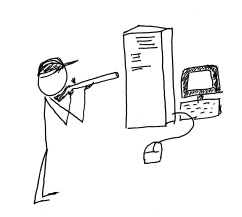
shoot_the_serverMicrosoft has made a decision to include more “cloud” capability in its offerings for small business, ending the life of the successful Small Business Server line and replacing it within the Windows Server 2012 family.  Some businesses are continuing with locally installed servers and are upgrading to Windows 2012 Essentials (or other editions) for in-house use, but more businesses every day are electing to deploy their servers and systems in the cloud instead.

Back when Microsoft introduced the Small Business Server, small business owners found that it was now really easy to implement way more technology in the business than they could directly support.  In one happy little package the SMB could get Windows Server, Exchange, SQL, SharePoint, Remote Web Access, an internal Company Website and more.  Information technology service companies, on the other hand, found it to be a big driver for delivering equipment and services to small business customers, and the product line’s adoption and implementation numbers grew.  Even the smallest of businesses could enjoy enterprise-class email, file and document sharing, client-server applications and remote access for a (relatively) affordable price.  It was this type of offering which created opportunity for server virtualization technologies to be used in small business, as the various server types each benefitted from their own “sandbox”, and IT providers recognized another opportunity to leverage their expertise at the customer location.

Business use of technology continues to expand rapidly so it makes sense that the Small Business Server offering from Microsoft is pretty popular.  In fact, Foresitetech.com says in an article on the subject that “The overwhelming majority of small businesses (80%) with less than 75 employees use Microsoft’s Small Business Server (SBS) software.”

But this fast-paced world of technology continues to move along, and Microsoft has ended the life of the SBS 2011 product.  In its place, small business customers are encouraged to upgrade to one of the editions of Windows Server 2012 as a replacement for their beloved SBS and hopefully they can find an edition which (affordably) delivers the functionality and features the business has come to rely on.  Unfortunately, there isn’t an edition of Windows Server 2012 that offers quite what SBS did, so now there is a big buying decision for the customer.  As the Clash sang it: “do I stay or do I go?”

Microsoft’s elimination of the feature-rich and friendly-sounding Small Business Server has created a lot of opportunity for VARs and IT service providers to move their customers to cloud services, SaaS solutions and hosted environments.  Particularly as information technology continues to become more complex, small businesses (well, businesses of all sizes) are recognizing that they may be better off focusing on running the business operation and managing the company as opposed to spending a lot of focus on IT system purchasing, installation, administration and management.  They have come to understand that IT services are critical to the business, but the server doesn’t have to be under the front desk or in a back closet in order to function for the business.  There is simply too much evidence in the market for these business owners to ignore;  shooting the server is now a viable option.

Every day more business owners are being inspired to [shoot their servers] seek out the services that will allow them to continue to benefit from innovations in technology while relieving them of the direct responsibilities of equipment purchasing, implementation, administration and lifecycle management.  Cloud services deliver this capability, and channel partners and Value Added Resellers should recognize their opportunity to get inspired as well, and to start offering cloud-based and hosted services to their customers and capture the “buying decision” opportunity that Microsoft has created.

Ready. Aim. Fire.

jmbunnyfeetMake Sense?

J

Keeping Up with Expectations: Buyer Satisfaction and the Customer Experience

Keeping Up with Expectations: Buyer Satisfaction and the Customer Experience

There used to be saying in business that the customer is always right and anything or everything should be done to make the customer happy, even if it includes throwing someone under a bus.  On the other hand, some professionals in sales and service would contend that keeping the company mission in mind and fairly representing the company side of things is a better way even if the customer goes away mad.  Realistically, both mentalities have some merit, and it is the challenge of finding balance between making customers happy and doing what is right for the business that makes things difficult.  What many businesses fail to recognize is that they are no longer directly responsible for setting the customer expectation, so they must understand and adapt to the environment and influences impacting the buyer in order offer a customer experience that satisfies.

A customer experience is not simply what happens after someone buys.  The customer experience is composed of the entire life cycle of interactions between the company and the buyer, including any “impressions” the buyer may have experienced through social venues, personal interactions and in media.  Creating and managing the customer experience doesn’t mean simply tracking interactions like sales calls and emails, as with a customer relationship management or sales force solution.  Crafting a customer experience embodies all aspects of the business – from the outside face shown to the public and market to the internal mechanisms that help get work done, the attitudes of the people involved, and the influences of others.

Businesses used to have more sway over how their customer experience flowed, and a great bunch of people providing quality services would generally be a “win” with the buyer.  In today’s market, the table has turned and it is the consumer who dictates what, exactly, they want their customer experience to be.  If the experience doesn’t meet with expectations, it is likely to be a failure regardless of how well the company executes on it.  The exceptional difficulty introduced is that each and every buyer is different – has different motivations and priorities and agendas – and meeting all the expectations of a diverse audience is not easily accomplished.

It’s sort of like with those advertisements you see now, where prospective college students aren’t willing to accept the “old way” of getting an education.  They want to have classes that interest them, they expect to get educated when and where it is right for them, and to get that education in a manner that fits better into the way of life they imagine.   Everyone wants it “my way”, and they’re getting it because they have come to understand that technology and the Internet have made it possible.

Technology and information systems are the foundations of creating and delivering a customer experience and level of service which will keep customers engaged and coming back for more.  Businesses have been trained to look to technology advances and identify opportunities to leverage new developments towards the defined business goal.  In the market that has now developed, where social and mobile computing are the norms, it is the consumer rather than the technology which is driving change.

The individual experience – how the buyer perceives the solution to fit within their business and lifestyle, and how the buyer benefits from the interaction – has become the basis for measuring quality of service and delivery.  Regardless of how technically perfect and flawless a product or service may be, the overall customer experience is the basis on which a stay or go decision is formed.

This shift in focus has changed how businesses view service delivery and support performance, and has introduced the concept that every department in the business should act a little bit like the marketing department – listening to and learning what the buyer deems important and adjusting the process or message based on the finding.  By placing a focus on the buyer priorities and developing an approach that allows a buyer to guide their own experiences with the company, businesses are finding great success in engaging with increasingly demanding buyers and improving overall satisfaction with the experience.

Make sense?

J

A Higher Level of Customer Relationship Management: Building Closer Customer Relationships

A Higher Level of Customer Relationship Management: Building Closer Customer Relationships

Most businesses recognize the importance of creating a quality experience for customers doing business with them.  The thing that many business owners overlook is how their internal workflows and information management systems serve to either support or impede the delivery of a well-rounded positive customer experience.  Growing businesses must adjust their processes and improve their tools in order to have the necessary information available to workers at various levels of the organization, providing a centralized means for collaboration, data sharing and analysis.   With the right information systems and process support, even small businesses are able to function at exceptionally high levels and provide the consistently high-quality service and customer experience that establishes long-term value in each and every customer relationship.

Businesses which excel at providing very high levels of customer service tend to have a few common characteristics – features of the business that identify it as an organization geared towards growth and success in driving the customer engagement and business value.  Among these characteristics is the recognition of the need to use technology better – leveraging automation to a greater degree to create consistency in work performance, and improving information collection and integration to provide more context and depth to the data. Added efficiency which affords employees time to focus on customer oriented tasks and elevating the customer experience even more is the payback.

total-business

Many CRM solutions describe the benefits of a “360 degree” view of the customer, yet these solutions often orient themselves to supporting only sales and Contact Management and do not address product and/ or service delivery (fulfillment of what was sold/ordered)  or project management, contracts and agreements tracking or other aspects of doing business with the customer.

Granted, customer interaction occurs most frequently with sales and service teams, but there are potentially vast number of processes and tasks performed within the business which operate with the same information as sales and services, and which would benefit by integration within the same information and workflow framework.

By selecting a solution that addresses the wider variety of business and information management requirements rather than focusing solely on sales and support, business owners and managers find that they are better able to address internal workflows with streamlined process automation.

The result is significant improvement in the quality and completeness of the information available to users throughout the organization, ultimately improving the quality and nature of customer engagement and interaction. Perhaps even more impactful is the ability for the business to better understand  the context of and motivations for customer interactions, and (most importantly!) having the capability to take immediate action based on that knowledge.

With the right customer relationship and business management solution in place, and with a focus on systematic approaches to enabling process and workflow automation, businesses can become more flexible and responsive to changing customer needs and expectations.  Creating the complete view of the customer relationship and capturing the data which helps users understand the dynamics of the entire relationship serves to build closer customer relationships that will strengthen and grow over time.

When a business needs to implement a Customer Relationship Management solution to address sales and support needs, it makes sense to also review information management requirements for:

  • Delivery of products and/or services  – i.e. fulfillment of what was promised by sales
  • Scheduling of Work/Service Orders and integrated billing based on completed work
  • Time and personnel activity management as well as time reporting and billing
  • Project or job resource and time management and reporting
  • Documents, contracts, before & after pictures, and agreements of all types
  • Products and services, proposals and quotes, price books and channels

Additionally, since the processes are so closely related in terms of the information collected or used, it makes sense that the CRM solution would also work with:

  • Marketing campaigns and activities, lead generation systems and e-newsletter solutions
  • Accounting solutions which also utilize customer, product, job, time, cost and other data
  • Expense spending management, approvals and reporting

To be truly useful, the solution must also support remote and mobile workers since field service personnel and other workers are often not in the office when they need to get something done.  Whether the access is via hosted solutions providing full remote desktop functionality, or via web-based application extensions allowing device independent access (or both!), the solution should be designed to allow users to access the system and perform their work from wherever it is required.

Even more, a comprehensive approach to managing business activities and information, particularly with a focus on providing all departments with all the information and capability they need to get their jobs done properly, requires that everyone in the company be on board.  There really isn’t a great way to centralize and manage critical business data when the approach is to give a few people some information and functionality, leaving it up to human beings and individual initiative to connect the dots (and the data).  The result is almost always a series of gaping holes in various processes where information and requests get lost.

Among the best solutions I have found which delivers the foundation for all of this functionality is Results CRM.  Thousands of users have successfully migrated from ACT!, Goldmine, Telemagic, Salesforce.com and other SFA and CRM solutions to the Results CRM platform, and have benefitted from better workflow automation, more logical company and contacts associations, and a broader range of functionality supporting everything from sophisticated quote and proposal development to comprehensive project, time and expense management.

At the end of the day, it’s the reporting that wins.  If the data isn’t in the database, you can’t report on it.  If you can’t report on it, you can’t measure it. If you can’t measure it, you can’t make good business decisions and grow the business.

Make sense?

J

Client Experience and Perceived Value: It’s Looking Cloudy for Accountants Working with Small Business

Client Experience and Perceived Value: It’s Looking Cloudy for Accountants Working with Small Business

Every day it seems there is another professional accounting or bookkeeping firm asking questions about how to get new clients for their new “online accounting” business.  Most of these professionals are likely missing the point that their current clients are probably already looking at online accounting solutions and services. Just like in the days when QuickBooks was beginning to take the lead in the market; today’s increasingly popular online accounting solutions are gaining popularity with the direct users, and are bringing those solutions to the professional community (not the other way around).  Professionals who wish to build their businesses on what the market demands would do well to recognize that the push to the cloud coming from their clients is a reflection of past activities, and firms riding the wave are much more likely to see success than those fighting it.

In reflection, remember that QuickBooks, unlike the other business accounting and financial products at the time, was a retail product marketed to and sold via retail and direct-to-customer outlets rather than via a channel or reseller approach.  At that time, State of the Art Software (which became Peachtree and then Sage 50) was the solution preferred by most accounting professionals, yet more and more small business owners would come to the professionals with the QuickBooks product already in hand, so accountants threw up their hands and adopted (if not embraced) the software.  Over the years, QuickBooks became the “go to” software for small business accounting, and many professional firms didn’t just gear up to work with it, but went as far as developing standards and practices based on the product.

With the introduction of high-speed broadband access, business Internet connectivity and affordable remote/mobile service, businesses are now finding that their options for shopping for, purchasing and implementing various solutions to business problems is possible at any time and from anywhere.  Even more, social computing and the blurring of the lines between personal and business use has made it all but assured that new business owners will seek online solutions where they can access business information and perform business-related activities regardless of location or mode of access.  This is what they have come to expect as consumers of information and services, and the expectation extends no less into their small businesses.

Professional firms must recognize that these evolving paradigms represent opportunity, taking advantage of cloud-based, real-time collaboration models to provide more timely value to their clients.  Where the more traditional on-premises and paper-based models have flourished, the online working models representing lean process and sustainability become the focus.

The movement to the cloud for small business accounting started with the consumer, who ultimately became the small business, and who may eventually become the big business. The professionals who recognize the value of and wisely adopt cloud technologies and online application services in their businesses – specifically in terms of how they work with clients and deliver value – are the firms which recognize that the client experience and perception of value delivered are the most important elements of all.

jmbunnyfeetMake Sense?

J

Degrees of Success: Improving Productivity and Performance through Process Automation

Degrees of Success: Improving Productivity and Performance through Process Automation

Few businesses use just one solution to get all their work done.  In most cases, the business must at least communicate, produce information and account for financial activities – and each of these functions has a software product or service associated with delivering the required capability.  While every business uses technology at some level, some businesses have more success than others in developing streamlined and efficient processes guiding the various tasks and activities performed throughout the day.  Sometimes the problem stems from a lack of understanding of the importance of process automation, and sometimes it’s the software.

integrated

The success (or lack thereof) in streamlining a business process is often enabled by the tools supporting it, yet the truth of software and systems is that not everything  is easily integrated and not all business workflows actually “flow” smoothly.  In many cases it is left to the human user to connect the processes and keep the work flowing, creating the opportunity for missed deadlines, duplicated or erroneous data, and a greater dependency on individual worker knowledge than is good for the business.

The better alternative may be the adoption of workflow and automation tools to assist with bridging and scheduling of repetitive tasks, building the knowledgebase of process and task flow supporting business sustainability efforts and easing the burdens of training new employees.  Process automation helps to improve productivity, it’s just that simple.

If the time is taken to really consider the variety and numbers of repetitive tasks employees perform throughout the day, the cost in time, lost productivity and data errors or omissions would likely add up to far more than initially expected.  People tend to adapt to using the tools they are provided, and will find ways to get things done (whether it’s the most effective way or not).   The end does not always justify the means, and many businesses ultimately find that it is here – where individual worker initiative and unguided action are most prevalent – that the operation fails to accomplish stated goals.

In order to create a sustainable operation with consistently high levels of production and performance, the business must establish a complete framework for process automation and support.  Where existing application and software functionality is not able to meet the requirement, the business should implement specialized tools to bridge the gap and embed the process knowledge in the system.

Scheduled reporting, customer and product data synchronization, import/export routines, data maintenance routines – these are among the tasks and processes which represent the regularly-performed work that may be sucking the user productivity and performance out of the business.  It’s a matter of degrees of success, and productivity improvements introduced through comprehensive process and task automation can make the difference between a little success and a lot.

Make Sense?

J