Connecting Your Web Store to QuickBooks on Azure

If you sell products via the Internet using a web store or shopping cart application, then you are probably facing the problem of getting your order and sales activities into QuickBooks and then getting shipping and product information back into the web store. For some, the additional need is to mirror the products and pricing information between the inventory management or financial system and the web store. In many businesses, this is a big chore and requires literally hours of redundant data entry and updating.

As with any manual process, there are many opportunities for errors and mistakes which ultimately cost the business both time and money.

Online selling is a dynamic business, and the sale is made when the customer is ready and willing to buy and the seller has the item available at the right price. The web store (ecommerce system) exists to process this sale in order to meet the immediacy of customer demand. If the system is not up to date with current product or pricing information, then the customer may not find what they want, and the sale is lost.

This means that the connectivity between the online selling system and the inventory/accounting system is of paramount importance in the ability to do business.

Synchronizing inventory information between the web store and the inventory/accounting system ensures that product and quantity information is updated on the web as product is sold and shipped (or received in). At the same time, importing invoices and sales receipts into the accounting system helps to ensure proper and accurate recording of sales and payment information and improves tracking of accounts receivable, shipping charges, and sales taxes.
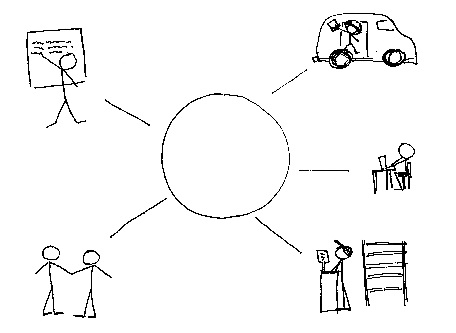
cloud-small-business

To make this connection between the Web store and the inventory/accounting software, an integration solution or connector is generally required. The connector gets installed on the same systems as the inventory/accounting solution (on the same systems as QuickBooks, in this case) and provides the mechanism to synchronize data between the web store and the accounting system.

Integrating an always-on web store with an on-site accounting solution can be a challenge, even for the most tech savvy business owner.

Creating seamless processes for exchanging data between these remote systems requires that both solutions be operating in a secure and accessible platform. While the web store is accessible via the Internet, getting to data in accounting and other systems residing on local PCs or networks is more problematic.

An option that many successful online businesses have adopted is NOOBEH‘s QuickBooks on Azure service, which provides centralized hosting and management for the QuickBooks desktop and any connected inventory or warehouse management applications as well as the integration to the web store.

Enabling the accounting and operational systems to be online and always on, like the web store, allows them to exchange data when and where it is required.

Connecting services in a secure and managed environment introduces new efficiencies and eliminates risk due to data entry errors or lost transactions. The QuickBooks on Azure cloud hosting service provides the system management, platform security and uptime required to ensure that the inventory and accounting systems supporting the always-on web store are also always on.

jm bunny feetMake Sense?

J

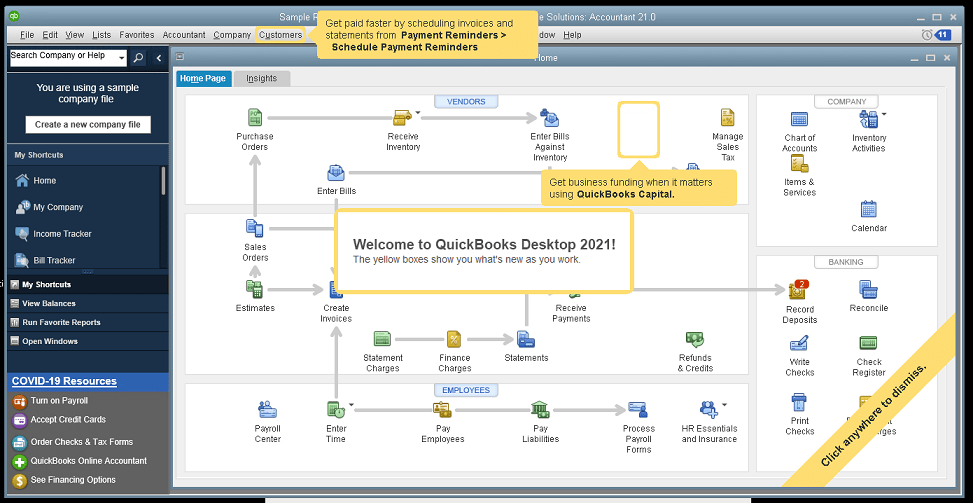
QuickBooks Desktop 2021: Getting Paid Faster, Being More Efficient, and Improving Data Security

The new QuickBooks Desktop 2021 editions have new and improved features that help businesses get paid faster and secure data more effectively, making the software work even better for your company.

Many of the improvements center on automation and workflow, enabling users to get more done with fewer keystrokes and setting up automatic activities so that items don’t have to be handled manually.

Other improvements center on data and information access, allowing admins to get granular with setting user permissions and access to certain types of information, even down to the record.

Intuit has also delivered several enhancements to existing functionality in QuickBooks desktop, especially in the Enterprise edition and where inventory is involved.

Here is a brief summary of the main changes or additions introduced with QuickBooks 2021 editions.

Improved Bank Feeds
Review bank transactions and match them to existing ones in your books or quickly add new transactions using the advanced bank feeds capability. You can automatically categorize or batch-edit bank transactions by payees, accounts and classes. This can dramatically reduce the time and complexity of reconciling entered transactions with the items the bank processes.

Automated Payment Reminders and Statements
Now you can send statements automatically to customers, with each statement tailored to the customer’s needs or preferences. Set automatic reminders for customers when their invoices are due and schedule statements for your customers to let them know when they have invoices they still need to pay you for. Timely communications with customers regarding their invoices and activity is more likely to keep a customer coming back for more. It also reduces the time required to communicate individually with customers, making AR management and collection activities more efficient.

Customized Payment Receipts
Want to send certain customers a customized message on their receipts? You can use custom templates for forms like invoices, sales receipts, estimates, statements, and purchase orders so each form has the right look and information. Then use the new customer groups capability to get the right form for the right customer every time.

PDF preview
It is always a good idea to preview a document before you send it via email, but that wasn’t always a convenient thing to do in QuickBooks. Now QuickBooks lets you automatically preview attachments before emailing them to customers. You can even preview multiple attachments at once without having to manually open each one outside of QuickBooks, saving huge time and effort and smoothing out a previously-clunky workflow.

Receipt Management
Receipt management in QuickBooks desktop is a new feature that makes entering expense receipts easier and faster. You can give users access to upload expense receipts to QuickBooks using the mobile app or directly from your computer. Automate creating categorized receipt expense entries using the QuickBooks Desktop Mobile App, an option available only with the Plus subscriptions (not the one-time purchase option).

Create Customer Groups
Improve customer communication with rule-based customer groups based on fields like customer type, location, or balance. Creating customer groups allows you to find all customers that match certain criteria. Then you can create automated statements, send payment reminders or create mailing lists for specific groups of customers.
In QuickBooks Desktop Enterprise, you can even use customer groups to define permissions and access at customer and vendor group level.

Data Level Permission
Data level permissions is a new feature in QuickBooks Enterprise 21.0 that gives you more control regarding restricting access for users and roles. This makes it so the admin can create users and roles with access permissions all the way down to the record level for customers and vendors.

With data level permissions you can improve security and confidentiality of information by assigning users access only to the specific data, transactions and reports that they are responsible for. Users will only be able view, edit, or delete specific customers, vendors, or data with the permissions you delegate to them.

NOTE: Data level permissions don’t appear to be available in QuickBooks Enterprise Accountant, nor are they available with a Silver or Gold subscription. To get this feature, you have to go Platinum or Diamond, so it’ll cost you.

Add prices to barcode labels
Wouldn’t it be great if you could print barcode labels with pricing information as well as the item name and description? Now you can! Barcode labels help you accurately identify and manage inventory, providing the information most often needed by employees and customers.

Landed cost
Gain more control and flexibility over how you calculate and share landed inventory costs. Set up landed cost accounts as “COGS” (Cost of Goods sold) or “Other current assets”, and accurately calculate landed cost for old item bills from closed accounting periods. You can also print bills with or without landed cost, allowing you to better control the information you present.

Alternate vendor reports
Key inventory reports can now include alternate vendor information, improving visibility into vendor information on inventory stock status by item, inventory valuation summary and other reports. Linking to alternate vendors via these reports simplifies and streamlines the process of reordering from alternate vendors.

QuickBooks desktop software continues to be the cornerstone of small business accounting. From very small business to the growing enterprise, QuickBooks delivers the functionality that every company needs to manage their income and outgo, customers and vendors, and all their banking activities.

Starting with the early 1999 version to the current 2021 release, Intuit has continued to add capability and enhance features and usability to keep QuickBooks as the most popular small business accounting product on the market. Remember the motto “if you can write a check, you can do your own books“? That’s QuickBooks.

jm bunny feetMake Sense?

J

Strong Passwords and MFA : It’s All About the Bots

Robbie the Robot from movie Forbidden Planet

You may have noticed that more online services are requiring strong passwords – cryptic phrases or letter combinations along with symbols and numbers – and Multi-Factor Authentication (MFA). The goal is to keep services more secure than a simple password allows.

These service providers have recognized that their services are far more secure when the user has to prove they are who they are, and prove it in more than one way. A password plus a special code texted to your phone, or maybe an email to your backup email account are examples of MFA. This means that the password alone isn’t good enough to gain access; the user must satisfy an additional challenge to confirm their identity.

Why is this additional level of account security a good idea? BOTS, that’s why.

A bot is a software application that is programmed to do certain tasks. Bots are automated, which means they run according to their instructions without a human user needing to start them up. Bots often imitate or replace a human user’s behavior. https://www.cloudflare.com/learning/bots/what-is-a-bot/

Bot (like roBOT) does what you tell it. Give it instructions and it runs. Give it some rules to follow and actions to perform when certain conditions are met and off it goes.

The problem with bots is that not just the good guys use them. Bad guys use them… a lot.

Bots can send emails, engage in chats and help you reset your password. They can also carry out cyberattacks at a pace that no human could match. Bots will search for public IP addresses, they’ll pummel an address with intrusion attempts and logins and may keep trying until they’re either successful or they give up. Bots are very good at brute force, because they have all the patience they need. It’s software, so it doesn’t get tired or bored and it can be programmed to not give up.

This is among the reasons for Noobeh’s strict password policy and why we strongly recommend our clients don’t store their passwords to make connecting to the service faster and simpler. Fast and simple is good but not where security is concerned. Our goal is to not only keep your applications and data available for anytime/anywhere access, we want to keep your cloud environment secure and as safe as possible.

Contact us today to get the cloud hosting platform your business needs, along with the privacy and security features the Microsoft Azure platform can provide. Keeping your systems secure isn’t just about keeping your secret password a secret. It’s about putting in place the best methods possible to ensure that your account doesn’t get compromised because a bot guessed your pet’s name.

Make Sense?

J

More Than Expenses: Manage the Purchase Process

For many business owners, just hearing the term “expense management” brings about visions of traveling employees with piles of receipts and vouchers to be organized, accounted and reimbursed for. The images are often fleeting, however – gone out of mind with no lingering thought because these business owners don’t have personnel who travel frequently, and they don’t have to deal with volumes of expense reports from employees. Expense management solutions aren’t anything these business owners are looking for.

Yet, what does happen every day is that equipment, materials, supplies and services are purchased to keep the business operation going. Calls are made to vendors; price quotes are developed, and purchase requests are typed up in Excel spreadsheets and piled on the owner’s desk for approval. The business owner rifles through the various requests and brings in the bookkeeper to help work through the decision of which items to authorize based on current cash availability.

Because the availability of working capital changes frequently with billings being sent out and receipts being deposited daily, the owner and the bookkeeper spend much of their time together figuring out which purchases to make and when. It is a continual and ongoing process, taking a lot of time and attention away from other important business matters.

Too often, thoughts of managing these efforts with more structure addresses only half of the issue – the purchase. Perhaps there are systems for planning for materials requirements and predicting when parts or supplies will be needed, but that is still just one side of the problem. The other side is paying for it. Factoring those purchasing plans into the cash requirements of the business and having a meaningful and effective way to monitor current cash and expected receipts as well as purchase requirements is essential. Resource and materials planning takes purchase planning, and purchase planning takes visibility into receivables, cash flow and cash availability.

Expense and purchase management processes generally involve three main steps: planning, tracking, and reporting.

As the process involves planning, it suggests a proactive rather than a reactive approach to cash management and purchasing activities. By bringing together all the critical data which describes inflows and outflows, the business owner can have the information necessary to not only forecast (plan) cash requirements but to also understand the availability of working capital.

Knowing ahead of time that traditionally slow paying contracts aren’t factored into immediately available cash is important and being able to adjust purchase schedules based on availability of funds is essential.

Where expense management may not be a big part of the business, managing cash flow and purchasing goods and services is, even in the smallest of enterprises. Make sure the business has the tools in place to help bring an additional level of intelligence to purchasing activities, and that those tools deliver the benefits of a structured (but not time consuming) purchasing approvals and proactive cash flow management process.

This aspect of business – expense management and purchasing processes – is an area where accounting professionals can be of great service to their business clients.  Providing high-value solutions that increase cash efficiency and facilitate cash and purchase planning helps the business function even as conditions change.

Make Sense?

J

Are You Prepared for SQL Server 2008 End of Support?


Everything gets old eventually, and now it is official for SQL Server 2008.

03-2012sean-phone-328-e1377042261105On July 9, 2019, support for SQL Server 2008 and 2008 R2 will end. That means the end of regular security updates and general support for the product. Are you ready?

It took more than 10 years for Microsoft to end support for our beloved SQL 2005 and version 2008 has enjoyed a similarly long reign. But it’s over and you need to get used to the idea. Even more, you need to get upgraded to a new version of SQL so your systems can still be patched, updated and supported. With all the nasty exploits out there, letting your software get out of date is more of a business risk than ever.

With cyberattacks becoming more sophisticated and frequent, running apps and data on unsupported versions can create significant security and compliance risks. The 2008 family of products was great for its time, but we highly recommend upgrading to the most current versions for better performance, efficiency, and regular security updates.

Now is a Good Time to Consider Azure

Microsoft is giving a present to businesses that want to migrate their workloads to Azure. For those customers that elect to take this as an opportunity to move to the Azure cloud, extended security updates will be available for free in Azure for 2008 and 2008 R2 versions of SQL Server and Windows Server to help secure workloads for three more years after the end of support deadline. Moving existing systems to the Azure cloud is a natural step in modernizing the business infrastructure and makes the next step of upgrading to managed database services and/or migrating to new Azure servers a lot easier.

Upgrading isn’t simply a matter of maintaining status quo, either.

Moving to new versions can be a foundation for new strategic capability and increasing overall business potential, powering new decision-making processes fueled by analytics and business intelligence.

The Microsoft Lifecycle Policy offers 10 years of support (5 years of regular support and another 5 years of extended support) for the 2008 and 2008 R2 versions of SQL Server and Windows Server. When the extended support period ends, there will be no patches or security updates, which always creates security risk.

If your business is going to remain competitive, you can’t rely on outdated systems.

Your business is tough enough to manage without having your systems work against you.  Software that prevents you from keeping up with demand, creates risk in compliance and security, and reduces operational performance is not what you need. Collecting, storing and rationalizing data takes power and speed, and securing your growing information warehouse requires vigilance in security and update management.

Use this opportunity to review your platforms and applications, and consider moving your on-premises or co-located systems to the cloud. The upcoming milestone is a great opportunity to transform applications and infrastructure to take advantage of cloud computing and the latest versions of SQL Server and Windows Server.

jmbunnyfeetMake Sense?

J

4 Rules of Thumb for Getting Business Benefit From EDI

The First Step in Transformation is to Stop Doing Things Twice

Double-entry is dumb. Entering data once introduces the possibility of making an error, and entering the data again only increases the chances for a mistake. Typing information into the computer also takes time and the more manual entry is done the greater the potential is for input errors which take even more time to find and correct. Manual entry of information may be required when starting with a paper-based process, but double-entry of information doesn’t make any business sense. In this age of computers, the internet and electronic commerce, reducing manual entry to increase performance and accuracy is more important than ever. Thankfully, manual data entry is being eliminated and EDI is the foundation that helps make it happen.

tall-tower-vancouver“… the key is the unattended and intelligent movement of data from one system to another.  People don’t have to get involved in order for the information to flow from one system to another… it just goes by itself.  Like a robot.”

Robots are just automation you didn’t know you needed

Electronic Data Interchange (EDI) is the use of computer and telecommunication technology to move data between or within organizations. EDI uses strictly structured information that can be transferred from one program to another without human intervention. EDI is one of the most important subsets of e-commerce, being the technology that helps two parties exchange information around a commercial transaction. One of the fundamental first steps in business transformation is the automation of business processes, and this is the main goal of EDI.

EDI addresses and solves problems inherent in paper-based processes. For many, EDI is the basis for reengineering processes and giving manual workflows an automation overhaul.

4-rules-of-thumbHere are 4 Rules of Thumb regarding implementing EDI in the business and where it can deliver the biggest benefits
Rule 1: Go paperless and reduce or eliminate paper-based processes

Delays in activity performance and access to information are often due to paper-based processes, where transportation, storage and retrieval of documents cost valuable time. Labor costs are also higher when paper-based processes reign, increasing overhead costs for document processing and handling. Non-EDI systems also tend to be more error-prone because information is keyed multiple times, and because documents are transported, stored and retrieved by humans.

Rule 2: Reduce operational costs by increasing the speed of business and decreasing processing times and errors

Cutting costs is a top benefit of implementing EDI in the business, centered on doing away with the use of paper while automating key business transactions, saving both time and money in the core process as well as in error correction and problem resolution. Increased productivity is an expected result of employing paperless solutions and technologies. By reducing paper-based processes and embracing electronic transaction processing, businesses can handle more operational activities with the same (or fewer) human resources.

Rule 3: Re-Structure workflows to improve activities that make customers happy

Using EDI in the business helps to structure information and workflows, increasing efficiency and process performance in a variety of areas.

EDI also improves performance because processing time can be reduced to seconds, enabling greater efficiency in services delivery and a level of responsiveness that makes customers happier. Because EDI permits access to a potentially vast amount of detailed transaction data, the information can now be used to automate other processes and stored for analysis.

Rule 4: Get better data and more insight

EDI solutions help to minimize errors in the data, creating a basis for better reporting and analysis. Mistakes in data entry or order taking can be significantly reduced (if not eliminated), and well-structured data removes the need for “interpretation” of the information. Replacing paper documents with electronic ones can also make it easier to keep track of the status of an item, which is why EDI solutions ensure traceability of transactions that paper-based tracking can’t readily provide. All this serves to help the business gain the insight necessary to respond more quickly to changing market conditions and customer demands.

Integrating EDI into the business processes is key to improving business performance in a wide variety of areas. Like moving from phone to fax orders, or from fax to online, EDI represents a big change in how transaction processing takes place. By enabling EDI transactions with current and new suppliers and channels, the business also enables more efficient, seamless communications between all participants in the supply chain. Removing the need to re-key data and reducing the need to rely on human manual processes, EDI systems connect orders and invoices and shipping and returns… and all the trading partners along the way.


jmbunnyfeet

Make Sense?
J


cropped-logo_mc_w_short-1Cooper Mann works closely with the experts at Mendelson Consulting, experts at QuickBooks and EDI.