Technology-Enabled Practice is Profitable Practice

A profitable accounting “firm of the future” is not out of reach for even the smallest of professional practices, because it doesn’t take a lot of people to develop a highly efficient and profitable operation.  The key is having the right business foundation – the technology and the concentration on structure and process – which will serve the business for years to come. Profitability is really about effectiveness and efficiency… delivering more value and doing it in a more intelligent manner than the next guy.  This is how the practice not only stays profitable, this is how it beats the competition.

Powered in part by efficiency created with technology-enabled business, professional firms find that they are able to realize increased revenues by billing for services, not by the billable hour.  Data processing and performing the “mechanics” of the bookkeeping process is going by the wayside, with artificial intelligence and automation taking the lead in these areas.  This creates the opportunity for professionals to broaden their scope of service and involvement with business clients.   The higher value work, the tasks that most professionals would rather spend their time on, is now available because the lower value data entry and tabulation is handled electronically.  When accountants are able to spend less time on entering information and more time on evaluation and analysis, business clients find greater value in the insight delivered from the engagement.

It is more than possible for the professional to develop new competencies in business technologies without having to invest the entire practice and put the client base at risk. Hosting and remote access solutions, for example, bridge the gap between on-premises computing and the cloud, delivering the benefits of mobility and anytime/anywhere working models without the complete transition to SaaS applications and web-based frameworks.  This allows the firm to streamline production by taking advantage of connected systems and real-time data, which is at the core of efficiency in business.

The small business market is the economic growth sector, and the number of opportunities being presented to smaller firms is increasingly significant. With the correct technology and approach, small firms are able to compete at levels previously available only to their larger counterparts.  The business of accounting is changing because the technologies supporting it are evolving more rapidly than ever before.  The firms that embrace these changes and use them to improve and streamline practice performance are the firms that will achieve and sustain the highest levels of profitability.

Make Sense?

J

The Cloud and the Business Desktop

Cloud computing is here – no longer is it considered to be temporary or just a fad.  Even though there are many businesses in the country without access to high quality high-speed Internet connectivity, the levels of investment and revenue surrounding cloud and mobile computing solutions and technologies has proven that mobility and managed service matter to those who are connected. What’s interesting is that the popularity of the cloud and the emergence of cloud-based applications and services haven’t really put much of a dent in the need for the desktop, which remains as the business workhorse and – connected or not – represents the foundation for business productivity and getting work done.

Some years ago, business applications began to emerge in SaaS (software-as-a-service) format, meaning a customer could simply subscribe to an application on the web rather than purchasing and installing software.  This option clearly resounded with many business customers and ushered in an era of online application services oriented specifically toward mobile users. Yet the desktop remains as the place where online solutions meet productivity (export any online data to an Excel spreadsheet recently?) and where accounting and finance connect with the rest of the operation.

Believing too much of the marketing-speak around cloud computing, many business users believe that they can only remotely access business software solutions if they are “cloud” and subscription model applications, and that the desktop products they know and have invested in cannot be available to them in a fully managed online model.  In fact, a large number of the business owners I speak with that actually use hosted desktop services somehow believe that the software they are using is something special and different from that which would be installed to their PCs. The fact is that the software is not different, regardless of what they may think. More often than not, the hosted applications are EXACTLY what the customer had previously installed (or would have installed) to their own computers had they not been working with a hosting provider.  Whether they are hosted or not… the desktop products generally function with all the features and capability designed into them because they are hosted on platforms they were designed to run on (like Microsoft Windows, for example).

Customers of the QuickBooks hosting companies often refer to their systems as “QuickBooks cloud, but not the online one”, not really understanding that it is simply the full desktop application that is being hosted for them.

Regardless of how many online application services emerge, and even if (IF) web-based versions of our favorite word processing and spreadsheet software become as useful as the installed kind, there will still be a need for the desktop if for no other reason than to make it easier to use and work with a variety of solutions at the same time.  Perhaps this is why remote desktop computing and hosted application services are becoming increasingly popular approaches to cloud and managed computing services.  The user benefits from having the feature-rich applications they need and a single place to access them and make them work together (the desktop value proposition), yet is able to have remote and mobile access, comprehensive system management and maintenance, data protection, helpdesk support and affordable monthly payments (the cloud value proposition).  In many ways, application hosting models represent the best of both worlds for the business.

JJoanie Mann Bunny Feet

Make Sense?

Consider how beneficial it would be to businesses who want the advantage of remote desktop and mobile access to applications to be able to run their QuickBooks (feature-rich desktop QuickBooks) and/or other business applications in an anytime, anywhere sort of environment. Businesses can obtain hosting services for QuickBooks Pro, Premier, and Enterprise – allowing organizations to have their QuickBooks financial applications managed, protected, secured, and made available to users all the time and from any location. Some hosting services may also support integrations and extensions for QuickBooks – for both desktop and Web-based applications and services. When the host can provide authorized subscription licensing for Microsoft Office, a business can have a complete, outsourced IT solution and pay only monthly service fees to get it. No installation or system management to worry about: the QuickBooks financials, the productivity, the operational systems and plugged-in applications can all be hosted in the cloud.

SEC Watchful Eyes Focus On Cybersecurity and Protecting Personal Information

SEC Watchful Eyes Focus On Cybersecurity and Protecting Personal Information  #cybersecurity BehindBars

Information privacy used to be a fairly simple thing.   Systems – what systems there were – weren’t so interconnected and information wasn’t so easy to share with thousands (millions) of people all over the world.  Security used to come down to gaining physical access to the information, which was usually on paper.  If you couldn’t get to the paper, you couldn’t get to the information. Yet those very analog days are long gone, and most of us have come to recognize that our personal information assets are no longer so tangible that we can touch them and feel them and keep them secured safely in the lockbox in the closet. What’s disturbing about the landscape of security in the cyber-world is that it is risky to trust not just the systems but the users – including the folks you want and need to trust – with your personal information.  It isn’t that you can’t trust anyone these days.  You just can’t trust that everyone is taking the precautions necessary to protect YOUR information.  You need to be sure.

Trust has always been an essential element in business and finances, and in every business relationship there is some element of it present. The prudent customer performs necessary due diligence before entering into any business arrangement, but there are often factors taken for granted in the review; factors which are overlooked or remain unconsidered, often due to an essential level of trust which  is placed with the other party. This is among the issues identified by the SEC as it relates to broker/dealers and their recognition of the importance of securing their clients personal information.  Yet recognition of the risk and responsibility isn’t always enough, especially with the number and makeup of bad actors out there. As the threat landscape changes, so must the approaches and technologies used to protect information from those threats.

Consumers place a high level of trust with their financial advisors and generally provide them with a great deal of personal information, and the broker-dealers and advisors generally recognize the importance of protecting the personal information they are entrusted with.  The problem is that these entities too often approach the problem of information security and protection as something with static and unchanging requirements. Compliance in establishing a baseline of protection is met.  A lack of ongoing diligence required to adjust to new threats and changing conditions… not so much. According to a summary report on the subject issued by the SEC in February 2015, the “vast majority” of examined broker-dealers and advisors have adopted written information security policies, yet the report goes on to discuss additional measures and constant reviews which should be applied to better guard the personal information of consumers.

Most of the examined firms reported that they have been the subject of a cyber-related incident.  A majority of the broker-dealers (88%) and the advisers (74%) stated that they have experienced cyber-attacks directly or through one or more of their vendors.  The majority of the cyber-related incidents are related to malware and fraudulent emails.

National Exam Program Risk Alert issued By the Office of Compliance Inspections and Examinations (“OCIE”); Volume IV, Issue 4 February 3, 2015

Among the agencies placing focus on the issues of cybersecurity and personal information protection is the SEC.  Within the SEC (Securities and Exchange Commission) is an office called the Office of Compliance Inspections and Examinations (OCIE).  The OCIE exists to “protect investors through administering the SEC’s nationwide examination and inspection program”.  Registered entities examined by this office (in Washington, DC and the Commission’s 11 regional offices) include broker-dealers, transfer agents, investment advisers, investment companies, municipal advisors, the various national securities exchanges, clearing agencies, and certain self-regulatory organizations (SROs) such as the Financial Industry Regulatory Authority (FINRA) and the Public Company Accounting Oversight Board (PCAOB).

In February 2015, OCIE published a summary of observations of the findings from a SEC-sponsored Cybersecurity Roundtable which included SEC Commissioners and staff as well as industry representatives.  The roundtable discussion, held in March 2014, focused on the important part cybersecurity plays in preserving the integrity of the market system and protecting customer data.  On the heels of the roundtable came a Risk Alert published by OCIE, in which it announced a series of examinations and tests aimed at the identification of cybersecurity risks and assessing the preparedness of the securities industry to meet the challenge.  After all, federal securities laws require registered investment advisers to adopt written policies and procedures reasonably designed to protect customer records and information.

Paperless_468x80

The watchful eyes of the SEC are looking directly at broker-dealers and advisers, bringing additional attention to messaging about the requirement for these entities to protect consumer personal information.  The message is more likely to be heard when it includes the threat of censure and big fine. In September 2015 the SEC charged an “investment adviser with failing to adopt proper cybersecurity policies and procedures prior to a breach”.  According to the SEC release, the firm “failed to establish the required cybersecurity policies and procedures in advance of a breach that compromised the personally identifiable information (PII) of approximately 100,000 individuals, including thousands of the firm’s clients.”  Also in September, the OCIE communicated another Risk Alert notifying of their intent to focus on cybersecurity compliance and controls, including information about the next round of examinations which will include more testing to evaluate firms’ implementations of procedures and controls around information protection and cybersecurity.

Gathering information on information security and privacy practices is not always easily accomplished for the SEC OCIE.  FinCin (US Dept of the Treasury Financial Crimes Enforcement Network), on the other hand, seems to get more reports of breaches from broker-dealers than does OCIE.  Maybe it is due to the advisor wanting to take more the role of the victim rather than admittance of culpability in any way, but the OCIE reports that roughly 65% of broker-dealers that acknowledged receiving fraudulent emails, for example, reported them to FinCen, yet perhaps 7% or fewer actually reported the information to law enforcement or other regulatory agencies.  It is the public report of the breach which gets the attention, and which continues to spur the efforts within the OCIE.

Public reports of cybersecurity breaches occur with too much frequency.  Sadly many of these events are due to failures or weaknesses in basic controls – failures which might have been identified if testing and review of basic processes, systems and controls was part of regular procedure.  With some of the largest data breaches possibly resulting from hacking of 3rd party vendor systems and platforms, review and assessment of vendors and suppliers must also be folded into the realm of consideration.  Failure to protect personal information of consumers and clients is risk to not just the firm or the client, but also to the entire market.  Risk reduction and management is among the focus areas for OCIE, a charter which supports the recent creation of the Office of Risk and Strategy, and which recognizes the challenge in gaining the information necessary to effectively inform the SEC and the market on cybersecurity issues.

jmbunnyfeetMake Sense?

J

Is this email legitimate? QuickBooks Payroll ACH ID Changes go live on the 22nd!

Is this email legitimate? QuickBooks Payroll ACH ID Changes go live on the 22nd!

Trusted QuickBooks Advisors – here’s another thing for you to help your clients with

Intuit recently sent an e-mail to QuickBooks Online Payroll (QBOP) and QuickBooks Full Service Payroll (QBFSP) customers about an ACH ID change.  It kind of looks like a phishing thing, but it is really a legitimate email from Intuit, and it is important to pay attention if your company uses the impacted services and a banking feature called “debit filtering”.  There isn’t much time to act, either, because the changes go live in 3 days (February 22, 2016).

Impacted services are QuickBooks Online Payroll and QuickBooks Full Service Payroll, so it is pretty important to address.  Nobody wants their business payroll processes interrupted, and this could easily do just that.

Intuit has added some new ACH ID numbers for use with direct deposit and other processes which work with the bank, so customers using a fraud-prevention method known as “debit filtering” will need to contact their banks to add the new IDs or their bank transactions will fail.

Debit filtering allows customers to tell their banks which ACH IDs are allowed to perform transactions with the bank account, like removing or depositing funds.  It is an extra level of fraud security that protects the bank account from unauthorized access, but it is also something that can work against the business if it is not managed.  In this case, contacting the bank to add the new IDs is critical to keeping things processing and flowing smoothly.  It is also important that the old IDs not be removed yet, as they may be tied to historic transactions that must be tracked and reported on for tax and other purposes.

“Is this really from Intuit? It seems like Intuit would have a better way to make such changes than to ask millions of subscribers to contact their bank”

Source: Is this email legitimate? ACH ID Changes; – QuickBooks Learn & Support

QuickBooks users don’t have much time to reach their banks and supply the new IDs, so pull the email out of the SPAM folder and call the bank right away. Intuit won’t be sending notices to the banks, and they have no authority to add different IDs to your approved list, anyway… which is a good thing.  If just anyone could add an approved ACH ID on your account, then just anyone could get to your funds.  Better to make the phone call yourself.

jmbunnyfeetMake Sense?

J

No REST for QuickBooks Desktop Integration Developers

No REST for QuickBooks Desktop Integration Developers
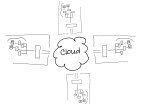
elastic-cloudIntuit, the maker of QuickBooks small business accounting software (among other things), is discontinuing service for the REST API and the Sync Manager on March 1, 2016 [1].  Developers with applications which integrate with the desktop editions of QuickBooks using this method must change their approach right away or risk having their integrations simply stop functioning.  It’s not that Intuit will DO something on March 1st.  Rather, they’ll stop doing something – like handling Sync Manager integrations.

There are a lot of different types of businesses in the world, and each of them produces and consumes a lot of information.   From sales to human resources; from operations to finance – every business generates and manages information to support the various processes which make up the business activities.  Computer systems and software represent the tools businesses use to develop and manage information, and often become foundations for structuring the information which flows through the organization. Just as there may be different people in the business, each with their own responsibilities and job functions, there are likely software applications which are similarly oriented to support different processes within the business.  Integrating or connecting different applications and processes within the business helps the organization be more efficient with information usage, generally increasing the quality of access and reporting throughout the business while at the same time reducing or eliminating redundant data entry and the potential for errors.  Software integrations are a big thing to many businesses, which is why the discontinuation of Intuit’s Sync Manager for QuickBooks Desktop editions is a big deal.

Intuit’s Sync Manager was the big thing just a few short years ago.  Providing developers with a seamless method for accessing QuickBooks company data and passing it to/from web-based and other applications was a boon to the online application model and paved the way for many disk-based integrated solutions to migrate to SaaS offerings instead.  Developers who saw success operating in Intuit’s QuickBooks marketplace as recognized add-ons were encouraged to use Sync Manager so that they would be able to seamlessly market to, subscribe and onboard new users who purchased QuickBooks products. Whether or not the developer participated in Intuit’s application marketplace, the Sync Manager and the REST API provided them with some very important capabilities and supported new methods now recognized as “standards” for development of web-based solutions and services.

The World Wide Web has succeeded in large part because its software architecture has been designed to meet the needs of an Internet-scale distributed hypermedia system. The modern Web architecture emphasizes scalability of component interactions, generality of interfaces, independent deployment of components, and intermediary components to reduce interaction latency, enforce security, and encapsulate legacy systems. http://dl.acm.org/citation.cfm?doid=337180.337228

In order to integrate a solution with QuickBooks desktop products, there are two essential problems to solve.  First, there must be access to the QuickBooks data.  Few products are able to directly access the data in a QuickBooks data file; generally, the QuickBooks program itself is used to ‘broker’ access to the company file. So, developers need a way to work inside of QuickBooks to use it to access the data their applications need.  Second, the data must be transported (via the Internet) to allow for data to come from QuickBooks into another app, or to allow data from the other app to come to QuickBooks.  The REST API and the Sync Manager addressed both of those problems and provided developers with the mechanisms required to facilitate the data integration as well as transport the data.

REST (representational state transfer) is “the software architectural style of the World Wide Web [2]” and represents a standard for creating scalable, distributed system interactions.  Using this method, developers were able to make their online solutions access, read and write data in QuickBooks desktop products because Intuit had first sync’d the data to its servers, so developers needed only to reach the Intuit servers to reach the data.  The Sync Manager provided the transport, carrying the data to/from the desktop installation where the Sync Manager service was running.  And, because the Sync Manager was basically built-in to QuickBooks, there was no additional software to install and maintain on the computer because it was all part of the QuickBooks installation.

Intuit did a fantastic job of getting developers to move to the API integration method, positioning all those lovely 3rd party solutions for linkage via an Intuit.com account and, now, to QuickBooks Online.  Intuit is clearly favoring the QuickBooks Online edition and the API integration method available with that platform, and is telling developers that they must convert their customers to QBO in order to retain the easy connective ability they had with the desktop editions via Sync Manager.

Now that Intuit has announced the discontinuation of the REST API and the Sync Manager, what options do QuickBooks integration developers have, and how can customers using 3rd party integrations keep using them?  Options do remain, and they aren’t all that bad.  In fact, the options which remain continue to be the methods of choice for certain developers. These developers recognized early on that Intuit’s somewhat “lightweight” methods couldn’t handle the complexity or full functionality of their integrations facilitated their solutions using the SDK and never looked back (and still don’t).  For this community of developers – many of whom likely never considered trying to market their solutions in the Intuit app marketplace – the elimination of the REST API and Sync Manager don’t really matter.  They didn’t bother with them in the first place, just as they aren’t bothering with QBO.  Those solutions don’t fit their customers, anyway.

The QuickBooks desktop SDK (Software Development Kit) has been around for years, and using the SDK developers have been able to craft tight integrations between their solutions and the QuickBooks desktop products.  From payment plug-ins to fully integrated sales, customer relationship, inventory and manufacturing solutions – a broad range of integrated applications built with the SDK have been successfully deployed to QuickBooks customers all over the world.   Many applications which integrate with QuickBooks desktop solutions are desktop products themselves and are designed to work within the same desktop and network environment as QuickBooks, so there is no need to worry about “transport” of the data over the Internet.

For other solutions, such as online applications and services, there may be a need to exchange data via the Web. The QuickBooks Web Connector has also been a very popular solution for developers of applications that integrate data with QuickBooks.  The Web Connector is just what its name implies: it is a way to connect QuickBooks to the web and vice versa. With the Web Connector application and a web connector configuration file, developers could provide a method of exchanging data between QuickBooks desktop and another solution fairly simply.  While the Web Connector is quite useful in providing a means to transport integrated data to/from the QuickBooks desktop to an external system (like an online application), it only allows access to whatever data Intuit decides.  For this reason, many developers use both an SDK application and the Web Connector so their applications can access all data required and also have a web service available to transport it.

There are numerous implications relating to the sunset of QuickBooks REST API and Sync Manager, and another among them is the impact in hosted environments.  For customers who are (or might) benefit from hosted QuickBooks delivery models, what does the end-of-life of the Sync Manager mean?  Since the Sync Manager was basically built into QuickBooks desktop editions, it meant that there wasn’t any extra software to install or manage when a company wanted to adopt a Sync Manager-based 3rd party integrated solution. In a hosting environment, this means that the customer could easily add integrated applications to work with their hosted QuickBooks and the service provider might never even know it was being done.  There would be no additional software to install on the host servers; so many providers would simply be unaware that their customers were using these other solutions.

As developers return to SDK and Web Connector implementations in order to integrate with QuickBooks desktop, customers will ask their hosting providers to install the QWC (QuickBooks Web Connector) and/or integration software in their service.  In shared service delivery models, this may be virtually impossible to do without potential compromise to existing customers using those servers or other applications resident on the systems.  Hosting customers will not always understand that a “simple plug-in” actually represents installable software that must be secured, maintained, managed, and kept from improperly interacting with other software in the environment.  Some providers may not even be willing to work with the new integration software, while others may allow it but will not take adequate precautions to ensure proper and secure function.

Intuit has said to many constituent groups that its focus on desktop editions of QuickBooks will continue, and new certifications and benefits for desktop ProAdvisors (and continued development of interoperability with other solutions, like the Revel POS integration for QuickBooks desktop) give support to those statements.  Yet developers who support integrations with QuickBooks desktop are once again adjusting to the not infrequent changes Intuit makes to developer programs and philosophies.  The push to QBO and connected apps may be the focus for QuickBooks marketing dollars, but there are still quite a number of (very busy!) developers supplying solutions to businesses who don’t shop inside their QuickBooks software.

Joanie Mann Bunny FeetMake Sense?

J

[1] https://developer.intuit.com/blog/2014/09/08/timeline-to-discontinue-the-quickbooks-desktop-rest-api

[2] https://en.wikipedia.org/wiki/Representational_state_transfer

Paperless_468x80

Mobilizing QuickBooks Desktops

 Hosted QuickBooks for Remote and Mobile Access

There was a time not too long ago when the “thought leaders” in information technology said that the desktop is dead, and all software will be accessed via the web. (Note: I put “thought leaders” in quotes because industry thought leaders are often those with the greatest media influence.  After all, you can’t lead them if you can’t reach them, right?). The whole no software thing is a dramatic oversimplification of what is happening with computer software, but one thing is kind of coming true: nobody wants to be tied to their desktop.  It’s not that the desktop is dead… it’s just not all there is. For users of the desktop editions of Intuit QuickBooks software, the question really isn’t whether they intend to give up their familiar and trusted software to use a different, online solution. The question is how to use the QuickBooks desktop software they want in the cloud so they can use it on desktops that aren’t the primary desktop computer, or on mobile devices.

Computing technology has finally reached a level of accessibility that was previously only imagined in science fiction stories.  Communicating instantaneously with anyone anywhere around the world; accessing extensive (limitless?) libraries of information, art and music with a simple handheld device – these are the things that people do every day without a second thought.  Business users may even be able to access their business documents, email, contacts and appointments etc. from mobile devices, enabling a productive and functional mobile workforce.
desktop-appsYet the desktop remains as the primary workhorse for most business users. This is where the productivity applications live, where large spreadsheets and full-screen applications are run, and where keyboarders and production data entry users operate.  Tablets, touchscreens and mobile devices just don’t provide the same capabilities unless you tether them to full size monitors and keyboards.  Even then they may not because they might not run the same OS as the desktop.  The point is that the desktop hasn’t gone away and isn’t likely to any time soon.  Users may use more mobile apps and devices, but this isn’t diminishing use on the desktop as much as it augmenting it.  This is what fuels the interest in application hosting and virtual desktop computing models – the desire to mobilize desktop and network applications and working environments.

Hosting applications and data gives businesses the flexibility of working in desktop applications and accessing data just as if they were in the office, yet users may be located anywhere there is Internet connectivity. When the applications and the associated data are managed in the datacenter, businesses are able to centralize their information assets and manage them more effectively than if the data were distributed among multiple computers.  While most sync and share solutions require files to be downloaded to local computers in order to open and edit, a hosted application service with virtual desktops and file sharing provides a security model which keeps business data secure yet available for user access without compromising security by downloading information to the user device.

A hosted solution approach can make license utilization more efficient and compliance easier to maintain, too.  By enabling access to applications on a centralized platform and eliminating the installation and maintenance of software on individual computers, businesses reduce the reliance on local IT personnel to install and update applications and user accounts, and improve their ability to control application assignments and usage.

Hosting helps businesses take advantage of technology that would otherwise be unaffordable, and delivers the mobility and centralized management required to boost productivity and contain costs.  There is a high cost to managing a business network, and creating secure mobile access to that network can represent an exponential increase in IT spending (just to initially set up, not to mention ongoing costs for security management, monitoring and support). Rather than taking on the entire burden of service management and delivery directly, businesses electing to work with hosting providers find that they are able to focus more on business operation, strategy and growth – and spend less time worrying about the IT supporting them.  Costs are reduced, workers are empowered, and capabilities are increased while knowledge and process investments are preserved.  When it comes to mobilizing business applications like QuickBooks desktop editions, it all starts with a hosted approach.

Joanie Mann Bunny FeetMake Sense?

J



