Technology and Tools for Accounting Professionals

Joanie Mann Bunny FeetTechnology and Tools for Accounting Professionals

old_school_ledgerThere was a time not so long ago when accounting professionals focused more on tabulation and summarizing of information than on analysis.  Accounting for businesses, in particular, required collecting myriad papers and receipts and other transaction documents, summarizing the information, translating it into journal entries, and finally posting those numbers to the big bound book which represented the business general ledger.  With the work required to gather and enter all of the information, professionals necessarily focused their efforts on making the process as efficient as possible by attempting to structure the workflow and manage the paper.

When those efforts are compared to today’s approach which involves digital documents, intelligent data collection tools, automated workflow solutions, online accounting and data analysis, it is clear that the processes for accounting for business activities have not really become simpler.  In fact, much of the enabling technology has served to complicate certain processes, which drives users to find even more “solutions” to address these new problems.  It (IT) is a bit like the Wonka Everlasting Gobstopper, which never gets finished and never gets smaller.  IT simply changes things – regularly and often.

Back then – before the Internet and digital imaging, or even Personal Computers – high technology wasn’t the focus because it didn’t exist in the realm of business in general.  I suppose you could call business solutions at that time “low” technology, where mainly mechanical solutions were introduced to address various business problems.

old_school_filecabinet

As an example, prior to the advent of digital imaging and electronic documents, one of the primary requirements of the business was to organize and store paper documents.  Over time, a wide variety of filing, foldering and labeling solutions have been developed, all oriented towards making the storage and later retrieval of paper documents easier.  For some businesses, letting go of the paper is a hard thing to do.  Years and years of training in keeping paper files has left many business owners and managers wary of working without physical paper documents.  Investments in office space, filing cabinets, storage folders and personnel to organize, file and retrieve all of the documents is only a partial measurement of the cost of managing paper, and large numbers of businesses continue to operate in this manner.

old_school_desk

The technology applied to processing the work has also changed, in many ways even more dramatically than the technology applied to collecting and storing the information.  Take the simple processes of tabulation (to arrange in tabular form; condense and list) and summing (adding up) information, for example.  Previous generations didn’t have computers and spreadsheet software to perform the work.  Rather, individuals would painstakingly handwrite each transaction entry into a ledger or on a columnar worksheet, and would then have to manually add each column and then cross check footer totals to ensure accuracy.  Back then, the machines used to perform the addition/subtraction were mechanical devices and could not perform multiplication or division.   These adding machines were first hand-cranked devices, later replaced with shiny new electrical ones (weighing approximately 20 lbs each).

old_school_telephone

Even voice communications have changed dramatically over the years.  Many people don’t remember a time when having multiple phone lines in the business meant having multiple telephones, and the concept of a PBX (Private Branch eXchange) didn’t exist.  Every phone would be hard-wired to an incoming line; if you wanted to answer a call, you had to use the right phone.  This became difficult in an office with many people, so solutions such as the “fabulous extendo-phone” was invented to allow anyone in the office to access the phone from their desk.

The technology available to businesses today is astounding, and offers amazing potential and benefit.  On the other hand, technology rarely (truly) makes things simple or easy – it more frequently serves to shelter certain users from the complexity while delivering new workloads and concerns to others.  It’s rather like energy – it isn’t created or destroyed, it just changes form [law of conservation of energy].  Business is like that, particularly where information technology is involved.  The underlying requirement doesn’t go away, just like a business’s requirement to account for financial transactions and activities,  and the need for the business to capture and retain documents isn’t changed.  How the process is managed, and which tools or mechanisms are applied to the task is what changes.

Make Sense?

J

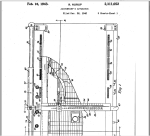
onewrite-accountant_apparatusOne-Write System Revolutionizes Accounting.  These guys had the right idea, they just didn’t have the cloud.

Accounting Professionals, Software as Service, and DIY

Joanie Mann Bunny Feet

The question begs to be asked “how did we get here?” (with “here” being the current state of information technology and the accounting industry). There is confusion in the market; there is still significant debate as to the underlying value of Internet technologies and online application services, and the “managed enterprise approach” has yet to return the benefit and cost-efficiency that is expected.

The accounting industry is experiencing continued change, and understanding the progression of events and technology developments can provide significant insight into where the industry is today and where it will likely be tomorrow. Most professional accounting firms recognize the need to implement technology and solutions that will help the firm and its clients compete in today’s market. Understanding the options available and imperatives that drive the need is key to making the right choices

Technology to manage general business and financial processes has evolved tremendously in the past 20 years, and history clearly reveals that those who have successfully adopted such technologies have done so in stages. Bridge technologies and services (which I fondly refer to as “tweeners”, like cloud hosting of legacy applications) provide a means for safe and low-risk adoption of online working models and managed IT services.

Application hosting solutions have achieved a high level of acceptance in the market, and these are the services that have assisted in garnering online users for the purely Web-based (SaaS and cloud) applications. Providers delivering their “legacy” applications using terminal servers, Quest, Citrix and similar technologies offer the full capability of the Windows application along with the rich Windows interface, as well as the benefits of ASP service and Internet accessibility similar to the Web- app (e.g., the “software as a service” model). This familiarity in functionality and presentation has made adoption of hosted deliveries of these applications a harmless and often seamless transition from localized IT models.

Once a business has adjusted to working online and outsourcing the management of the general IT service, taking the step towards a “true” SaaS solution is much less of a step.

However, trends in the software industry indicate that the concept of “software as a service” has been taken several steps beyond simply providing online access to applications, and are offering outsourced support and finished product deliverables rather than just the software application. For example – an accounting professional may obtain a “finished client tax return” rather than simply purchasing the tax preparation software.

For many emerging Web-based applications, this is the positioning and model which is selected to bolster adoption of the solution.  There has been a great deal of success in offering business users access to a solution, and then providing the actual business service behind it as users find it easier and more efficient than doing the work themselves. This activity has focused on the direct customer and consuming market, where business applications are not sold separately, but as a function of getting the business process facilitated. CRM and helpdesk services are frequently offered this way, as are HR administration and payroll services. The technology has matured to a point where the outsourcer can facilitate the internal business process on behalf of a business fairly transparently, including business bookkeeping and accounting.

All of this serves to devalue the knowledge required to perform the business and accounting processes. There is a belief that has been marketed very well to the small business sector – “if you can write a check, then you can do your own books”. This concept has not proven as realistic as many would choose to believe. But it earned – and continues to earn –  market share. With the trend in software becoming the transparent outsourcing of the processes, is the consuming market likely to recognize the expertise required to manage the outcome?  Retail providers of accounting, tax preparation, and other services (H&R Block, as an example) have quite successfully marketed against the need for businesses to engage with a skilled credentialed professional.  Accounting professionals who do not view this as a threat to their value are simply not paying attention.

Today’s accounting professional must address the realities of Internet technologies, outsourcing, and retail or consumer-direct competition, and the potential impact it will have on the businesses (the client business as well as the professional practice). Recognizing that accountants (by trade) are not typically technologists, it is important to understand that involvement with the financial processes causes a necessary level of involvement with the technology, as well. Professionals who understand and embrace the appropriate use of technology and outsource models are the professionals who will continue to demonstrate their value and expertise to their client businesses and to the market.

With the industry generally moving towards an online, enabling model, those who do not embrace such technologies will rapidly find themselves attempting to compete. As the trend continues to devalue the backoffice processes by essentially hiding them from the consumer (the client business), the position of the accounting services provider is also devalued.

By embracing the technology/enabling model now, the professional service organization positions itself to function as seamlessly with the market as the online service. A clear example of such activity is the emergence of free e-filing of tax returns and the prevalence of low-cost do-it-yourself business bookkeeping and accounting solutions online. Reports indicate that there continues to be a marked decrease in the number of returns prepared by professional organizations as compared to the significant increase in volumes of online do-it-yourself return processing. This has clearly devalued the tax preparation service in the eyes of the consuming market, bringing it down to a level where price is the sole differentiation.

The solution is to fully “enable” the professional services organization, and provide the foundation for seamless delivery of services to the consumer. Once an online working model is adopted within the professional service organization, it gains the opportunity to change and reconstruct internal systems without concern for direct client impacts.

Just as the online application can render the computing platform irrelevant, so can the professional service delivery render the supporting applications irrelevant. This offers the professional service provider the flexibility and freedom to use or develop systems that create differentiation through the underlying process rather than forcing frequent change upon the client.

Make Sense?

Joanie Mann Bunny Feet

J

Have questions about hosting business applications (like QuickBooks)?Are you looking for help developing your IT-enabling model?  Need assistance convincing clients to use the cloud, or onboarding clients to cloud services?

We can help.

The IRS is Spending a Lot of Money to Make a Lot of Money | cashlessandpaperless

Electronic documents and paperless solutions are supposed to help make our lives easier.  By eliminating the paper documents and working with electronic ones instead, users would be able to efficiently manage all their valuable information in one place.  Even more, this information could be shared electronically (swiftly and simply) with others.  However, as most advancements in technology have demonstrated, every solution comes with its own new set of problems.  Where accounting and taxes are concerned, tax payers and the IRS alike are dealing with the impacts of accounting for and substantiating “cashless and paperless” transactions and other activities.  It seems that the IRS is spending more time and resources (=money), expecting that a frontal assault armed with digital records will provide a basis for improved tax collections.

“If you’ve recently been involved in an IRS audit of a business, you have likely seen the agent enter the room fully prepared with copies (subpoenaed) of bank statements and other documentation. It used to be the tax payer who had to provide all the documentation, and the auditor simply used that material. These days, it has become too easy to falsify or improperly change information in electronically stored files (using Photoshop or other tools), so the IRS has lost trust in the data tax payers provide. Instead, they spend a great deal of time and resources collecting this information for themselves (because they can), and then use their copies of the data to compare the data provided by the tax payer.

The IRS will accept electronic records in lieu of original paper documents in many cases, and this is often because they have an ability to validate the content of the electronic records through comparison. Yes, the IRS can collect electronic banking information from financial institutions and other sources, just like the account holder can. It’s become more of a “guilty unless you can prove you’re innocent” approach, and puts the tax payer in a purely defensive posture. Even more, it assumes the tax payer has the sophistication and tools necessary to access and manage all of that electronic data effectively.”

read more at: The IRS is Spending a Lot of Money to Make a Lot of Money | cashlessandpaperless.

QuickBooks In-House Hosting Services for Accountants

QuickBooks Hosting Services for IT-Capable Accountants

DIY-SelfHostingSmall businesses in large numbers are looking to the cloud as a platform to deliver solutions for the problems of escalating IT costs, mobility, and remote access to business data. The cloud is also becoming the recommended platform for the delivery of services from accounting and bookkeeping professionals, as the benefits of remote data access and real-time collaboration nicely address the requirement for accounting pros to exchange and share information with their business clients. One of the popular “cloud” hosting solutions addressing a collaborative accounting model is a hosted application approach to using Intuit QuickBooks desktop products. While accounting professionals may be aware that QuickBooks can be hosted by 3rd party providers, many firms are not aware of what is referred to as the “self-host” model, which is a QuickBooks hosting model for accounting firms with some in-house technical capability.

For small businesses and many accounting service providers, working with a 3rd party hosting provider makes a lot of sense, as the host has the infrastructure and the support organization necessary to service large-scale hosted customer requirements.

On the other hand, there are a lot of accounting and bookkeeping firms which have skilled in-house IT personnel who are more than capable of creating a hosting environment to serve not only their internal needs, but also to meet basic requirements of the QuickBooks-using clients they work with. It makes sense to explore the possibilities of implementing a “self-hosting” model for client access to QuickBooks, overcoming the cost and other barriers involved with 3rd party hosting services.

When an accounting firm works with a number of clients with QuickBooks desktop edition files, the firm has to install and manage not only their own software products, but also the relevant QuickBooks software products in use by the various clients (must have the right QB program in order to open the QB data file). This often puts an undue burden on the internal IT systems of the practice which has its own internal-use software and systems to support. With an internal hosting approach, the firm can provide standardized/centralized application hosting services to their clients, building their own “economy of scale” on the platform and reducing the IT management while achieving all the real-time and remote access benefits of an outsourced hosted model. The firm does not experience a retail cost for a hosting solution, and the cost to host the client is generally offset through the efficiency gained at the firm level through direct access to client data and applications.

The technical model for delivering hosting services to a relatively small client base is not overly complicated. Commercial service providers have complex architectures because they must serve a large and diverse client base, and they never really know what sort of devices (computers and printers) or connectivity the customer may have. Commercial providers have to be prepared to deal with any and all situations, where a “self-host” firm needs only to concern themselves with supporting their particular client users and use cases. Additionally, when the solution is offered as part of the accounting or bookkeeping service, the support requirements of the customer tend to be focused during mutual working hours, as opposed to the 24×7 support demanded of the commercial host.

As accountants and bookkeepers search for solutions to improve efficiency, increase profitability and differentiate services, it makes sense for those serving QuickBooks desktop clients and having an in-house IT capability to explore becoming a QuickBooks self-host. It is one possible way to eliminate cost as a barrier to working closer with QuickBooks desktop clients while providing the mobility and collaboration businesses need.


Make Sense?

Joanie Mann Bunny FeetJ

e-Discovery in the Cloud: Benefits versus Risks

e-Discovery in the Cloud: Benefits versus Risks

After many years of working with business professionals in “enabling” their organizations to make better use of technology, I must say that it is a bit frustrating trying to get folks to understand that this new and wonderful cloud computing model (or Internet-based computing, SaaS, or whatever-you-want-to-call-it computing) is still just technology.  It uses computers and disk drives, it runs software, it takes electricity, and it was developed by human beings.  It can break.   It’s not magical and perfect and you can’t get the good stuff for free.  Swim at your own risk.  So, assess the risks, and measure the benefits against the risks and costs.  For many, the benefits outweigh the risks, as cloud computing approaches can deliver advanced capabilities at cost levels not previously available to most businesses.

No industry is immune to the security and access considerations surrounding a cloud computing model.  Particular those lawyers involved in e-discovery (all of them) have recognizing the potential benefits – and tradeoffs – of the model.  This reality was clearly revealed at the ILTA (International Legal Technology Association) 2010 event in Las Vegas.  While the discussions at the conference were oriented specifically towards the legal profession, the IT-related discussions are totally relevant to every business.  Accounting and finance professionals should pay close attention to this type of conversation, as it relates very directly to accounting’s approach to information technology and the application of IT in the business or professional practice.

In a recap of the event entitled ILTA 2010 in Las Vegas: Strategic Unity, Defensibility, and the Cloud, author Chris Dale discussed that professionals in both public and corporate service must work with the IT departments towards a common goal.  “IT is no longer just a service department providing an infrastructure, applications, training, and troubleshooting.”  While these elements still remain as critical aspects of IT, the role has grown to also incorporate considerations for collaboration (collaborative information management), mobility, and social media.

Recounting one session attended, called Defensible Ediscovery Processes, the author related the variety of definitions provided to the general term” defensible”, which were pretty amusing.  These definitions ranged from protected against attack, to less lousy practices or practices which suck the least” (my personal favorite), and finally, what you can get away with without being found guilty of spoliation.  From these definitions then came qualifiers, such as “reasonableness” and “faith”.

Why would defensible processes be important, and how does this relate to IT or cloud computing?  An example of the element of “faith” came up in this context: ” how can [lawyers] have faith that the technology is delivering the right answers?”  A panelist gave the sample of “an email retrieved from (or possibly not retrieved from [love those lawyers]) a system, with 26.5 pages missing.  How can you be sure that the systems which you are using will not do that to you?”  These are valid questions in any IT environment, and are no less important when considering a cloud-based technology model.   The trade-offs are related to perfection in functionality and performance of the solution versus cost, and should be measured in proportion to one another.

The tradeoffs may come in a variety of areas, with collaboration and connectivity being the primary drivers (collaboration) and barriers (connectivity) to the model.  Businesses are more than ready to adopt cloud computing strategies based on the belief in improved collaboration, access to information, and improved IT management,  but tend to overlook the offsets in the areas of bandwidth availability (and consistency), application functionality (or lack thereof), and level of support available from the provider.  In support of this argument,  Jerry Justice (IT Director for SS&G – Certified Public Accountants and Advisers) posted in a LinkedIn discussion on the topic that “by design the Internet is ‘reasonably’ connected, but not the same as a well-connected [local] network.  the upside is it gives you the ability to connect from great distances, the tradeoff is that you experience variable connectivity.”

The underlying issues are that there is a paradigm shift to working on the Internet (from working in the office) and then another shift when you add in cloud-based environments (versus local apps).  It is possible to be very productive, but .. you have to adapt your approaches“.

The idea “that perfect must be qualified by cost and proportionality” was also discussed in an ILTA session on cloud computing which included panelists from Autonomy iManage, Mayer Brown, and Ernst & Young.  “Cloud computing remains a contentious area, with no obvious agreement even as to what the term means, let alone as to its implications” wrote Mr Dale in his recap of the event.  While the panelists held differing views, the representative from Mayer Brown held a position similar to Mr Dale, in that it is important to “dissect the objections one at a time, accepting that there is room for more than one view, and testing arguments against the alternatives.  Arguments based on pure cost are pretty compelling, and if one method of achieving an objective is very much cheaper than the others, then the burden shifts to those who argue for the more expensive route.”

Discussions went on to describe differences between public cloud providers and others, who segregate customer data in “private and identifiable silos”.  “The key word here is identifiable“, writes the author, “which connotes a geographical certainty as well as anything else.  I sometimes wonder if the imagery associated with cloud computing (invariably a jagged line disappearing into some cumulus) does not leave some people with the idea that their precious data is indeed floating in some inchoate container up in the air.”

If you neglect to provide in your contract that your data remains in a specified jurisdiction, and if you fail to conduct proper due diligence checks on the provider, then you deserve all you get.  Like any risk assessment, it involves weighing cost against other factors; most of these other factors are definable and quantifiable“.

I couldn’t have said it better myself.

Joanie Mann Bunny FeetJ

original post March 24, 2011

Client Solutions, not just Professional Services

Client Solutions, not just Professional Services

Accounting Professionals serving a small business client base are struggling to find ways to demonstrate the value of the services they provide, yet many firms remain focused exclusively on their own processes and improving profitability therein rather than looking “outside the box” to see how they might involve the client in the discovery.  The obvious element which these firms are not addressing is the client user, and how a direct participation by the client becomes the foundation for internal process improvement.  After all, a lot of what accounting professionals are battling against is perceived value.  If the client were to be a more direct participant, the value of the work and the tools which support getting it done could provide a more tangible or visible aspect and increase the overall value perception of the client.

It is easy to say “get the client more involved”, but actually doing it can be the real challenge.  Professionals are recognizing this reality as they attempt to engage client users in online portals for document exchange and by providing application functionality which is supportive of the accountants’ processes.  While some professional firms are experiencing success with this approach, many other firms are not.  There are likely a variety of reasons why some firms have more success than others in getting clients to work with their online tools, but I believe there are two key elements which impact success:  accountant-centric focus, and provider lock-in.  Whether these elements work to the firms’ advantage or not depends solely upon the specifics of the service model and client market being served.

Accountant-centric focus

Most accounting professionals recognize that paperless approaches to working with client information and documents makes a lot more sense than working with the actual paper.  Particularly with the innovations in image capture, OCR and zero-entry solutions, it is logical to try to get as much of the required information transformed into useful digital data as possible.  Data entry time is reduced, accuracy is improved, and the resultant information is better and more useful and may be processed more efficiently… for the accounting professional.  For the client, on the other hand, it’s just another way to get information to the accountant (who is always wanting more information).  The value of the deliverable – the reconciled bank account, financial report, tax return or whatever – isn’t increased.   The solution often offered to the client is a solution intended to solve not the client problems, but the accountant’s.  For the client, it is difficult to see this as a “solution” to any evident problem they face.

Provider lock-in

Business software customers are often commenting about how the solutions they use don’t allow easy transition to alternative products, or add-ons are only available from developer-prescribed sources.  Vendor lock-in is a consideration and may be a barrier to doing business, because business owners want to know that they have the ability to change as business requirements change… whether it means changing software and systems, or whether it means changing professional service providers.  As more professional service providers attempt to engage their clients in technology-based approaches to doing business, clients are recognizing that these approaches may come with “strings attached”, limiting their future choices.  While it is important for the professional services firm to protect its work product, it is also important to consider the client’s position.  Part of every business relationship is trust, and that trust should not be one-sided.  Just as the professional trusts that the client will work with them in a legitimate manner, so does the client trust that their professional will not hold their information hostage if they elect to make a change or engage with other providers in the future.  Additionally, does the system provided by the accounting firm allow the client to collaborate with their own team members or other service providers, or does it address only the interactions between the accounting pro and the client?  This also represents a barrier to participation, as any given client business likely interacts with a variety of providers – many of whom are also asking that owner to implement solutions which improve their ability to do a form of e-business together.

As accounting service providers look to technology to facilitate closer and more efficient working arrangements with clients, they would do well to also consider how that technology is positioned to benefit the client as well as the professional practice.  Delivering a solution which provides clients with the capability to control information access, which allows collaboration with their various service providers, and which facilitates a lean process approach for all involved could be the right answer to the problem.  Perhaps this becomes the most important factor – client enablement – and focusing on solutions which address the clients’ information management and processing requirements as well as those of the firm.

Make Sense?

J

Read more about Data Warriors: Accountants in the Cloud

Read more about using the cloud to extend “connectedness” beyond traditional boundaries